Introduction
The Dreamegg Sunrise 2 is a versatile device designed to enhance your sleep and wake-up routines. It integrates a sunrise alarm clock, a sound machine with 29 soothing sounds, and a dimmable night light. This manual provides detailed instructions for setting up and operating your device to ensure optimal performance and user experience.
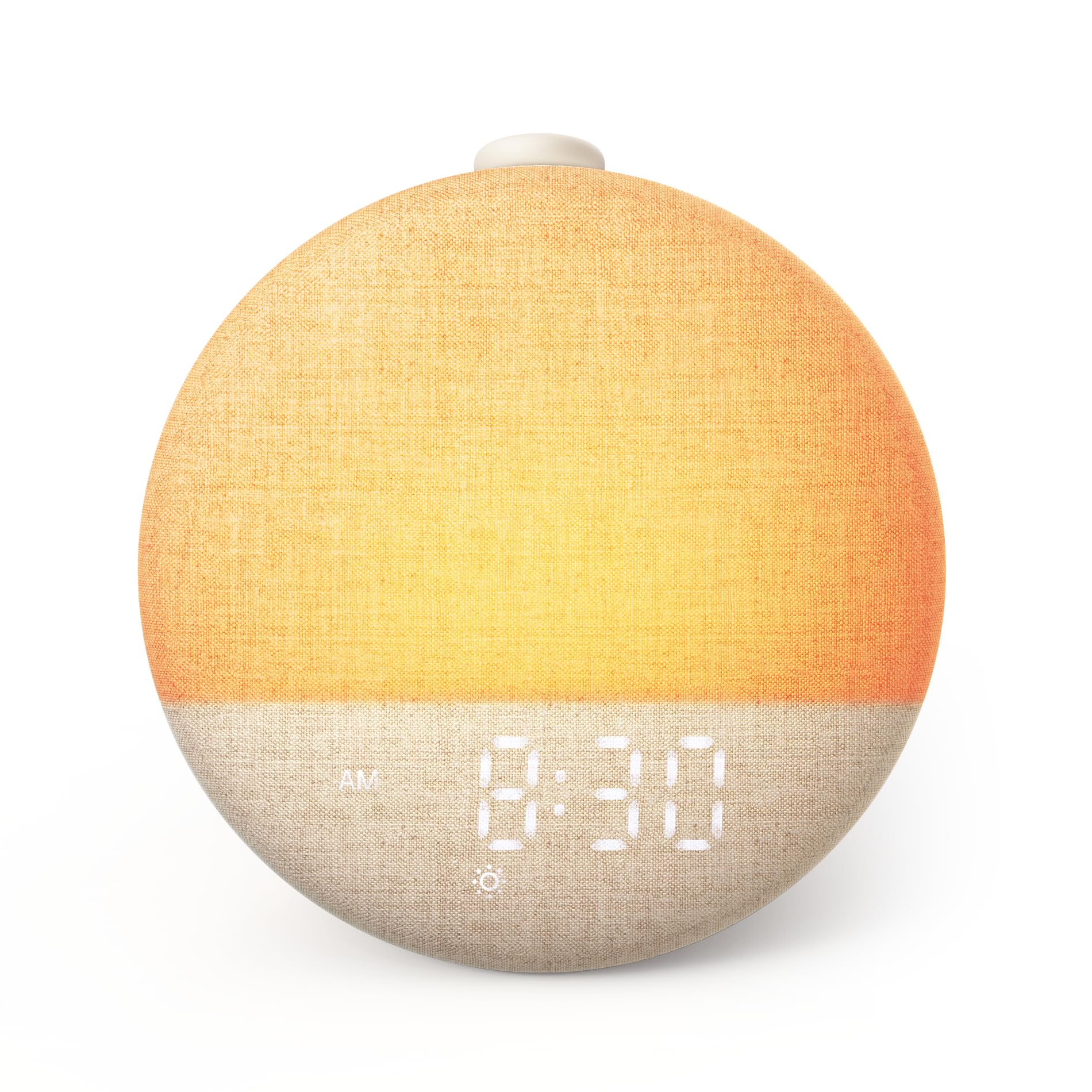
Figure 1: Dreamegg Sunrise 2, an all-in-one sleep companion.
Product Overview
The Dreamegg Sunrise 2 offers a comprehensive sleep system without the need for subscriptions or additional applications. Key features include:
- Gentle Wake-Up: Simulates a natural sunrise with a gradual light increase, supporting your natural circadian rhythm for a calm awakening.
- Relaxing Sleep Environment: Features 29 soothing sounds and 10 ambient light colors to help you unwind and fall asleep peacefully.
- Intuitive Controls: Equipped with a large, multi-functional button for easy sound control, snooze, and alarm management. A dedicated Favorite Mode button allows instant access to your preferred bedtime settings.
- Customizable Routines: Offers a flexible 5-180 minute timer, 20-level dimmable light, and 5 brightness settings for the digital display, allowing personalized adjustments.
- Integrated System: Combines a wake-up light, night light, sound machine, and alarm clock into a single device.
Setup
- Unpacking: Carefully remove the Dreamegg Sunrise 2 from its packaging. Ensure all components, including the device, USB-C cable, and power adapter, are present.
- Power Connection: Connect the provided USB-C cable to the device and the power adapter. Plug the adapter into a standard electrical outlet. The device will power on and display the time.
- Initial Time Setting: Refer to the 'Setting Time' section under Operating Instructions to set the current time.
Operating Instructions
Basic Controls
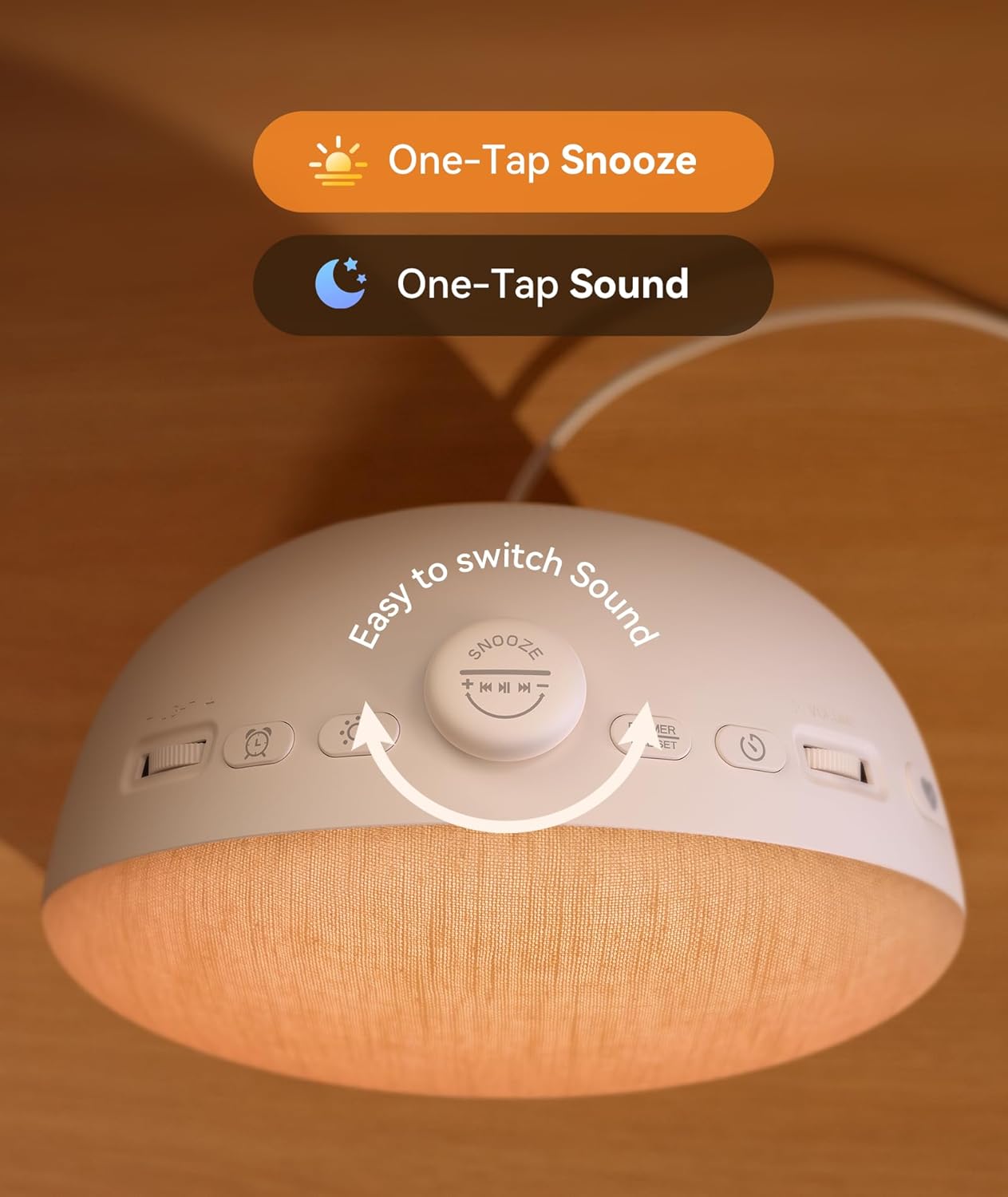
Figure 2: Top controls of the Dreamegg Sunrise 2.
- Snooze/Pause Button: Tap to snooze an active alarm or pause playing sounds. Rotate to explore different sounds.
- Dimmer/Time Set Button: Press to adjust display brightness. Press and hold to enter time setting mode.
- Light Button: Press to turn on/off the night light. Press and hold to cycle through light colors.
- Alarm Button: Press to activate/deactivate the alarm. Press and hold to set alarm time and preferences.
- Volume Roller: Rotate to adjust the sound volume.
- Light Brightness Roller: Rotate to adjust the brightness of the night light.
- Favorite Button: Press to activate your saved favorite sleep setting. Press and hold to save the current settings as your favorite.
Setting Time
- Press and hold the Dimmer/Time Set button until the time display flashes.
- Use the Volume Roller to adjust hours and the Light Brightness Roller to adjust minutes.
- Press the Dimmer/Time Set button again to confirm and exit.
Setting Alarm

Figure 3: The Dreamegg Sunrise 2 simulating a sunrise wake-up.
- Press and hold the Alarm button until the alarm time flashes.
- Use the Volume Roller to set the alarm hour and the Light Brightness Roller to set the alarm minute.
- Press the Alarm button to confirm the time.
- Next, select your desired wake-up sound by rotating the Snooze/Pause button.
- Adjust the alarm volume using the Volume Roller.
- Choose the sunrise duration (0-60 minutes) and light intensity using the Light Brightness Roller.
- Press the Alarm button again to save all settings and activate the alarm.
Sound Machine Functions

Figure 4: Dreamegg Sunrise 2 offering 29 sleep and relaxation sounds.
- To turn on/off the sound machine, press the Snooze/Pause button.
- Rotate the Snooze/Pause button to cycle through the 29 available sounds (e.g., white noise, nature sounds, lullabies).
- Adjust the sound volume using the Volume Roller.
- To set a timer for the sound machine (5-180 minutes), press the Timer button (if available, otherwise refer to general timer settings).
Night Light Functions
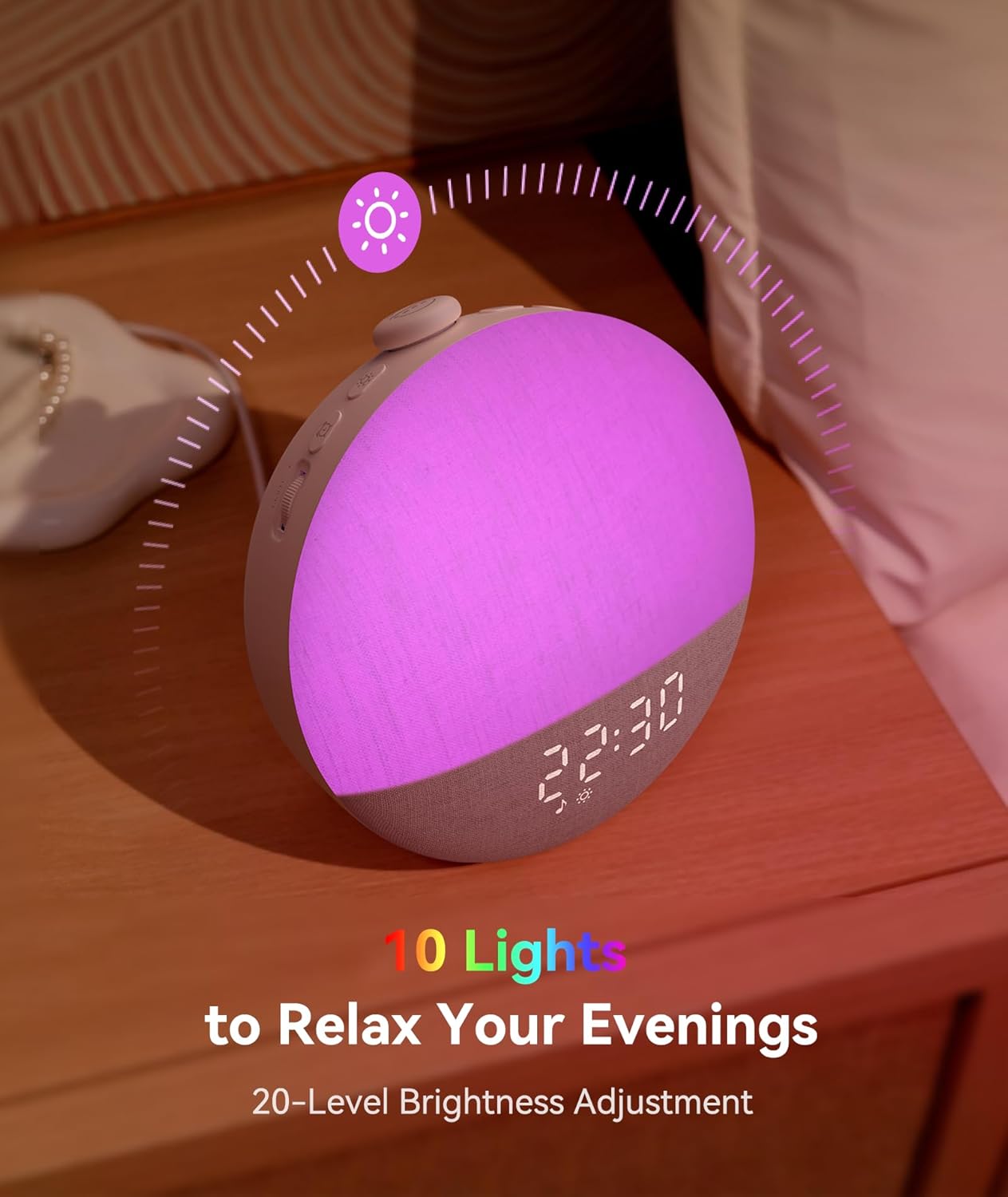
Figure 5: Dreamegg Sunrise 2 with customizable ambient lighting.
- Press the Light button to turn the night light on or off.
- Press and hold the Light button to cycle through the 10 available ambient light colors.
- Adjust the brightness of the night light using the Light Brightness Roller (20 levels).
Favorite Mode
- To save your current sound, light, and timer settings as a favorite, press and hold the Favorite button.
- To quickly activate your saved favorite settings, simply press the Favorite button.
Snooze Function
- When the alarm sounds, tap the Snooze/Pause button to activate the snooze function for 9 minutes.
- The alarm will sound again after the snooze period.
Maintenance
- Cleaning: Use a soft, dry cloth to clean the surface of the device. Do not use liquid cleaners or abrasive materials.
- Storage: When not in use for extended periods, store the device in a cool, dry place away from direct sunlight.
- Power Cable: Always use the provided power cable and adapter. Inspect the cable regularly for any damage.
Troubleshooting
| Problem | Possible Cause | Solution |
|---|---|---|
| Device does not power on. | Power cable not connected properly or power outlet issue. | Ensure the power cable is securely connected to both the device and the power adapter. Try a different power outlet. |
| Alarm does not sound. | Alarm not activated or volume too low. | Verify the alarm is set and activated (check alarm icon on display). Increase alarm volume using the Volume Roller. |
| Sound machine not playing. | Sound machine is off or volume is too low. | Press the Snooze/Pause button to turn on the sound machine. Adjust volume with the Volume Roller. |
| Light not changing color or brightness. | Incorrect button usage or brightness set to minimum. | Press and hold the Light button to cycle colors. Use the Light Brightness Roller to adjust brightness. |
| Time/settings reset after power outage. | Extended power loss beyond internal battery backup. | Reset the time and alarm settings manually after power is restored. |
Specifications
- Model Number: D66B
- Product Dimensions: 6.51 x 4.03 x 6.3 inches
- Item Weight: 12.87 ounces (365 Grams)
- Material: Acrylonitrile Butadiene Styrene (ABS)
- Color: Cream
- Manufacturer: Dreamegg
- Sounds: 29 Soothing Sounds
- Light Colors: 10 Ambient Light Colors
- Light Brightness: 20-Level Dimmable Light
- Display Brightness: 5 Brightness Settings
- Timer: 5-180 Minute Flexible Timer
Important Information
Safety Information
Please follow the user manual and use the provided power cable for safety. Do not attempt to disassemble or modify the device. Keep away from water and high humidity environments.
Legal Disclaimer
Statements regarding dietary supplements have not been evaluated by the FDA and are not intended to diagnose, treat, cure, or prevent any disease or health condition. This product is not a medical device.
Warranty and Support
For warranty information and customer support, please refer to the official Dreamegg website or contact their customer service directly. Keep your purchase receipt for warranty claims.


