
Introduction
Thank you for choosing the Vonaural E11 Hybrid Active Noise Cancelling Headphones. These headphones are designed to provide a superior audio experience with advanced noise cancellation, comfortable fit, and reliable wireless performance. This manual will guide you through the setup, operation, and maintenance of your new headphones.
Safety Information
- Do not expose the headphones to extreme temperatures, humidity, or corrosive substances.
- Avoid dropping or subjecting the headphones to strong impacts.
- Do not disassemble or modify the headphones. This may void the warranty and cause damage.
- Clean the headphones with a soft, dry cloth. Do not use liquid cleaners.
- Adjust volume to a moderate level to prevent hearing damage. Prolonged exposure to loud sounds can cause permanent hearing loss.
Package Contents
Please check the package for the following items:
- Vonaural E11 Hybrid Active Noise Cancelling Headphones
- USB-C Charging Cable
- 3.5mm Audio Cable
- User Manual (this document)
Product Overview
Familiarize yourself with the components and controls of your Vonaural E11 headphones.
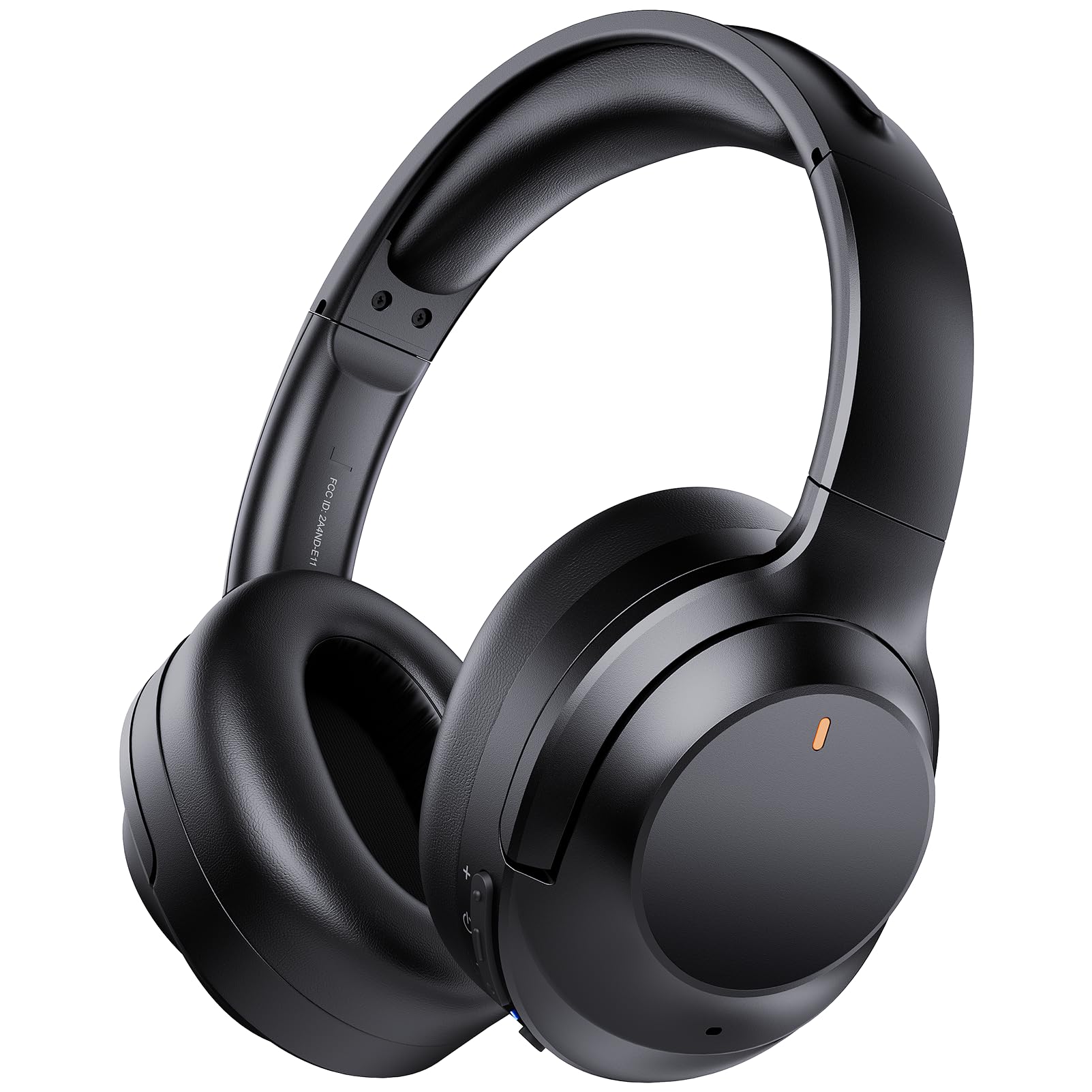
Image: The Vonaural E11 Hybrid Active Noise Cancelling Headphones, showcasing their sleek black design and over-ear form factor.

Image: A detailed diagram illustrating the button layout and functions on the Vonaural E11 headphones, including volume controls, power button, and ANC/Ambient Sound toggle.
Key Features:
- Hybrid Active Noise Cancellation: Reduces ambient noise for immersive listening.
- Hi-Fi Stereo Sound: Equipped with 40mm dynamic drivers for clear highs, balanced mids, and deep bass.
- Crystal Clear Hands-free Calls: Built-in microphones with noise reduction technology.
- All-Day Comfort: Ultra-soft ear cushions and an adjustable headband for extended wear.
- Long-Lasting Playtime: Up to 35 hours of playtime on a single charge.
- Bluetooth 5.0 Technology: Provides a stable and efficient wireless connection.
Setup
1. Charging the Headphones
Before first use, fully charge your headphones. Connect the provided USB-C charging cable to the charging port on the headphones and the other end to a USB power source (e.g., computer, wall adapter). The LED indicator will show charging status and turn off when fully charged.
2. Bluetooth Pairing
- Ensure the headphones are powered off.
- Press and hold the Power button until the LED indicator flashes blue and red, indicating pairing mode.
- On your device (smartphone, tablet, laptop), enable Bluetooth and search for available devices.
- Select "Vonaural E11" from the list of devices.
- Once connected, the LED indicator will flash blue slowly.

Image: A visual representation of the Bluetooth pairing process, showing the headphones connecting to a smartphone with "E11 Connected" displayed.

Image: The Vonaural E11 headphones positioned among a smartphone, laptop, and tablet, illustrating their wide compatibility with various Bluetooth-enabled devices.
Operating Instructions
Power On/Off
- Power On: Press and hold the Power button for 3 seconds. The LED indicator will flash blue.
- Power Off: Press and hold the Power button for 3 seconds. The LED indicator will turn off.
Volume Control
- Volume Up: Short press the '+' button.
- Volume Down: Short press the '-' button.
Music Playback
- Play/Pause: Short press the Multifunction button.
- Next Track: Long press the '-' button.
- Previous Track: Long press the '+' button.
Call Management
- Answer/End Call: Short press the Multifunction button.
- Reject Call: Long press the Multifunction button.
Active Noise Cancellation (ANC) & Ambient Sound Mode
The Vonaural E11 headphones feature Hybrid Active Noise Cancellation and an Ambient Sound Mode.
- Toggle Modes: Press the dedicated ANC button to cycle through ANC On, Ambient Sound Mode, and ANC Off.

Image: A person wearing the Vonaural E11 headphones, illustrating the effectiveness of Active Noise Cancellation in reducing external distractions.

Image: A person wearing the Vonaural E11 headphones, demonstrating the Ambient Sound Mode which allows awareness of surroundings while listening to audio.
Maintenance
Cleaning
Gently wipe the earcups and headband with a soft, dry, lint-free cloth. Do not use abrasive cleaners, alcohol, or chemical solvents. Ensure no moisture enters the headphone openings.
Storage
When not in use, store the headphones in a cool, dry place away from direct sunlight. The foldable design allows for compact storage. Avoid placing heavy objects on the headphones.
Troubleshooting
| Problem | Solution |
|---|---|
| Headphones do not power on | Ensure the headphones are fully charged. Connect to a power source and try again. |
| Cannot pair with device | Make sure Bluetooth is enabled on your device and the headphones are in pairing mode (flashing blue/red). Try restarting both devices. |
| No sound or low volume | Check the volume levels on both the headphones and your connected device. Ensure the headphones are properly paired. |
| ANC not working effectively | Ensure ANC mode is activated. Note that ANC is most effective against low-frequency, constant noise. |
| Poor call quality | Ensure the headphones are close to your device. Check for environmental interference. |
Specifications
| Feature | Detail |
|---|---|
| Model Name | E11 Active Noise Cancelling Headphones |
| Noise Control | Active Noise Cancellation |
| Connectivity Technology | Wireless (Bluetooth) |
| Wireless Communication Technology | Bluetooth 5.0 |
| Audio Driver Type | Hybrid Driver |
| Earpiece Shape | Over-Ear |
| Battery Life | Up to 35 Hours |
| Charging Time | Approximately 2-3 Hours (for 35 hours playtime) |
| Control Method | Touch/Buttons |
| Item Weight | 10.8 ounces |
| Material | Fabric (ear cushions) |
| Compatible Devices | Laptops, Desktops, Tablets, Telephones, Smart Speaker, Television, Car Audio Systems, Cellphones |
Warranty and Support
Vonaural products are designed for reliability and performance. For warranty information or technical support, please refer to the contact details provided with your purchase or visit the official Vonaural website. Please retain your proof of purchase for warranty claims.