
1. Introduction
Thank you for choosing the Donerton Bluetooth 5.4 Wireless Headphones, Model W90. These headphones are designed to provide a high-quality audio experience with advanced features such as Bluetooth 5.4 connectivity, HiFi stereo sound, Environmental Noise Cancelling (ENC) for calls, and IP7 waterproofing. This manual will guide you through the setup, operation, and maintenance of your new headphones to ensure optimal performance and longevity.
2. Safety Information
- Do not disassemble or modify the headphones or charging case. This may cause malfunction or damage and will void the warranty.
- Keep the device away from extreme temperatures (hot or cold), humidity, and water, except for the specified IP7 water resistance.
- Avoid prolonged exposure to loud volumes to prevent hearing damage.
- Clean the headphones with a soft, dry cloth. Do not use harsh chemicals or abrasive materials.
- Keep out of reach of children and pets.
- Dispose of the device and its components responsibly according to local regulations.
3. Package Contents
Please check the package contents upon opening to ensure all items are present:
- Donerton W90 Wireless Headphones (Left and Right earbuds)
- Charging Case
- USB Charging Cable
- User Manual (This document)
4. Product Overview
Familiarize yourself with the components of your Donerton W90 Wireless Headphones.
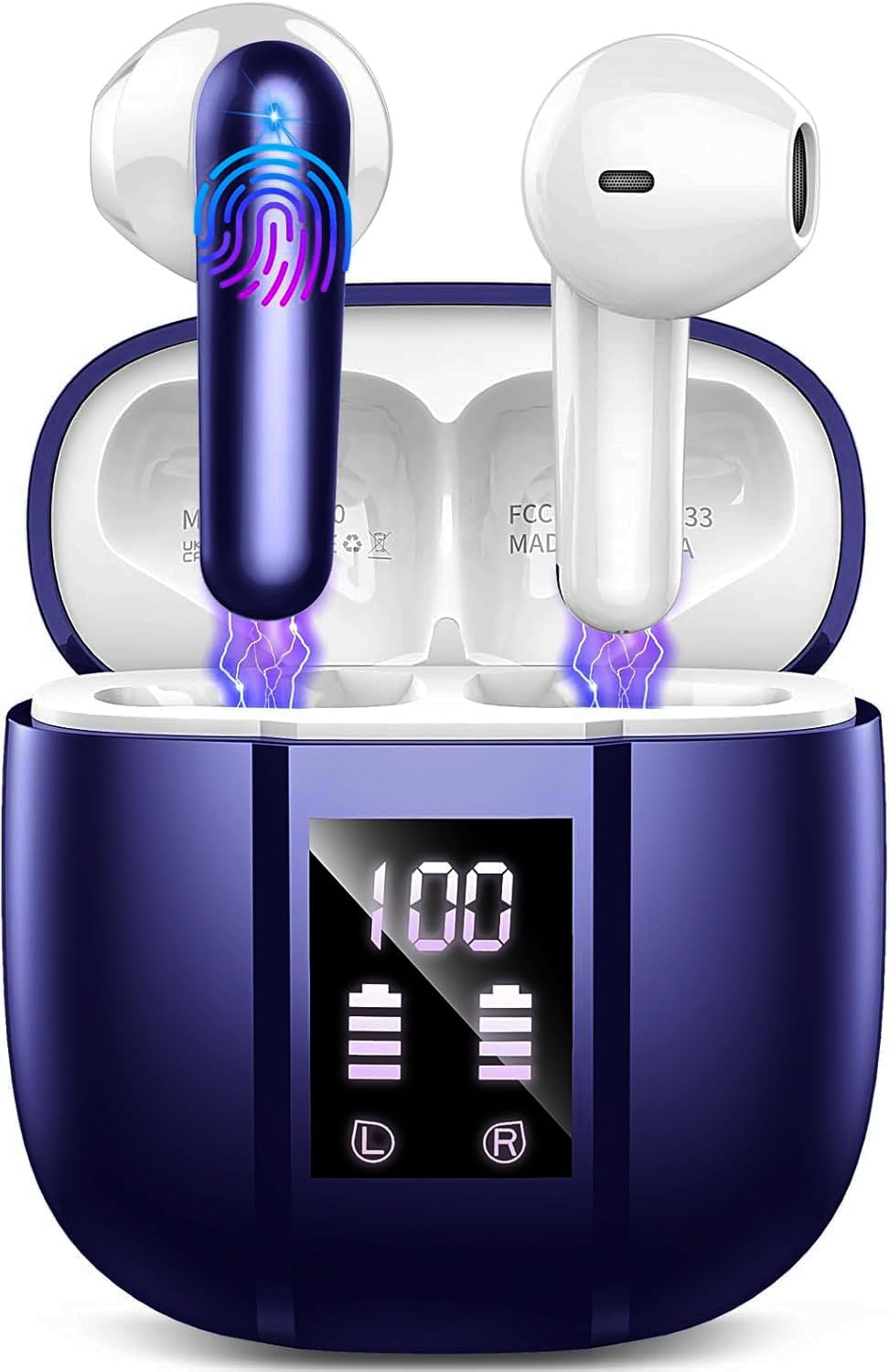
Image: Donerton W90 Wireless Headphones and Charging Case. This image displays the overall design of the earbuds and their charging case.
- Earbuds: Left and Right earbuds with touch control areas and charging contacts.
- Charging Case: Houses and charges the earbuds, features an LED display for battery status.
- USB-C Charging Port: Located on the charging case for power input.
- Microphones: Integrated into each earbud for calls and ENC functionality.
5. Setup
5.1 Charging the Headphones
Before first use, fully charge the headphones and the charging case.
- Place both earbuds into the charging case. Ensure they are correctly seated, and the charging indicators on the case light up.
- Connect the USB charging cable to the charging port on the case and to a USB power source (e.g., computer, wall adapter).
- The LED display on the charging case will show the battery level. A full charge typically takes about 1.5 hours for the case.
- Once fully charged, disconnect the charging cable.
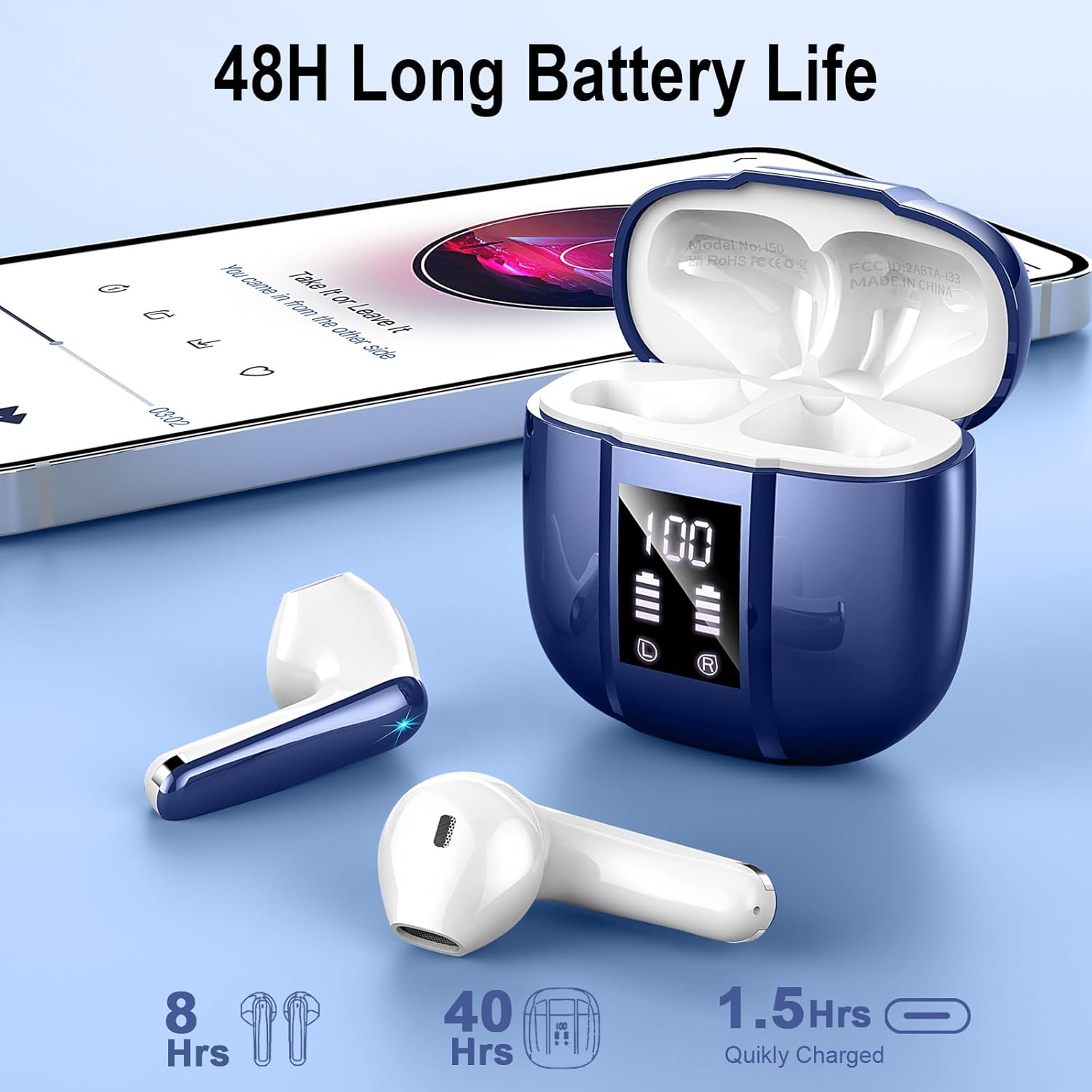
Image: Donerton W90 Charging Case with LED Display. This image illustrates the charging case displaying battery levels for both earbuds and the case itself, indicating a quick charge time of 1.5 hours for the case and up to 8 hours of playback per earbud charge, with an additional 40 hours from the case.
5.2 Initial Pairing
Follow these steps to pair your headphones with a Bluetooth-enabled device for the first time:
- Ensure the headphones are charged.
- Open the charging case. The earbuds will automatically power on and enter pairing mode. The indicator lights on the earbuds will flash.
- On your device (smartphone, tablet, etc.), enable Bluetooth.
- Search for available Bluetooth devices. Select "Donerton W90" from the list.
- Once connected, the earbud indicator lights will turn off or flash slowly, and you will hear a confirmation tone.

Image: Donerton W90 One-Step Pairing and Touch Control. This image demonstrates the simple pairing process by opening the charging case and selecting the device on a smartphone's Bluetooth settings. It also highlights the touch control functions on the earbuds.
5.3 Automatic Re-pairing
After the initial pairing, the headphones will automatically connect to the last paired device when you open the charging case and take them out, provided Bluetooth is enabled on your device and it is within range.
6. Operating Instructions
6.1 Wearing the Headphones
For optimal sound quality and comfort, ensure the earbuds are properly seated in your ears.
- Identify the Left (L) and Right (R) earbuds.
- Gently insert each earbud into the corresponding ear canal.
- Rotate the earbud slightly until it feels secure and comfortable.

Image: Donerton W90 Ergonomic Design and Fit. This image highlights the ergonomic design of the earbuds, showing how they fit comfortably and securely in the ear, emphasizing their lightweight nature and portability.
6.2 Touch Controls
The Donerton W90 headphones feature intuitive touch controls on each earbud. The specific functions may vary slightly depending on your device and application.
| Action | Left Earbud (L) | Right Earbud (R) |
|---|---|---|
| Play/Pause Music | Single tap | Single tap |
| Next Track | Double tap | Double tap |
| Previous Track | Triple tap | Triple tap |
| Volume Up | Press and hold | N/A |
| Volume Down | N/A | Press and hold |
| Answer/End Call | Single tap | Single tap |
| Reject Call | Press and hold for 2 seconds | Press and hold for 2 seconds |
| Activate Voice Assistant | Quadruple tap | Quadruple tap |
The headphones feature Environmental Noise Cancelling (ENC) for clear calls. This technology automatically reduces background noise during phone conversations.

Image: Donerton W90 Crystal Clear Call with ENC. This image visually represents the Environmental Noise Cancelling (ENC) feature, showing how background noise is reduced to ensure clear voice transmission during calls.
7. Maintenance
7.1 Cleaning
- Regularly clean the earbuds and charging case to prevent dirt and earwax buildup.
- Use a soft, dry, lint-free cloth to wipe the surfaces.
- For stubborn dirt, slightly dampen the cloth with water. Do not use alcohol, solvents, or abrasive cleaners.
- Ensure the charging contacts on both the earbuds and the case are clean and free of debris to maintain proper charging.
7.2 Storage
- When not in use, store the headphones in their charging case to protect them and keep them charged.
- Store the device in a cool, dry place, away from direct sunlight and extreme temperatures.
7.3 Water Resistance (IP7)
The Donerton W90 headphones are rated IP7 waterproof. This means they are protected against immersion in water up to 1 meter for up to 30 minutes. They are resistant to splashes, sweat, and rainwater.
- Do not intentionally submerge the charging case in water, as it is not waterproof.
- Ensure the earbuds are completely dry before placing them back into the charging case to prevent damage to the charging contacts.
- Water resistance is not a permanent condition and may decrease as a result of normal wear.
8. Troubleshooting
If you encounter issues with your Donerton W90 headphones, refer to the following common problems and solutions:
8.1 Headphones Not Pairing
- Ensure Bluetooth is enabled: Check that Bluetooth is turned on on your device.
- Re-enter pairing mode: Place the earbuds back into the charging case, close the lid, then open it again to re-initiate pairing mode.
- Forget device: On your device, go to Bluetooth settings, find "Donerton W90", and select "Forget" or "Unpair". Then, try the pairing process again from step 5.2.
- Charge headphones: Ensure both earbuds and the charging case have sufficient battery.
- Distance: Make sure the headphones are within the Bluetooth range (up to 15 meters) of your device.
8.2 No Sound or Low Volume
- Check volume levels: Adjust the volume on both your connected device and using the headphone touch controls.
- Re-connect: Disconnect and re-connect the headphones to your device.
- Clean earbuds: Ensure there is no earwax or debris blocking the earbud speakers.
- Try another audio source: Test with a different song or application.
8.3 Charging Issues
- Check cable and adapter: Ensure the USB charging cable and power adapter are working correctly. Try a different cable or adapter.
- Clean charging contacts: Wipe the charging contacts on both the earbuds and inside the case with a dry cloth.
- Proper seating: Make sure the earbuds are correctly placed in the charging case.
8.4 One Earbud Not Working
- Re-pair: Try forgetting the device and re-pairing as described in 8.1.
- Reset: Some issues can be resolved by resetting the headphones. Refer to the manufacturer's website or contact support for specific reset instructions if needed.
- Charge: Ensure both earbuds are charged.
9. Specifications
| Feature | Detail |
|---|---|
| Model | W90 |
| Bluetooth Version | 5.4 |
| Bluetooth Protocols | HFP, HSP, A2DP, AVRCP |
| Wireless Range | Up to 15 meters (49 feet) |
| Speaker Drivers | 13mm Dynamic Speakers |
| Noise Control | Environmental Noise Cancellation (ENC) with 4 microphones |
| Earbud Playback Time | 6-8 hours (single charge) |
| Total Playback Time (with case) | Up to 45-50 hours |
| Charging Time (Case) | Approximately 1.5 hours |
| Waterproof Rating | IP7 (earbuds only) |
| Earbud Weight | Approximately 3 grams each |
| Material | Plastic |
| Battery Type | Lithium Polymer |
| Compatibility | iOS 9.0+, Android 10.0+, Bluetooth 5.4+ devices |
10. Warranty and Support
Donerton products are designed and manufactured to the highest quality standards. For detailed warranty information, please refer to the warranty card included with your purchase or visit the official Donerton website.
If you experience any issues or have questions regarding your Donerton W90 Wireless Headphones, please contact Donerton customer support through the retailer where you purchased the product or via the contact information provided on the official Donerton website.


