Important Safety Information
Please read and understand all instructions before assembly and use. Keep this manual for future reference.
- Anti-Tip Device: This dresser must be securely anchored to the wall using the provided anti-tip device to prevent serious injury from tipping.
- Weight Limits: Do not exceed the maximum weight capacity of 110 lbs on the top surface. Distribute weight evenly in drawers.
- Children Safety: Do not allow children to climb on drawers or shelves. Keep small parts away from children during assembly.
- Placement: Place the dresser on a level surface. Avoid placing in areas with high humidity or direct sunlight.
- Electrical Safety: Ensure the charging station is connected to a properly grounded outlet. Do not overload the outlets. Keep liquids away from electrical components.
Product Overview
The EnHomee Dresser (Model: B0FWJP31X8) is a versatile storage solution featuring 8 fabric drawers, 2 mesh-door cabinets, and an open shelf. It includes integrated RGB LED lighting and a built-in charging station with AC outlets and USB ports. This unit can also function as a TV stand for up to a 60-inch television.
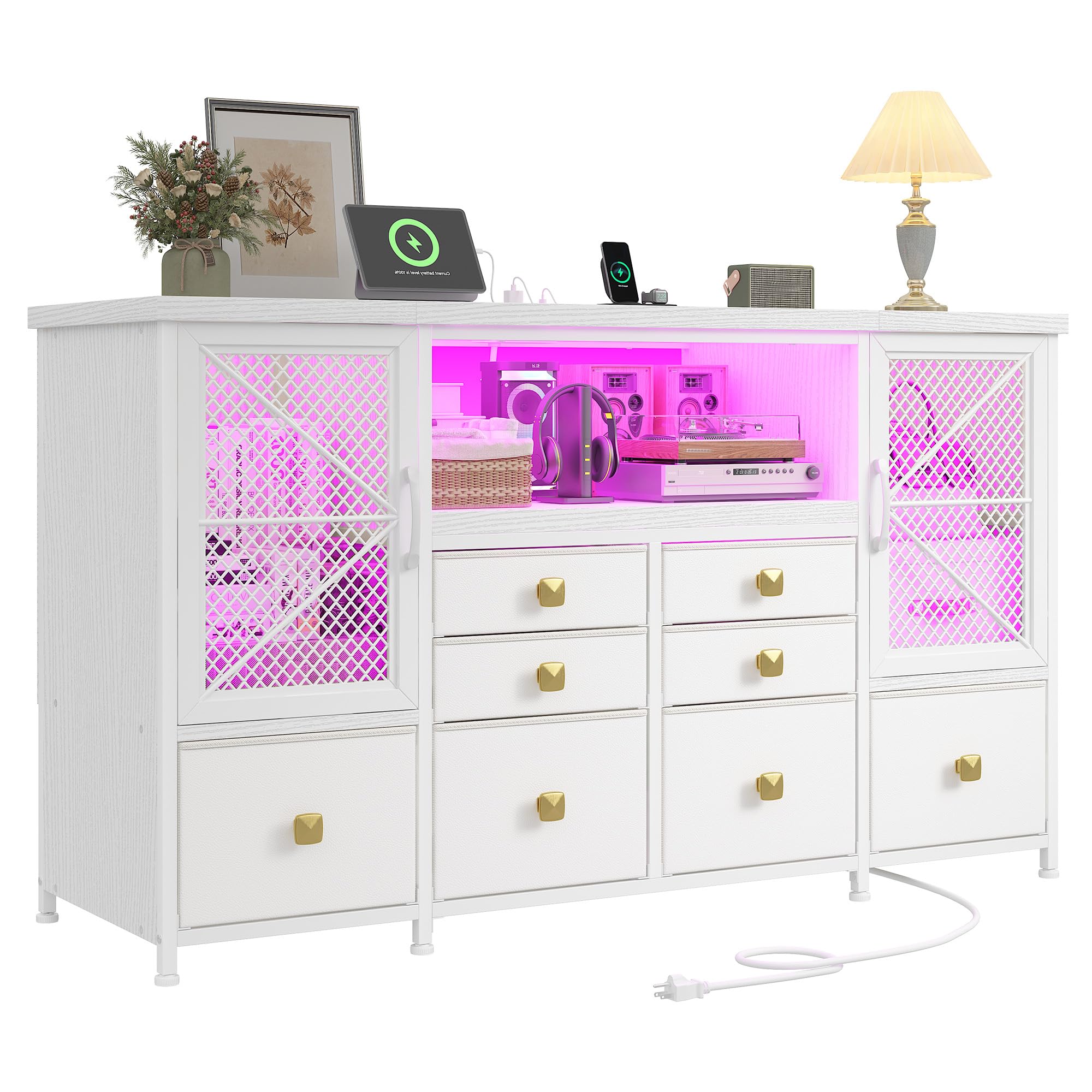
Figure 1: EnHomee Dresser with LED lights and charging station in a living room setting.
Key Features:
- Ample Storage: 8 fabric drawers, 2 mesh-door cabinets, and 1 open shelf.
- Integrated LED Lighting: RGB LED lights with smart control via app or remote, offering 60,000+ shades, dynamic modes, music sync, voice control, and timer functions.
- Built-in Charging Station: 2 AC outlets and 2 USB ports for convenient device charging.
- Durable Construction: Reinforced steel frame, water-resistant wooden top, and high-grade fabric drawers.
- Multi-functional: Can be used as a dresser, storage tower, or TV stand (fits up to 60-inch TV).
Specifications
| Brand: | EnHomee |
| Model: | B0FWJP31X8 |
| Color: | White |
| Product Dimensions: | 11.81"D x 49.21"W x 29.51"H |
| Material: | Metal frame, Wooden top, Fabric drawers |
| Number of Drawers: | 8 |
| Charging Station: | 2 AC outlets, 2 USB ports |
| LED Lighting: | RGB, App/Remote control, Music Sync, Voice Control, Timer |
| Assembly Required: | Yes |

Figure 2: Detailed product dimensions including drawer sizes.
Setup and Assembly
Assembly is required for this dresser. Please follow the step-by-step instructions carefully. All necessary tools and hardware are included in the package.
Before You Begin:
- Verify all parts and hardware are present using the provided parts list.
- Clear a spacious area for assembly.
- Do not fully tighten screws until all components are in place.
Assembly Steps:
- Assemble the Metal Frame:
Attach the adjustable feet to the bottom of the frame pieces (Parts 6, 7, 8, 9). Connect the horizontal bars (Part 10) to the vertical frame pieces using screws (Part D). Ensure the hole positions on Part 6 are located at the back for proper alignment of the cross braces.
Video 1: Detailed installation guide for the EnHomee dresser, showing step-by-step assembly of the metal frame and wooden components.
- Install Fabric Shelves:
Slide the fabric shelves (Part 19) onto the designated horizontal bars (Part 12) within the frame structure.
- Attach Wooden Panels:
Connect the wooden panels (Parts 1, 2, 3, 4) using the provided dowels (Part K) and screws (Part G) and metal plates (Part 16). Secure these panels to the assembled metal frame using screws (Part E and D).
- Install Cross Braces:
Attach the cross braces (Part 15) to the back of the frame using screws (Part C) and nuts (Part J) to enhance stability.
- Integrate Charging Station and LED Lights:
Place the charging station (Part 17) into the designated cutout on the top wooden panel (Part 2) and secure it with screws (Part G). Adhere the LED light strip (Part 16) to the underside of the top shelf and connect it to one of the USB ports on the charging station.

Figure 3: Close-up of the built-in power strip with 2 AC outlets and 2 USB ports.
- Assemble Drawers:
Unfold the fabric drawers (Parts 20, 21) and insert the bottom panels (Part 18) to create a sturdy base. Attach the handles to the front of each drawer.

Figure 4: The dresser showcasing its 8 fabric drawers and 2 mesh-door cabinets for ample storage.
- Install Anti-Tip Device:
Secure the dresser to the wall using the provided anti-tip kit (Part 15). This is a critical safety step to prevent tipping.
Operating Instructions
Using the LED Lighting:
- Power On/Off: Use the remote control or the mobile app to turn the LED lights on or off.
- Color Selection: Select from over 60,000 colors using the remote or app.
- Brightness Adjustment: Adjust the brightness levels to your preference.
- Dynamic Modes: Choose from various dynamic modes such as flash, strobe, fade, or smooth transitions.
- Music Sync: Activate music sync mode for lights to react to audio.
- Timer Function: Set a timer for the lights to automatically turn off.
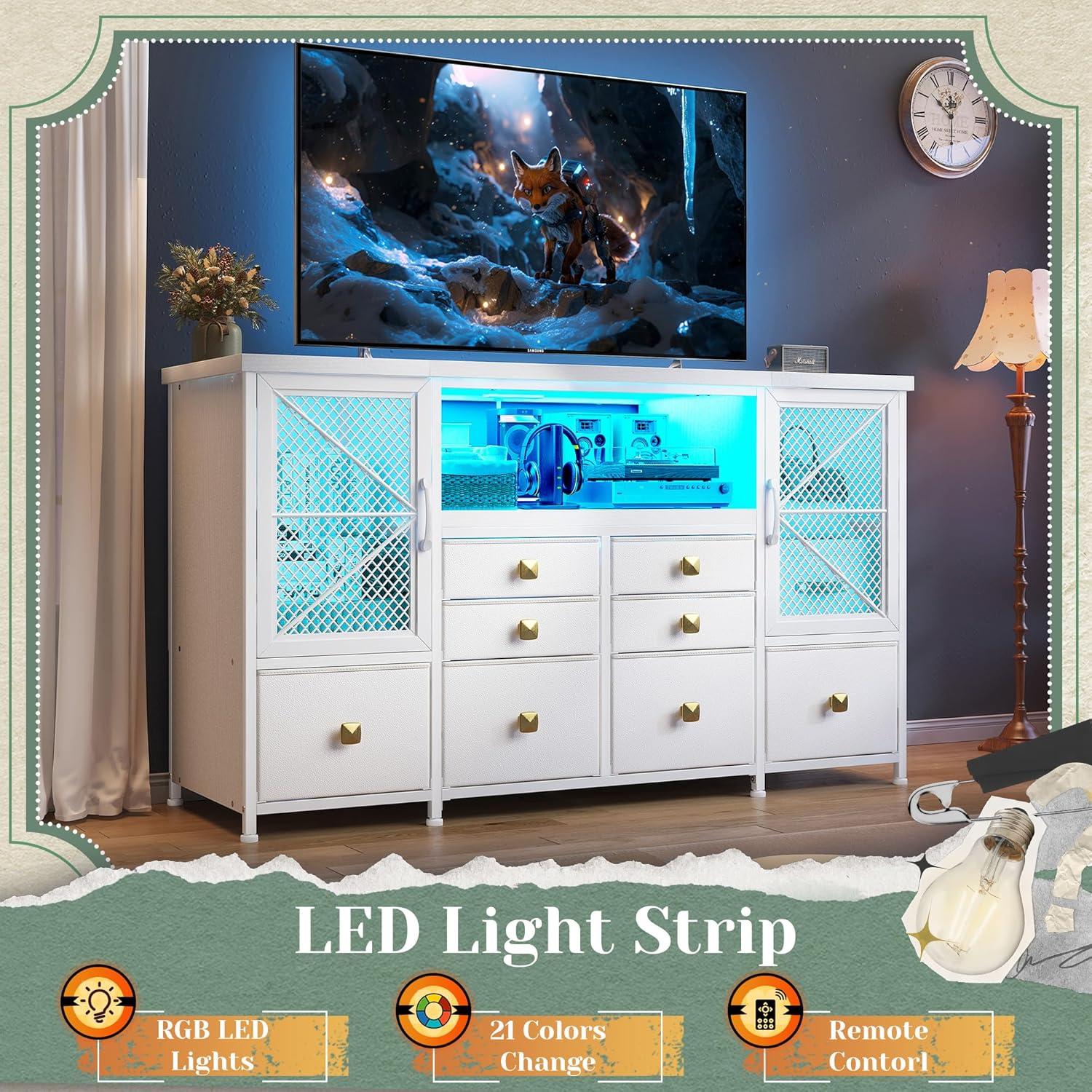
Figure 5: The dresser featuring its RGB LED light strip, illuminating the open shelf and mesh cabinets.
Using the Charging Station:
- Plug the dresser's power cord into a standard wall outlet.
- Connect your devices to the 2 AC outlets or 2 USB ports for charging.
- Avoid overloading the charging station to prevent electrical hazards.
Maintenance
- Cleaning: Wipe the wooden surfaces with a soft, damp cloth. For fabric drawers, spot clean with a mild detergent and air dry. Do not use harsh chemicals or abrasive cleaners.
- Hardware: Periodically check all screws and connections to ensure they are tight. Retighten if necessary.
- Drawer Care: Avoid overfilling drawers to ensure smooth operation and prevent damage to the fabric.
- Electrical Components: Keep the charging station and LED lights free from dust and moisture.
Troubleshooting
| Problem | Possible Cause | Solution |
|---|---|---|
| LED lights not working. | Not plugged in; loose connection; remote battery dead. | Ensure USB cable is securely plugged into the charging station. Check remote battery and replace if needed. |
| Charging station not providing power. | Dresser not plugged into wall; wall outlet not working; overloaded. | Verify dresser power cord is plugged into a live wall outlet. Test the wall outlet with another device. Reduce the number of devices plugged into the charging station. |
| Dresser feels wobbly. | Uneven floor; loose screws; anti-tip device not installed. | Adjust the leveling feet on the bottom of the frame. Tighten all assembly screws. Ensure the anti-tip device is correctly installed and secured to the wall. |
| Drawers do not slide smoothly. | Overfilled; obstruction; misaligned. | Remove some items from the drawer. Check for any obstructions in the drawer slides. Ensure drawers are correctly inserted into the frame. |
Warranty and Support
EnHomee products come with a standard manufacturer's warranty. For specific warranty details, please refer to the warranty card included in your package or contact EnHomee customer service.
If you have any questions, require assistance with assembly, or encounter any issues with your product, please contact EnHomee customer support:
- Email: [Insert Customer Service Email Here]
- Phone: [Insert Customer Service Phone Number Here]
- Website: Visit the EnHomee Store on Amazon
Please have your model number (B0FWJP31X8) and purchase date ready when contacting support.


