
Introduction
Thank you for choosing the UMAY X5 Home Treadmill. This manual provides essential information for the safe and efficient operation, maintenance, and troubleshooting of your new fitness equipment. Please read this manual thoroughly before initial use and retain it for future reference.
Safety Information
To ensure your safety and prolong the life of your treadmill, please observe the following precautions:
- Always consult with a physician before starting any new exercise program.
- Place the treadmill on a flat, stable surface with adequate clearance around it.
- Keep children and pets away from the treadmill during operation.
- Do not use the treadmill if you weigh more than 136 kg (300 lbs).
- Ensure the safety clip is properly attached before starting your workout.
- Wear appropriate athletic footwear.
- Stop exercising immediately if you feel faint, dizzy, or experience pain.
- Unplug the treadmill from the power source when not in use or before cleaning/maintenance.
Package Contents
Verify that all components are present before assembly:
- UMAY X5 Treadmill Unit
- Power Cord
- Remote Control
- Safety Key
- User Manual (this document)
- Silicone Oil (for lubrication)
- Assembly Tools (if required)
Setup
The UMAY X5 treadmill is designed for minimal assembly. Follow these steps for initial setup:
- Unpacking: Carefully remove the treadmill from its packaging. Retain packaging materials for potential future transport or returns.
- Placement: Position the treadmill on a firm, level surface. Ensure there is at least 0.6 meters (2 feet) of clear space on all sides and 2 meters (6.5 feet) at the rear for safety.
- Unfolding (if applicable): If the treadmill is in a folded state, gently unfold it according to the instructions provided in the quick start guide or visual aids.
- Power Connection: Plug the power cord into a grounded electrical outlet.
- Safety Key: Attach the safety key to the designated slot on the treadmill console. The treadmill will not operate without the safety key in place.

Operating Instructions
The UMAY X5 treadmill offers various features for an effective workout. Familiarize yourself with the controls and modes.
Control Panel and Remote
The treadmill features an LED display and a remote control for easy adjustments.

- Start/Stop: Press the 'Start' button on the remote to begin, and 'Stop' to end your workout.
- Speed Adjustment: Use 'Speed+' and 'Speed-' buttons to increase or decrease the belt speed (range: 1-10 KM/H).
- Display: The LED screen cycles through Speed, Time, Distance, and Calories burned.
Incline Feature
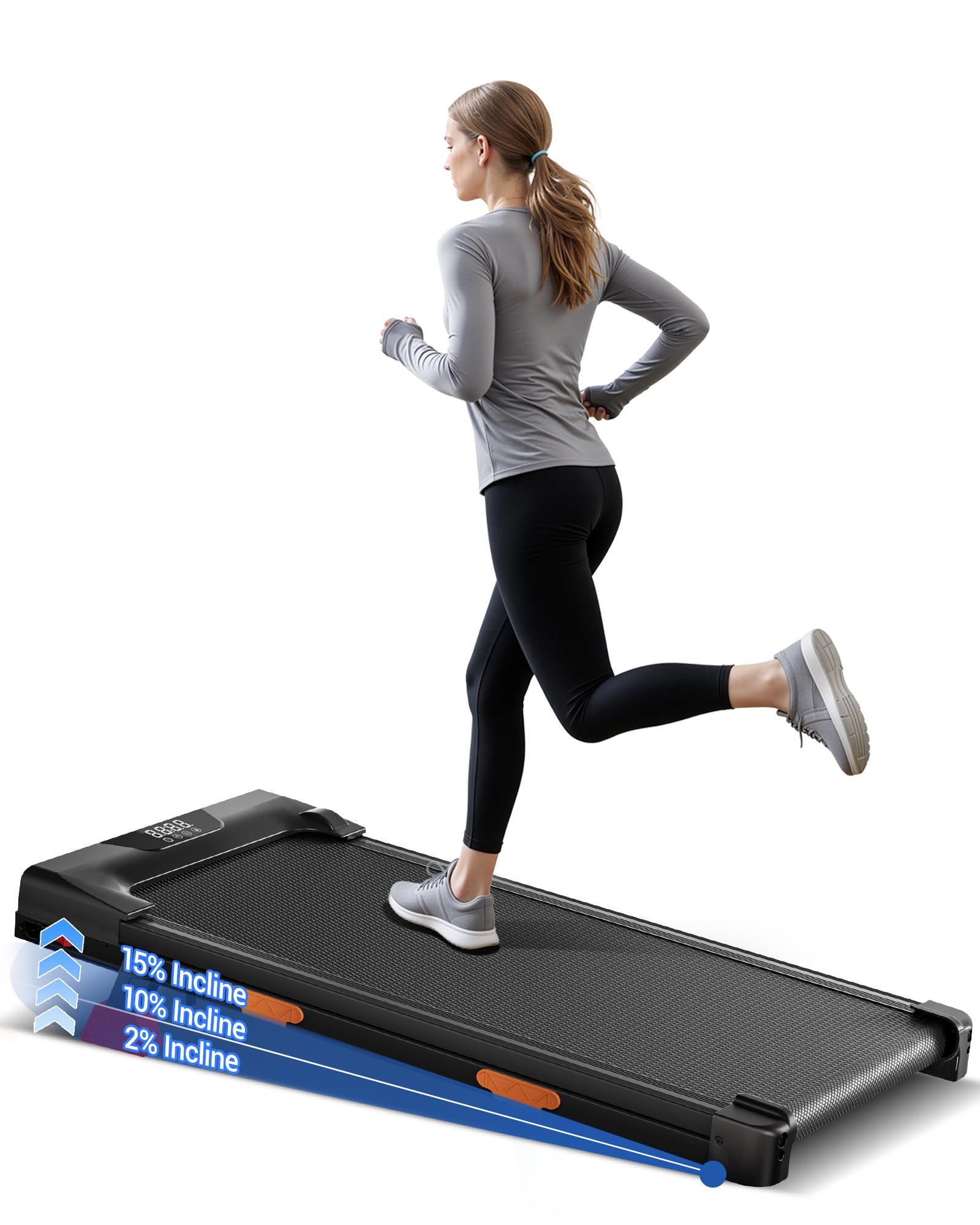
The UMAY X5 offers a 15% adjustable incline to simulate varied terrains and enhance calorie expenditure.

Adjust the incline manually or via the remote control (if supported by your specific model's remote) to increase workout intensity. Higher inclines can significantly increase calorie burn and engage different muscle groups.
Workout Modes
The treadmill supports various activity levels:
- Working Mode (1-2.5 KM/H): Ideal for light activity while working or reading.
- Walking Mode (2.5-4 KM/H): Suitable for brisk walking.
- Jogging Mode (4-6 KM/H): For a moderate jogging pace.
- Running Mode (6-10 KM/H): For more intense running workouts.

Maintenance
Regular maintenance ensures optimal performance and longevity of your UMAY X5 Treadmill.
Cleaning
- Wipe down the treadmill after each use with a damp cloth to remove sweat and dust.
- Do not use abrasive cleaners or solvents.
- Keep the area around the treadmill clean and free of debris.
Lubrication
The running belt requires periodic lubrication with silicone oil to reduce friction and wear. Lubricate every 3 months or after 50 hours of use, whichever comes first.
- Unplug the treadmill from the power outlet.
- Lift the edge of the running belt.
- Apply a small amount of silicone oil (provided) evenly under the center of the belt.
- Run the treadmill at a low speed (e.g., 1 KM/H) for 5 minutes to distribute the lubricant.
Storage
The UMAY X5 is foldable for convenient storage.
- Fold the treadmill as instructed in the quick start guide.
- Utilize the built-in wheels for easy relocation.
- Store in a dry, cool place away from direct sunlight and moisture.
Troubleshooting
If you encounter issues with your UMAY X5 Treadmill, refer to the following common problems and solutions:
| Problem | Possible Cause | Solution |
|---|---|---|
| Treadmill does not start | Power cord not plugged in; Safety key not in place; Power switch off. | Ensure power cord is securely plugged in. Insert the safety key. Turn on the power switch. |
| Running belt slips or hesitates | Belt too loose; Insufficient lubrication. | Adjust belt tension (refer to specific instructions in the full manual). Lubricate the running belt as per maintenance section. |
| Unusual noise during operation | Loose components; Lack of lubrication; Foreign object. | Check for and tighten any loose bolts or screws. Lubricate the belt. Inspect for any objects under the belt. If noise persists, contact customer support. |
| Display not working | Loose connection; Power issue. | Check all cable connections. Ensure the treadmill is receiving power. |
For issues not listed here, please contact UMAY customer support.
Specifications
| Feature | Detail |
|---|---|
| Brand | UMAY |
| Model | X5 (U17) |
| Product Dimensions (L x W x H) | 114 cm x 51 cm x 13 cm (Unfolded) |
| Folded Dimensions | 114 cm x 55 cm x 11 cm |
| Product Weight | 16.8 kg |
| Maximum User Weight | 136 kg |
| Motor Power | 2.5 HP (Brushless) |
| Speed Range | 1 - 10 KM/H |
| Maximum Incline | 15% |
| Running Belt Dimensions | 91.5 cm x 37 cm (approx.) |
| Noise Level | Below 45 dB |
| Display Type | LED |
| Meter Type | Time, Distance, Speed, Calories |
| Frame Material | Alloy Steel |
| Special Features | Quiet operation, Compact design, Triple cushioning system |
Warranty and Support
UMAY provides comprehensive support for your treadmill:
- Warranty: 2-year warranty on the product.
- Customer Service: 24/7 customer support available.
- Returns/Exchanges: 30-day return/exchange service.
- Contact: For any inquiries or assistance, please contact UMAY customer service through Amazon.


