
Introduction
This manual provides detailed instructions for the setup, operation, maintenance, and troubleshooting of your MEIYA Heavy Duty Shipping Scale. This industrial platform scale is designed for accurate weighing of packages and items up to 660 lbs (300 kg) with a precision of 0.1 lb (0.05 kg). It is suitable for various applications including small businesses, warehouses, and general household use.
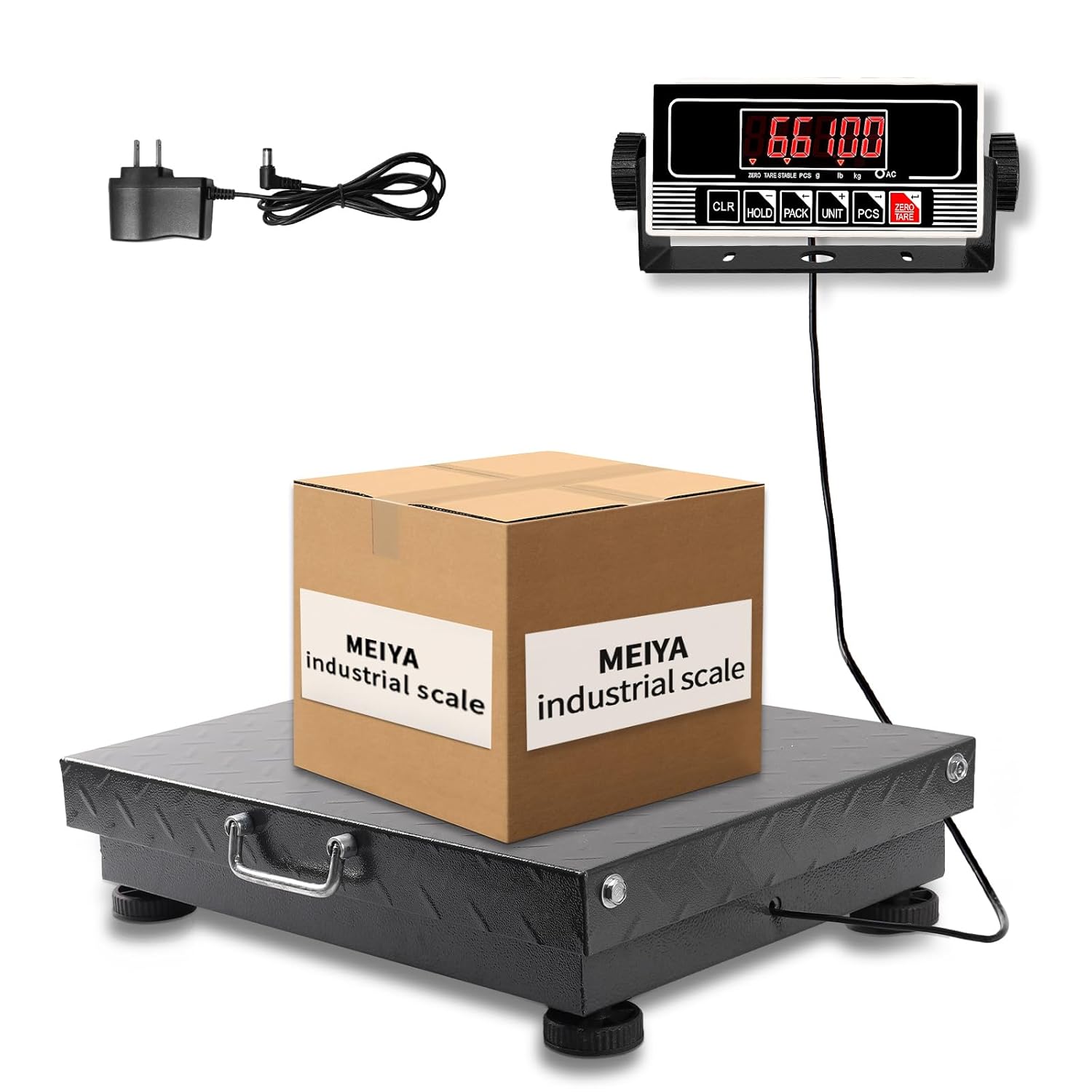
Figure 1: MEIYA Heavy Duty Shipping Scale with its detachable display and power adapter.
1. Setup
1.1 Unpacking and Component Check
Carefully remove all components from the packaging. Verify that all parts are present:
- Weighing Platform (1)
- Digital Display Unit (1)
- Monitor Stand (1)
- Adjustable Feet (4)
- Set Screws for Monitor Stand (2)
- Power Adapter/Charger (1)
- User Manual (1)
1.2 Attaching Adjustable Feet
Locate the four adjustable feet. Screw each foot into the designated threaded holes on the underside of the weighing platform. Adjust the feet by rotating them to ensure the scale is level and stable on your surface. This is crucial for accurate measurements.

Figure 2: Adjustable feet for leveling the scale and ensuring stability.
1.3 Connecting the Display Unit
Connect the cable from the weighing platform to the digital display unit. The display unit can be placed on a flat surface or mounted to a wall using the provided monitor stand and screws. Ensure the connection is secure.
1.4 Initial Charging and Power Options
The scale is equipped with a high-capacity lithium battery. Before first use, it is recommended to fully charge the battery using the provided power adapter. Connect the adapter to the display unit and plug it into a standard electrical outlet. The scale can operate on battery power or directly from the power adapter.

Figure 3: The scale features a rechargeable lithium battery for extended use and portability.
2. Operating Instructions
2.1 Powering On/Off
Press the ON/OFF button on the display unit to turn the scale on or off. Allow a few seconds for the display to stabilize and show '0.00' before placing items on the platform.
2.2 Weighing an Item
- Ensure the scale is on and displays '0.00'.
- Carefully place the item to be weighed in the center of the weighing platform.
- Read the weight displayed on the LCD screen.

Figure 4: Placing an item on the scale for accurate measurement.
2.3 Unit Conversion (LB/KG)
To switch between pounds (lb) and kilograms (kg), press the UNIT button. The display will cycle between the available units.
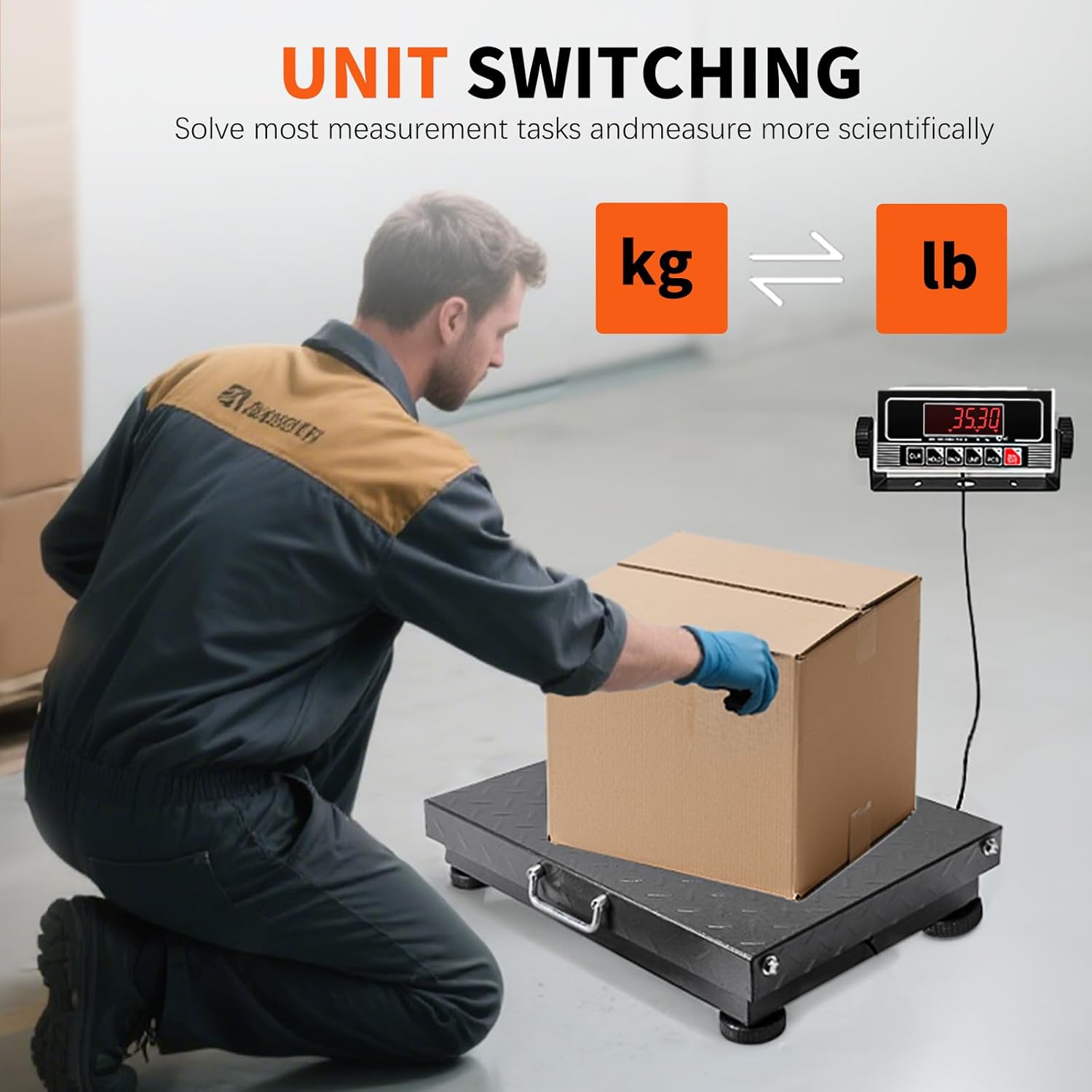
Figure 5: The display unit allows for easy switching between kilograms and pounds.
2.4 Tare Function
The Tare function allows you to subtract the weight of a container, so only the weight of the contents is measured.
- Place an empty container on the weighing platform.
- Press the TARE button. The display will reset to '0.00'.
- Add the items to be weighed into the container. The display will show the net weight of the items.
2.5 Piece Counting Function
This function allows you to count multiple pieces of an item based on a sample weight.
- With the scale displaying '0.00', press the PCS button.
- Select a sample size (e.g., 10, 20, 50, 100 pieces) using the UNIT button.
- Place the selected number of sample pieces on the platform.
- Press PCS again to confirm the sample. The display will show the count.
- Add more items of the same type to the platform, and the scale will display the total count.
2.6 Hold Function
Press the HOLD button to freeze the displayed weight. This is useful for weighing large items that might obscure the display. Press HOLD again to release.
2.7 Auto-Shutoff
The scale features an auto-shutoff function to conserve battery life. If no activity is detected for a period, the scale will automatically turn off. This duration is typically preset and cannot be adjusted by the user.
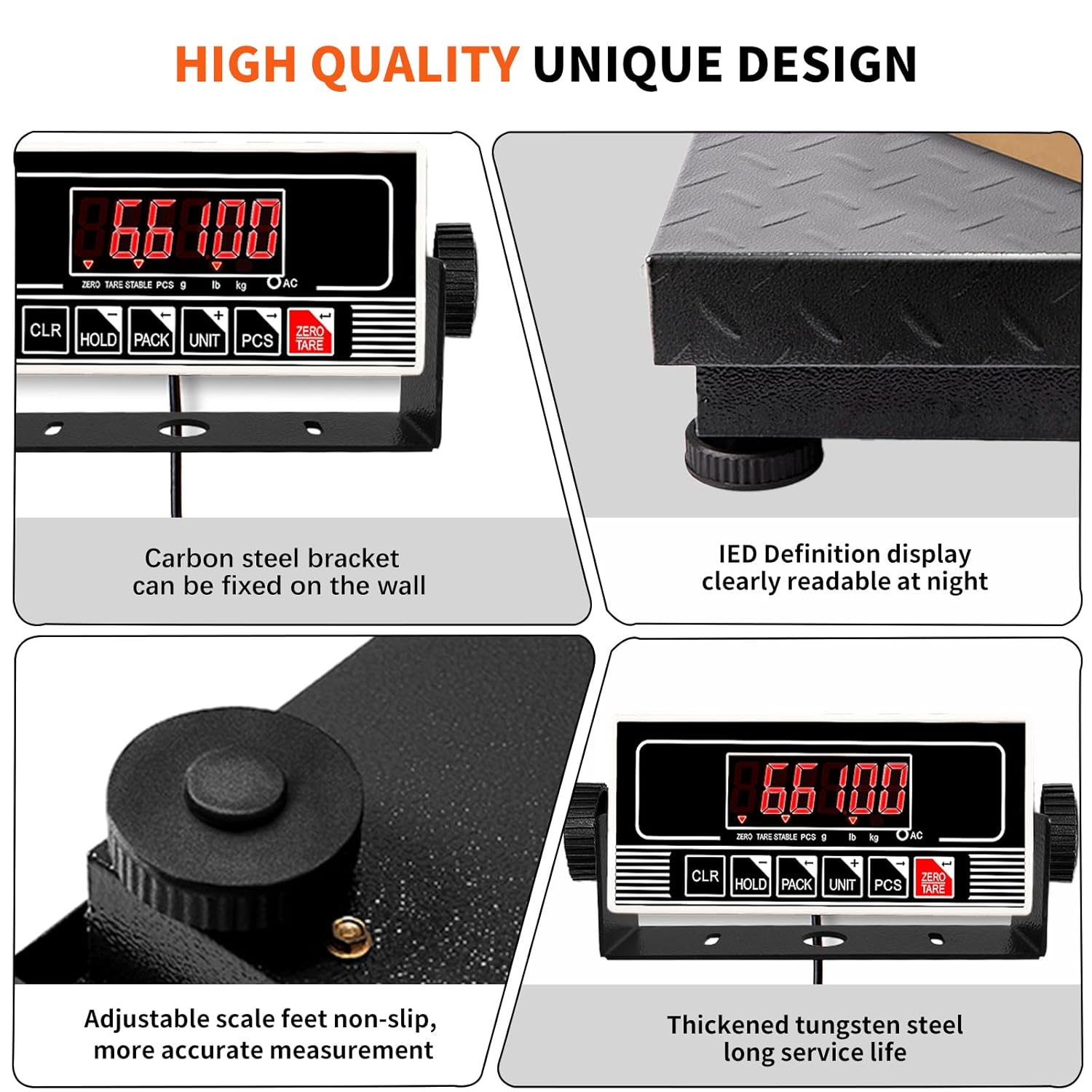
Figure 6: Detailed view of the display unit with function buttons.
3. Maintenance
3.1 Cleaning the Scale
To maintain accuracy and longevity, keep the scale clean. Wipe the platform and display unit with a soft, damp cloth. Avoid using abrasive cleaners, solvents, or excessive water, as these can damage the electronic components.
3.2 Battery Care
The integrated lithium battery provides long-lasting power. To maximize battery life:
- Recharge the battery when the low battery indicator appears.
- Avoid completely draining the battery frequently.
- If storing the scale for an extended period, ensure the battery is partially charged (around 50%) and recharge it every few months.
3.3 Storage
Store the scale in a dry, stable environment away from extreme temperatures, direct sunlight, and excessive dust. The robust design with a stainless steel handle allows for convenient relocation if needed.

Figure 7: The integrated handle facilitates easy transport and storage of the scale.
4. Troubleshooting
If you encounter issues with your MEIYA Shipping Scale, refer to the following common problems and solutions:
| Problem | Possible Cause | Solution |
|---|---|---|
| Scale does not turn on. | Low battery or power adapter not connected. | Charge the battery or connect the power adapter. Ensure the power outlet is functional. |
| Inaccurate readings. | Scale not level, unstable surface, or item placed off-center. Scale may not register very small weights (below 100g). | Adjust the feet to level the scale. Place the scale on a firm, stable surface. Center the item on the platform. Note that the scale has a minimum effective weight detection threshold. |
| Display shows 'OVERLOAD' or 'E'. | Weight exceeds maximum capacity (660 lbs / 300 kg). | Remove the excess weight immediately to prevent damage to the scale. |
| Unit conversion (LB/KG) not working. | Incorrect button press or temporary software glitch. | Ensure you are pressing the UNIT button. If the issue persists, try turning the scale off and on again. |
| Display is dim or flickering. | Low battery. | Recharge the battery. |
5. Product Specifications
| Feature | Specification |
|---|---|
| Model Number | B0F18K8115 (TCS-300A25) |
| Maximum Capacity | 660 lbs / 300 kg |
| Minimum Scale Capacity | 50g |
| Readout Accuracy (Division Value) | 0.1 lb / 0.05 kg |
| Measurement Units | kg / lb |
| Platform Dimensions (L x W x H) | 20"L x 16.3"W x 4"H (approx. 50.4cm x 41.5cm x 10cm) |
| Product Weight | 25.65 lbs / 11.7 kg |
| Display Type | LED, LCD |
| Battery Type | 1 Lithium Ion battery (included) |
| Power Input | 12.6V, 800mA (Charger) |
| Material | Thickened Carbon Steel Platform |

Figure 8: Visual representation of scale dimensions and key specifications.
6. Warranty Information
The MEIYA Heavy Duty Shipping Scale (Model: B0F18K8115) includes a 1-year warranty from the date of purchase. This warranty covers manufacturing defects and issues arising from normal use. It does not cover damage caused by misuse, accidents, unauthorized modifications, or improper maintenance.
Please retain your proof of purchase for warranty claims.
7. Customer Support
For any questions, concerns, or assistance with your MEIYA Heavy Duty Shipping Scale, please contact our customer support team. We are committed to providing prompt and helpful responses to ensure your satisfaction.
Contact information can typically be found on the product packaging or through the retailer where the product was purchased.