1. Introduction
Thank you for choosing the iTouchless 13 Gallon Automatic Motion Sensor Trash Can. This manual provides essential information for the proper setup, operation, and maintenance of your new appliance. Please read it thoroughly before use and retain it for future reference.

The iTouchless 13 Gallon Automatic Motion Sensor Trash Can, designed for modern kitchens.
2. Safety Information
- Do not immerse the lid in water or any other liquid.
- Do not push the lid open manually, as this may damage the gear mechanism.
- Avoid placing the trash can in direct sunlight or in areas with high humidity.
- Keep the sensor area clean and unobstructed for optimal performance.
- Use only the specified battery type (4 D-size batteries) or an optional iTouchless AC adapter.
3. Package Contents
Verify that all items are included in your package:
- iTouchless 13 Gallon Stainless Steel Automatic Trash Can
- Lid with Motion Sensor Mechanism
- Retainer Ring for Trash Bag
- AbsorbX Carbon Odor Filter (1 included)
- User Manual (this document)
4. Setup
4.1 Power Installation
Your trash can can be powered by 4 D-size batteries (not included) or an optional iTouchless AC adapter (sold separately).

The trash can offers two power options: 4 D-size batteries or an optional AC adapter.
- Battery Installation: Open the battery compartment on the underside of the lid. Insert 4 D-size batteries, ensuring correct polarity (+/-). Close the compartment securely.
- AC Adapter Connection: If using the AC adapter, plug it into the designated port on the back of the lid and then into a wall outlet.
4.2 Odor Filter Installation
The AbsorbX Carbon Odor Filter helps neutralize odors.

Install the AbsorbX Carbon Odor Filter into the designated slot inside the lid to neutralize odors.
- Locate the filter compartment inside the lid.
- Insert the AbsorbX Carbon Odor Filter into the slot.
4.3 Trash Bag Installation
Use the included retainer ring to secure the trash bag and keep it hidden.

The retainer ring holds the trash bag securely in place and conceals it from view.
- Place a 13-gallon trash bag into the can.
- Fold the top edges of the trash bag over the rim of the can.
- Place the retainer ring over the trash bag, securing it in place.
5. Operating Instructions
5.1 Motion Sensor Operation
The infrared motion sensor allows for touchless operation.
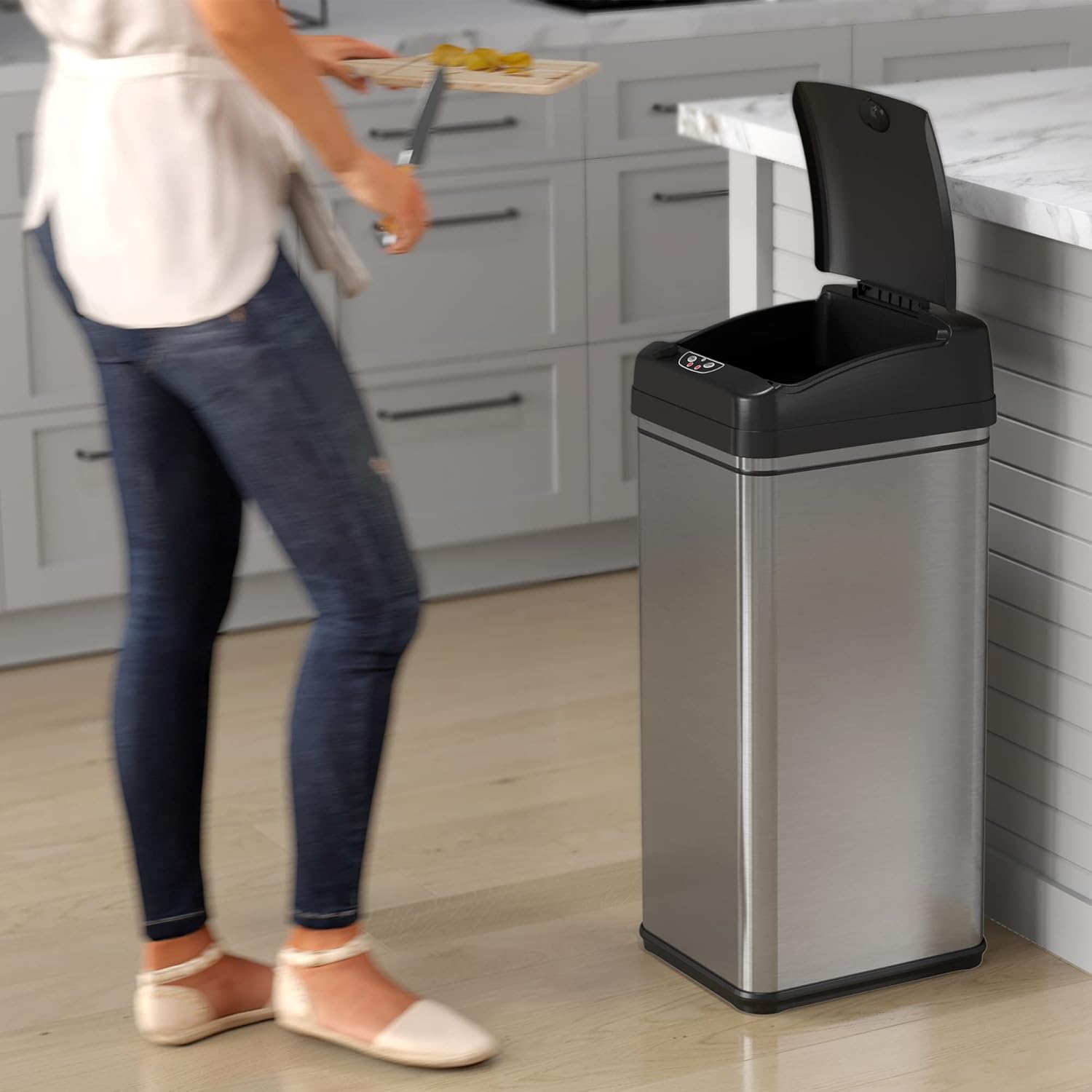
The motion sensor automatically opens the lid when an object is detected above it.
- Wave your hand or an object within 6 inches above the sensor.
- The lid will open automatically and remain open for approximately 5 seconds.
- The lid will close automatically after 5 seconds of inactivity.
5.2 Manual Open/Close Buttons
For longer disposal times or specific control, use the manual buttons.

The trash can offers both motion sensor and manual touch button operation for opening the lid.
- Press the OPEN button to keep the lid open indefinitely.
- Press the CLOSE button to close the lid.
5.3 Pet Lock Feature
Engage the Pet Lock to prevent pets from opening the lid.
- Locate the Pet Lock switch on the side of the lid.
- Slide the switch to the locked position to disable the motion sensor.
- Slide the switch to the unlocked position to re-enable the motion sensor.
5.4 Video Demonstrations
This video demonstrates the motion sensor functionality and overall thoughts on the iTouchless kitchen trash can.
This video provides a review of the automatic opening lid, highlighting both its advantages and potential considerations.
6. Maintenance
6.1 Cleaning
To maintain the appearance and hygiene of your trash can:
- Wipe the stainless steel body with a soft, damp cloth and a mild detergent. Avoid abrasive cleaners.
- Clean the sensor area with a soft, dry cloth to ensure proper function.
- The lid can be wiped clean with a damp cloth. Do not submerge.
6.2 Odor Filter Replacement
The AbsorbX Carbon Odor Filter should be replaced every 3 months for optimal odor control.
- Remove the old filter from the compartment inside the lid.
- Insert a new AbsorbX Carbon Odor Filter.
6.3 Battery Replacement
Replace batteries when the lid's operation becomes slow or inconsistent.
- Open the battery compartment on the underside of the lid.
- Remove the old D-size batteries and dispose of them properly.
- Insert 4 new D-size batteries, observing correct polarity.
- Close the battery compartment.
7. Troubleshooting
If you encounter issues with your iTouchless trash can, refer to the following common problems and solutions:
| Problem | Possible Cause | Solution |
|---|---|---|
| Lid does not open automatically. | Dead batteries, obstructed sensor, Pet Lock engaged. | Replace batteries, clean sensor, disengage Pet Lock. |
| Lid opens and closes randomly. | Sensor interference (e.g., direct sunlight, reflective surfaces, pets), low batteries. | Relocate the trash can, replace batteries. |
| Lid closes too quickly or slowly. | Low batteries. | Replace batteries. |
| Odor is still present. | Odor filter needs replacement. | Replace AbsorbX Carbon Odor Filter. |
8. Specifications
Detailed product specifications for the iTouchless 13 Gallon Automatic Motion Sensor Trash Can:

Key dimensions of the iTouchless 13 Gallon Automatic Motion Sensor Trash Can.
| Feature | Detail |
|---|---|
| Brand | iTouchless |
| Model Number | DZT13P |
| Capacity | 13 Gallons |
| Color | Brushed Silver |
| Opening Mechanism | Motion-Sensor |
| Material | Stainless Steel |
| Product Dimensions | 12.7"L x 10.8"W x 27.2"H |
| Item Weight | 8 Pounds |
| Power Source | 4 D batteries (not included) or optional AC Adapter (sold separately) |
| Special Features | Dent Resistant, Motion Sensor, Odor Seal, Quiet Close, Removable Lid, Rustproof, Smudge Resistant |
9. Warranty and Support
iTouchless products are designed for durability and performance. For warranty information or technical support, please visit the official iTouchless website or contact their customer service department. Keep your purchase receipt as proof of purchase.


