
Introduction
Thank you for choosing the MOUMON Modern TV Lift Cabinet. This manual provides essential information for the safe assembly, operation, and maintenance of your new TV lift cabinet. Please read these instructions carefully before beginning assembly and retain them for future reference.
Safety Information
WARNING: Careful around sharp edges during assembly.
- Ensure all components are present and undamaged before assembly.
- Assembly requires two people for safety and ease.
- Do not exceed the maximum TV size of 50 inches or weight capacity of 150 lbs.
- Keep children and pets away from the cabinet during operation to prevent injury.
- Use the anti-tipping devices provided to secure the cabinet to a wall.
- Only use the provided remote control for operating the lift mechanism.
Package Contents
Your MOUMON TV Lift Cabinet is shipped in two boxes. Please verify that all parts listed below are included and undamaged before proceeding with assembly.
- Cabinet components (panels, doors, hardware)
- Electric TV lift mechanism
- TV mounting bracket
- Remote Control
- User Manual (this document)
- Assembly hardware (screws, bolts, connectors)
- Anti-tipping devices
Assembly Instructions
Assembly is required for this TV cabinet. A detailed manual with labeled parts is included in the packaging. Follow the step-by-step instructions carefully. It is recommended to have two people for assembly.
- Unpack and Verify: Carefully unpack all components from both boxes. Check against the parts list in the included manual to ensure everything is present and undamaged.
- Assemble Cabinet Frame: Follow the instructions to assemble the main cabinet structure using the provided hardware.
- Install Doors: Attach the two cabinet doors to the main frame.
- Install Lift Mechanism: Integrate the electric TV lift system into the cabinet as per the detailed manual.
- Attach TV Mount: Secure the TV mounting bracket to the lift mechanism.
- Secure Cabinet: Install the anti-tipping devices to secure the cabinet to a wall, preventing accidental tipping.
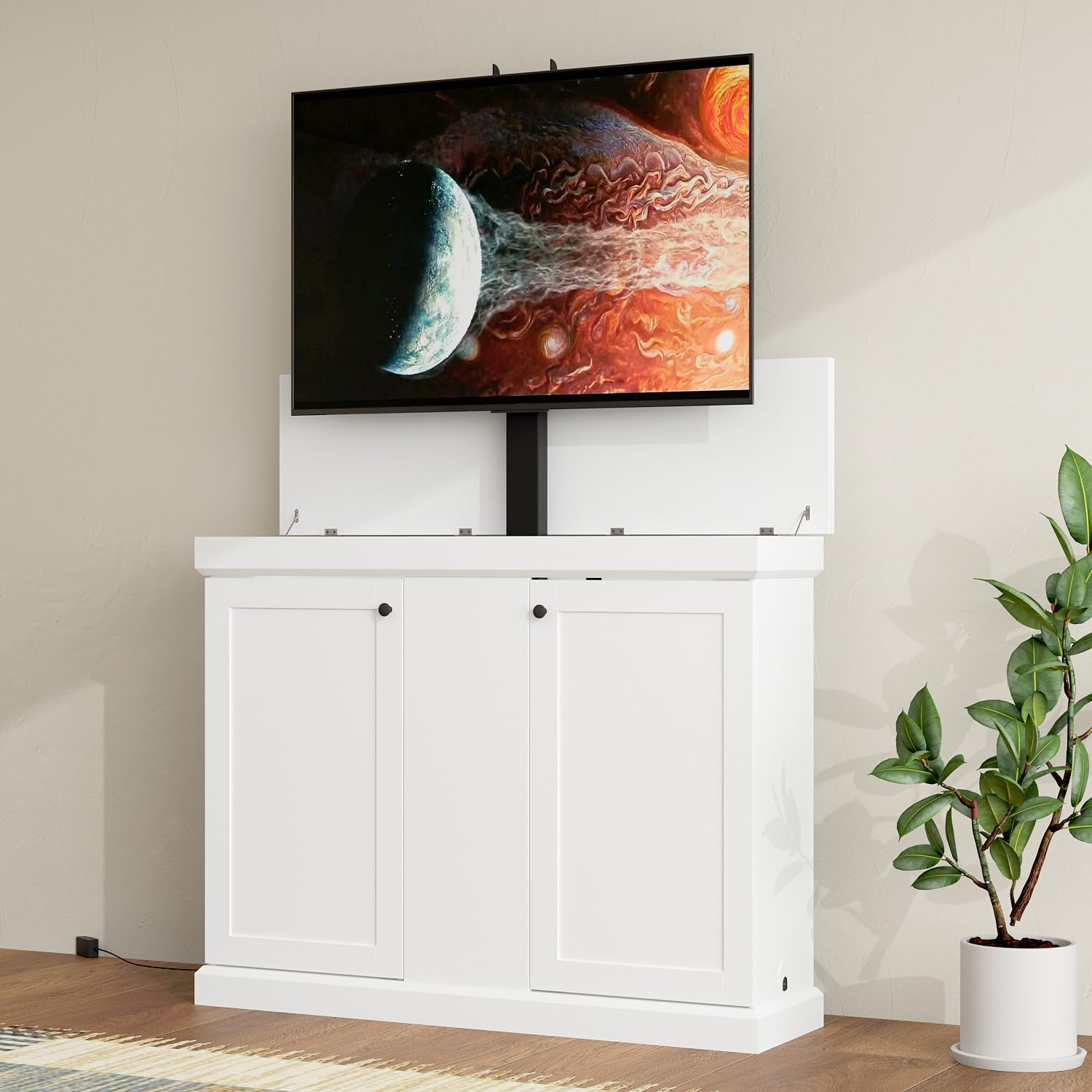
Image of the MOUMON Modern TV Lift Cabinet in white, with doors closed, blending into a living room setting.
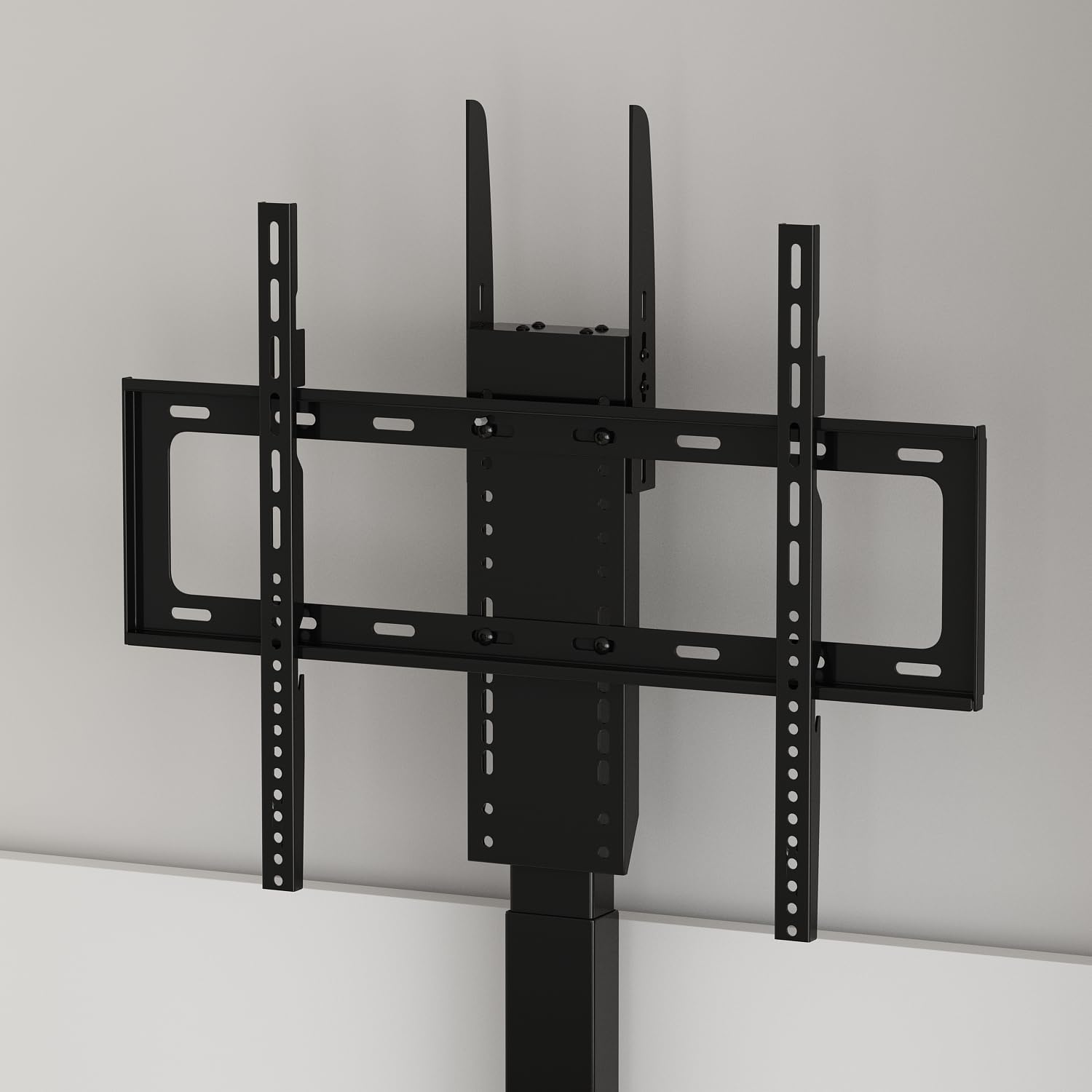
Close-up image of the universal TV mounting bracket, showing various screw holes for different TV sizes.
Setup
- Mounting Your TV: Attach your television to the installed mounting bracket using appropriate screws. Ensure the TV is securely fastened. This cabinet fits TVs up to 50 inches and weighing up to 150 lbs.
- Cable Management: Route all TV and media device cables through the designated cable holes at the back or side of the cabinet to maintain a tidy appearance.
- Power Connection: Plug the power cord of the TV lift system into a standard electrical outlet.

Image of the MOUMON Modern TV Lift Cabinet with a television extended upwards and the cabinet doors open, revealing internal storage and cable management.

Close-up image of the cable management hole located on the side of the TV lift cabinet, designed for neat cable routing.
Operating Instructions
The TV lift system is operated using the included remote control.
- Up/Down Function: Use the designated UP and DOWN buttons on the remote to raise or lower the TV to your desired height.
- Memory Presets: The remote control features 4 memory preset buttons. You can program these buttons to store your preferred viewing heights. Refer to the detailed manual for instructions on how to set and recall memory positions.
- The height adjustment range of the TV mount is from 28.6 inches (fully retracted) to 67.9 inches (fully extended).

Image showing the MOUMON TV Lift Cabinet with a TV extended, alongside a close-up of the remote control highlighting its memory height preset buttons.

Diagram showing the lift range of the TV mount, from hidden (28.7 inches) to highest (68.1 inches), with four memory preset positions.
Maintenance
- Cleaning: Wipe the cabinet surfaces with a soft, damp cloth. Avoid harsh chemicals or abrasive cleaners.
- Mechanism Check: Periodically check the lift mechanism for any obstructions or loose connections. Do not attempt to lubricate or repair the mechanism yourself.
- Cable Inspection: Ensure all cables are neatly routed and not pinched or damaged.
Troubleshooting
- TV Lift Not Responding:
- Check if the power cord is securely plugged into the outlet and the cabinet.
- Ensure the remote control batteries are not depleted.
- Verify there are no obstructions preventing the lift from moving.
- Unusual Noises: If the lift mechanism makes unusual noises, discontinue use and contact customer support.
- Cabinet Instability: Ensure the anti-tipping devices are correctly installed and the cabinet is on a level surface.
Specifications
| Feature | Detail |
|---|---|
| Model | B0FWCK11KB |
| Dimensions (W x D x H) | 50.4" x 15.7" x 39.2" |
| Material | Engineered Wood, Metal |
| Color | White |
| Max TV Size | 50 inches |
| Max TV Weight | 150 lbs |
| Lift Height Range | 28.6 inches to 67.9 inches |
| Control Method | Remote Control with 4 Memory Presets |
| Included Components | Drawers, Remote Control, TV Mount, User Manual |

Diagram illustrating the dimensions of the MOUMON Modern TV Lift Cabinet: 50.4 inches width, 15.7 inches depth, and 39.2 inches height.

Image demonstrating the maximum TV size of 50 inches that can be mounted on the cabinet, with visual comparisons to smaller TV sizes.
Warranty and Support
For customer support, please contact MOUMON Official Store. This product typically includes a 30-day easy return policy. For specific warranty details, please refer to your purchase documentation or contact the seller directly.