
1. Introduction
Thank you for choosing the TiMOVO Mini Karaoke Machine P7. This portable Bluetooth speaker with two wireless microphones and LED lights is designed to provide an enjoyable audio experience. This manual provides detailed instructions for setup, operation, and maintenance to ensure optimal performance and longevity of your device.
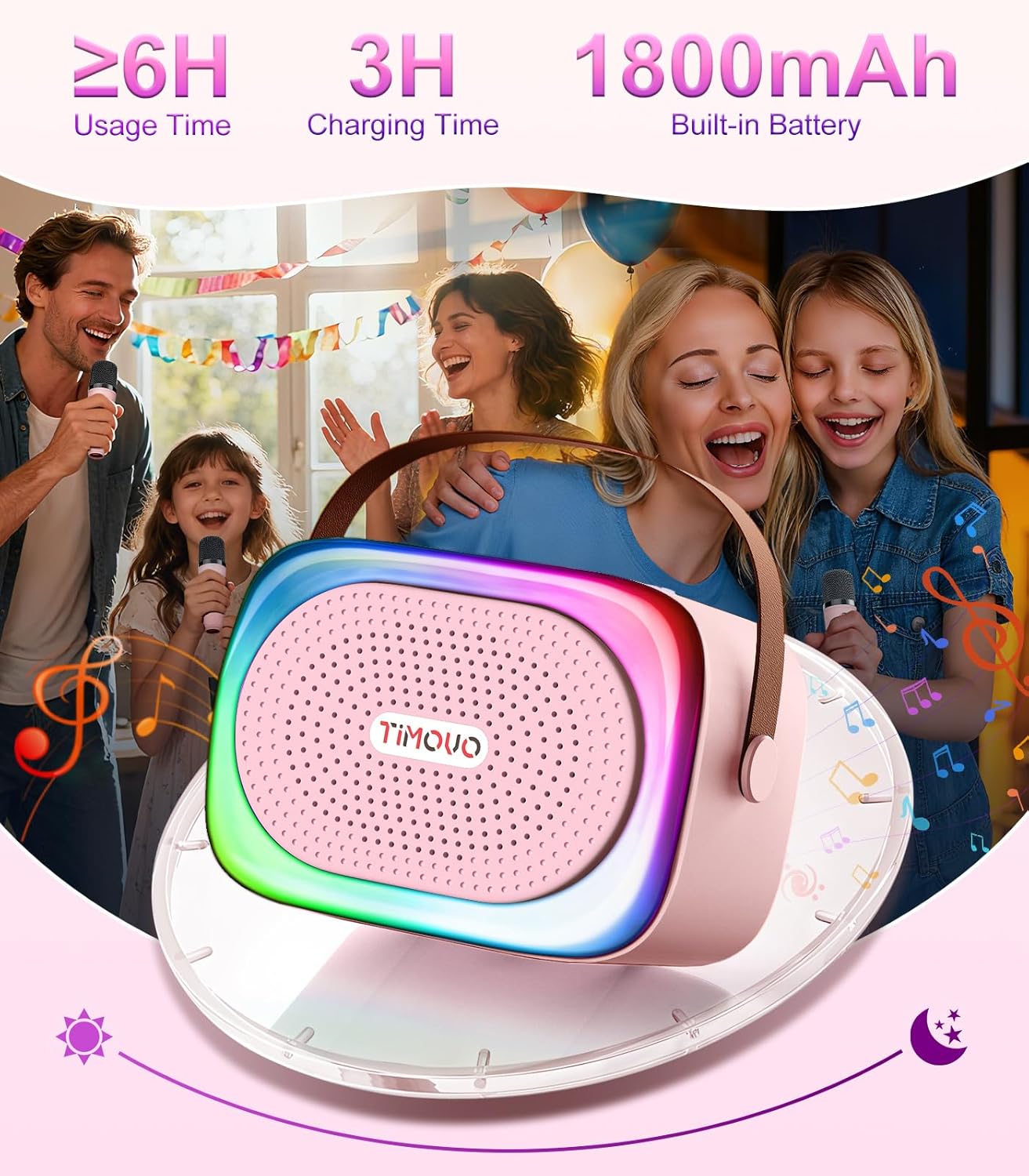
Image 1.1: TiMOVO Mini Karaoke Machine P7 with two wireless microphones.
2. Package Contents
Please verify that all items listed below are included in your package:
- 1 x TiMOVO Mini Karaoke Speaker
- 2 x Wireless Microphones
- 1 x Type-C Charging Cable
- 1 x User Manual (this document)

Image 2.1: Package contents of the TiMOVO Mini Karaoke Machine P7.
3. Product Overview
3.1 Speaker and Microphone Details

Image 3.1: Speaker and Microphone Controls and Ports.
The speaker features an AUX port, TF card slot, Type-C charging port, and control buttons for power, mode switching, light control, and volume. The microphones include buttons for power, volume adjustment, and magical sound effects.
3.2 Dimensions
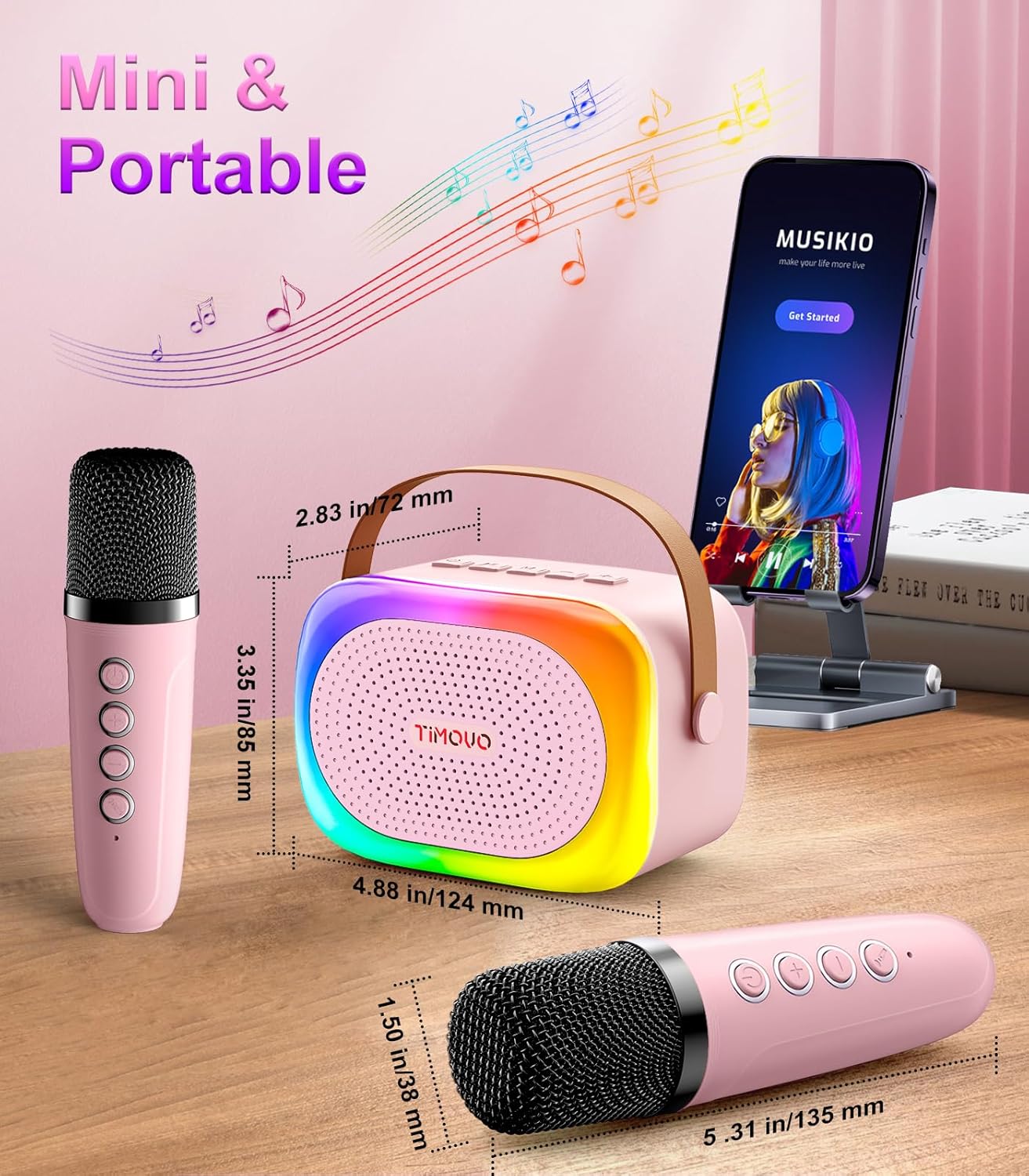
Image 3.2: Product Dimensions.
The compact design allows for easy portability. Speaker dimensions are approximately 4.88 x 2.83 x 3.35 inches (124 x 72 x 85 mm). Microphone dimensions are approximately 5.31 x 1.50 inches (135 x 38 mm).
4. Setup
4.1 Charging the Device
Before first use, fully charge the karaoke machine and both microphones. Use the provided Type-C charging cable. The speaker has a built-in 1800mAh battery, offering approximately 6 hours of usage time after a 3-hour charge. The microphones also have internal rechargeable batteries.
- Connect the Type-C charging cable to the charging port on the speaker and microphones.
- Connect the other end of the cable to a standard USB power adapter (not included).
- The charging indicator light will illuminate during charging and turn off when fully charged.

Image 4.1: Battery and Charging Information.
4.2 Powering On/Off
- Speaker: Long press the power button on the speaker to turn it on or off.
- Microphones: Long press the power button on each microphone to turn it on or off.
4.3 Microphone Pairing
The microphones are designed to automatically pair with the speaker when both are powered on. If pairing does not occur automatically:
- Ensure both the speaker and microphones are charged and powered on.
- Keep the microphones close to the speaker during the pairing process.
- If issues persist, power cycle both devices and try again.
5. Operating Instructions
5.1 Bluetooth Connection
The TiMOVO Mini Karaoke Machine P7 uses Bluetooth 5.4 for wireless connection to your devices.
- Power on the karaoke speaker. It will automatically enter Bluetooth pairing mode.
- On your smartphone, tablet, or other Bluetooth-enabled device, navigate to the Bluetooth settings.
- Search for available devices and select "P7" from the list.
- Once connected, you will hear an audible confirmation.

Image 5.1: Connectivity Options.
5.2 Playing Music
After connecting via Bluetooth, you can play music from your device. The speaker also supports TF card and AUX input.
- Bluetooth: Play music directly from your paired device. Use the speaker's play/pause, next/previous track buttons, or your device's controls.
- TF Card: Insert a TF card (not included) with MP3 files into the TF card slot. The speaker will automatically switch to TF card mode and begin playback.
- AUX Input: Connect an audio device using a 3.5mm AUX cable (not included) to the AUX port. The speaker will switch to AUX mode.
5.3 Using Wireless Microphones
Once the microphones are paired with the speaker, you can begin singing along to your music.
- Volume Adjustment: Use the '+' and '-' buttons on the microphone to adjust your vocal volume.
- Voice Effects: The microphones feature 4 magical voice effects. Press the dedicated button on the microphone to cycle through these effects.
- Reverb Adjustment: Long press the volume up/down buttons on the microphone to adjust the reverb effect.

Image 5.2: Microphone Controls.

Image 5.3: Magical Voice Effects.
5.4 LED Lights
The speaker features dynamic LED lights that can be controlled:
- Single Click: Press the light button on the speaker to switch between 6 cool light effects.
- Double Click: Double-click the light button to turn the LED lights on or off.
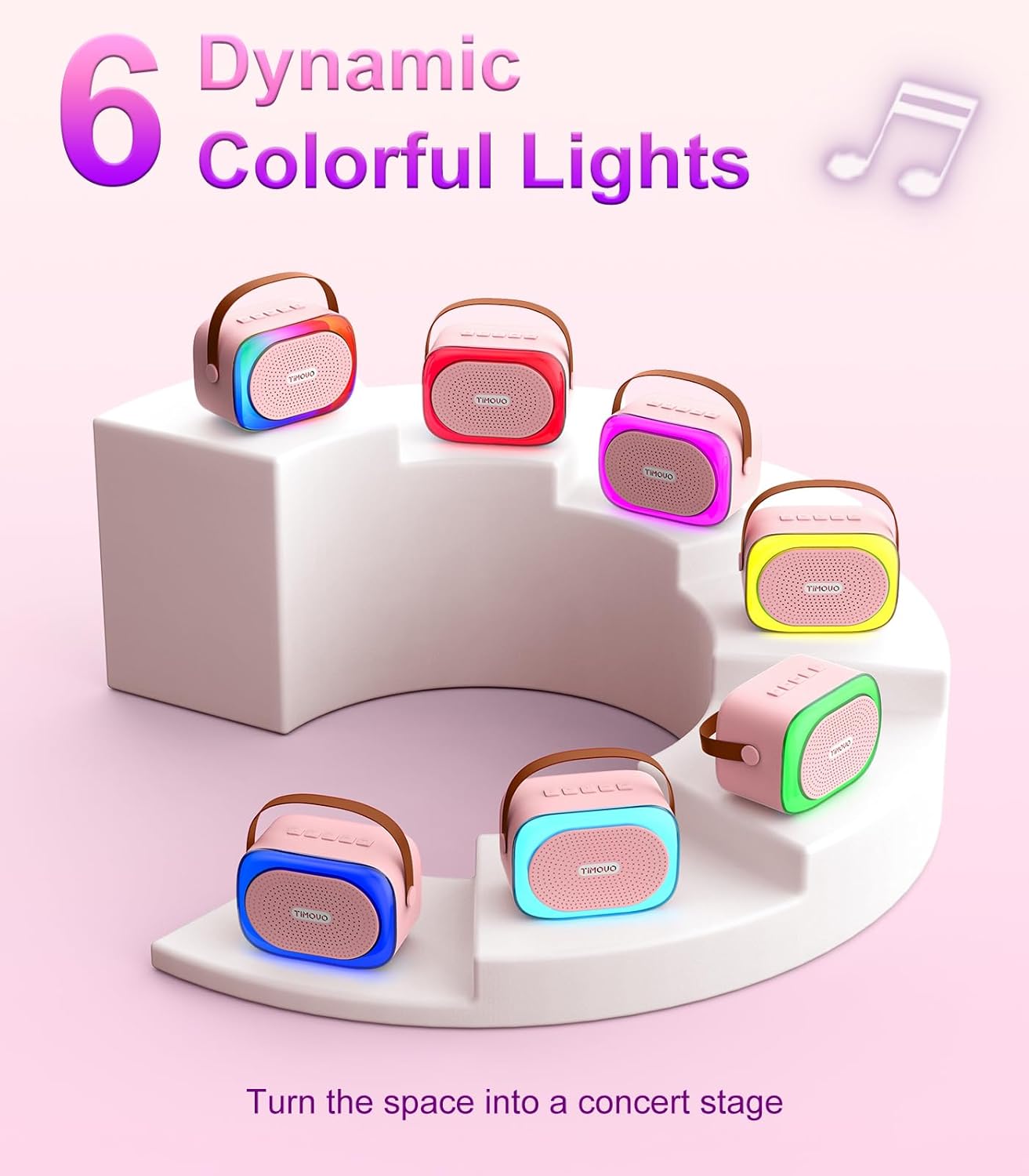
Image 5.4: Dynamic Colorful Lights.
6. Maintenance
- Cleaning: Wipe the device with a soft, dry cloth. Do not use abrasive cleaners or solvents.
- Storage: Store the karaoke machine in a cool, dry place away from direct sunlight and extreme temperatures.
- Battery Care: To prolong battery life, charge the device regularly, even if not in frequent use. Avoid fully discharging the battery for extended periods.
7. Troubleshooting
| Problem | Solution |
|---|---|
| Device does not power on. | Ensure the device is fully charged. Connect to power and try again. |
| Microphones not connecting. | Ensure microphones are charged and powered on. Power cycle both the speaker and microphones. Keep them close during pairing. |
| No sound from speaker. | Check volume levels on both the speaker and your connected device. Ensure Bluetooth is connected or the correct input mode (TF/AUX) is selected. |
| Bluetooth connection unstable. | Ensure your device is within the effective Bluetooth range (approx. 32 feet/10 meters). Avoid obstacles that may interfere with the signal. |
| Voice effects not working. | Ensure the microphone is powered on and paired. Press the voice effect button to cycle through options. |
8. Specifications
| Feature | Detail |
|---|---|
| Model | Mini Karaoke Machine P7 |
| Item Weight | 1.37 pounds |
| Product Dimensions | 3.35 x 2.83 x 4.88 inches |
| Compatible Devices | Smartphone, Tablet, Speaker |
| Connector Type | 3.5 mm Jack (AUX), Type-C (Charging) |
| Speaker Count | 1 |
| Power Source | Battery Powered (Built-in rechargeable battery) |
| Special Features | Voice Changer, Vibrant LED Lights, Rechargeable, Portable |
| Bluetooth Version | 5.4 |
| Battery Capacity | 1800mAh (Speaker) |
| Playtime | Up to 6 hours per charge |
| Charging Time | Approximately 3 hours |
9. Safety Information
- Do not expose the device to water or excessive moisture.
- Avoid dropping or subjecting the device to strong impacts.
- Keep out of reach of small children to prevent choking hazards from small parts.
- Do not attempt to disassemble or repair the device yourself. Contact qualified personnel for service.
- Use only the provided charging cable or a certified equivalent.
- Dispose of batteries according to local regulations. Do not dispose of in household waste.
10. Warranty and Support
TiMOVO products are designed and manufactured to the highest quality standards. This product is covered by a limited warranty from the date of purchase. For warranty claims, technical support, or any inquiries, please contact TiMOVO customer service through the retailer where the product was purchased or visit the official TiMOVO website.
Please retain your proof of purchase for warranty purposes.
11. Product Video
Video 11.1: Official product video demonstrating the TiMOVO Mini Karaoke Machine P7 features and usage.