
1. Introduction
Thank you for choosing the LifePlus Commercial Ice Maker Machine. This manual provides essential information for the safe and efficient operation, installation, and maintenance of your new ice maker. Please read these instructions thoroughly before initial use and retain them for future reference.
2. Safety Instructions
- Ensure the ice maker is placed on a stable, level surface away from direct sunlight or heat sources.
- Do not operate the appliance with a damaged cord or plug. Contact qualified service personnel for repairs.
- Keep children away from the ice maker during operation.
- Before first use, clean the ice machine thoroughly and keep it in an upright position for at least 24 hours to allow refrigerants to settle.
- Always unplug the unit before cleaning or performing any maintenance.
- Use only potable water for ice production.
3. Product Overview
Key Features:
- Fast Ice Making: Produces 120 pounds of ice per day, with 45 clear ice cubes per cycle in approximately 15 minutes.
- Effective Insulation: Durable stainless steel exterior and food-grade ABS interior with advanced foaming technology to maintain ice temperature.
- Large Storage Capacity: Integrated storage bin holds up to 29 lbs of ice.
- Multi-Function Control: Adjustable ice cube thickness (S-M-L) and intuitive indicator panel for 'bin full' or 'water absence' alerts.
- Two Water Inflow Ways: Supports both top-mounted bottled water injection and automatic tap water connection.
- Convenience Features: Self-cleaning function, blue light for enhanced ice clarity, and a 24-hour startup/shutdown timer.
What's in the Box:
- Instruction Manual
- Ice Shovel
- Install Kits (Raw belt, Water inlet plug, Water inlet buckle, Inlet pipe with connector, Drain pipe, Snap spring)
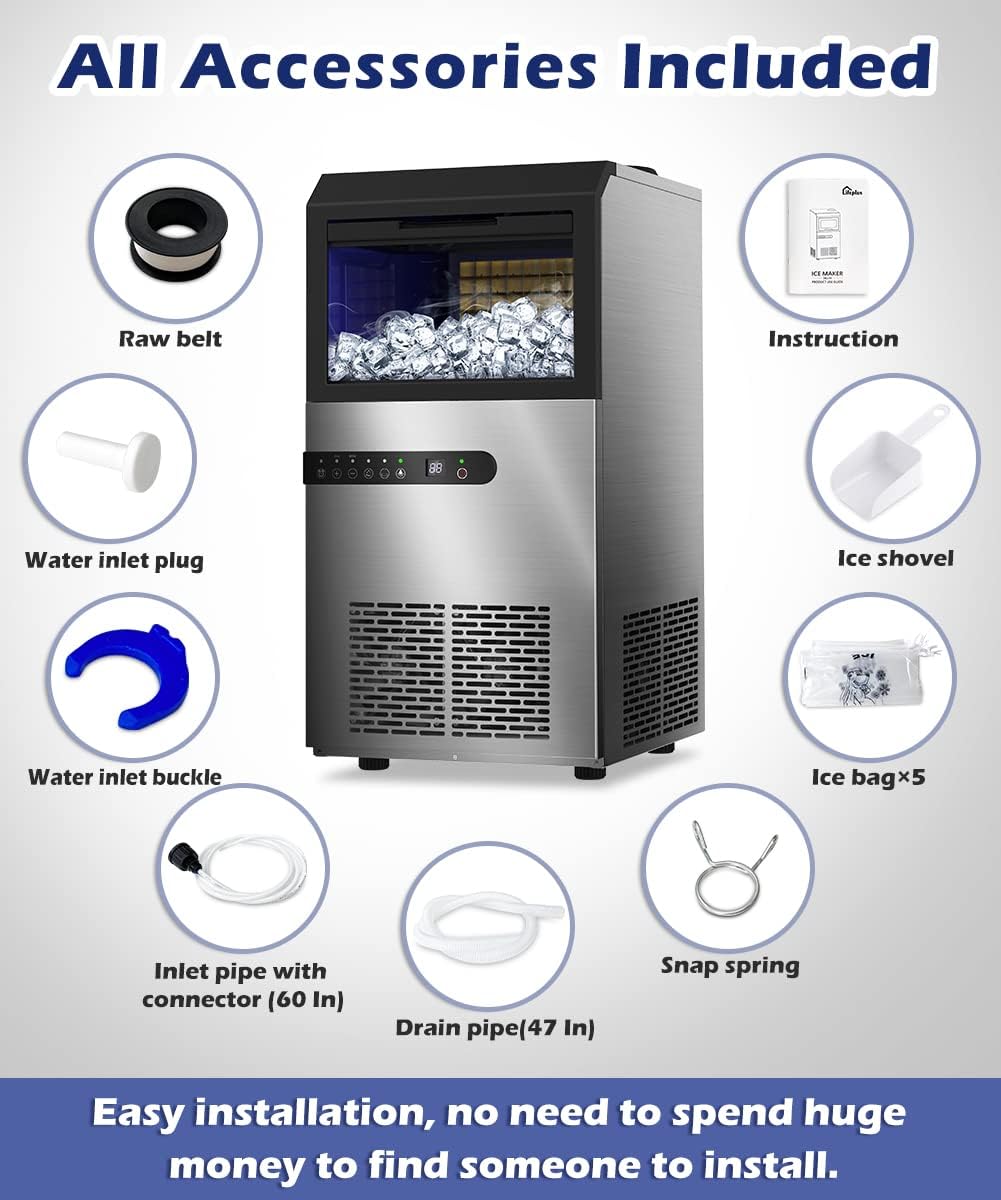
Figure 3.1: All included accessories for the ice maker, ensuring easy installation and operation.
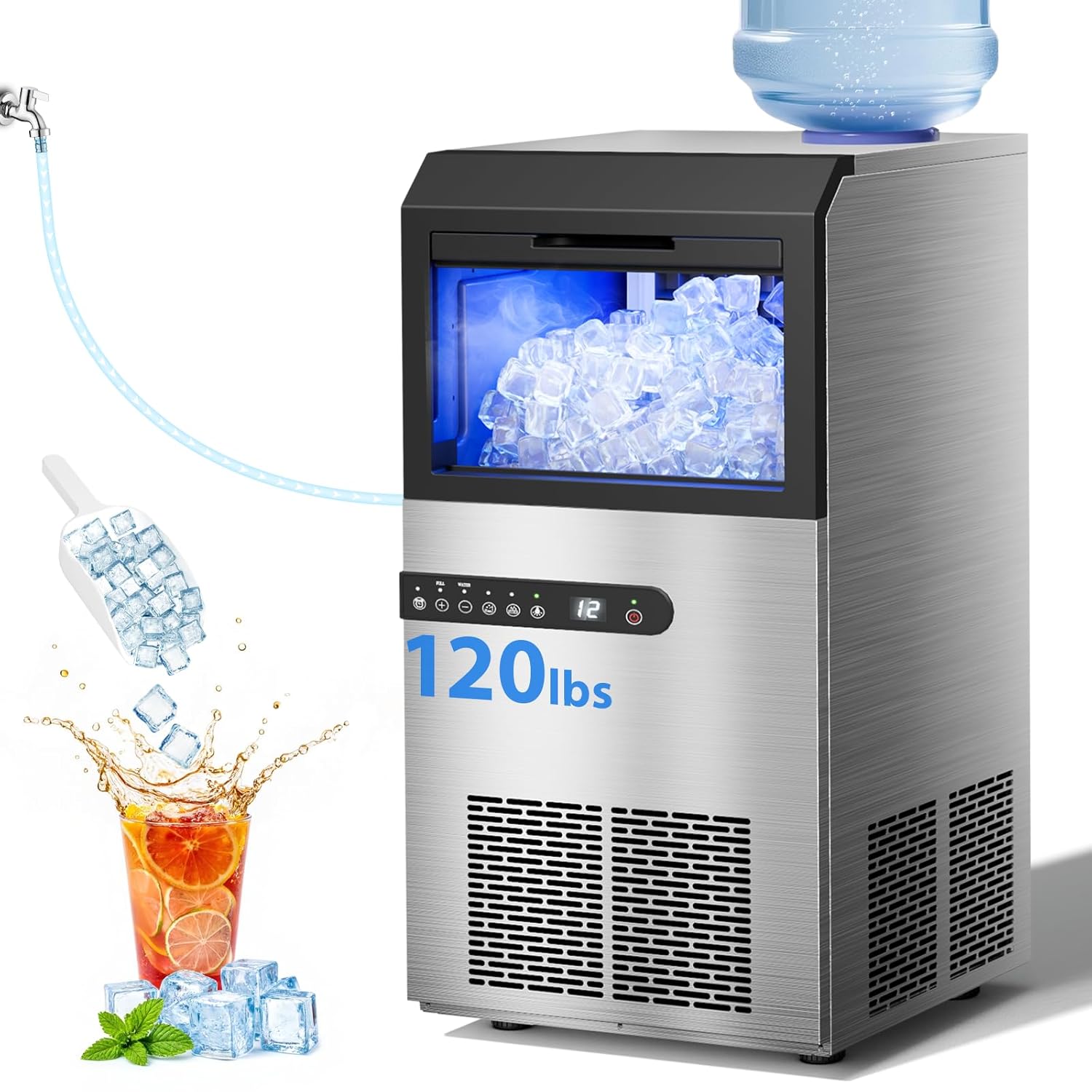
Figure 3.2: The LifePlus Commercial Ice Maker Machine, showcasing its stainless steel design, ice production, and accessories like an ice scoop. It can be connected to a tap water line or use a bottled water dispenser.
4. Setup and Installation
4.1 Placement:
- Place the unit on a firm, level surface.
- Ensure adequate ventilation around the unit (at least 5 inches from walls).
- Avoid placing near heat-generating appliances or in direct sunlight.
- Allow the unit to stand upright for 24 hours before plugging it in.
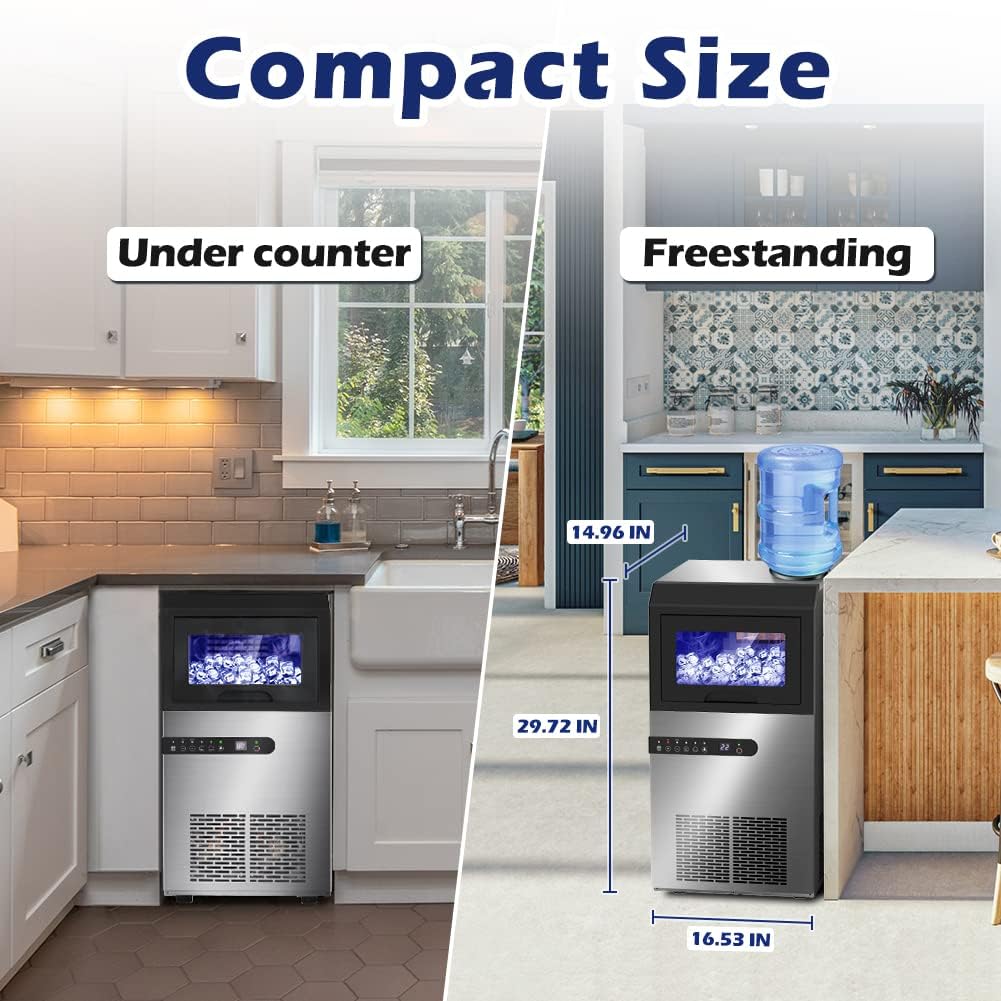
Figure 4.1: The ice maker's compact dimensions allow for both under-counter and freestanding installation.
4.2 Water Inlet Modes:
The ice maker supports two water inlet methods: direct tap water connection or using a bottled water jug.
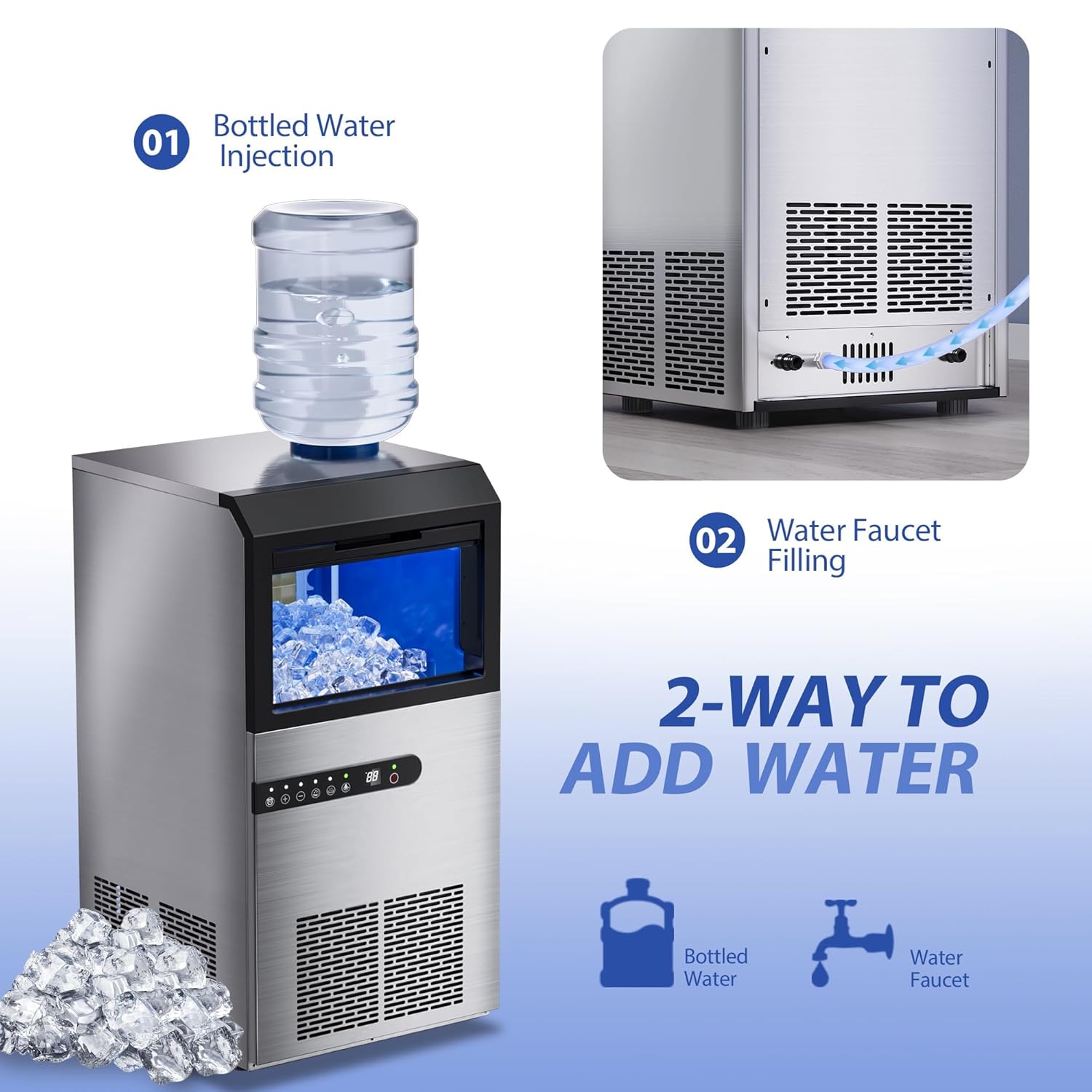
Figure 4.2: Diagram illustrating the two water input options: direct connection to a water faucet or using a top-mounted bottled water dispenser.
4.2.1 Tap Water Inlet Mode:
- Locate the water inlet valve inside the ice maker. Adjust the valve to the horizontal position for tap water inflow.
- Insert the provided water inlet hose into the water inlet hole at the back of the unit and secure it with the blue buckle.
- Connect the other end of the water inlet hose to your tap water supply. Ensure all connections are tight to prevent leaks.
- Ensure a water outlet is near the unit for drainage.
4.2.2 Bucket Water Inlet Mode (Bottled Water):
- Locate the water inlet valve inside the ice maker. Adjust the valve to the vertical position for bucket water inflow.
- Remove the dust cover from the top of the ice maker.
- Carefully place a water jug (e.g., 5-gallon bottle) onto the top dispenser area.
- Ensure a water outlet is near the unit for drainage.
Video 4.1: This video demonstrates the installation process for both tap water and bucket water inlet modes for the LifePlus Commercial Ice Maker Machine DBJ-F45. It shows how to connect the water inlet hose and install a water jug.
5. Operation
5.1 Power On/Off:
Plug the ice maker into a grounded electrical outlet. Press the power button on the control panel to turn the unit on or off.
5.2 Adjusting Ice Cube Size:
Use the control panel to select your desired ice cube thickness: S (Thin), M (Medium), or L (Thick). The thickness can be adjusted by pressing the arrow buttons.
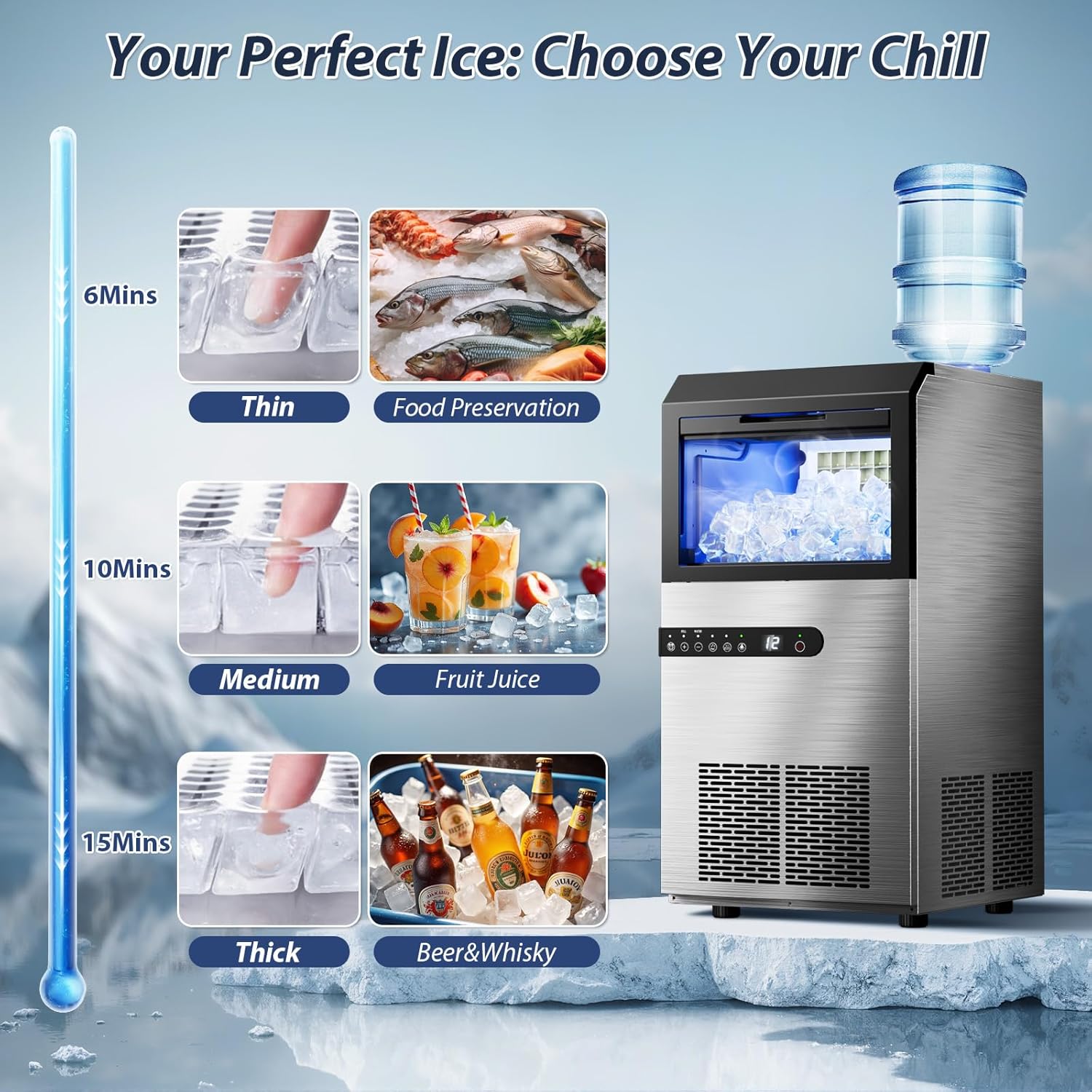
Figure 5.1: Choose from thin, medium, or thick ice cubes to suit various needs, from food preservation to beverages.
5.3 Indicator Lights:
The intuitive indicator panel will illuminate to notify you when the ice bin is full or when water is absent, ensuring safe and easy operation.
5.4 24-Hour Timer:
Utilize the 24-hour timer function to schedule the ice maker to start or stop at a specific time, providing convenience and energy efficiency.
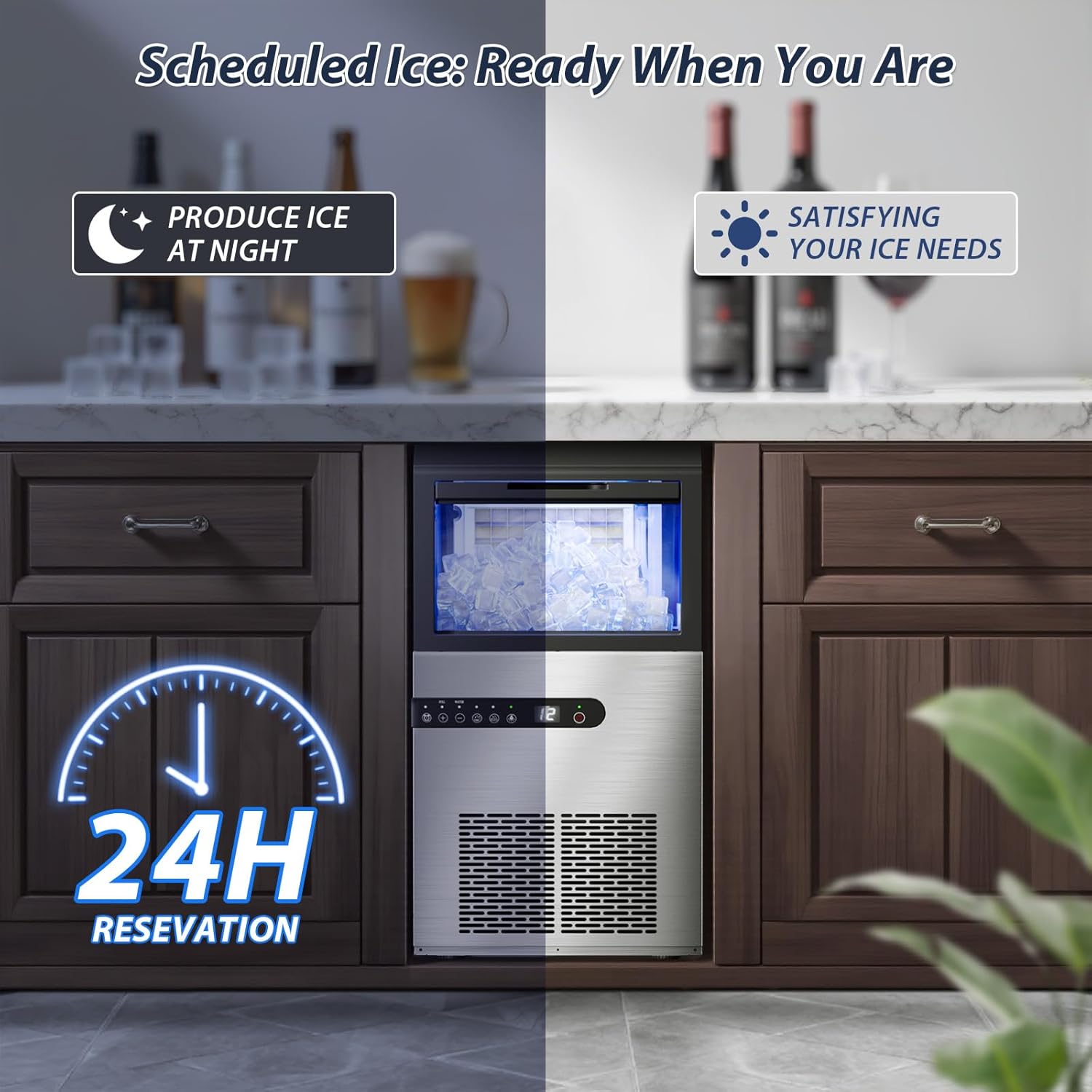
Figure 5.2: The 24-hour timer allows for scheduling ice production, ensuring ice is ready when needed.
6. Maintenance and Cleaning
6.1 Self-Cleaning Function:
The ice maker features a self-cleaning function to simplify maintenance and prevent dirt buildup. Refer to the control panel instructions for activating this mode.
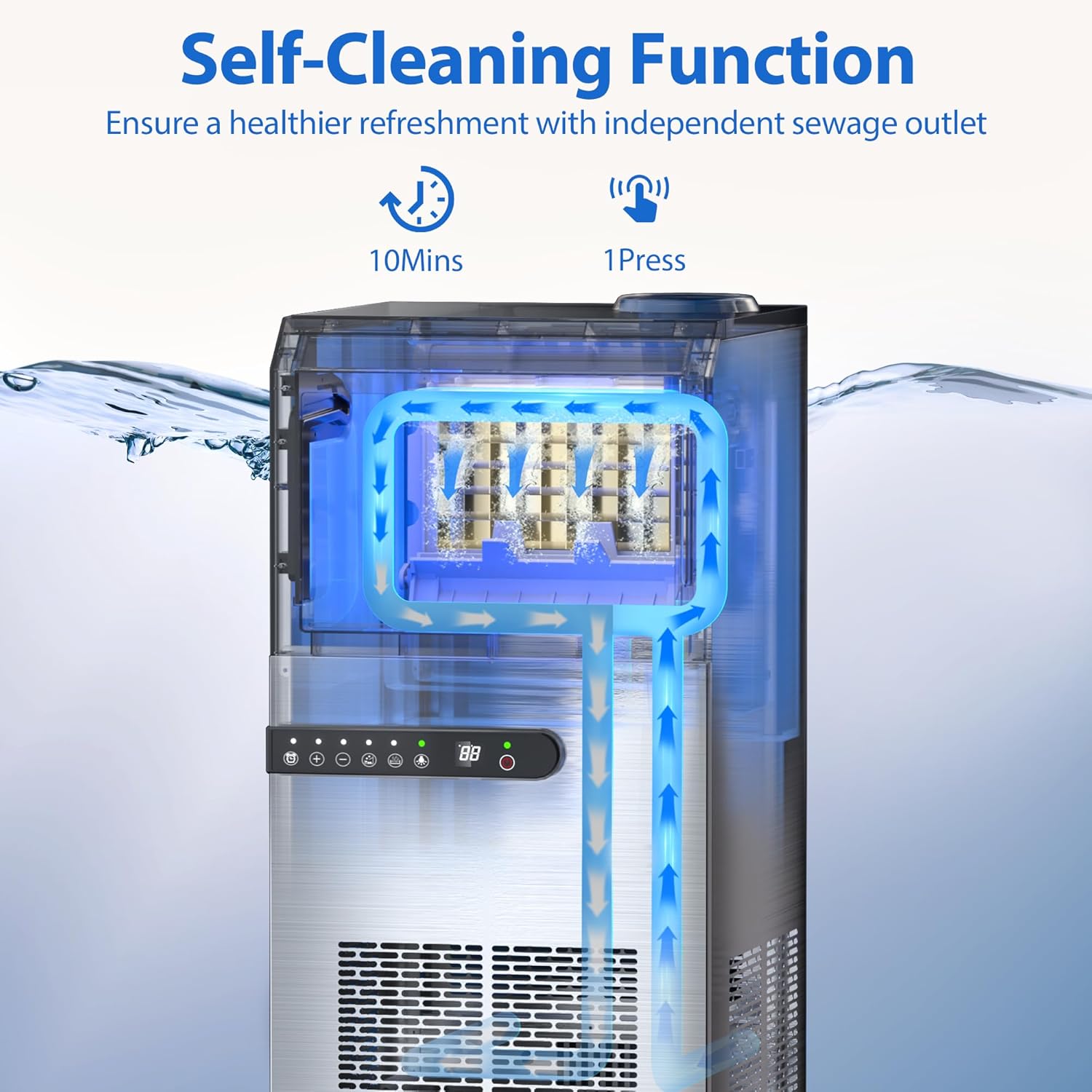
Figure 6.1: Visual representation of the self-cleaning cycle, detailing how water circulates to clean the internal components.
6.2 Regular Cleaning:
- Exterior: Wipe the exterior with a soft, damp cloth. Do not use abrasive cleaners or solvents.
- Ice Bin: Periodically remove the ice bin and wash it with mild soap and warm water. Rinse thoroughly and dry before replacing.
- Drainage: Ensure the drain pipe is clear and free of obstructions to prevent water accumulation.
7. Troubleshooting
If you encounter issues with your ice maker, please consult the following common problems and solutions:
| Problem | Possible Cause | Solution |
|---|---|---|
| No ice production | No water supply; power issue; low ambient temperature. | Check water connection/jug; ensure unit is plugged in; operate in suitable temperature range. |
| Ice melts quickly | Poor insulation; high ambient temperature; ice bin not sealed properly. | Ensure lid is closed; move unit to cooler environment; check for proper sealing. |
| Water absence indicator on | No water in reservoir or tap connection. | Refill water jug or check tap water supply. |
| Ice bin full indicator on | Ice bin is full. | Remove ice from the storage bin. |
For issues not listed here or if problems persist, please contact customer support.
8. Specifications
| Specification | Value |
|---|---|
| Brand | LifePlus |
| Model Name | DBJ-F45 |
| Product Dimensions (L×W×H) | 16.53"D x 14.96"W x 29.72"H |
| Weight | 53.7 Pounds |
| Daily Ice Production | 120 lbs/24H |
| Ice Cubes per Cycle | 45 pieces |
| Ice Storage Bin Capacity | 29 lbs |
| Water Inlet Modes | Tap Water, Bottled Water |
| Wattage | 320 watts |
| Capacity | 0.6 Cubic Feet |
9. Warranty and Support
Warranty information for your LifePlus Commercial Ice Maker Machine is typically included with the product packaging. Please refer to the documentation provided at the time of purchase for specific warranty terms and conditions.
For technical support, service inquiries, or to purchase replacement parts, please contact LifePlus customer service through their official channels. Contact information can usually be found in the product documentation or on the manufacturer's website.


