
1. Introduction
Thank you for purchasing the Memobarco Farmhouse TV Stand. This modern entertainment center is designed to accommodate TVs up to 65 inches and features integrated LED lighting, a built-in power outlet, and adjustable shelving for organized media storage. This manual provides detailed instructions for assembly, operation, and maintenance to ensure safe and optimal use of your product.
2. Safety Information
Please read all instructions carefully before assembly and use. Keep this manual for future reference.
- Ensure all parts are present and undamaged before beginning assembly.
- Assemble the unit on a soft, clean surface to prevent scratches.
- Do not overtighten screws during assembly.
- Keep small parts away from children.
- Do not exceed the maximum weight capacity for the top surface (150 lbs) or shelves (30 lbs).
- Always place the TV stand on a level and stable surface.
- Do not allow children to climb on the unit.
- For electrical components (LED lights, power outlet), ensure proper connection to a grounded outlet. Do not overload the power strip.
3. Package Contents
Verify that all components listed below are included in your package. If any parts are missing or damaged, please contact customer support.
- TV Stand Panels (various sizes, labeled A, B, C, etc.)
- Hardware Pack (screws, dowels, cam locks, etc.)
- Glass Doors (2)
- Adjustable Shelves (2)
- LED Light Strips (2) with Remote Control
- Built-in Power Outlet Unit (2 AC outlets, 2 USB ports)
- Instruction Manual
4. Setup and Assembly
Assembly typically requires two adults and a Phillips head screwdriver (not included). Follow the numbered steps carefully.
4.1. Unpacking and Preparation
Carefully unpack all components and lay them out on a clean, soft surface like a carpet or blanket to prevent scratches. Identify each part using the labels provided.
4.2. Assembling the Main Frame
- Attach side panels to the base panel using the provided screws and dowels. Ensure cam locks are securely fastened.
- Insert the central divider panel.
- Secure the top panel to the assembled frame.
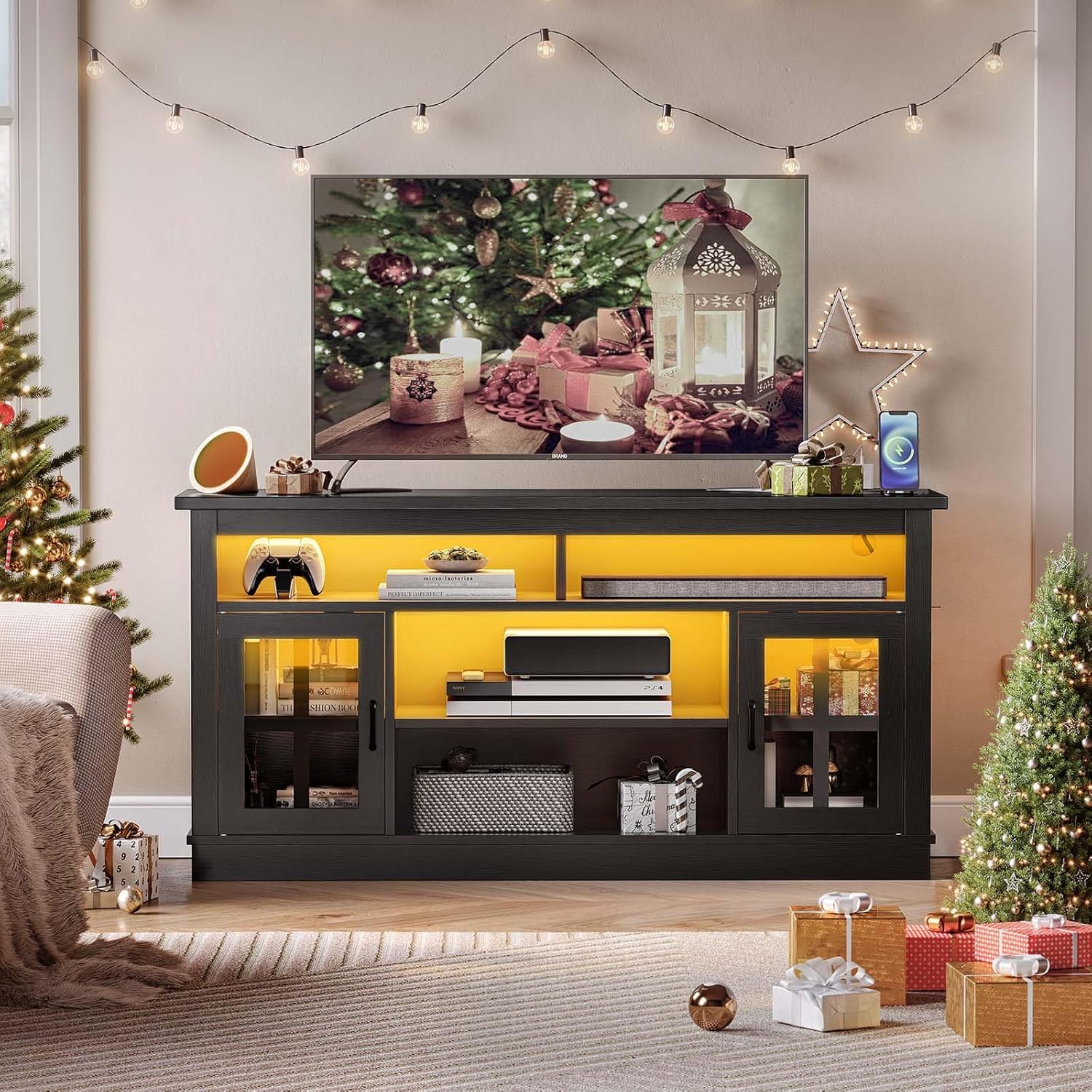
Image: Overall dimensions and structural overview of the Memobarco TV Stand, highlighting its capacity for TVs up to 65 inches and weight limits for the top surface (150 lbs) and shelves (30 lbs).
4.3. Installing Shelves and Doors
- Insert shelf pins into the desired height holes for the adjustable shelves.
- Place the adjustable shelves onto the pins. The shelves can be adjusted to 3 different heights.
- Attach hinges to the glass doors and then to the side panels of the TV stand. Ensure doors open and close smoothly.

Image: Detailed view of the adjustable shelf mechanism, illustrating the three possible height settings for flexible storage.

Image: A close-up of the glass door, highlighting its clear design and the handle for access to the storage cabinet.
4.4. Installing Electrical Components
- Install the built-in power outlet unit into the designated cutout on the top surface of the TV stand. Connect its power cord to a wall outlet.
- Adhere the LED light strips to the interior edges of the open compartments as desired. Connect them to the power source and ensure the remote control functions.
- Utilize the large cable management holes at the back of the unit to route and organize all power and media cables.
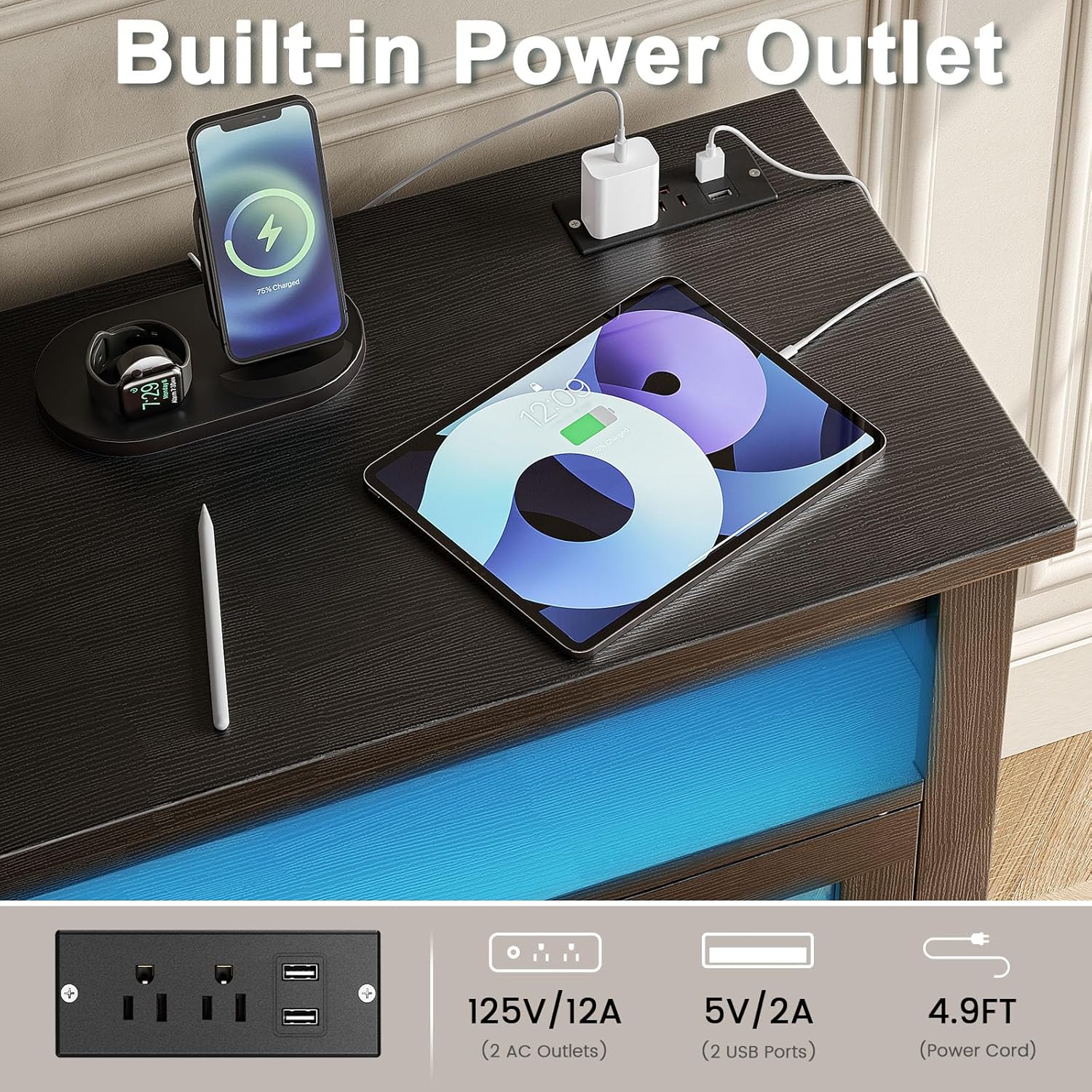
Image: A detailed view of the integrated power strip, featuring two AC outlets and two USB ports, demonstrating its use for charging various electronic devices.

Image: Illustration of the dual RGB LED strips within the TV stand, accompanied by a remote control that allows selection from 20 colors, 10 speed settings, and 5 brightness levels.

Image: A close-up shot of the cable management hole, demonstrating how cables can be neatly routed through the back of the TV stand.
5. Operating Instructions
5.1. LED Lighting System
The integrated RGB LED lighting system can be controlled using the included remote control.
- Power Button: Turn the LED lights On/Off.
- Color Selection: Choose from 20 static colors.
- Mode Selection: Cycle through 22 dynamic lighting modes (e.g., flash, strobe, fade, smooth).
- Speed Adjustment: Increase or decrease the speed of dynamic modes (10 settings).
- Brightness Control: Adjust the brightness of the lights (5 settings).
5.2. Built-in Power Outlet
The TV stand features a built-in power strip with 2 AC outlets (125V/12A) and 2 USB ports (5V/2A) for convenient charging and powering of devices.
- Plug the TV stand's main power cord into a grounded wall outlet.
- Connect your TV, media players, gaming consoles, or other electronic devices to the AC outlets.
- Use the USB ports to charge smartphones, tablets, or other USB-powered accessories.
- Caution: Do not exceed the maximum electrical load of the power strip.
5.3. Adjustable Shelves
The interior shelves are adjustable to three different heights, allowing you to customize storage space for various items.
- To adjust, carefully remove any items from the shelf.
- Lift the shelf to remove it from the pins.
- Relocate the shelf pins to the desired height holes.
- Place the shelf back onto the pins, ensuring it is level and secure.
6. Maintenance
6.1. Cleaning
- Wipe surfaces with a soft, damp cloth. Avoid harsh chemicals or abrasive cleaners.
- For glass doors, use a standard glass cleaner.

Image: A hand cleaning the surface of the TV stand with a cloth, illustrating the ease of maintenance for the P2 grade wood material.
6.2. General Care
- Periodically check all screws and fasteners to ensure they remain tight.
- Avoid exposing the unit to direct sunlight or extreme temperature changes.
- Do not place hot items directly on the surface without protection.
7. Troubleshooting
| Problem | Possible Cause | Solution |
|---|---|---|
| LED lights not working. | Power connection loose; remote battery dead; LED strip damaged. | Check power connections. Replace remote battery. Contact support if LED strip is damaged. |
| Power outlets not providing power. | TV stand power cord not plugged in; wall outlet not working; overloaded circuit. | Ensure TV stand is plugged into a live wall outlet. Test wall outlet with another device. Reduce number of devices plugged into the power strip. |
| Unit feels unstable. | Uneven floor; loose fasteners. | Ensure the unit is on a level surface. Tighten all assembly screws. |
| Doors do not close properly. | Hinges misaligned; obstruction. | Adjust hinges as needed. Check for any items blocking the door path. |
8. Specifications
- Brand: Memobarco
- Model: P732133591260
- Color: Black
- Material: Engineered Wood
- Product Dimensions: 15.35"D x 57.87"W x 28.73"H
- Recommended TV Size: Up to 65 inches
- Weight Capacity (Top): 150 lbs
- Weight Capacity (Shelves): 30 lbs per shelf
- Power Outlet: 2 AC Outlets (125V/12A), 2 USB Ports (5V/2A)
- LED Lights: RGB, 20 Colors, 22 Modes, 10 Speed Settings, 5 Brightness Settings
- Assembly Required: Yes
- Item Weight: 82.7 pounds
9. Warranty and Customer Support
Memobarco products are designed for quality and durability. For specific warranty information, please refer to the warranty card included in your package or contact Memobarco customer support.
If you encounter any issues or have questions regarding your Memobarco Farmhouse TV Stand, please contact our customer support team:
- Email: [Insert Customer Support Email Here]
- Phone: [Insert Customer Support Phone Number Here]
- Website: Visit the Memobarco Store on Amazon
Please have your model number (P732133591260) and purchase date ready when contacting support.