
Introduction
The NOBIS 20000mAh 65W Power Bank is a versatile portable charger designed to keep your devices powered on the go. Featuring 65W bi-directional fast charging, a digital display, and multiple output ports, it offers efficient and safe charging for a wide range of electronics.
Key Features:
- 65W Bi-Directional Fast Charging: Rapidly charges devices and recharges the power bank itself.
- Versatile 4-Port Simultaneous Charging: Equipped with 2 USB-C and 2 USB-A ports for charging multiple devices concurrently.
- Universal Compatibility: Supports most laptops, smartphones, tablets, and gaming devices.
- 20000mAh High Capacity: Provides extended power for various devices, ideal for travel and outdoor activities.
- LED Power Display: Clearly shows real-time battery level and charging information.
- Advanced Safety & Small Current Mode: Multi-protection safety systems and a dedicated mode for low-power devices.

Image: The NOBIS Power Bank highlighting its 20,000mAh large capacity, capable of multiple charges for various devices.
The 20,000mAh capacity ensures your devices stay charged for extended periods, perfect for long trips or busy days.
What's in the Box
- NOBIS 20000mAh 65W Power Bank (Model N2931)
- USB-C to USB-C Charging Cable
- User Manual
Product Overview
Familiarize yourself with the components and features of your NOBIS Power Bank.
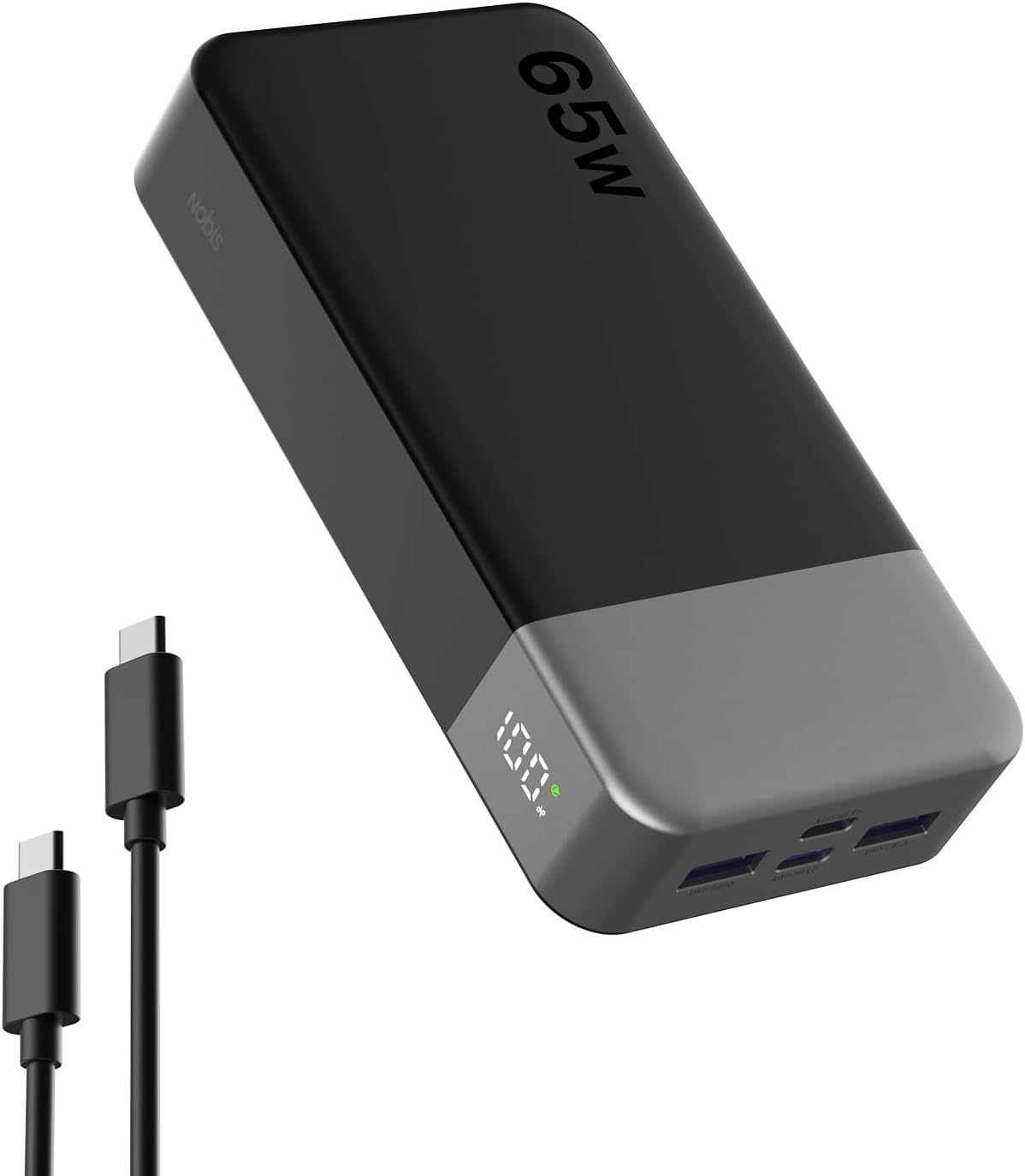
Image: Front view of the NOBIS 20000mAh 65W Power Bank, showcasing its sleek design and digital display.
The power bank features a sleek design with a digital display on the front to show battery percentage and charging status. It has multiple ports for versatile charging.
Ports and Display:
- Digital Display: Shows current battery percentage and charging status (input/output wattage).
- USB-C Ports (x2): Both support input and output, with one capable of up to 65W for fast charging laptops and quick self-recharging.
- USB-A Ports (x2): Provide standard USB charging for various devices.
- Power Button: Activates the display and initiates charging.

Image: The NOBIS Power Bank simultaneously charging a laptop, smartphone, and earbuds using its two USB-C and two USB-A ports.
The power bank is designed to charge up to four devices at once, making it highly efficient for users with multiple gadgets.
Setup
Charging the Power Bank:
- Use the provided USB-C to USB-C cable.
- Connect one end of the USB-C cable to either of the USB-C input/output ports on the power bank.
- Connect the other end of the cable to a compatible 65W (or higher) USB-C wall adapter (not included).
- The digital display will show the charging progress. A full charge from 0% typically takes approximately 2 hours with a 65W input.

Image: The NOBIS Power Bank being recharged via a 45W wall adapter, illustrating its two-way fast charging capability.
The power bank supports fast input charging, allowing it to be fully recharged quickly so it's ready for your next adventure.
Operating Instructions
Charging Your Devices:
- Connect your device to one of the available USB-C or USB-A output ports using a compatible charging cable.
- The power bank will automatically detect the device and begin charging. The digital display will show the output wattage.
- For optimal fast charging, use the 65W USB-C port with a compatible device and cable.

Image: The NOBIS Power Bank providing fast charging to both a MacBook Pro and an iPhone, demonstrating its capability to power high-demand devices.
This power bank is capable of fast charging laptops and smartphones, significantly reducing charging times.
Small Current Mode (Trickle Charging):
- To charge low-power devices like earbuds, smartwatches, or fitness trackers, double-click the power button to enter Small Current Mode.
- The digital display will indicate that Small Current Mode is active, providing a gentler charge to protect delicate device batteries.
- To exit Small Current Mode, double-click the power button again.

Image: The digital display of the NOBIS Power Bank showing "Trickle Charging Mode" activated, with earbuds connected for low-power charging.
The dedicated small current mode ensures safe and optimized charging for devices with smaller battery capacities.
Official Product Video:
Video: An official product video from heshan store demonstrating the NOBIS 65W 20000mAh Battery Pack Power Bank, highlighting its features and usage.
Watch this video for a visual guide on how to use the NOBIS Power Bank and its various functionalities.
Specifications
| Feature | Detail |
|---|---|
| Product Dimensions | 5.39 x 2.76 x 1.04 inches |
| Item Weight | 14.1 ounces |
| Item Model Number | N2931 |
| Battery Capacity | 20000 Milliamp Hours |
| Special Features | Digital Display, Fast Charging, Over Charging Protection, Short Circuit Protection |
| Connector Type | USB Type A, USB Type C |
| Color | Black |
| Manufacturer | SVVR Limited |
Maintenance
- Store the power bank in a cool, dry place away from direct sunlight and extreme temperatures.
- Avoid dropping or subjecting the device to strong impacts.
- Clean the exterior with a soft, dry cloth. Do not use harsh chemicals or abrasive materials.
- For optimal battery life, fully charge the power bank at least once every three months if not in regular use.
Troubleshooting
- Device not charging: Ensure the power bank is charged, the cable is securely connected, and the device is compatible. Try a different cable or port.
- Slow charging: Verify that your cable and device support fast charging. Ensure the power bank is not in Small Current Mode for high-power devices.
- Power bank not recharging: Check the wall adapter's output (recommended 65W USB-C PD). Ensure the USB-C cable is functioning correctly.
- Digital display not working: Press the power button to activate the display. If it remains off, the battery might be fully depleted or require service.
Warranty & Support
For warranty information and customer support, please refer to the contact details provided on the product packaging or visit the official NOBIS website. Keep your purchase receipt for warranty claims.

