Introduction
This manual provides detailed instructions for setting up and operating your Liretope S22 4K HD Indoor Camera. Designed for indoor security, this camera offers advanced features for monitoring your home or office, ensuring peace of mind with its discreet design and powerful capabilities.
Key Features
- Ultra 4K Clarity with Night Vision: Capture sharp 4K resolution live streaming for precise monitoring. Advanced infrared technology delivers clear 24/7 visibility even in zero-light conditions, while the 160° wide-angle lens eliminates blind spots for full-space coverage.
- Dual Storage: Local & Cloud Options: Flexibly record via SD card (supports 256GB) for continuous 24/7 footage or secure critical moments with encrypted cloud storage. Includes a 7-day free cloud trial.
- 60-Second Setup, Zero Tech Skills: 3-step Wi-Fi configuration enables instant activation within 1 minute. Clear in-app instructions make this security camera accessible for all users.
- Extended 6-Hour Battery + Continuous Power: A robust 1000mAh battery delivers 4-6 hours of cordless recording, while continuous charging via power bank or outlet lets you monitor endlessly.
Package Contents
The package includes the following items:
- Liretope S22 4K HD Indoor Camera
- USB-C to USB-A Charging Cable
- Mounting Bracket with Adhesive
- Screws and Wall Anchors
- User Manual
Product Overview
Familiarize yourself with the camera's components:
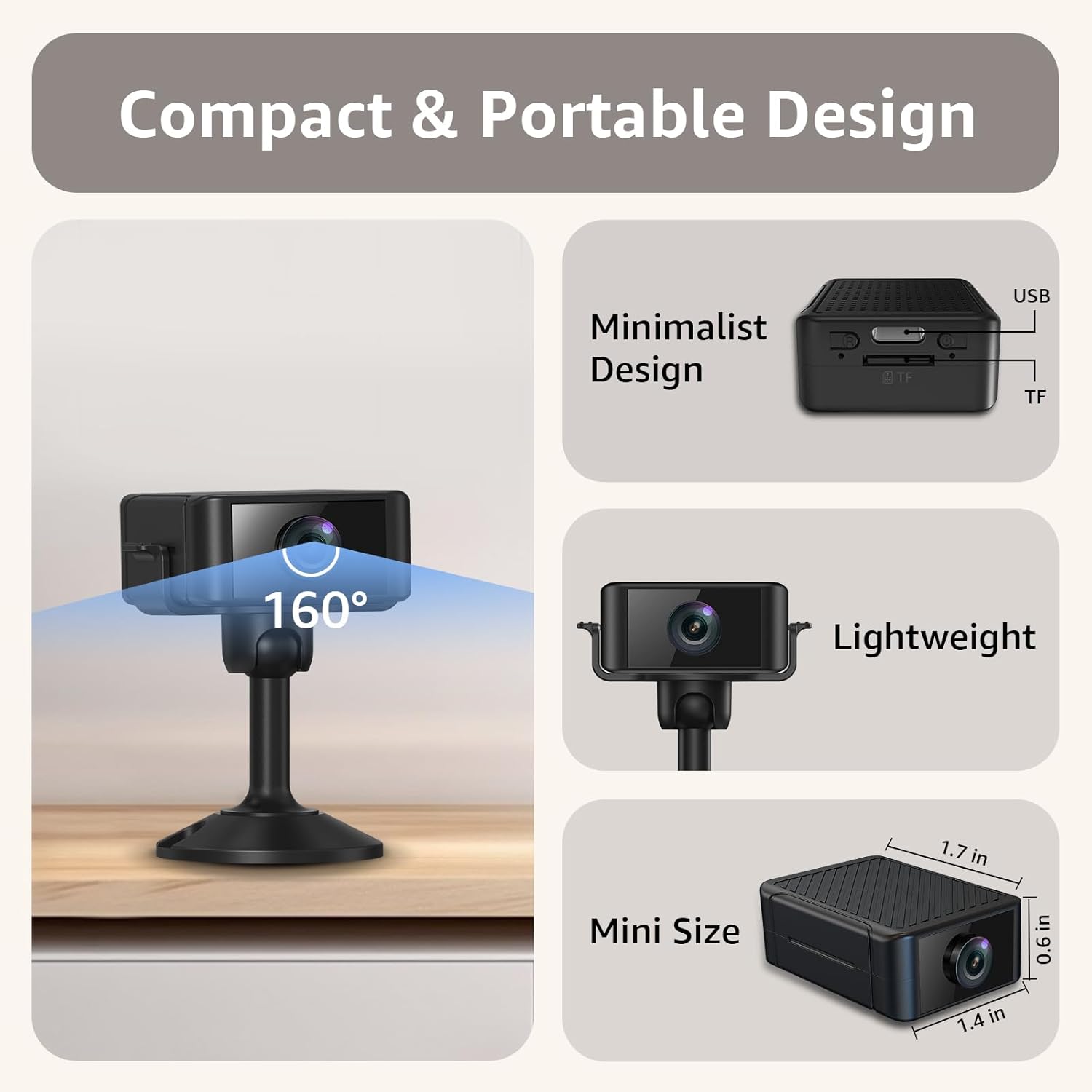
The camera features a front-facing lens, a USB-C charging port, a TF (Micro SD) card slot for local storage, an on/off switch, and a reset button. It is compact and designed for discreet placement.
Setup Guide
Step 1: Pre-Setup
- Fully charge the camera before initial use.
- Restore the camera to factory settings by pressing the reset button for 2-5 seconds until red and blue lights flash alternately.
- Place the camera within 2 meters of your Wi-Fi router during connection.
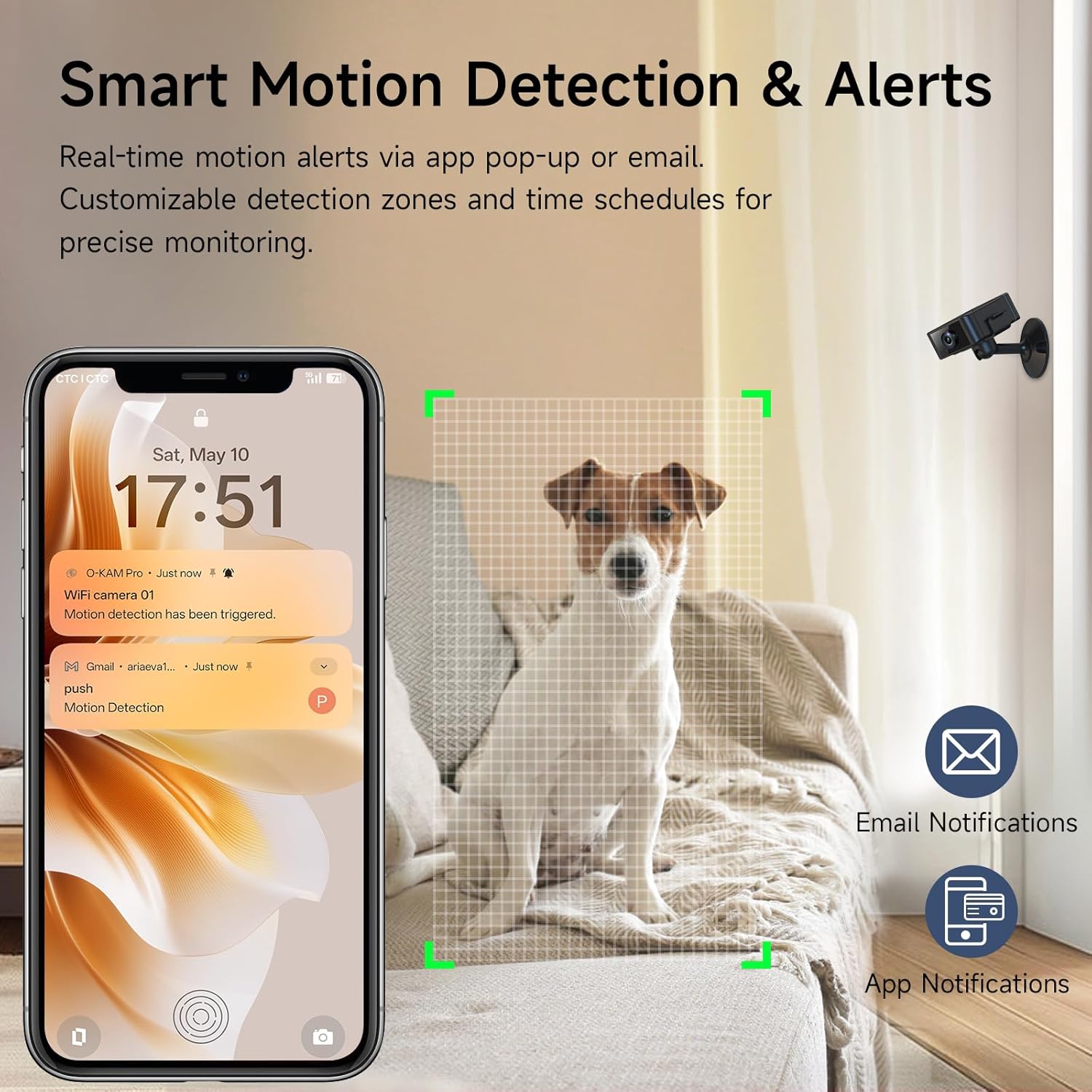
- Ensure your phone is connected to a 2.4GHz Wi-Fi network. (5GHz Wi-Fi is not supported).
Step 2: App Download and Registration
- Search for "O-Kam Pro" in your device's app store (iOS/Android) and download the application.
- Open the app, click "Register now," and follow the prompts to create an account.
Step 3: Add Devices to the App (Bluetooth Connection)
- Turn on the Bluetooth function on your phone.
- Open the O-Kam Pro app. Wait for the camera to appear at the top of the page and click "Connect." If no device is found, click "Add" to search again or scan the QR code on the camera.
- Confirm the 2.4GHz Wi-Fi network you want to connect to and enter the correct password. (5GHz Wi-Fi is not supported).
- Wait for the camera to bind to the app. This process may take 1-2 minutes.
- Click "Get started" to complete the setup.
This video demonstrates the initial setup process for the 4K Indoor Security Camera, including app download, registration, and connecting the device via Bluetooth.
A user demonstrates unboxing and connecting the mini camera to a smartphone app, highlighting the ease of setup and live viewing.
Step 4: Add Devices to the App (AP Hotspot Connection - Alternative Method)
- In the app, select "Hotspot Configuration" from the "Add devices" menu.
- Turn on your phone's Wi-Fi and connect to the camera's hotspot (usually starting with "@OK-XXXXXX").
- Return to the app and select your home 2.4GHz Wi-Fi network, entering the password.
- The camera will then connect to your home Wi-Fi and bind to the app.
This video illustrates an alternative connection method using the camera's AP hotspot, guiding users through connecting their phone directly to the camera's Wi-Fi signal before linking to the home network.
Operating Instructions
Live View and Recording
Once connected, tap on the camera in the app to access the live view. You can initiate manual recordings or capture screenshots directly from this screen.

The app provides a real-time view from the camera. Users can access controls for recording video, taking still images, and adjusting various camera settings.
Motion Detection & Alerts
The camera features smart motion detection. When motion is detected, the camera will automatically record and send real-time alerts to your phone via app notifications or email.
- Customize detection zones and time schedules within the app for precise monitoring.
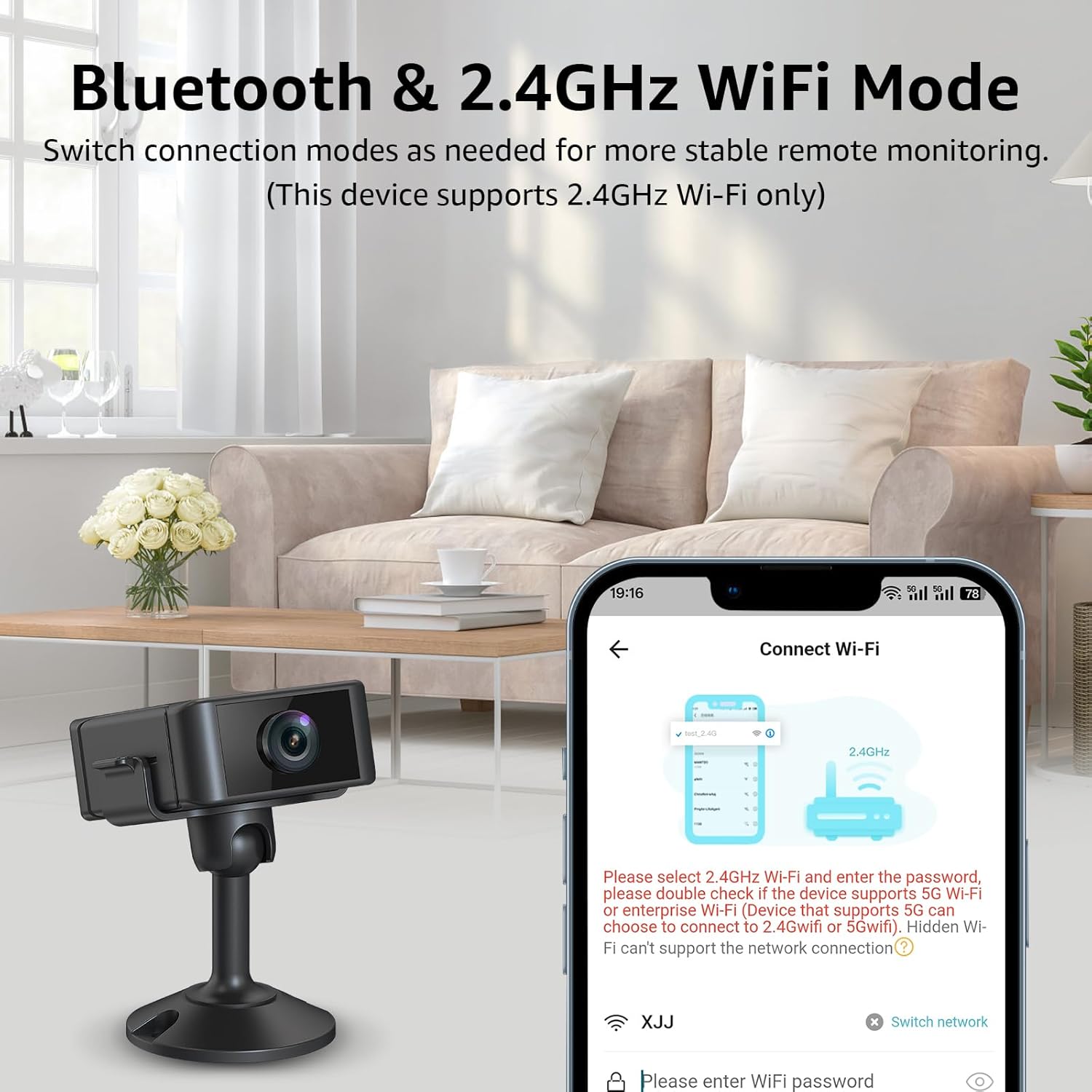
Motion detection triggers instant alerts on your smartphone, allowing you to stay informed about activity in the monitored area. Customizable zones help reduce false alarms.
This video provides a brief overview of the camera's features, including 4K resolution, night vision, and motion detection capabilities.
Night Vision
The camera is equipped with advanced infrared technology for clear night vision, providing 24/7 visibility even in low-light or no-light conditions.

Infrared night vision ensures continuous monitoring in complete darkness, capturing clear images without visible light.
Storage Options
The camera supports both local storage via an SD card (up to 256GB, not included) and encrypted cloud storage. A 7-day free cloud trial may be available.
Choose between storing footage directly on a Micro SD card for continuous recording or utilizing secure cloud storage for easy access and backup.
Multi-Device App Connectivity & Sharing
The app allows for multi-device connectivity and real-time multi-user sharing. Up to 4 users can monitor simultaneously. Shared users have view-only access, with all device settings controlled by the main account.
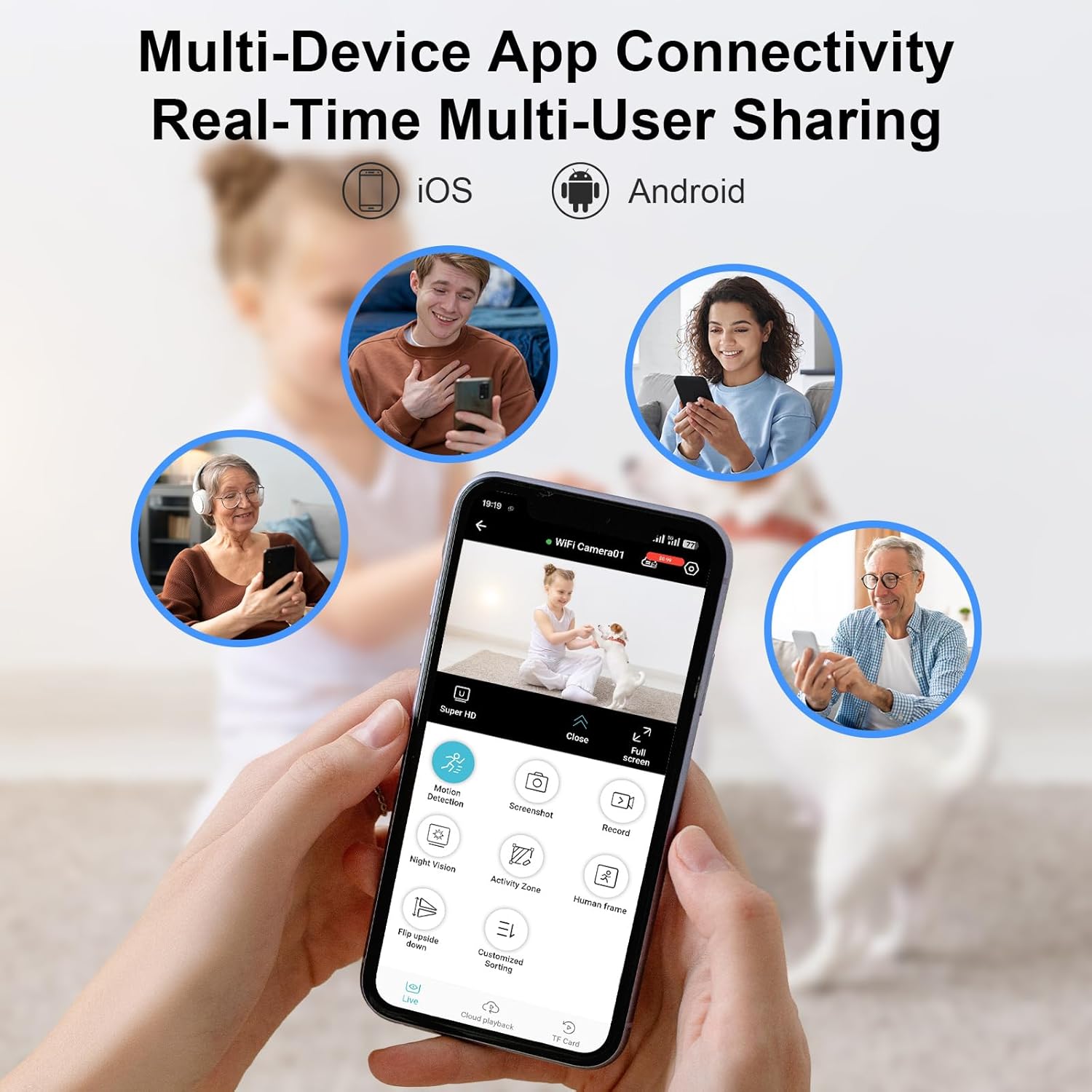
Share access to your camera's live feed with family members or colleagues, allowing multiple users to monitor simultaneously from their own devices.
Specifications
| Feature | Detail |
|---|---|
| Power Source | Battery Powered |
| Connectivity Protocol | Wi-Fi (2.4GHz only) |
| Controller Type | Push Button |
| Color | Black |
| Number of Items | 1 |
| Unit Count | 1.0 Count |
| Number of IR LEDs | 4 |
| Package Dimensions | 6.02 x 3.62 x 0.94 inches |
| Item Weight | 3.2 ounces |
| Item model number | S22 |
| Batteries | 1 A batteries required. (included) |
| Manufacturer | Liretope |
| Recommended Uses For Product | Indoor Security |
| Connectivity Technology | Wireless |
| Special Feature | Adjustable |
Maintenance
- Keep the camera clean by gently wiping the lens with a soft, dry cloth.
- Ensure the camera is placed in a well-ventilated area to prevent overheating, especially during continuous charging.
- Regularly check for firmware updates through the app to ensure optimal performance and security.
- If using an SD card, periodically format it via the app to maintain recording efficiency.
Troubleshooting
Common Issues and Solutions
Camera not connecting to Wi-Fi:
Ensure your Wi-Fi is 2.4GHz. Reset the camera and try the connection process again. Verify the Wi-Fi password is correct.Poor video quality/blurry image:
Check if the lens protective film has been removed. Ensure the camera lens is clean. Verify sufficient lighting or proper night vision activation.Motion detection not working or false alarms:
Adjust motion detection sensitivity and customize detection zones in the app. Ensure the camera is placed in an area with clear line of sight.Battery draining quickly:
Reduce recording frequency or motion detection sensitivity. Ensure the camera is fully charged before use. Consider continuous power supply for extended operation.SD card not recognized:
Ensure the SD card is correctly inserted. Format the SD card through the app. Use a compatible Micro SD card (up to 256GB).
Warranty and Support
For warranty information or technical support, please refer to the contact details provided in your product packaging or visit the Liretope official website.


