1. Introduction
Thank you for choosing the HOOBRO Small Narrow Side Table and Narrow Side Table Bundle. This bundle includes two distinct side tables: one equipped with a charging station (Model BG102UBZ01) and a standard narrow side table (Model BG246BZ01). Both tables are designed for easy, tool-free assembly, providing functional storage and convenience for various spaces in your home.
This manual provides essential information for the safe assembly, operation, and maintenance of your new HOOBRO side tables. Please read it thoroughly before assembly and retain it for future reference.
2. Safety Information
- Always assemble the product on a soft, clean surface to prevent scratches.
- Ensure all connections are securely tightened before use. Periodically check and re-tighten if necessary.
- Do not overload the shelves. Refer to the specifications for weight limits.
- Place the tables on a level surface to prevent tipping.
- Keep the charging station (Model BG102UBZ01) away from water or damp environments.
- Do not attempt to modify the electrical components of the charging station.
- Keep small parts out of reach of children during assembly to avoid choking hazards.
3. Package Contents
Please verify that all components are present before beginning assembly. If any parts are missing or damaged, please contact HOOBRO customer support.
For Table with Charging Station (Model BG102UBZ01):
- Top Shelf with Integrated Charging Station
- Middle Shelf
- Bottom Mesh Shelf
- Metal Frame Legs (4 pieces)
- Connecting Rods/Bars
- Adjustable Feet
For Standard Narrow Side Table (Model BG246BZ01):
- Top Shelf
- Middle Shelf
- Bottom Shelf
- Support Poles (4 long, 4 short)
- Adjustable Feet
4. Setup and Assembly
Both tables feature a 'Twist-On Assemble' design, requiring no additional tools. Follow the steps below for each table.
General Assembly Tips:
- Identify all parts for one table before starting its assembly.
- Ensure all threaded connections are aligned before twisting to avoid cross-threading.
- Hand-tighten all connections firmly.
Assembly for Table with Charging Station (Model BG102UBZ01):
- Attach the four metal frame legs to the underside of the top shelf (which includes the charging station) by twisting them clockwise until secure.
- Slide the middle shelf onto the metal frame legs, ensuring it rests on the designated support points. Secure it by twisting the connecting rods into the legs from below.
- Attach the bottom mesh shelf to the lower section of the metal frame legs, securing it with the remaining connecting rods.
- Twist the adjustable feet into the bottom of the metal frame legs. Adjust them to ensure the table is stable and level.
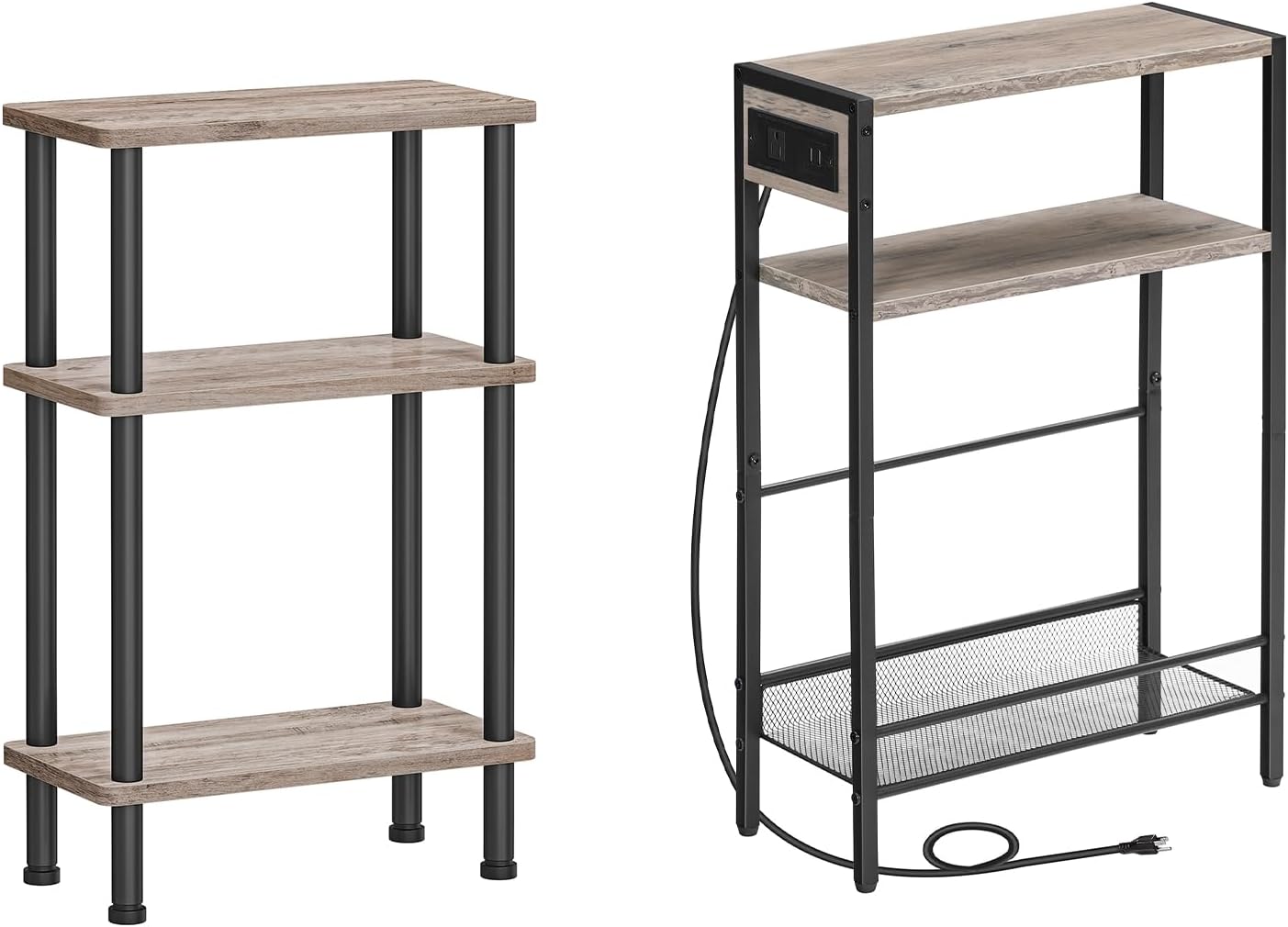
Image 4.1: Both HOOBRO side tables fully assembled. The left table is the standard model, and the right table features an integrated charging station.
Assembly for Standard Narrow Side Table (Model BG246BZ01):
- Attach the four short support poles to the underside of the top shelf by twisting them clockwise until secure.
- Place the middle shelf onto the top of the short support poles. Then, attach the four long support poles to the underside of the middle shelf, twisting them into the poles from the previous step.
- Place the bottom shelf onto the top of the long support poles.
- Twist the adjustable feet into the bottom of the lowest support poles. Adjust them to ensure the table is stable and level.
5. Operating Instructions (Model BG102UBZ01 - with Charging Station)
The HOOBRO side table Model BG102UBZ01 includes a built-in charging station for your convenience.
Using the Charging Station:
- Ensure the table is fully assembled and stable.
- Plug the power cord from the charging station into a standard wall outlet.
- To charge devices, plug your device's power adapter into the AC outlet or connect your USB charging cable directly into one of the two USB ports.
- Always ensure devices are properly connected and the power cord is not pinched or damaged.
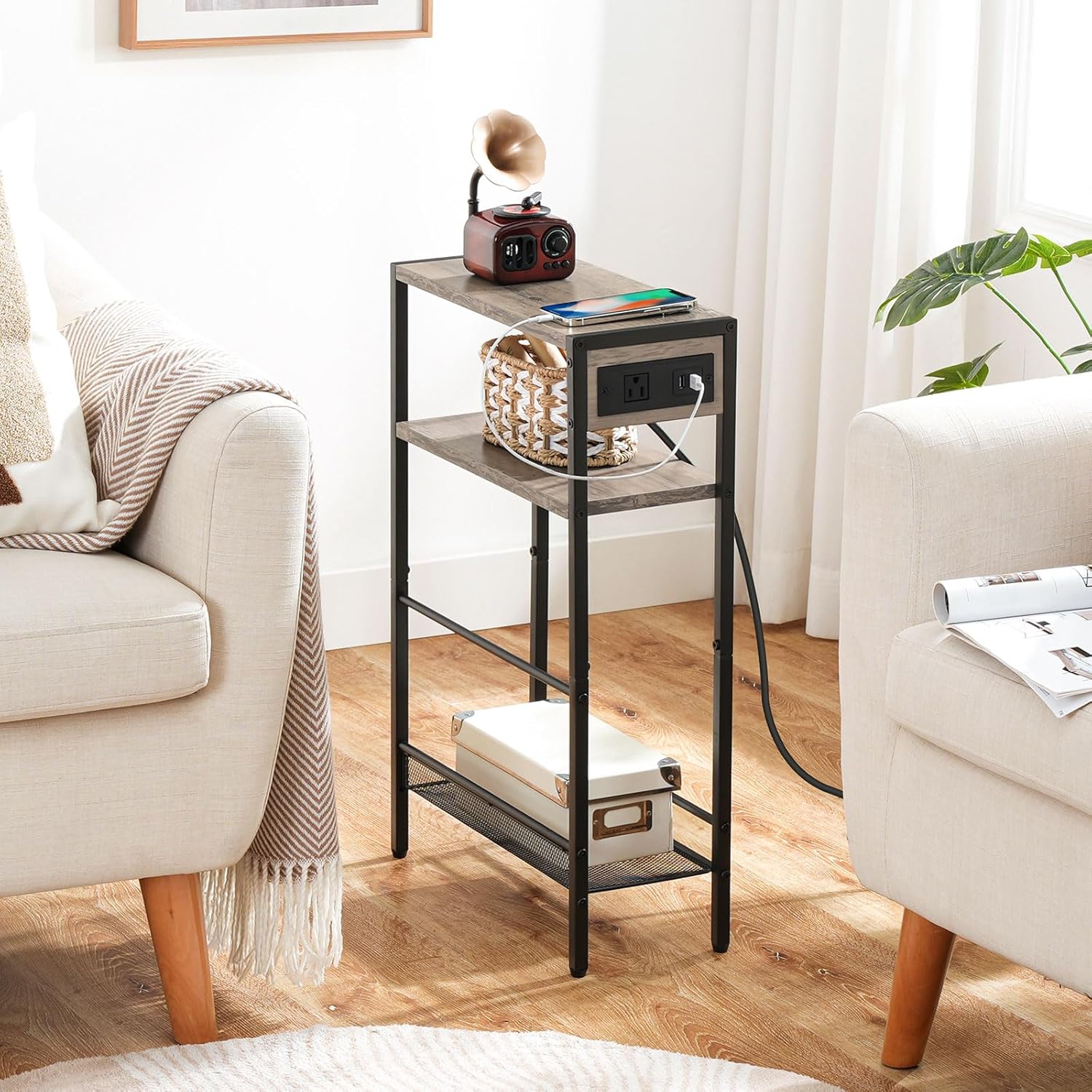
Image 5.1: The HOOBRO side table with charging station in use, demonstrating its functionality for charging devices and holding small items.
6. Maintenance
Proper care will extend the life and appearance of your HOOBRO side tables.
- Cleaning: Wipe surfaces with a soft, damp cloth. Avoid using abrasive cleaners, harsh chemicals, or solvents, as these can damage the finish.
- Spills: Immediately wipe up any spills to prevent staining or damage to the wood-grain shelves.
- Electrical Components (Model BG102UBZ01): Ensure the charging station remains dry. Do not spray cleaning liquids directly onto the power outlets or USB ports.
- Stability Check: Periodically check all connections and re-tighten if they feel loose to maintain stability.
7. Troubleshooting
If you encounter any issues, please refer to the following common solutions:
- Table is wobbly: Ensure all support poles/legs are fully and securely twisted into place. Adjust the leveling feet on the bottom of the table to compensate for uneven floors.
- Parts do not fit: Double-check that you are using the correct parts for the specific table you are assembling. Refer to the package contents and assembly steps. Ensure parts are aligned correctly before twisting.
- Charging station not working (Model BG102UBZ01):
- Verify the power cord is securely plugged into a functional wall outlet.
- Check if the device you are trying to charge is properly connected to the outlet or USB port.
- Test the wall outlet with another appliance to ensure it has power.
- Avoid overloading the charging station with too many high-power devices simultaneously.
8. Specifications
Table with Charging Station (Model BG102UBZ01):
- Overall Dimensions: 16.5" L x 7.1" W x 25.6" H (42 cm L x 18 cm W x 65 cm H)
- Charging Station: 1 AC Outlet, 2 USB Ports
- Shelves: 2 wooden shelves, 1 L-shaped mesh shelf with side rails
- Material: Engineered wood, Metal frame

Image 8.1: Dimensional diagram for the HOOBRO side table with charging station (Model BG102UBZ01).
Standard Narrow Side Table (Model BG246BZ01):
- Overall Dimensions: 15.7" L x 7.9" W x 25.2" H (40 cm L x 20 cm W x 64 cm H)
- Shelves: 3 wooden shelves
- Material: Engineered wood, Metal poles

Image 8.2: Dimensional diagram for the HOOBRO standard narrow side table (Model BG246BZ01).
9. Warranty and Support
HOOBRO products are designed for quality and durability. For specific warranty information, please refer to the documentation included with your purchase or visit the official HOOBRO website.
If you have any questions, require assistance with assembly, or need to report missing/damaged parts, please contact HOOBRO customer support. Our team is available to help you.
Thank you for choosing HOOBRO.


