
1. Introduction
This manual provides essential information for the setup, operation, maintenance, and troubleshooting of your FIREBAT MN56 Mini PC. Please read this manual thoroughly before using the device to ensure proper functionality and longevity.
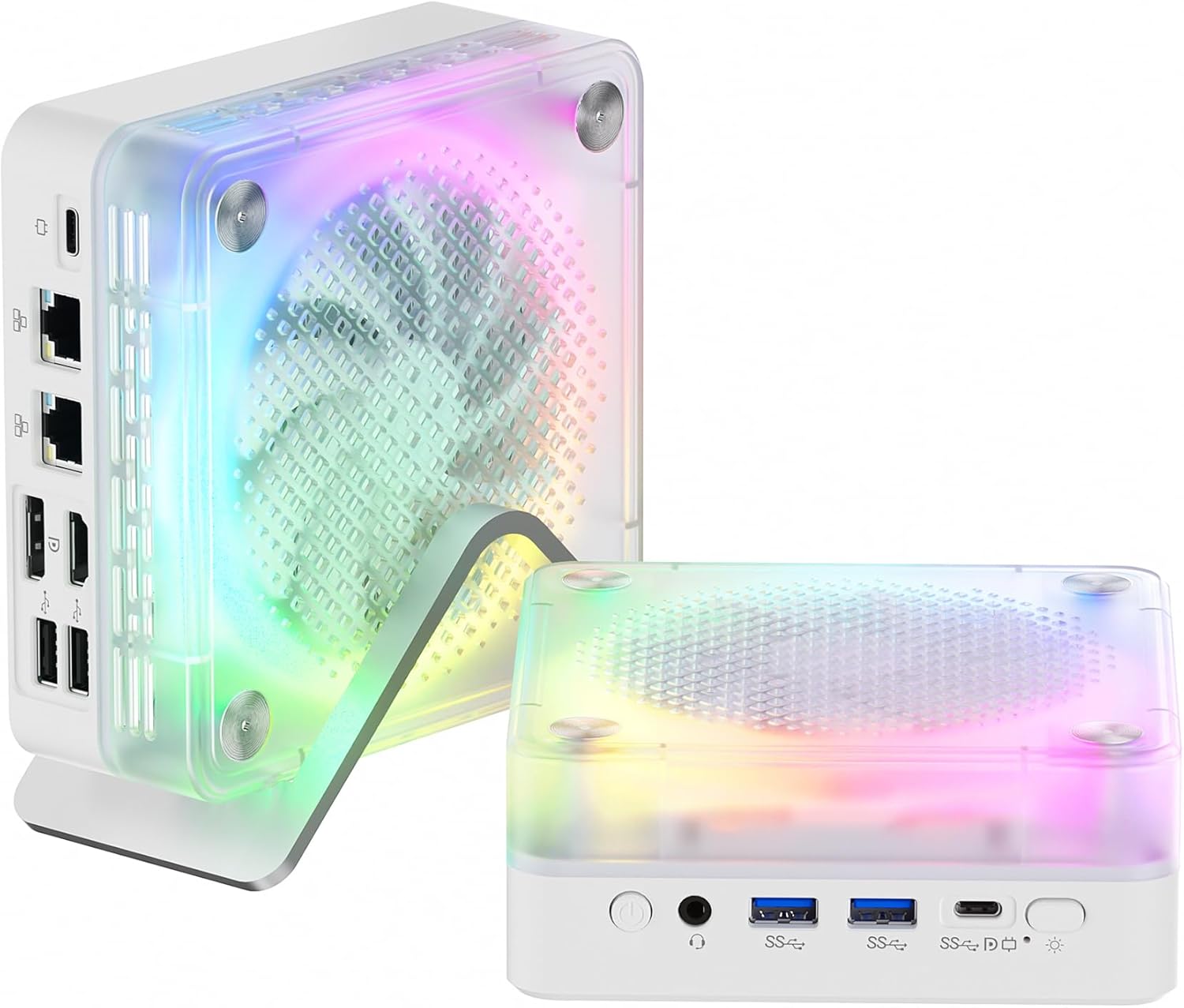
Figure 1: FIREBAT MN56 Mini PC with its vertical stand and RGB lighting.
2. Package Contents
Verify that all items listed below are included in your package:
- 1 x FIREBAT MN56 AMD Ryzen 7 8745HS Mini PC
- 1 x 19V/6.32A 120W DC US Adapter
- 1 x Vertical Stand
- 1 x HDMI Cable
- 1 x User Manual

Figure 2: Contents of the FIREBAT MN56 Mini PC retail package.
3. Product Overview
3.1 Front and Rear Ports
The FIREBAT MN56 Mini PC offers a comprehensive selection of ports for versatile connectivity:
- Front Ports: Power Button, 3.5mm Audio Jack (HP&MIC), 2 x USB 3.2 Type-A, 1 x USB-C (PD/DP/DATA, Up to 40Gbps), 1 x USB-C (for charging only), RGB Control Button.
- Rear Ports: 2 x 2.5Gbps RJ45 LAN, 1 x DP 1.4, 1 x HDMI 2.1 (supports 4K@120Hz, 8K@60Hz), 2 x USB 2.0 Type-A.

Figure 3: Front and rear interface layout of the Mini PC, highlighting various connectivity options.
3.2 RGB Lighting
The Mini PC features RGB gradient breathing lights. These lights can be controlled via a dedicated button on the front panel, offering modes such as full-color flashing, monochrome, or off.
3.3 Dimensions and Weight
The compact design of the MN56 Mini PC makes it suitable for various environments. It measures approximately 5 x 5 x 2 inches (13 x 13 x 5.4 cm) and weighs about 1.2 pounds (0.53 kg).

Figure 4: The compact size of the Mini PC, ideal for space-saving setups.
4. Setup
4.1 Connecting Peripherals
- Connect your monitor(s) to the HDMI 2.1 and/or DP 1.4 ports using the provided HDMI cable or a compatible DisplayPort cable. The Mini PC supports triple screen display.
- Connect your keyboard and mouse to the available USB Type-A ports.
- For wired network access, connect an Ethernet cable to one of the 2.5Gbps RJ45 LAN ports.
- Plug the DC power adapter into the Mini PC's power input and then into a wall outlet.
4.2 Powering On
Press the power button located on the front panel of the Mini PC. The system will initiate the boot process.
4.3 Initial Operating System Setup
Upon first boot, the Mini PC will guide you through the Windows 11 setup process. Follow the on-screen instructions to configure language, region, network, and user accounts. This process may take some time.
Video 1: An overview of the FIREBAT MN56 Mini PC, including unboxing, port demonstration, RGB lighting, and a brief demonstration of its fast startup and gaming capabilities.
5. Operating Instructions
5.1 Power Modes
The Mini PC supports adjustable power consumption modes to optimize performance and energy efficiency. These modes can typically be adjusted via system settings or a dedicated button, if available, to switch between balanced, performance, or power-saving profiles.

Figure 5: Visual representation of the Mini PC's power mode selection, allowing users to choose between various performance and efficiency settings.
5.2 RGB Lighting Control
Use the RGB control button on the front panel to cycle through different lighting effects and colors, or to turn the RGB lighting off.

Figure 6: The RGB control button on the front of the Mini PC for managing lighting effects.
5.3 Network and Wireless Connectivity
The Mini PC supports advanced connectivity options:
- Wi-Fi 6: Provides robust and stable wireless internet connection.
- Bluetooth 5.2: For connecting wireless peripherals such as keyboards, mice, and headphones.
- 2.5Gbps RJ45 LAN: Dual ports for high-speed wired network connections, suitable for demanding network tasks.
5.4 Multi-Display Setup
The Mini PC supports connecting up to three displays simultaneously via its HDMI 2.1 and DP 1.4 ports, along with the USB-C port (which supports DP Alt Mode). This allows for an expanded workspace or immersive viewing experience.
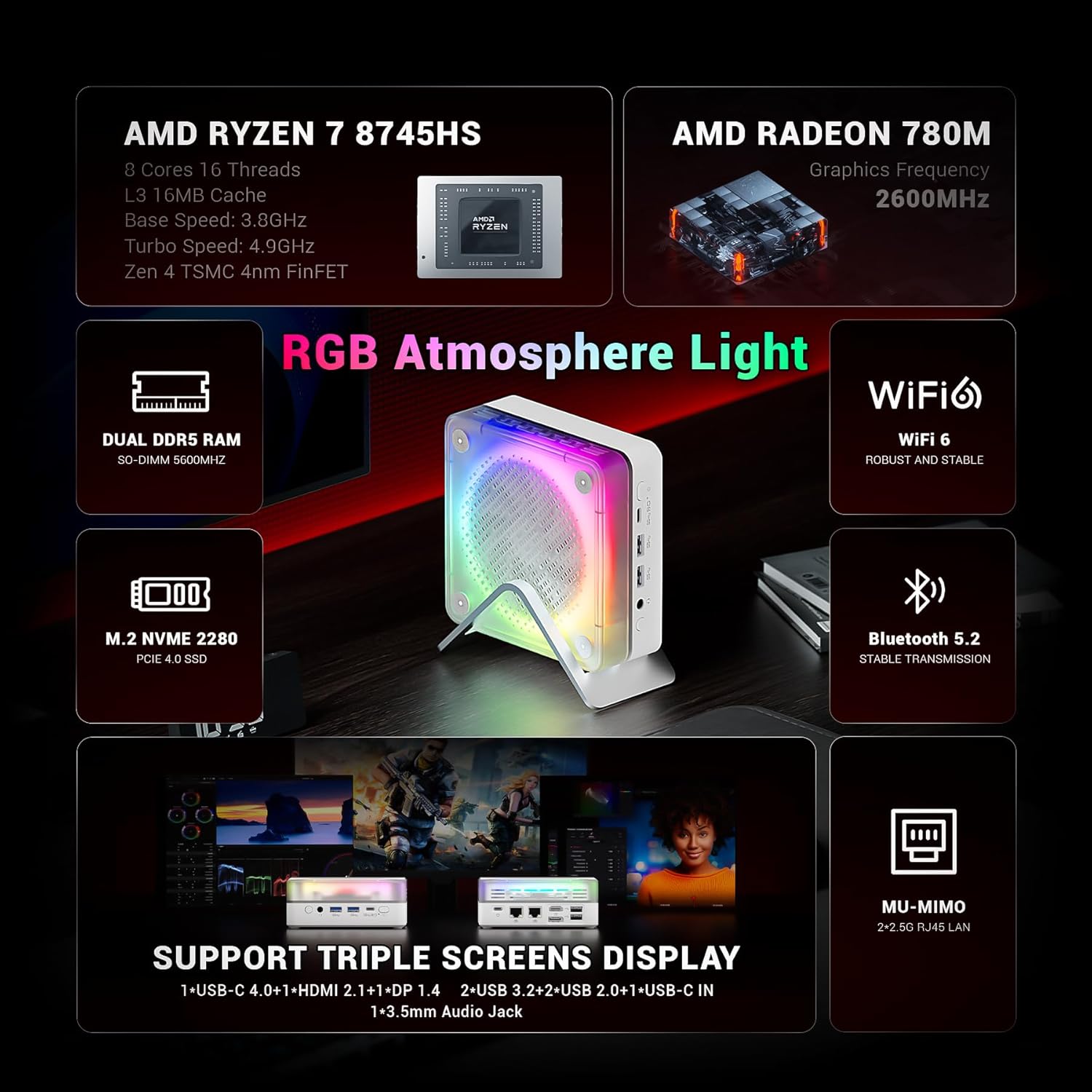
Figure 7: The Mini PC's capability to support a triple screen display setup.
6. Performance & Specifications
The FIREBAT MN56 Mini PC is engineered for high performance in a compact form factor:
- Processor: AMD Ryzen 7 8745HS (8 Cores/16 Threads, Zen 4 Architecture, 3.8-4.9GHz, 16MB L3 Cache).
- Graphics: Integrated AMD Radeon 780M.
- Memory: 32GB DDR5 5600MHz SO-DIMM (2x16GB, expandable up to 96GB with 2x48GB modules).
- Storage: 1TB PCIe 4.0 M.2 2280 SSD.
- Operating System: Windows 11 Home (Default).
- Dimensions (LxWxH): Approximately 5 x 5 x 2 inches (13 x 13 x 5.4 cm).
- Weight: Approximately 1.2 pounds (0.53 kg).
7. Maintenance
7.1 Efficient Heat Dissipation
The Mini PC incorporates an efficient cooling system to maintain optimal operating temperatures. This includes a system fan for overall machine cooling and a dedicated CPU fan, utilizing high-efficiency thermal grease. The vertical stand also aids in airflow.

Figure 8: Internal view of the dual-fan cooling system designed for efficient heat dissipation.
7.2 General Cleaning
To ensure proper airflow and prevent dust buildup, regularly clean the exterior of the Mini PC and its ventilation grilles with a soft, dry cloth. Avoid using liquid cleaners directly on the device.
7.3 Storage and Memory Expansion
The Mini PC is designed for easy upgrades:
- Memory: The 32GB DDR5 5600MHz RAM is installed in two SO-DIMM slots (2x16GB). It can be expanded up to a maximum of 96GB (2x48GB modules).
- Storage: It includes a 1TB PCIe 4.0 M.2 2280 SSD. An additional M.2 2280 slot is available for further storage expansion.
For detailed instructions on upgrading RAM or SSD, refer to the full user manual or contact customer support.

Figure 9: The internal layout highlighting the expandable DDR5 RAM and PCIe 4.0 M.2 SSD slots.
8. Troubleshooting
If you encounter issues with your FIREBAT MN56 Mini PC, refer to the following common troubleshooting steps:
- No Power: Ensure the power adapter is securely connected to both the Mini PC and a working power outlet. Test the outlet with another device.
- No Display: Verify that your monitor(s) are correctly connected to the Mini PC's video output ports (HDMI, DP, USB-C) and that the monitor input source is selected correctly. Try a different cable or monitor if possible.
- Slow Performance: Check for background applications consuming resources. Ensure Windows is up-to-date and drivers are installed correctly. Monitor system temperatures to rule out thermal throttling.
- Network Connectivity Issues: For Wi-Fi, ensure the Wi-Fi adapter is enabled and you are connected to the correct network. For wired connections, check the Ethernet cable and router status.
- Peripheral Not Detected: Try connecting the peripheral to a different USB port. Ensure drivers for the peripheral are installed.
For persistent issues, consult the full user manual or contact FIREBAT customer support.
9. Warranty and Support
FIREBAT is committed to providing quality products and support. For any inquiries or assistance, please contact us:
- Manufacturer: Shenzhen Qingfen Tingxiu Information Technology Co., Ltd.
- Email Support: support@firebatpc.com
- Website: www.firebatpc.com
Please retain your proof of purchase for warranty claims. Specific warranty terms and conditions are detailed on the official FIREBAT website.


