
1. Introduction
This manual provides essential information for the safe and efficient use of your LG GBBW322CEV Combined Refrigerator. Please read it thoroughly before operating the appliance and keep it for future reference. This refrigerator features a 70cm width, 465L capacity, AI Fresh, Fresh Converter, Total No Frost, Door and Linear Cooling, and Wi-Fi connectivity.

Figure 1: Front view of the LG GBBW322CEV Combined Refrigerator.
2. Safety Information
Always follow basic safety precautions to reduce the risk of fire, electric shock, or injury when using your refrigerator.
- Ensure the appliance is properly grounded.
- Do not use electrical appliances inside the food storage compartments unless they are of the type recommended by the manufacturer.
- Keep ventilation openings clear of obstruction.
- Do not damage the refrigerant circuit.
- Unplug the refrigerator before cleaning or performing maintenance.
3. Setup and Installation
3.1 Unpacking
Remove all packaging materials, including tape and protective films. Inspect the refrigerator for any damage during transit.
3.2 Placement
Place the refrigerator on a firm, level floor. Ensure adequate space around the appliance for proper ventilation. This model is designed for flush-to-wall installation, requiring only 4mm clearance from the wall for the door to open up to 110 degrees without obstruction.

Figure 2: Refrigerator dimensions and installation clearances.

Figure 3: Flush door opening mechanism, allowing installation close to a wall.
3.3 Leveling
Adjust the leveling feet to ensure the refrigerator is stable and level. This helps prevent vibrations and ensures proper door sealing.
3.4 Initial Power-on
After installation, wait at least 2-3 hours before plugging the refrigerator into a power outlet. This allows the refrigerant to settle. Once plugged in, allow the appliance to cool for several hours before loading food.
4. Operating Instructions
4.1 Control Panel
The control panel, typically located inside the refrigerator compartment or on the door, allows you to adjust temperature settings and activate special functions. Refer to the on-screen display or specific button labels for detailed operation.
4.2 AI Inverter Functions
The AI Inverter system intelligently adapts to your usage patterns to optimize freshness and energy consumption.
- AI Fresh: Automatically provides more intense cooling during periods of high usage to maintain optimal freshness.
- AI Saving Mode: Reduces energy consumption during periods of low usage, helping to save electricity.
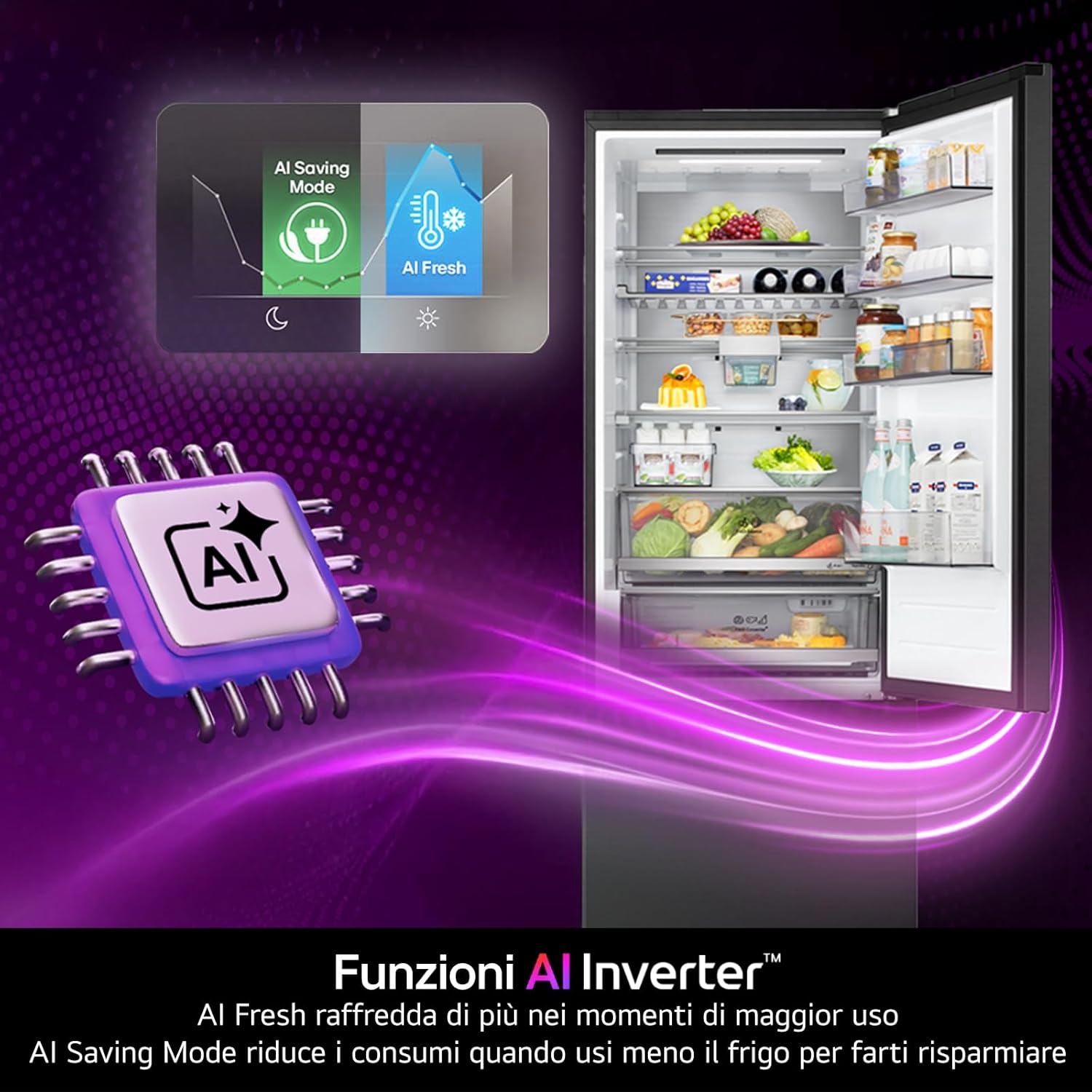
Figure 4: AI Inverter functions for optimized cooling and energy saving.
4.3 Door and Linear Cooling
These technologies ensure rapid cooling and consistent temperature throughout the refrigerator compartment, helping to keep food fresh for longer.

Figure 5: Door and Linear Cooling system for fast and even cooling.
4.4 Total No Frost
The Total No Frost system prevents ice buildup in both the refrigerator and freezer compartments, eliminating the need for manual defrosting and ensuring better food preservation through a constant flow of cold air.

Figure 6: Total No Frost feature keeps food fresh and prevents freezer defrosting.
4.5 Smart Flex Interior with Wine Rack
The interior is designed for versatile storage with adjustable shelves and a dedicated wine rack, allowing you to organize space efficiently.
- Adjustable Shelves: Customize shelf height to accommodate items of various sizes.
- Wine Rack: Store up to 6 wine bottles or other bulky items horizontally.

Figure 7: Smart Flex interior with adjustable shelves and wine rack.

Figure 8: Detail of the Wine Rack.
4.6 Fresh Balancer
The Fresh Balancer drawer allows you to adjust humidity levels to optimally preserve fruits or vegetables.

Figure 9: Fresh Balancer drawer for humidity control.
4.7 Fresh Converter
The Fresh Converter drawer allows you to select the ideal temperature for storing meat (-3°C), fish (0°C), or cheese (2°C), ensuring specialized preservation.

Figure 10: Fresh Converter drawer for specific food storage temperatures.
5. Maintenance
5.1 Cleaning
Regularly clean the interior and exterior of your refrigerator. Unplug the appliance before cleaning. Use a soft cloth with a mild detergent and warm water. Avoid abrasive cleaners or solvents.
5.2 Defrosting
Thanks to the Total No Frost technology, manual defrosting of the freezer compartment is not required. If ice buildup occurs, check for proper door sealing or contact customer support.
6. Troubleshooting
Before contacting service, check the following common issues:
- Refrigerator not cooling: Check if the power cord is properly plugged in, the temperature settings are correct, and the door is fully closed.
- Unusual noises: Some noises are normal (e.g., refrigerant flowing, compressor starting). Ensure the refrigerator is level and not touching a wall.
- Water on the floor: Check the drain pan and ensure the drain hose is not blocked.
7. Specifications
| Brand | LG |
| Model Number | GBBW322CEV.AEVQEUR |
| Product Dimensions (DxWxH) | 69.7 x 70.4 x 203 cm |
| Weight | 87 kg |
| Total Capacity | 465 Liters |
| Freezer Capacity | 139 Liters |
| Refrigerator Capacity | 326 Liters |
| Energy Efficiency Class | C |
| Defrost System | Total No Frost |
| Compressor Type | Smart Inverter Compressor |
| Noise Level | 33 dB |
| Color | Essence Black Steel |
For detailed energy information, please refer to the official EU Energy Label:

Figure 11: EU Energy Label. View Energy Label details online.
8. Warranty and Support
8.1 Warranty Information
The Smart Inverter Compressor is guaranteed for 10 years. For the first two years, the product is covered by a conventional warranty. From the third to the tenth year, LG offers a conventional warranty exclusively on the compressor. Labor costs and intervention costs are excluded.

Figure 12: Smart Inverter Compressor 10-year warranty.
8.2 Customer Support
For technical assistance, spare parts, or further information, please contact LG customer support. Refer to the warranty card or LG's official website for contact details specific to your region.