
1. Introduction
The prxxhri Smart Health Ring VR11 is a wearable device designed to monitor various health and fitness metrics. It tracks sleep quality, daily activities, heart rate, and stress levels, providing insights to support your overall well-being. This manual provides essential information for setting up, operating, and maintaining your smart ring.
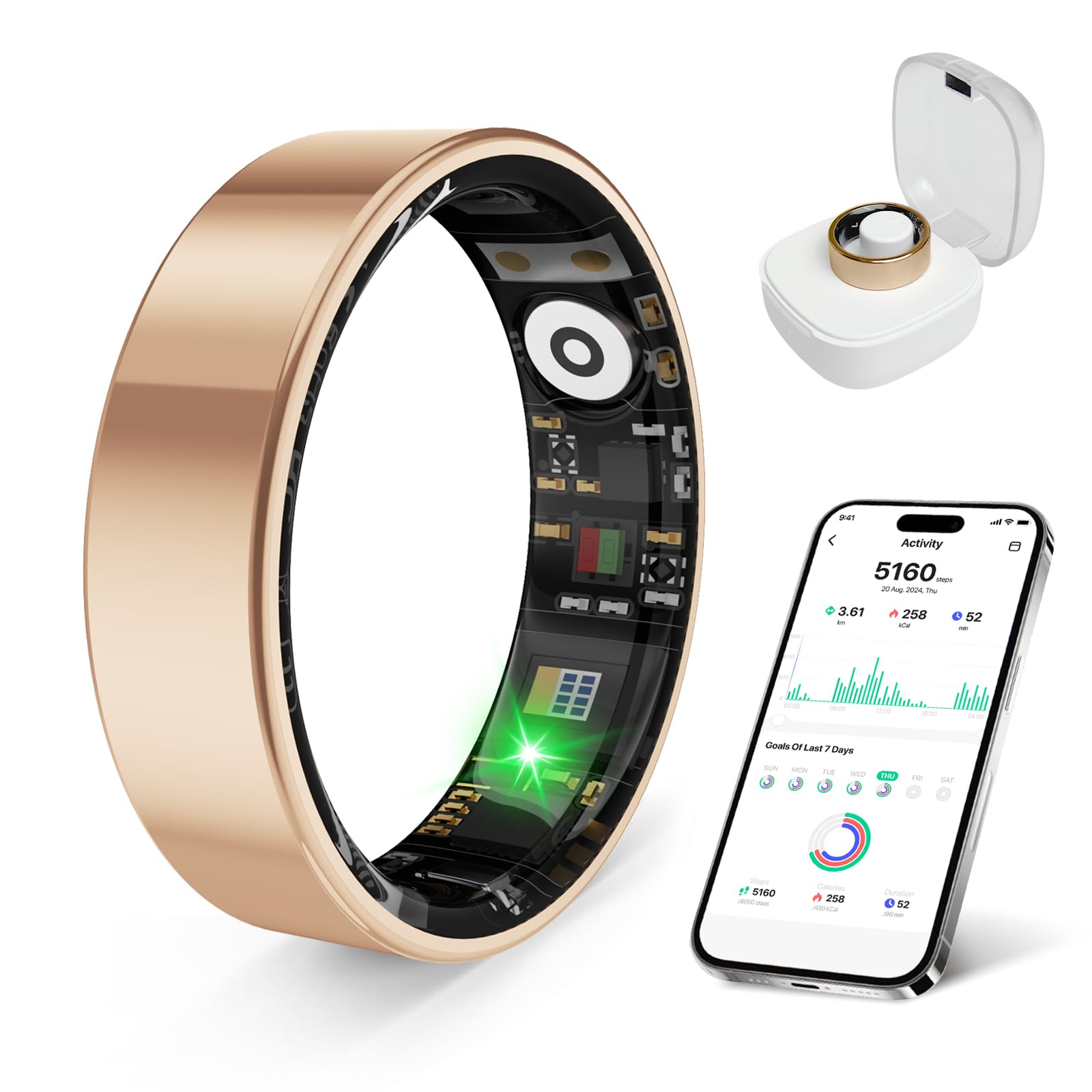
Image: The prxxhri Smart Health Ring VR11, showcasing its sleek design.
2. Before You Start
2.1. Sizing Information
Before using your prxxhri Smart Ring, it is crucial to ensure you have the correct size for comfortable wear and accurate data collection. Refer to the size chart and carefully measure your finger circumference.

Image: Diagram showing multiple ring size options and a two-step guide for measuring finger circumference using a thin line and a ruler.
Measurement Steps:
- Step 1: Wrap a thin, non-elastic line around your finger.
- Step 2: Straighten the line and measure its length with a ruler to determine your finger's circumference. Match this measurement to the provided size chart.
Available sizes include #7 (54.3mm circumference), #8 (56.9mm), #9 (59.5mm), #10 (62.1mm), #11 (64.6mm), and #12 (67.2mm).
3. Setup
3.1. Charging the Ring
Before initial use, fully charge your prxxhri Smart Ring. The ring comes with a smart charging case. Place the ring into the charging case to begin charging. A full charge typically provides 2-3 days of battery life, and the charging case can extend usage time to over 10 days.
Video: An unboxing of the prxxhri Smart Ring, showing the ring, charging case, and charging cable. This video demonstrates the components included with the product.
Video: A short preview demonstrating how to place the smart ring into its charging case for power. This clip highlights the ease of charging the device.
3.2. App Download and Pairing
The prxxhri Smart Ring requires a companion application for full functionality and data viewing. The app is available for both iOS and Android devices and does not require a subscription fee.
- Download the official app by scanning the QR code provided in the packaging or by visiting app.moyoung.com/app-download/DaRing.
- Follow the in-app instructions to pair your smart ring via Bluetooth.

Image: Information on the free companion app, showing app store icons and a QR code for download, alongside the smart ring and its charging case.
4. Operating the Smart Ring
4.1. Wearing the Ring
Wear the prxxhri Smart Ring on any finger where it fits comfortably and securely. Ensure the sensors on the inside of the ring are in contact with your skin for accurate readings.
Video: A demonstration of wearing the prxxhri Smart Ring, highlighting its comfortable fit and how it looks on the finger. This video provides a visual guide for proper placement.
4.2. Health Monitoring
The ring features advanced 4.0 sensors for continuous health tracking:
- Heart Rate: Automatically measures your heart rate every 30 minutes.
- Sleep Monitoring: Tracks sleep quality, including sleep cycles, to help optimize rest and recovery.
- Stress Monitoring: Provides insights into your stress levels.
- Blood Oxygen (SpO2): Measures blood oxygen saturation.
- Blood Pressure (BP): Monitors blood pressure readings.
- Heart Rate Variability (HRV): Tracks HRV for comprehensive wellness management.

Image: A family interacting with the prxxhri Smart Ring app, showing icons for heart rate, sleep, and sport tracking. This illustrates the ring's ability to monitor various health metrics.

Image: A person sleeping with the prxxhri Smart Ring, alongside a smartphone displaying detailed sleep analysis reports from the companion app. This highlights the ring's sleep tracking capabilities.
Video: A review of the prxxhri Smart Ring, demonstrating its various health tracking features within the app, including heart rate, sleep, and activity. This video provides a detailed look at the app's interface and data presentation.
Video: A user demonstrating the data tracking capabilities of the prxxhri Smart Ring, showing how the app displays various health metrics. This video emphasizes the comprehensive data provided by the ring.
4.3. Activity Tracking
The smart ring tracks your daily activities, including steps, calories burned, and exercise performance. It supports multiple sports modes to provide accurate insights for your fitness goals.

Image: Collage showing individuals engaged in various sports like tennis, cycling, yoga, hiking, and running, indicating the prxxhri Smart Ring's multi-sport tracking capabilities.
Video: A demonstration of the fitness tracking features of the prxxhri Smart Ring, showcasing how it monitors various activities and displays data within the app. This video highlights the ring's utility for active individuals.
4.4. Women's Health Tracking
The prxxhri Smart Ring also supports women's health tracking, including physiological cycle monitoring and menstrual period predictions, accessible through the companion app.

Image: A woman smiling, with a smartphone displaying the prxxhri Smart Ring app's physiological cycle and menstrual period tracking interface. This image illustrates the ring's women's health features.
5. Maintenance
5.1. Cleaning
To maintain optimal performance and hygiene, regularly clean your prxxhri Smart Ring. Use a soft, damp cloth to wipe the ring and its sensors. Avoid harsh chemicals or abrasive materials that could damage the device.
5.2. Water Resistance
The prxxhri Smart Ring is waterproof up to 80 meters, making it suitable for daily wear, workouts, and swimming. While it is highly water-resistant, avoid exposing it to high-pressure water or extreme temperature changes to prevent potential damage.

Image: Two prxxhri Smart Rings (gold and silver) submerged in water, with icons highlighting portability, long battery life, and IP68 waterproof rating. This image emphasizes the ring's durability and water resistance.
6. Troubleshooting
If you encounter issues with your prxxhri Smart Ring, consider the following:
- No Data/Inaccurate Readings: Ensure the ring is worn snugly with sensors in contact with your skin. Check if the ring is charged and connected to the app via Bluetooth.
- Connection Issues: Verify Bluetooth is enabled on your smartphone. Restart both the ring (by placing it in the charging case and taking it out) and your phone. Re-pair the device if necessary.
- Charging Problems: Ensure the charging case is powered and the ring is correctly seated in the case. Clean the charging contacts on both the ring and case.
- App Not Responding: Close and reopen the app. Check for app updates in your device's app store.
7. Specifications
| Feature | Specification |
|---|---|
| Brand | prxxhri |
| Model Name | VR11 |
| Operating System | Watch OS 8 (Compatible with iOS and Android) |
| Connectivity Technology | Bluetooth |
| Special Feature | Activity Tracker, Sleep Monitor, Stress Monitoring |
| Battery Cell Composition | Lithium Ion |
| Battery Life | 2-3 days (up to 10+ days with charging case) |
| Water Resistance Level | Waterproof (80 Meters) |
| Metrics Measured | Sleep Duration, Stress, Heart Rate, Blood Oxygen, Blood Pressure, HRV |
| Display Type | No Display |
| Material | Silicone (Band Material Type) |
| Target Audience | Unisex Adults |
| UPC | 750961786986 |
8. Warranty and Support
The prxxhri Smart Health Ring VR11 comes with a Limited Warranty. Please note that the product specifications indicate "no warranty" for the Warranty Description, but a "Limited" Warranty Type. For specific warranty terms and conditions, please refer to the documentation included with your purchase or contact prxxhri customer support.
For further assistance or technical support, please refer to the contact information provided in your product packaging or visit the official prxxhri website.