
1. Introduction
This manual provides comprehensive instructions for the KAIY Bluetooth Receiver, Model B0FW3K4KSY. This device allows you to wirelessly stream audio from your Bluetooth-enabled devices to your existing home stereo system, car audio, TV setup, or desktop speakers. It supports multiple audio input options including 3.5mm AUX, Optical, and Coaxial, and features TF card playback and 3D surround sound functionality.
2. Safety Information
Please read and follow these safety guidelines carefully:
- Avoid placing the device near other wireless devices to prevent interference.
- Keep the device away from extreme temperatures and high humidity.
- Do not dispose of the product in regular trash. Follow local regulations for electronic waste disposal.
- Do not attempt to disassemble or modify the device. This may void the warranty and pose safety risks.
3. Package Contents
Verify that all items are present in your package:
- KAIY Bluetooth Receiver (Model B0FW3K4KSY)
- USB Power Cable (Type-C)
- 3.5mm Audio Cable
- RCA Audio Cable (often combined with 3.5mm or separate)
- Optical Audio Cable (TOSLINK)
- User Manual
4. Product Overview
Familiarize yourself with the KAIY Bluetooth Receiver's components and ports.
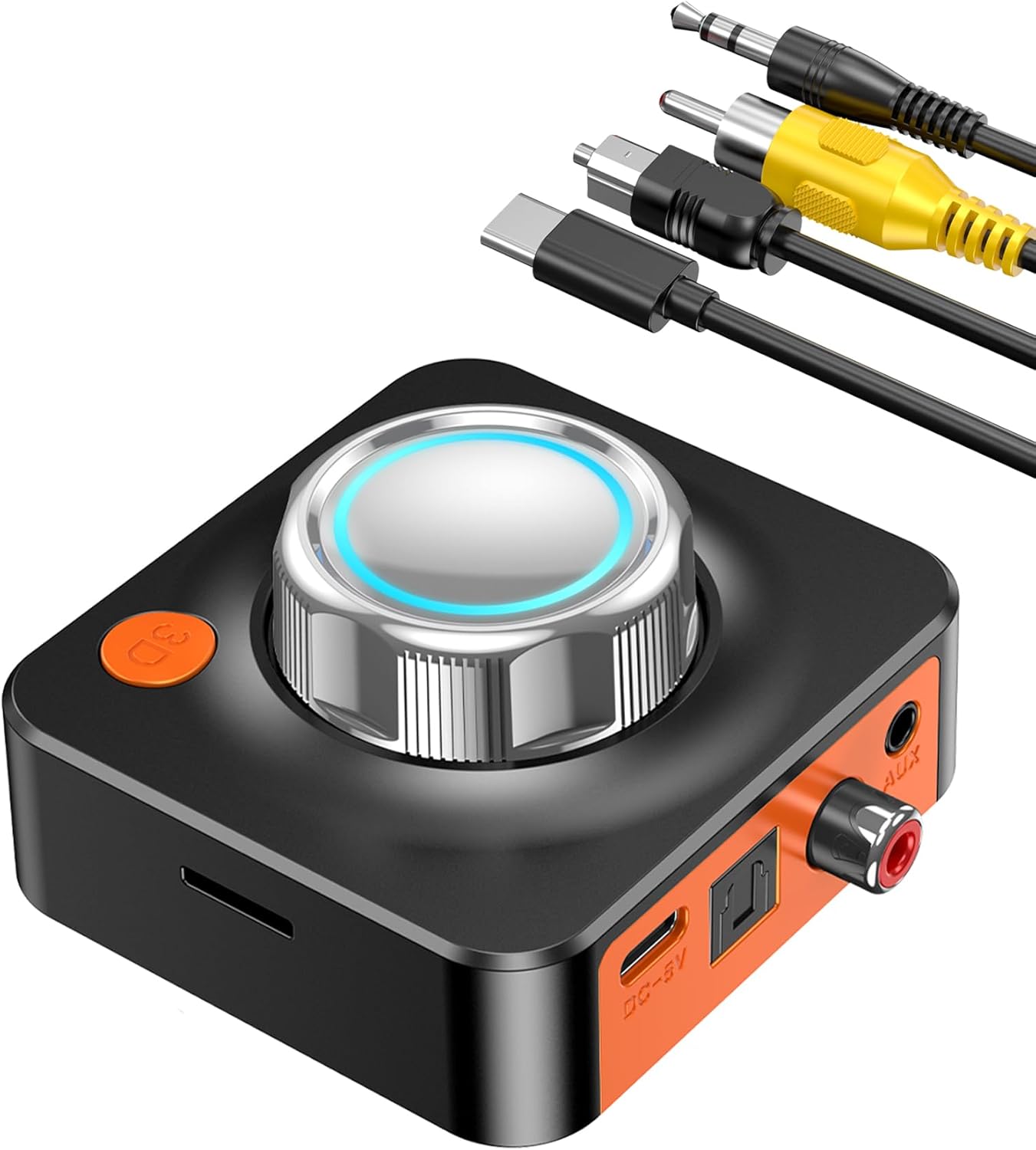
Image: The KAIY Bluetooth Receiver shown with its main control knob, 3D button, TF card slot, and various connection cables (USB-C power, 3.5mm AUX, RCA).
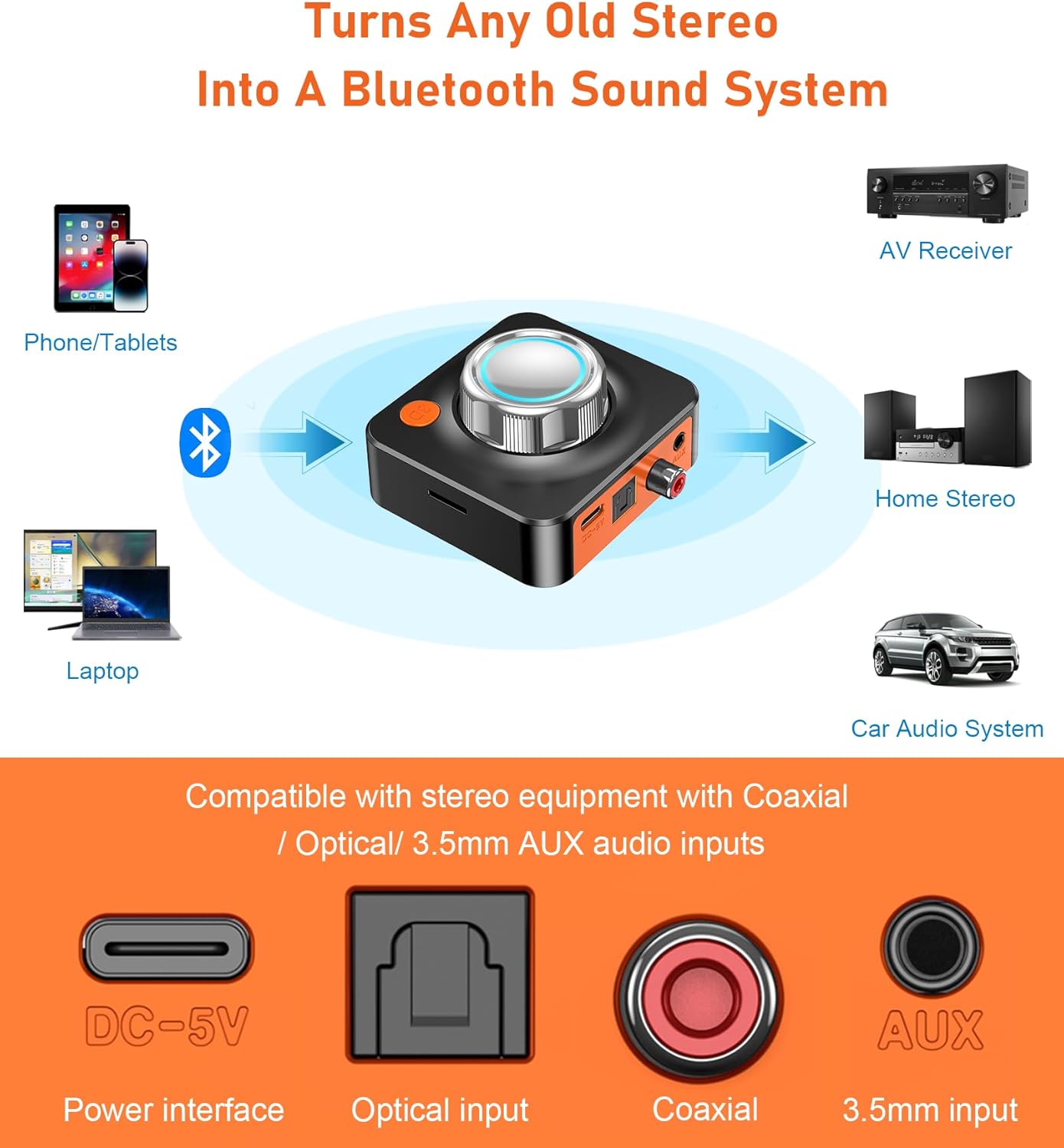
Image: A detailed diagram illustrating the various input/output ports on the KAIY Bluetooth Receiver, including DC-5V (power), Optical input, Coaxial input, and 3.5mm AUX input.
Controls and Ports:
- Main Control Knob: Rotates to navigate tracks (left for previous, right for next). Press to play/pause.
- 3D Button: Activates/deactivates 3D surround sound mode.
- TF Card Slot: For direct audio playback from a TF (MicroSD) card.
- DC-5V Port (USB-C): Power input for the device.
- Optical Input: Digital audio input for high-fidelity sound.
- Coaxial Input: Digital audio input for stable, rich sound.
- 3.5mm AUX Input: Analog audio input for standard connections.
5. Setup Instructions
Follow these steps to connect your KAIY Bluetooth Receiver to your audio system.
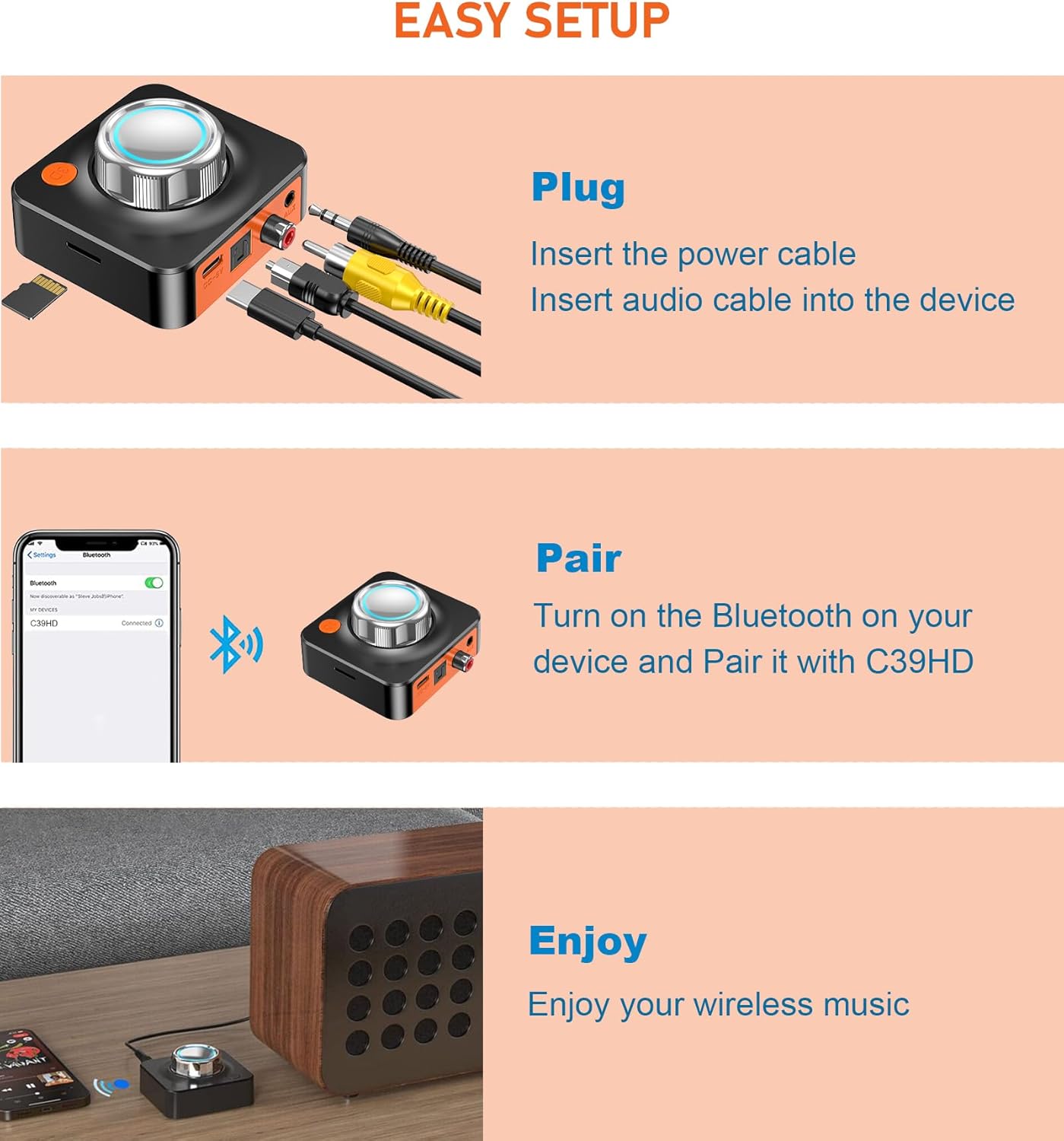
Image: A visual guide showing the three easy steps for setup: Plug in cables, Pair with a device, and Enjoy wireless music.
- Power Connection: Connect the provided USB power cable to the DC-5V port on the receiver and plug the other end into a 5V USB power adapter (not included) or a USB port on your audio system/computer. The device will power on automatically.
- Audio Output Connection: Choose one of the following audio output methods to connect the receiver to your stereo system, speakers, or amplifier:
- 3.5mm AUX: Use the 3.5mm audio cable to connect the receiver's AUX port to your audio system's 3.5mm input.
- Optical: Use an optical cable to connect the receiver's Optical port to your audio system's optical input.
- Coaxial: Use a coaxial cable to connect the receiver's Coaxial port to your audio system's coaxial input.

Image: Close-up views of the KAIY Bluetooth Receiver demonstrating connections for 3.5mm AUX, Optical, and Coaxial cables.
- Bluetooth Pairing:
- Ensure the receiver is powered on. The Bluetooth indicator light will flash, indicating it is in pairing mode.
- On your smartphone, tablet, or computer, go to the Bluetooth settings.
- Search for available devices and select "KAIY B0FW3K4KSY" (or similar name) from the list.
- Once connected, the Bluetooth indicator light will become solid.

Image: The KAIY Bluetooth Receiver positioned on a stereo system, with a smartphone displaying a successful Bluetooth connection.
6. Operating Instructions
6.1 Bluetooth Audio Playback
- After successful pairing, open your preferred music or audio application on your Bluetooth device.
- Start playing audio. The sound will be transmitted wirelessly to the KAIY Bluetooth Receiver and output through your connected audio system.
- Use the main control knob on the receiver for basic playback control:
- Press: Play/Pause audio.
- Rotate Left: Skip to the previous track.
- Rotate Right: Skip to the next track.

Image: A user comfortably streaming music from their smartphone to the KAIY Bluetooth Receiver, which is connected to external speakers.
6.2 TF Card Playback
The receiver supports direct audio playback from a TF (MicroSD) card.
- Insert a TF card with audio files (MP3, WAV, etc.) into the TF card slot on the side of the receiver.
- The receiver will automatically switch to TF card playback mode and begin playing audio.
- Use the main control knob to control playback (play/pause, next/previous track).

Image: A close-up view of the KAIY Bluetooth Receiver highlighting the TF card slot and a TF card being inserted.
6.3 3D Surround Sound Function
Enhance your listening experience with the 3D surround sound feature.
- Press the dedicated "3D" button on the receiver to activate 3D surround sound.
- Press the button again to deactivate the 3D effect.
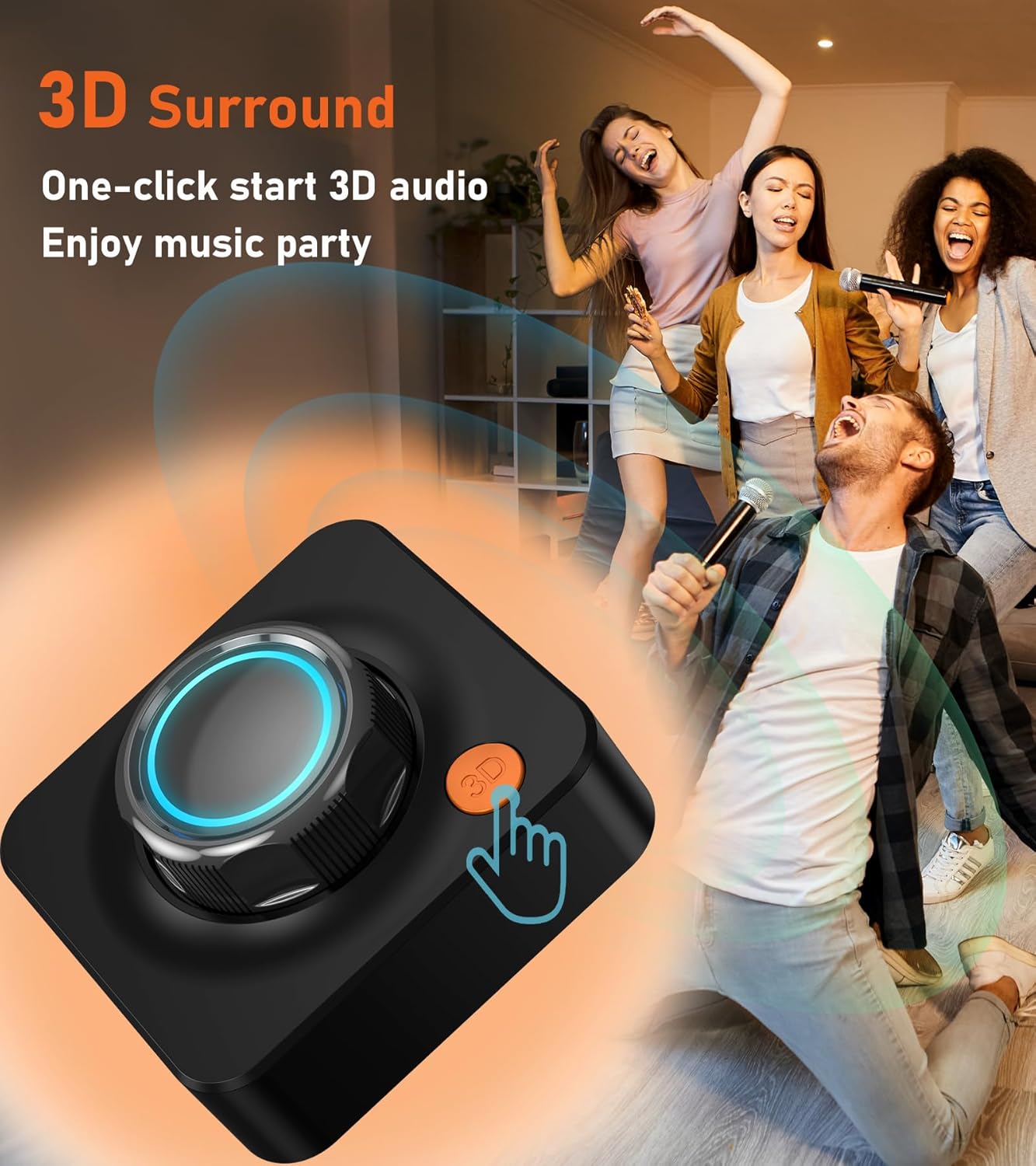
Image: A close-up of the KAIY Bluetooth Receiver showing the orange '3D' button, indicating its function to activate surround sound.
7. Maintenance
To ensure the longevity and optimal performance of your KAIY Bluetooth Receiver, follow these maintenance guidelines:
- Cleaning: Use a soft, dry cloth to wipe the surface of the device. Do not use liquid cleaners or abrasive materials.
- Storage: When not in use for extended periods, store the device in a cool, dry place away from direct sunlight.
- Handling: Avoid dropping the device or subjecting it to strong impacts.
8. Troubleshooting
If you encounter issues with your KAIY Bluetooth Receiver, refer to the following common problems and solutions:
| Problem | Possible Cause | Solution |
|---|---|---|
| No power | Power cable not connected properly; power source faulty. | Ensure the USB power cable is securely connected to the receiver and a working 5V power source. Try a different USB port or adapter. |
| Cannot pair via Bluetooth | Receiver not in pairing mode; Bluetooth on source device is off; too many paired devices. | Ensure the receiver's Bluetooth indicator is flashing. Turn off and on Bluetooth on your source device. Forget previous pairings on your source device and try again. Move closer to the receiver. |
| No sound after pairing | Incorrect audio cable connection; wrong input selected on stereo; volume too low. | Verify the audio cable (3.5mm, Optical, Coaxial) is securely connected to both the receiver and your audio system. Ensure your audio system is set to the correct input source. Increase volume on both your source device and audio system. |
| TF card not playing | TF card inserted incorrectly; unsupported file format; card corrupted. | Reinsert the TF card correctly. Ensure audio files are in a supported format (e.g., MP3, WAV). Try a different TF card. |
| Poor audio quality / Static | Interference; source device too far; low quality audio files. | Move the receiver and source device closer. Avoid placing near other electronic devices that may cause interference. Use high-quality audio files. Check cable connections for looseness. |
9. Specifications

Image: A visual representation of the KAIY Bluetooth Receiver's dimensions, showing a width of 2.75 inches and a height of 2.48 inches.
- Model: B0FW3K4KSY
- Bluetooth Version: 5.3
- Connectivity Technology: AUX, Bluetooth, Coaxial, Optical
- Power Source: Corded Electric (DC-5V via USB-C)
- Product Dimensions: 2.75 x 0.8 x 2.48 inches
- Item Weight: 4.2 ounces
- Material: Metal, Plastic
- Special Features: Low Latency, 3D Surround Sound, TF Card Playback
10. Warranty Information
KAIY products are designed and manufactured to the highest quality standards. This product is covered by a limited warranty from the date of purchase. Please retain your proof of purchase for warranty claims. For specific warranty terms and conditions, refer to the documentation included with your product or contact customer support.
11. Support
For technical assistance, troubleshooting, or general inquiries regarding your KAIY Bluetooth Receiver, please contact our customer support team. You can typically find contact information on the product packaging, our official website, or through your retailer.
Manufacturer: Dongguan Jieshengda Intelligent Technology Co., Ltd.