
1. Important Safety Information
Please read and understand all instructions before attempting to install, operate, or maintain this product. Failure to follow these instructions may result in electric shock, fire, property damage, or personal injury.
- WARNING: To reduce the risk of fire, electric shock, or injury to persons, observe the following:
- Use this unit only in the manner intended by the manufacturer. If you have questions, contact the manufacturer.
- Before servicing or cleaning unit, switch power off at service panel and lock the service disconnecting means to prevent power from being switched on accidentally. When the service disconnecting means cannot be locked, securely fasten a prominent warning device, such as a tag, to the service panel.
- Installation work and electrical wiring must be done by qualified person(s) in accordance with all applicable codes and standards, including fire-rated construction codes and standards.
- Sufficient air is needed for proper combustion and exhausting of gases through the flue (chimney) of fuel burning equipment to prevent back-drafting. Follow the heating equipment manufacturer’s guideline and safety standards such as those published by the National Fire Protection Association (NFPA), and the American Society for Heating, Refrigeration and Air Conditioning Engineers (ASHRAE), and the local code authorities.
- When cutting or drilling into wall or ceiling, do not damage electrical wiring and other hidden utilities.
- Ducted fans must always be vented to the outdoors.
- This unit is not intended for use in areas where water is present, such as bathtubs, showers, or sinks, unless specifically designed for such applications.
- Do not use this fan with any solid-state speed control device.
2. Product Overview
The OREiN Matter Smart Bathroom Fan with Light (Model OA08001) is an advanced ventilation solution designed for modern bathrooms. It integrates powerful air extraction with smart lighting and audio features, all controllable via Matter-compatible smart home systems, dedicated app, or remote control.
Key Features:
- Matter Smart Home Control: Seamless integration with Alexa, Google Home, Apple Home, and SmartThings without a separate hub.
- Smart Humidity Sensor: Automatic fan activation based on adjustable humidity thresholds to prevent moisture buildup.
- Powerful & Ultra-Quiet Ventilation: Selectable 130 CFM or 160 CFM airflow for bathrooms up to 160 sq.ft, operating at a quiet 1.0 sone.
- Tunable White & RGB Lighting: 1500LM main light (2700K–6500K, 1–100% dimming) and 200LM warm night light. Features 24-zone DIY color lighting, 65 dynamic effects, music sync, and AI-generated lighting.
- Dual Bluetooth Speakers: 8W stereo speakers for streaming music or podcasts.

Image: Overview of the OREiN Smart Bathroom Fan's features including smart control, lighting options, and ventilation capabilities.
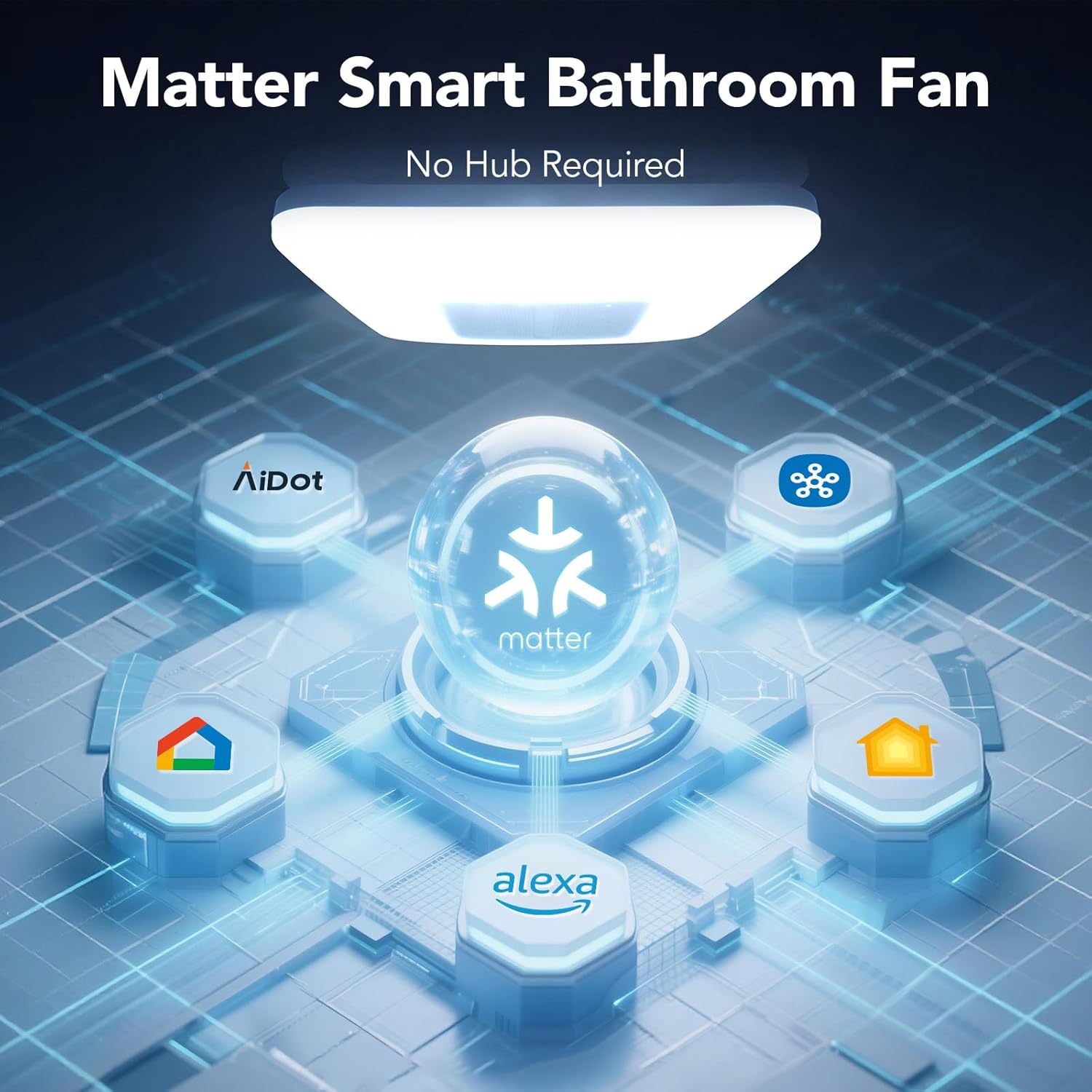
Image: The OREiN Smart Bathroom Fan highlighting its Matter smart home compatibility with Alexa, Google Home, Apple Home, and SmartThings.
3. Package Contents
Verify that all components are present before beginning installation:
- Bathroom fan body
- Light grill
- Remote control
- Mounting bracket
- 6" to 4" reducer
- Screws
- User manual
- Template
4. Installation
This section provides general installation guidelines. For detailed steps, refer to the included user manual and consider consulting a qualified electrician or HVAC professional.
Pre-Installation Considerations:
- Ensure power is OFF at the circuit breaker before starting any electrical work.
- Verify your ceiling opening size: 11.39" x 10.42" with an installation depth of 9" minimum.
- The fan includes a 6" to 4" duct reducer for flexible installation.

Image: Detailed view of the required ceiling cutout dimensions (11.39" x 10.42") and minimum installation depth (9") for the OREiN fan, along with the included 6" to 4" duct adapter.
Installation Steps:
- Prepare the Opening: Use the provided template to mark and cut the ceiling opening to the specified dimensions (11.39" x 10.42"). Ensure there is at least 9" of depth above the ceiling.
- Mount the Bracket: Secure the mounting bracket to the ceiling joists.
- Connect Ductwork: Attach the appropriate ductwork (6" or 4" with reducer) to the fan housing and vent it to the outdoors.
- Wiring: Connect the electrical wiring according to local codes and the wiring diagram in the full manual.
- Install Fan Body: Insert the fan body into the ceiling opening and secure it to the mounting bracket.
- Attach Light Grill: Fasten the light grill to the fan body.
Installation Videos:
Video: Detailed instructions on how to install the OREiN Matter Smart Bathroom Fan with Light.
Video: Guide on assembling the Flex-Z fast bracket for the OREiN bathroom fan.
5. Operating Instructions
The OREiN Smart Bathroom Fan offers multiple control methods for its various functions.
5.1 Smart Home Integration (Matter, Alexa, Google Home, Apple Home, SmartThings)
- The fan is built on the Matter smart home standard, allowing direct connection to compatible ecosystems without a separate hub.
- Follow the instructions provided by your smart home platform (Alexa, Google Home, Apple Home, SmartThings) to add a new Matter device.
- Once connected, you can control essential functions like fan speed, light on/off, brightness, and color via voice commands or the respective smart home app.

Image: Demonstrates the multiple control methods for the OREiN Smart Bathroom Fan: voice control via smart assistants, app control, and remote control.
5.2 App Control (AiDot App)
For full control over all features, including advanced lighting effects and humidity sensor settings, use the dedicated AiDot app.
- Download the AiDot app from your smartphone's app store.
- Follow the in-app instructions to pair your OREiN Smart Bathroom Fan.
- Through the app, you can:
- Adjust fan speed (130 CFM / 160 CFM).
- Set humidity sensor thresholds (Low, Medium, High) for automatic operation.
- Control main light brightness (1-100%) and color temperature (2700K-6500K).
- Activate and adjust the night light.
- Customize 24-zone RGB lighting and select from 65 dynamic effects.
- Enable music sync for lighting effects.
- Utilize AI-generated lighting scenes.
- Set schedules and timers for fan and light operation.
Video: A guide to using the AiDot app for controlling the OREiN Matter Smart Bathroom Fan.

Image: The OREiN Smart Bathroom Fan in a bathroom setting, with a smartphone displaying the app interface for humidity sensor control and fan speed selection.
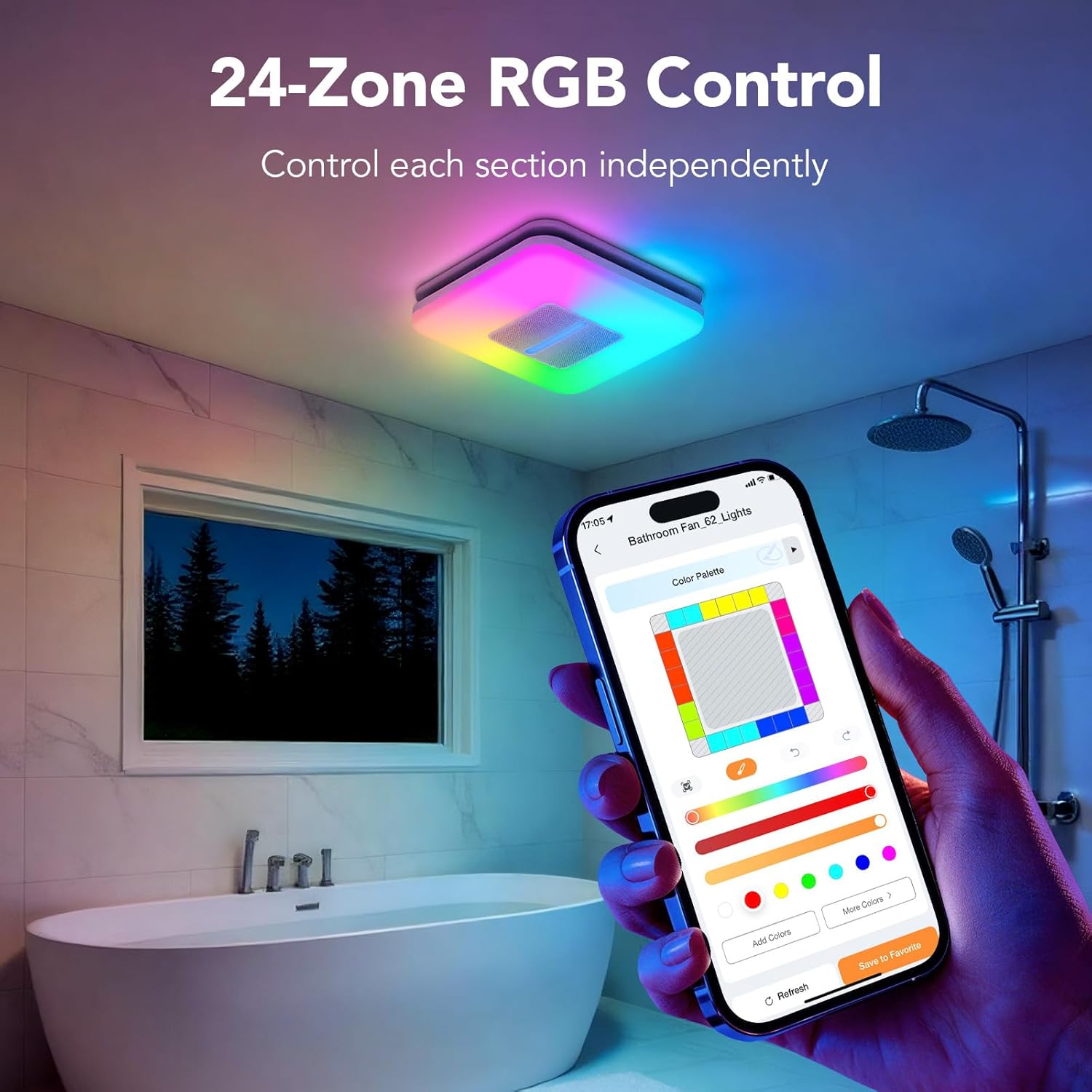
Image: A smartphone displaying the AiDot app's 24-zone RGB color palette for customizing the fan's lighting.

Image: A smartphone displaying the AiDot app's interface for AI-crafted lighting scenes, allowing users to create custom effects via voice or text.
5.3 Remote Control
The included remote control provides convenient access to basic fan and light functions.
- Fan On/Off: Press the fan button to turn the fan on or off.
- Light On/Off: Press the light button to turn the light on or off.
- Brightness Adjustment: Use the brightness buttons to increase or decrease light intensity.
- Color Temperature: Adjust the white light color temperature (warm to cool).
- RGB Modes: Cycle through preset RGB color modes.
5.4 Humidity Sensor Operation
The built-in humidity sensor automatically activates the fan when moisture levels exceed a set threshold.
- Set your desired humidity threshold (Low, Medium, or High) using the AiDot app.
- The fan will automatically turn on when the humidity in the bathroom rises above this level.
- The fan will turn off automatically once humidity levels return to normal.
5.5 Lighting Functions
The fan features versatile lighting options:
- Main Light: Provides 1500LM brightness, adjustable from 2700K (warm white) to 6500K (cool white), and 1-100% dimmable. Ideal for daily tasks.
- Night Light: A gentle 200LM warm light for nighttime comfort, also 1-100% dimmable.
- RGB Lighting: Customize colors across 24 independent zones. Choose from 65 dynamic effects or create unique scenes with AI-generated lighting. Lights can sync with music played through the Bluetooth speakers.
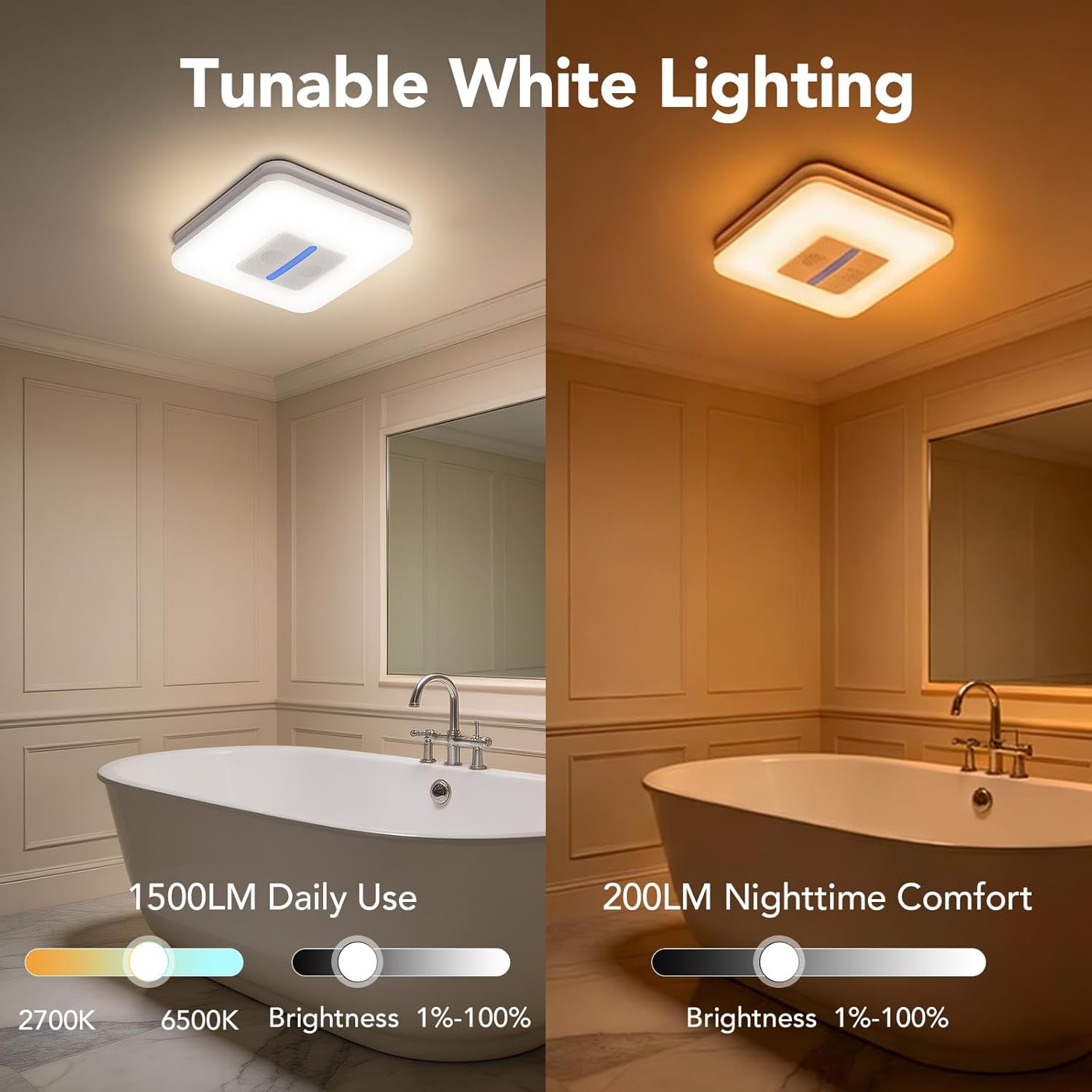
Image: The OREiN Smart Bathroom Fan demonstrating its tunable white lighting capability, adjustable from 2700K to 6500K for daily use and nighttime comfort.

Image: The OREiN Smart Bathroom Fan illuminating a bathroom with its bright 1500LM light, suitable for daily tasks.

Image: The OREiN Smart Bathroom Fan providing a soft 200LM night light for use during the night.

Image: The OREiN Smart Bathroom Fan with dual Bluetooth speakers, showing dynamic RGB lighting effects syncing with music.
Video: A short preview demonstrating dynamic lighting effects of the OREiN Smart Bathroom Fan.
5.6 Dual Bluetooth Speakers
The integrated 8W dual stereo speakers allow you to stream audio directly to your bathroom fan.
- Pair your smartphone or other Bluetooth-enabled device with the fan (refer to the AiDot app for pairing instructions).
- Enjoy music, podcasts, or audiobooks while using your bathroom.
Video: An overview of the OREiN Smart Bathroom Fan, highlighting its humidity sensor and speaker features.
6. Maintenance
Regular maintenance ensures optimal performance and longevity of your OREiN Smart Bathroom Fan.
Cleaning the Fan and Light Grill:
- Disconnect Power: Always turn off power at the circuit breaker before cleaning.
- Remove Grill: Carefully detach the light grill from the fan housing.
- Clean Grill: Wash the light grill with mild soap and water. Rinse thoroughly and allow it to dry completely before reattaching.
- Clean Fan Housing: Use a soft cloth or brush to remove dust and debris from the fan blades and interior surfaces. Do not use abrasive cleaners or allow water to enter the motor housing.
- Reassemble: Once all parts are dry, reattach the light grill.
- Restore Power: Turn power back on at the circuit breaker.
Note: Do not lubricate the motor. The motor is permanently sealed and lubricated.
7. Troubleshooting
If you encounter issues with your OREiN Smart Bathroom Fan, refer to the following common troubleshooting steps:
| Problem | Possible Cause | Solution |
|---|---|---|
| Fan does not turn on. | No power supply. Incorrect wiring. Remote control battery low. | Check circuit breaker. Verify wiring connections (consult electrician if unsure). Replace remote control batteries. |
| Light does not turn on. | No power supply. Incorrect wiring. Light setting in app/remote. | Check circuit breaker. Verify wiring connections. Adjust light settings via app or remote. |
| Fan is noisy. | Loose mounting. Debris in fan housing. Ductwork obstruction. | Ensure fan is securely mounted. Disconnect power and clean fan housing. Check ductwork for blockages. |
| Humidity sensor not working. | Incorrect app settings. Sensor obstructed. | Verify humidity threshold settings in the AiDot app. Ensure sensor area is clear. |
| Bluetooth speakers not connecting. | Not in pairing mode. Device too far. Already connected to another device. | Ensure fan is in Bluetooth pairing mode (check app). Move device closer to the fan. Disconnect from other devices. |
| Smart home integration issues. | Network connectivity problems. Incorrect Matter pairing. | Check Wi-Fi network and internet connection. Re-pair the device with your Matter-compatible smart home system. |
If the problem persists after trying these steps, please contact OREiN customer support.
8. Specifications
| Feature | Detail |
|---|---|
| Brand | OREiN |
| Model Name | OA08001 |
| Model Number | OA08001-MS_01-US-1 |
| Electric Fan Design | Exhaust Fan |
| Air Flow Capacity | 130-160 CFM (Adjustable) |
| Noise Level | 1.0 Sone |
| Room Type | Bathroom (80-160 sq.ft) |
| Product Dimensions | 12.94"D x 13.1"W x 12.94"H |
| Ceiling Cutout | 11.39" x 10.42" |
| Installation Depth | 9" minimum |
| Duct Reducer | 6" to 4" included |
| Power Source | AC (110 volts) |
| Main Light Brightness | 1500LM |
| Main Light Color Temperature | 2700K-6500K (Tunable White) |
| Main Light Dimming | 1-100% |
| Night Light Brightness | 200LM (Warm) |
| RGB Lighting | 24-Zone DIY, 65 Dynamic Effects, Music Sync, AI-Generated |
| Bluetooth Speakers | Dual Stereo, 8W Output |
| Smart Control | Matter, Alexa, Google Home, Apple Home, SmartThings, App Control, Remote Control, Voice Control |
| Special Features | Smart Humidity Sensor (Auto On/Off), Auto Timer, Smart Scheduling |
| Material | Metal, Plastic |
| Installation Type | Ceiling Mount (Flush Mount) |
9. Warranty and Support
OREiN stands behind the quality of its products.
Warranty Information:
This product comes with a 5-Year Manufacturer Warranty. Please retain your proof of purchase for warranty claims. The warranty covers defects in materials and workmanship under normal use.
Customer Support:
For technical assistance, troubleshooting, or warranty inquiries, please contact OREiN customer support:
- Phone: 1(844)506-1530
- Service Hours: 24-Hour Service

Image: OREiN customer support details, including a 24-hour service phone number.


