
1. Introduction
This manual provides instructions for the RETROSUN Replacement AC Remote Control, Model B0FVV62DXG. This remote is designed to replace original equipment manufacturer (OEM) remote controls for various portable air conditioner models, including:
- BLACK+DECKER BPACT14HWT
- DuraComfort DP08CWV, DP14CM, DP10CWV, DP14CV
- GarveeTech TAC-10CPD/DM7, DSM12KLLLMX
- Danby UYKQ-100B
- Euker QCG23RW4NDYC8-2ITEM
It features infrared 3.0 technology, an ergonomic design, and a large LCD screen for ease of use. No programming or pairing is required for operation.
2. Setup
To begin using your RETROSUN Replacement AC Remote Control, follow these simple steps:
- Locate the battery compartment on the back of the remote control.
- Open the battery compartment cover.
- Insert two (2) AAA alkaline batteries, ensuring correct polarity (+/-).
- Close the battery compartment cover securely.
The remote control is now ready for use. No additional programming or pairing is necessary.
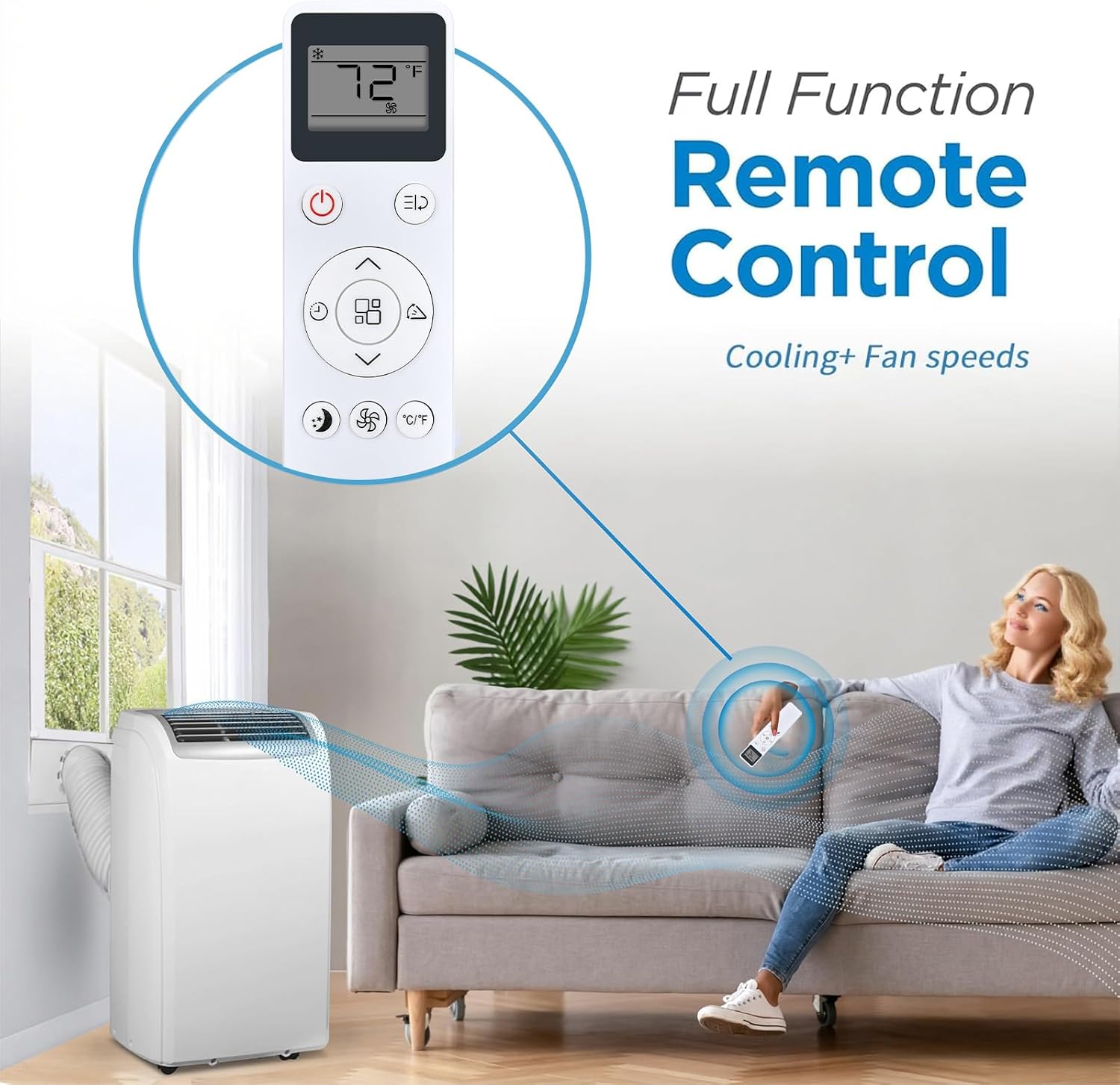
Image: The RETROSUN AC Remote Control in use, demonstrating its full functionality for cooling and fan speeds with a portable air conditioner.
3. Operating Instructions
The RETROSUN Replacement AC Remote Control provides comprehensive control over your compatible air conditioner. It operates using infrared signals with a reliable range of up to 8 meters (26 feet) and a 120-degree wide-angle design for flexible positioning.
Button Functions:

Image: A detailed view of the remote control's buttons, including Power, Mode, Speed, Timer, Sleep Mode, and Child Lock, with an indication of its 16.5 ft effective range.
- Power Button (⏻): Turns the air conditioner ON or OFF.
- Mode Button (⌛): Cycles through operating modes (e.g., Cool, Fan, Dry, Heat, Auto).
- Temperature Adjustment (▲ / ▼): Increases or decreases the desired temperature setting.
- Fan Speed Button (☿): Adjusts the fan speed (e.g., Low, Medium, High, Auto).
- Timer Button (⏱): Sets a timer for the unit to turn ON or OFF automatically.
- Sleep Mode Button (🌛): Activates or deactivates sleep mode for quiet operation and energy saving.
- Child Lock Button (🔒): Locks the remote control buttons to prevent accidental changes.
- Swing Button (⇆): Controls the louver swing function (if available on your AC unit).
- °C/°F Button: Toggles the temperature display between Celsius and Fahrenheit.

Image: The remote control illustrating its ability to adjust between cooler and warmer temperature settings, from lowest to highest.
Large LCD Display:
The remote features a large LCD screen for easy viewing of current settings, including temperature, mode, and fan speed. This ensures clear readability at a glance.

Image: A close-up of the remote control's large LCD screen, highlighting its clear display of temperature and fan settings.
4. Maintenance
To ensure the longevity and optimal performance of your remote control, consider the following maintenance tips:
- Battery Replacement: Replace batteries when the remote's response becomes sluggish or the display dims. Always use new AAA alkaline batteries.
- Cleaning: Wipe the remote control with a soft, dry cloth. Avoid using liquid cleaners or abrasive materials, as these can damage the surface or internal components.
- Storage: If the remote will not be used for an extended period, remove the batteries to prevent leakage and potential damage. Store in a cool, dry place.
- Avoid Drops: Protect the remote from drops and impacts, which can damage its internal circuitry or external casing.
5. Troubleshooting
If you encounter issues with your remote control, refer to the following common troubleshooting steps:
| Problem | Solution |
|---|---|
| Remote is not responding. |
|
| Buttons are not working. |
|
| Display is dim or blank. |
|
6. Specifications
- Brand: RETROSUN
- Model Name/Number: B0FVV62DXG
- Special Feature: Ergonomic design
- Color: White
- Compatible Devices: Air Conditioner
- Connectivity Technology: Infrared
- Button Quantity: 12
- Maximum Range: 8 Meters (26 feet)
- Battery Type: AAA Alkaline (2 required, not included)
- Controller Type: Button Control
- Manufacturer: Oumeite
7. Warranty Information
This RETROSUN Replacement AC Remote Control comes with a 90-day warranty from the date of purchase. This warranty covers manufacturing defects under normal use. It does not cover damage caused by misuse, accidents, unauthorized modifications, or battery leakage.
8. Support
For further assistance or inquiries regarding your RETROSUN Replacement AC Remote Control, please refer to the retailer where the product was purchased. Ensure you have your purchase details and product model number (B0FVV62DXG) available when seeking support.