1. Introduction
This manual provides essential information for setting up, operating, and maintaining your Samsung Galaxy A17 5G smartphone. The Galaxy A17 5G is designed for performance and practicality, featuring a vibrant display, powerful camera system, and long-lasting battery.
Key Features:
- Immersive 6.7" AMOLED Display: Enjoy vibrant colors and sharp details on a large FHD+ AMOLED screen with a smooth 90Hz refresh rate for responsive scrolling and viewing.
- Powerful Performance: Equipped with 8GB RAM and 256GB internal storage (expandable via microSD) for efficient multitasking and ample space for your data.
- 50MP Triple Camera System: Capture detailed photos with the high-resolution 50MP main camera, complemented by wide-angle and depth sensors. The 13MP front camera is ideal for clear selfies and video calls.
- Long-Lasting 5000mAh Battery: Power through your day with a large capacity battery, supported by 25W fast charging for quick power-ups.
- International 5G & 4G LTE Compatibility: Supports a wide range of global bands for reliable connectivity. Features Dual SIM flexibility for managing multiple numbers or expanding storage.
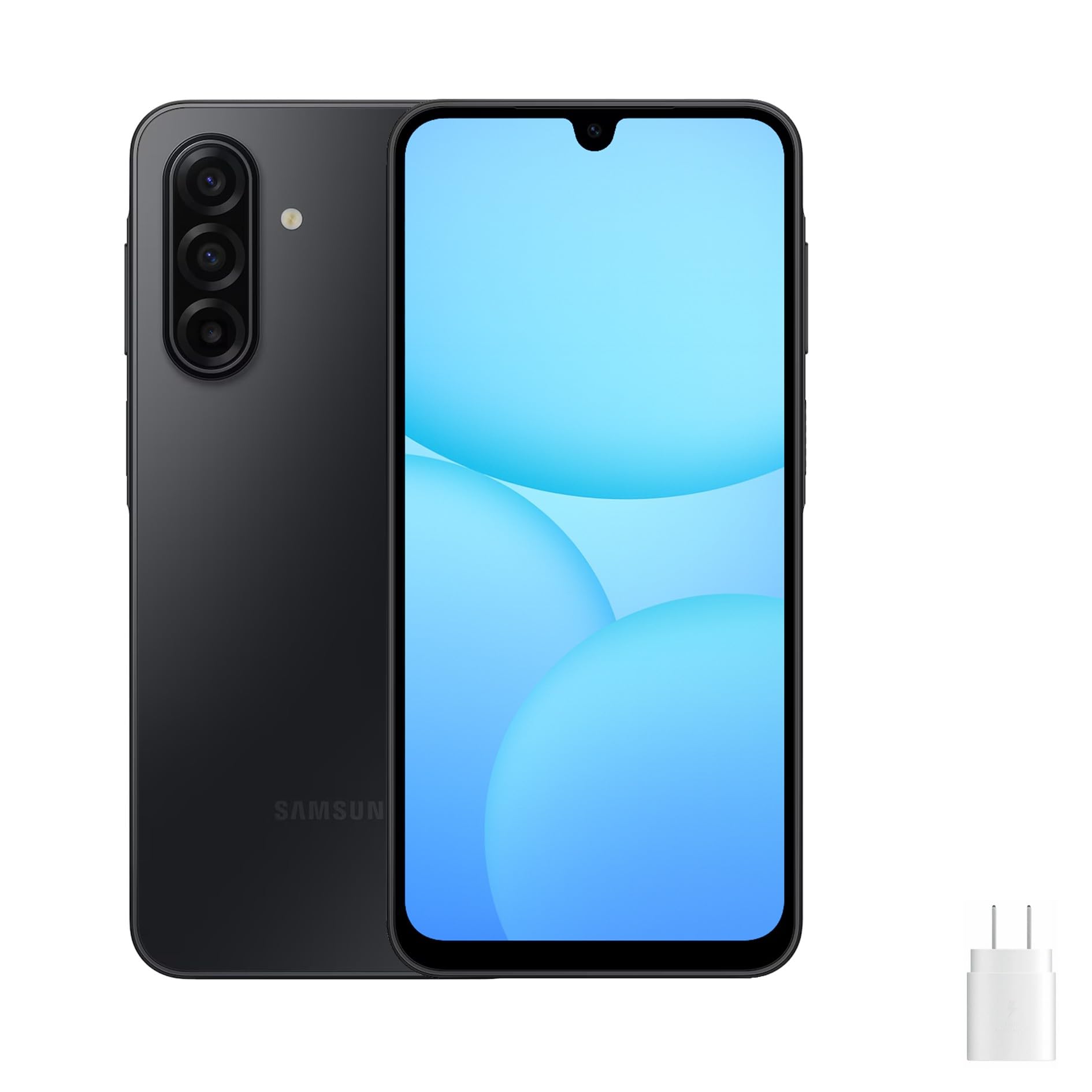
Figure 1: Front and side views of the Samsung Galaxy A17 5G smartphone.
2. What's in the Box
Upon unboxing your Samsung Galaxy A17 5G, please verify that all the following items are included:
- Samsung Galaxy A17 5G Smartphone
- USB Cable (Type-C)
- Power Adapter (25W Fast Charger)

Figure 2: Included items: Samsung Galaxy A17 5G phone, USB Type-C cable, and power adapter.
3. Setup
3.1. Charging the Battery
Before initial use, fully charge your device. Connect the USB Type-C cable to the phone's charging port and the power adapter. Plug the adapter into a wall outlet. The device supports 25W fast charging.
3.2. Inserting the SIM Card and MicroSD Card
- Locate the SIM tray on the side of your phone.
- Insert the ejection pin (not included) into the small hole on the SIM tray to open it.
- Place your Nano-SIM card(s) and/or a microSD card into the tray with the gold contacts facing down. The Galaxy A17 5G supports Dual SIM or one SIM and one microSD card.
- Gently push the tray back into the slot until it clicks into place.
3.3. Powering On/Off
- To Power On: Press and hold the Side key (Power button) until the Samsung logo appears.
- To Power Off: Press and hold the Side key, then tap 'Power off' on the screen. Alternatively, swipe down from the top of the screen to open the Quick Panel, tap the Power icon, and then tap 'Power off'.
3.4. Initial Setup Wizard
Upon first power-on, follow the on-screen prompts to configure your device. This includes selecting your language, connecting to a Wi-Fi network, setting up your Google account, and transferring data from a previous device if desired.
4. Operating Your Device
4.1. Display and Navigation
The Galaxy A17 5G features a 6.7-inch AMOLED display with a 90Hz refresh rate. Navigate the interface using touch gestures: tap to select, swipe to scroll, pinch to zoom, and long-press for additional options. The Side key and Volume keys provide physical controls.
4.2. Camera Usage
Your device is equipped with a 50MP Triple Camera system on the rear and a 13MP front camera. Open the Camera app to capture photos and videos. Tap the shutter button to take a picture, or hold it to record a video. Swipe left or right to switch between camera modes like Portrait, Pro, and Night mode. Optical Image Stabilization (OIS) helps reduce blur in photos and videos.
4.3. Battery Management
The 5000mAh battery provides extended usage. To optimize battery life, adjust screen brightness, disable unused features like Wi-Fi or Bluetooth when not needed, and close background apps. Use the included 25W fast charger for quick recharging.
4.4. Connectivity
- Wi-Fi: Connect to wireless networks for internet access. Go to Settings > Connections > Wi-Fi.
- Mobile Data: Enable or disable mobile data for internet access via your cellular network. Go to Settings > Connections > Data usage.
- Bluetooth: Pair with other Bluetooth devices like headphones or speakers. Go to Settings > Connections > Bluetooth.
- 5G Network: The device supports 5G connectivity where available. Ensure your SIM card and plan support 5G for optimal speeds.
5. Maintenance
5.1. Cleaning Your Device
Use a soft, lint-free cloth to clean the screen and body of your phone. Avoid using harsh chemicals or abrasive materials that could damage the device. Do not expose the phone to excessive moisture.
5.2. Software Updates
Regularly check for and install software updates to ensure your device has the latest features, security patches, and performance improvements. Go to Settings > Software update > Download and install.
5.3. Storage Management
To maintain optimal performance, regularly manage your device's storage. Delete unnecessary files, uninstall unused apps, and move large media files to a microSD card or cloud storage. Go to Settings > Battery and device care > Storage to view and manage your storage.
6. Troubleshooting
6.1. Common Issues
- Device not turning on: Ensure the battery is charged. Connect the charger and wait a few minutes before attempting to power on again.
- Apps freezing or crashing: Close the problematic app and reopen it. If the issue persists, restart your device.
- Poor network connectivity: Check if your SIM card is properly inserted. Ensure mobile data or Wi-Fi is enabled. Try restarting your device or toggling Airplane mode on and off.
- Battery draining quickly: Reduce screen brightness, disable background app refresh, and close unused apps. Check battery usage in settings to identify power-hungry apps.
6.2. Factory Data Reset
If your device experiences persistent issues, a factory data reset can resolve them. This will erase all data on your phone, so back up important information beforehand. Go to Settings > General management > Reset > Factory data reset.
7. Specifications
| Feature | Specification |
|---|---|
| Model Name | A17 (SM-A176B/DS) |
| Brand | Samsung |
| Operating System | Android 14 |
| Screen Size | 6.7 Inches |
| Display Type | AMOLED (90Hz Refresh Rate) |
| RAM Memory Installed Size | 8 GB |
| Memory Storage Capacity | 256 GB (Expandable via microSD) |
| Cellular Technology | 5G |
| Wireless Carrier | Unlocked for All Carriers (International Version) |
| Battery Power Rating | 5000 mAh |
| Charging | 25W Fast Charging (Power Adapter included) |
| Connector Type | USB Type C |
| Item Weight | 12 ounces |
| Color | Black |
8. Warranty and Support
8.1. Warranty Information
Please note that this is an International Model (Global Version) of the Samsung Galaxy A17 5G. As such, there is no U.S. manufacturer warranty. Any warranty or return policy will be subject to the seller's terms at the point of purchase. Please refer to your purchase documentation for specific details regarding returns or seller-provided warranties.
8.2. Customer Support
For technical assistance, troubleshooting, or further inquiries, please contact the seller from whom you purchased the device. You may also visit the official Samsung support website for general product information and software updates, though specific warranty claims for this international model should be directed to your seller.