
FXWONTY FX-ANC043
Contents
FXWONTY Hybrid Active Noise Cancelling Headphones
Model: FX-ANC043
Introduction
This manual provides detailed instructions for the use and care of your FXWONTY Hybrid Active Noise Cancelling Headphones, model FX-ANC043. These headphones feature advanced hybrid active noise cancellation, Hi-Res audio, Bluetooth 5.4 connectivity, and a transparency mode for enhanced situational awareness. Please read this manual thoroughly before using the product to ensure proper operation and to maximize your listening experience.
What's in the Box
- FXWONTY Hybrid Noise Cancelling Headphones (Black)
- Portable Storage Bag
- AUX 3.5mm Audio Cable
- USB-A to USB-C Charging Cable
- User Manual (this document)
Product Overview
Familiarize yourself with the various components and controls of your headphones.

Image: Front view of the FXWONTY Hybrid Active Noise Cancelling Headphones.

Image: Close-up view of the control buttons located on the earcup. These typically include power, volume, and ANC/Transparency mode buttons.

Image: Close-up view of the USB-C charging port on the headphone earcup.

Image: Close-up view of the 3.5mm AUX audio jack on the headphone earcup.
Setup
1. Charging the Headphones
Before first use, fully charge your headphones. Connect the provided USB-A to USB-C charging cable to the charging port on the headphones and to a USB power source (e.g., computer, wall adapter). The charging indicator light will show the charging status. A full charge takes approximately 1.5 hours.

Image: The headphones connected to a charger, illustrating the charging process and battery life.
2. Bluetooth Pairing
- Ensure the headphones are charged and powered off.
- Press and hold the Power button for approximately 3-5 seconds until the LED indicator flashes blue and red, indicating pairing mode.
- On your device (smartphone, laptop, tablet), enable Bluetooth and search for available devices.
- Select "FX-ANC043" from the list of devices.
- Once connected, the LED indicator will flash blue slowly or turn solid blue (depending on model).
The headphones support Bluetooth V5.4 for stable and low-latency audio transmission.

Image: The headphones shown connected wirelessly to a laptop and a tablet, demonstrating dual connectivity.
3. Dual Connectivity
The FX-ANC043 headphones can connect to two Bluetooth devices simultaneously. After pairing with the first device, disable Bluetooth on that device. Pair the headphones with the second device. Then, re-enable Bluetooth on the first device, and the headphones should automatically connect to both. This allows for seamless switching between audio sources.
4. Wired Connection (AUX Mode)
For non-Bluetooth devices or when battery is low, use the included 3.5mm AUX audio cable. Plug one end into the headphone's 3.5mm jack and the other end into your audio source's AUX output. The headphones will automatically switch to wired mode.

Image: An exploded view of the headphone earcup, showcasing the internal audio driver components responsible for Hi-Res audio quality.
Operating Instructions
1. Power On/Off
- Power On: Press and hold the Power button for 2 seconds.
- Power Off: Press and hold the Power button for 3 seconds.
2. Active Noise Cancellation (ANC)
The headphones feature hybrid ANC technology to reduce ambient noise by up to 42dB. This is ideal for environments with low-frequency sounds like airplane engines or city traffic.
- Activate ANC: Press the ANC button (usually a dedicated button or a short press on the power button, refer to specific button layout).
- Deactivate ANC: Press the ANC button again.
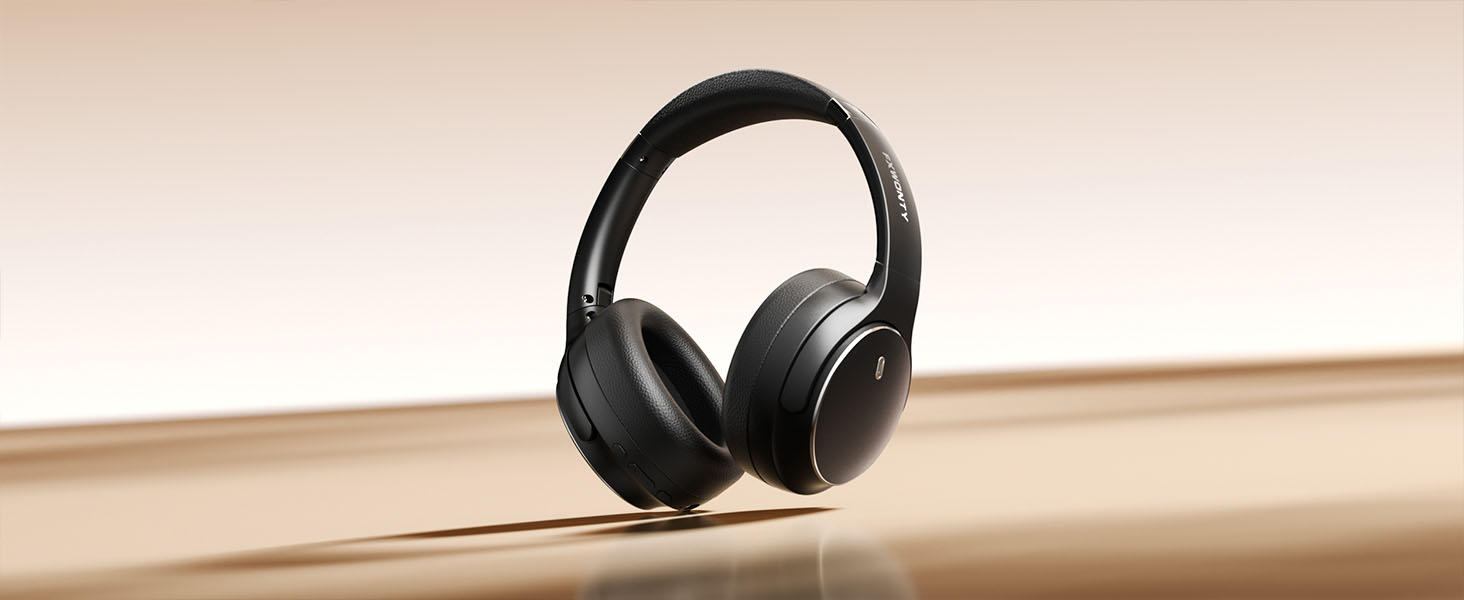
Image: A man wearing the headphones in a busy outdoor setting, illustrating the effectiveness of Hybrid ANC technology in reducing external noise, accompanied by a graph showing noise reduction levels.

Image: A woman wearing the headphones, smiling, with visual cues suggesting an immersive audio experience due to active noise cancellation.
3. Transparency Mode
Transparency mode allows you to hear your surroundings clearly without removing the headphones, useful for conversations or announcements.
- Activate Transparency Mode: Press the ANC button repeatedly until Transparency Mode is activated (indicated by a voice prompt or specific LED pattern).
- Deactivate Transparency Mode: Press the ANC button again to cycle back to ANC or normal mode.

Image: Two women conversing, one wearing the headphones with "Transparency mode ON" indicated, demonstrating the ability to hear external sounds.

Image: A man wearing headphones on a subway platform, with a thought bubble indicating he can hear an announcement, highlighting the transparency mode feature.
4. Music Playback
- Play/Pause: Press the Multi-function button once.
- Next Track: Press and hold the Volume Up button for 2 seconds.
- Previous Track: Press and hold the Volume Down button for 2 seconds.
- Volume Up: Short press the Volume Up button.
- Volume Down: Short press the Volume Down button.
5. Phone Calls
- Answer/End Call: Press the Multi-function button once.
- Reject Call: Press and hold the Multi-function button for 2 seconds.
- Activate Voice Assistant: Double-press the Multi-function button.

Image: A woman wearing the headphones while engaged in a phone call at a desk, demonstrating call functionality.
Maintenance
- Cleaning: Use a soft, dry cloth to clean the headphones. Do not use abrasive cleaners or solvents.
- Storage: When not in use, store the headphones in the provided portable storage bag to protect them from dust and scratches.
- Avoid Moisture: The headphones are not water-resistant. Avoid exposure to water, rain, or excessive humidity.
- Temperature: Do not expose the headphones to extreme temperatures (hot or cold).
Troubleshooting
| Problem | Possible Solution |
|---|---|
| Headphones won't power on. | Ensure the headphones are fully charged. Connect to a power source and try again. |
| Cannot pair via Bluetooth. |
|
| No sound or low volume. |
|
| ANC not working effectively. |
|
| Intermittent connection. |
|
Specifications
| Feature | Detail |
|---|---|
| Model Name | FX-ANC043 |
| Noise Control | Hybrid Noise Cancellation, Transparency Mode |
| Connectivity Technology | Bluetooth 5.4, AUX 3.5mm |
| Bluetooth Range | 15 Meters |
| Audio Driver Size | 40 Millimeters |
| Frequency Response | 2000 Hz (Note: This value from source data may represent a specific frequency point rather than the full range, which is typically 20Hz-20kHz for headphones.) |
| Sensitivity | 105 dB |
| Impedance | 32 Ohms |
| Battery Life (ANC Off) | Up to 70 Hours |
| Battery Life (ANC On) | Up to 35 Hours |
| Charging Time | 1.5 Hours |
| Audio Latency | 40 Milliseconds |
| Weight | 14.9 ounces (approx. 422 grams) |
| Material | ABS, Faux Leather, Stainless Steel |
| Water Resistance Level | Not Water Resistant |
| Included Components | Headphones, Portable Storage Bag, AUX Cable, USB-C Charging Cable, User Manual |
Warranty and Support
For warranty information and customer support, please refer to the official FXWONTY website or contact their customer service directly. Details can typically be found on the product packaging or the manufacturer's official online channels.
Manufacturer: FXWONTY
Ask a question about this manual
Ask about setup, troubleshooting, compatibility, parts, safety, or missing instructions. Manuals+ will review the question and use this page’s manual context to help answer it.