
1. Introduction
This manual provides detailed instructions for the safe installation, operation, and maintenance of your LEDIARY 20 Inch Caged Ceiling Fan with Lights, Model YN20. Please read this manual thoroughly before installation and use, and retain it for future reference.
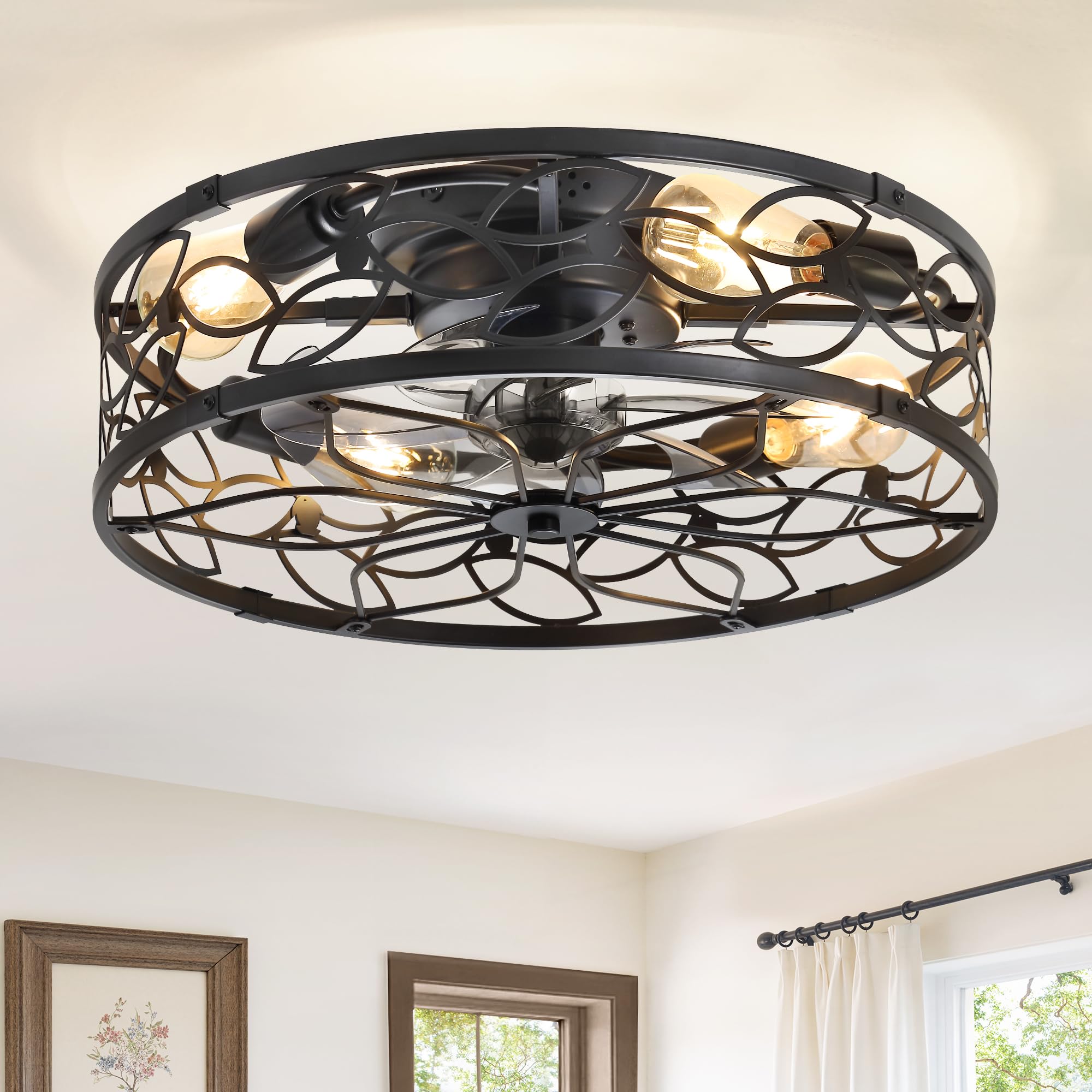
Figure 1: LEDIARY 20 Inch Caged Ceiling Fan with Lights, Model YN20.
2. Safety Information
WARNING: To reduce the risk of fire, electric shock, or personal injury, always follow these basic precautions:
- Read all instructions carefully before installing and operating the fan.
- Ensure the power is turned off at the circuit breaker or fuse box before installation or servicing.
- All electrical connections must be in accordance with local codes, ordinances, and the National Electrical Code. If you are unfamiliar with electrical wiring, consult a qualified electrician.
- The fan must be mounted to a ceiling outlet box marked "Acceptable for Fan Support of 35 lbs (15.9 kg) or less" and use the mounting screws provided with the outlet box.
- Do not operate the fan with a damaged power cord or plug.
- Avoid placing fingers or objects into the fan blades while the fan is operating.
- Do not use the fan in wet or damp locations.
- Ensure the fan is securely installed to prevent it from falling.
3. Package Contents
Verify that all components listed below are included in your package. If any parts are missing or damaged, please contact customer support.
- Ceiling Fan Unit (with integrated motor and light sockets)
- Remote Control
- Wall Plate for Remote Control
- User Manual (this document)
- Mounting Hardware (screws, wire nuts, etc.)
4. Specifications
| Brand | LEDIARY |
| Model Name | YN20 |
| Product Dimensions | 20"D x 20"W x 6.9"H |
| Color | Black |
| Material | Iron |
| Power Source | DC Motor |
| Voltage | 120 Volts |
| Wattage | 21 watts |
| Noise Level | 35 Decibels |
| Number of Speeds | 6 |
| Controller Type | App Control, Remote Control |
| Mounting Type | Flush Mount |
| Recommended Bulbs | 4 x E26 bulbs (A19, ST19, T45 types recommended). Incandescent Max 60W, LED Max 10W. (Bulbs not included) |

Figure 2: Product dimensions and recommended bulb types.
5. Installation and Setup
Before beginning installation, ensure all power to the circuit is disconnected at the main fuse box or circuit breaker. It is recommended to have a qualified electrician perform the installation.
5.1 Pre-Installation Steps
- Unpack all components and verify against the package contents list.
- Prepare the mounting location by ensuring the ceiling outlet box is securely fastened and rated for fan support.
- Install the fan blades onto the motor shaft and tighten the blade cap by rotating it.

Figure 3: Detailed view of the fan's motor and design elements.
5.2 Wiring and Mounting
Follow the wiring diagram provided in the separate wiring instructions sheet. Connect the fan's wires to the household electrical wires according to color codes (typically black to black, white to white, and green/bare copper to ground).
Secure the fan unit to the ceiling mounting bracket using the provided screws. Ensure all connections are tight and secure.
5.3 Bulb Installation
Install four E26 base bulbs (not included) into the light sockets. Do not exceed the maximum wattage of 60W for incandescent bulbs or 10W for LED bulbs.
5.4 Installation Video
For a visual guide on the installation process, please refer to the official installation video:
Video 1: LEDIARY Caged Ceiling Fan Installation Guide. This video demonstrates the step-by-step process for installing the ceiling fan.
6. Operation
Your LEDIARY ceiling fan can be controlled using the included remote control or a dedicated mobile application.
6.1 Remote Control Functions
The remote control allows you to manage all fan and light functions. It can be mounted to the wall using the included wall plate for convenience.

Figure 4: Easy-to-use remote control layout.

Figure 5: Overview of remote and app control features.
- Power On/Off: Turns the fan and light on or off.
- Light On/Off: Controls the light independently.
- Fan Speed: Select from 6 wind speed levels (Low Wind: Level 1-2, Medium Wind: Level 3-4, High Wind: Level 5-6).
- Forward/Reverse (F/R): Changes the direction of the fan blades for seasonal use. Forward rotation (downward airflow) is ideal for cooling in summer. Reverse rotation (upward airflow) helps circulate warm air in winter.
- Timer: Set the fan to turn off automatically after 1, 2, or 4 hours.

Figure 6: Explanation of 6-speed control.

Figure 7: Reversible motor function for seasonal comfort.

Figure 8: Intelligent timing settings.

Figure 9: Light ON and Light OFF states.
6.2 App Control
Download the "FanLampPro" app from Google Play or the Apple App Store. The app offers advanced control features, including turning the light and fan on/off, speed control, timing settings, and forward/reverse functions. The app needs to be paired with the fan during its first use.

Figure 10: App control interface for the ceiling fan.
6.3 Quiet Operation
The fan features a powerful yet quiet DC motor, operating at a low noise level of 35dB, ensuring a comfortable environment.

Figure 11: Illustration of the fan's quiet operation.
Video 2: LEDIARY Caged Ceiling Fan Overview. This video highlights the key features and functions of the ceiling fan.
7. Maintenance
Regular maintenance helps ensure the longevity and optimal performance of your ceiling fan.
- Cleaning: To clean the fan, wipe with a soft, damp cloth. Do not use abrasive cleaners or solvents that may damage the finish. Ensure power is off before cleaning.
- Bulb Replacement: Turn off the power before replacing bulbs. Allow bulbs to cool before handling. Use only E26 base bulbs within the specified wattage limits.
- Tighten Fasteners: Periodically check and tighten all screws and fasteners on the fan housing and mounting bracket to ensure secure operation.
8. Troubleshooting
If you encounter issues with your ceiling fan, refer to the following common problems and solutions:
| Problem | Possible Cause | Solution |
|---|---|---|
| Fan does not start | No power supply; Loose wire connections; Remote control battery low/dead. | Check circuit breaker/fuse; Verify all wire connections are secure; Replace remote control battery. |
| Light does not work | Bulb loose or burnt out; Loose wire connections; Light function not activated on remote/app. | Tighten or replace bulbs; Check wire connections; Ensure light is turned on via remote/app. |
| Fan makes excessive noise | Loose mounting screws; Unbalanced blades; Motor issue. | Tighten all mounting screws; Ensure blades are securely attached; If noise persists, contact customer support. |
| Remote control not working | Battery low/dead; Remote not paired; Obstruction between remote and receiver. | Replace battery; Refer to pairing instructions (if applicable); Ensure clear line of sight. |
If the problem persists after attempting these solutions, please contact LEDIARY customer support.
9. Warranty and Support
LEDIARY provides a comprehensive warranty for your peace of mind:
- Motor Support: 5-year warranty on the motor.
- Other Parts: 2-year warranty on all other parts.
We are committed to upholding the highest standards for all our products by testing each product for optimal performance. For any questions, technical support, or warranty claims, please contact LEDIARY customer service. Our team is dedicated to providing friendly and meticulous assistance.
You can find more information and contact details by visiting the official LEDIARY store on Amazon: LEDIARY Store
