
1. Introduction
Thank you for choosing the LEDIARY 23-Inch Caged Ceiling Fan with Lights. This manual provides detailed instructions for the safe assembly, installation, operation, and maintenance of your new ceiling fan. Please read this manual thoroughly before installation and keep it for future reference.
2. Safety Information
- Always turn off the power at the main circuit breaker before beginning installation or performing any maintenance.
- All wiring must be in accordance with national and local electrical codes. If you are unfamiliar with wiring, consult a qualified electrician.
- Ensure the installation site can support the weight of the fan.
- Do not bend the fan blades when cleaning or performing maintenance.
- Keep children away from the fan during operation.
3. Package Contents
Carefully unpack all components and ensure all parts are present before discarding packaging materials. Refer to the installation video for a visual guide to components.
- Caged Ceiling Fan Body with Integrated Motor and Light Sockets
- Remote Control (with wall mount and battery)
- Mounting Bracket
- Fan Blades (pre-installed in some models, or separate for assembly)
- Hardware Kit (screws, wire nuts, safety rope)
- User Manual
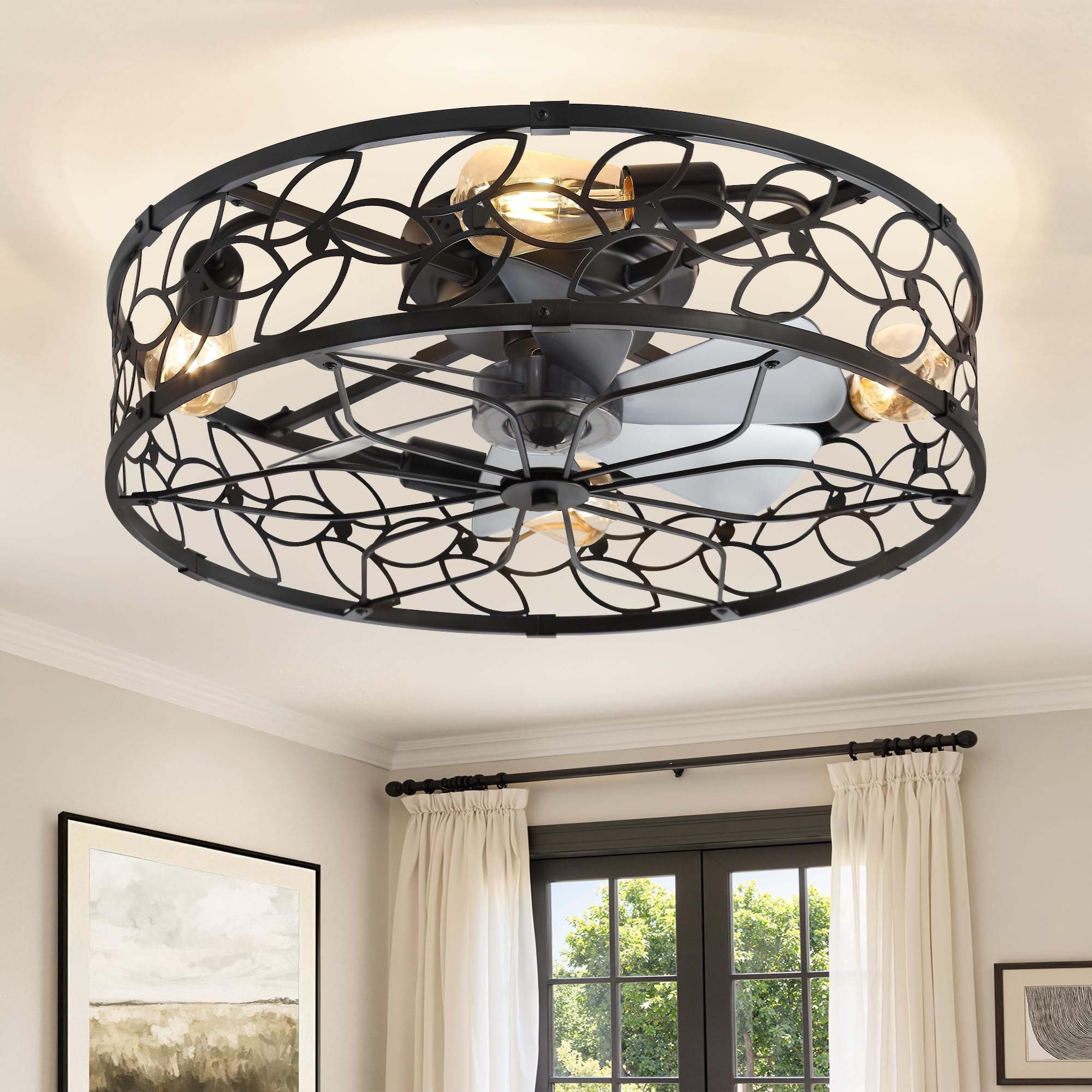
Figure 3.1: LEDIARY 23-Inch Caged Ceiling Fan (Black Extra Large model shown).
4. Assembly Instructions
Follow these steps to assemble your ceiling fan. For a visual guide, please refer to the official installation video below.
Video 4.1: Official LEDIARY 23 Inch Caged Ceiling Fan Installation Guide. This video demonstrates the complete assembly and installation process.
4.1. Assemble the Outer Frame
- Inventory all included parts. (Refer to video 0:09)
- Assemble the 6 frame parts in clockwise order (1-2-3-4-5-6) using screws J at the bottom. Ensure the "UP" marking faces upward. (Refer to video 0:12 - 0:31)
4.2. Assemble the Fan Blades
- Align and press the fan blades into the blade main body slot until it clicks. Ensure the "UP" mark and fan clips face upward. (Refer to video 0:32 - 0:48)
- Remove the pin from the motor core shaft and remove the label. (Refer to video 0:49 - 0:52)
- Install the fan blades onto the motor core. (Refer to video 0:53 - 0:56)
- Insert the pin and tighten the blade cap by rotating it. (Refer to video 0:57 - 1:05)
4.3. Attach Fan Motor to Frame
- Fix the motor host into the frame using screw G and nut F. (Refer to video 1:06 - 1:15)
4.4. Install Light Bulbs
Screw the bulbs into the sockets from the back. Bulbs are not included. Recommended bulbs: LED Type, E26, Max 10W LED or Max 60W Incandescent. (Refer to video 1:16 - 1:23)

Figure 4.1: Fan dimensions (23 inches diameter, 7.9 inches height) and recommended E26 bulb types.
5. Installation Instructions
Ensure power is OFF at the circuit breaker before proceeding.
5.1. Secure Mounting Bracket
- Secure the mounting bracket to the ceiling junction box. (Refer to video 1:24 - 1:30)
5.2. Hang Fan Body and Connect Wiring
- Hang the lamp body using the pre-installed safety rope to support its weight during wiring. (Refer to video 1:31 - 1:35)
- Connect the "Live" wire (typically black) from the ceiling to the fan's live wire. (Refer to video 1:36 - 1:40)
- Connect the "Neutral" wire (typically white) from the ceiling to the fan's neutral wire. (Refer to video 1:41 - 1:45)
- Connect the "Ground" wire (typically green or bare copper) from the ceiling to the fan's ground wire. (Refer to video 1:46 - 1:50)
- Ensure all wire connections are secure with wire nuts.
5.3. Final Mounting
- Rotate the fan to align it with the mounting bracket and tighten with screws. (Refer to video 1:51 - 1:55)
- Restore power at the main circuit breaker.
6. Operating Instructions
Your LEDIARY Caged Ceiling Fan can be operated using the included remote control or a dedicated smartphone application.
6.1. Remote Control Functions
The remote control allows full functionality of the fan and light.
- Power Button: Turns the fan and light on/off.
- Light On/Off Button: Controls the light independently.
- Fan Speed Buttons (1-6): Adjusts fan speed from 1 (low) to 6 (high).
- Stop Button: Stops the fan.
- Forward/Reverse (F/R) Button: Changes the direction of fan rotation for summer (downward airflow) or winter (upward airflow) modes.
- Timer Buttons (1H, 2H, 4H): Sets the fan to turn off automatically after 1, 2, or 4 hours.

Figure 6.1: Overview of the remote control and its functions.
6.2. App Control
Download the "FanLampPro" app from Google Play or the Apple App Store. The app offers next-level ease: control your light and fan for any activity with a simple tap. The app needs to be paired when first used.
- Turn On/Off
- Speed Control
- Timing Setting
- Forward / Reverse
- Fan On/Off
- Natural Wind mode

Figure 6.2: App and remote control interface for the ceiling fan.
6.3. Reversible Motor Function
The fan features a reversible motor for year-round comfort:
- Summer Mode (Downward Airflow): Creates a cooling breeze.
- Winter Mode (Upward Airflow): Circulates warm air trapped near the ceiling.

Figure 6.3: Illustration of downward (summer) and upward (winter) airflow modes.
7. Maintenance
7.1. Cleaning
- Always disconnect power before cleaning.
- Use a soft, damp cloth to clean the fan's surfaces. Avoid harsh chemicals or abrasive cleaners.
- Regularly dust the fan blades and cage to maintain optimal performance and appearance.
7.2. Bulb Replacement
- Ensure the light is off and bulbs have cooled before replacing.
- This fan requires 4 E26 base bulbs.
- Recommended bulb types: A19, ST19, T45. Max 60W for incandescent, Max 10W for LED.
8. Troubleshooting
If you encounter issues with your fan, refer to the following common solutions:
| Problem | Possible Cause | Solution |
|---|---|---|
| Fan does not operate | No power supply; Loose wiring; Remote battery low/dead | Check circuit breaker; Verify wiring connections; Replace remote battery. |
| Light does not turn on | Bulbs faulty; Loose wiring; Light switch off | Replace bulbs; Check wiring; Ensure light switch is on. |
| Fan is noisy | Loose screws; Unbalanced blades | Tighten all screws; Ensure blades are properly installed and balanced. |
| Remote not working | Battery low/dead; Not paired correctly | Replace remote battery; Refer to pairing instructions in the full manual. |
9. Specifications
- Brand: LEDIARY
- Model: B0FVSNQN3Q
- Color: Black
- Material: Iron
- Style: Modern
- Light Fixture Form: Ceiling
- Room Type: Bedroom, Dining Room, Kids Room, Kitchen, Living Room
- Specific Uses For Product: Home
- Indoor Outdoor Usage: Indoor
- Power Source: DC Motor
- Special Features: Energy Efficient, Lightweight, Timer
- Control Method: App, Remote Control
- Mounting Type: Flush Mount
- Item Dimensions L x W x H: 17.5"L x 13.4"W x 7.7"H (Note: Product title states 23 inch, this specification might refer to a different dimension or component. Please verify with product packaging.)
- Required Assembly: Yes
10. Warranty and Support
LEDIARY is committed to providing high-quality products and customer satisfaction.
- Motor Warranty: 5-year support.
- Other Parts Warranty: 2-year support.
- For any questions, technical support, or warranty claims, please contact LEDIARY customer service.


