
Introduction
This manual provides essential instructions for setting up, operating, and maintaining your Fire-Boltt Aero True Wireless Stereo (TWS) Earbuds. Please read this guide thoroughly before using the product to ensure optimal performance and longevity.
What's in the Box
- Fire-Boltt Aero TWS Earbuds
- Charging Case
- USB Charging Cable
- User Manual
Product Overview
The Fire-Boltt Aero TWS Earbuds are designed for high-quality audio and clear communication, featuring a compact design and intuitive controls.
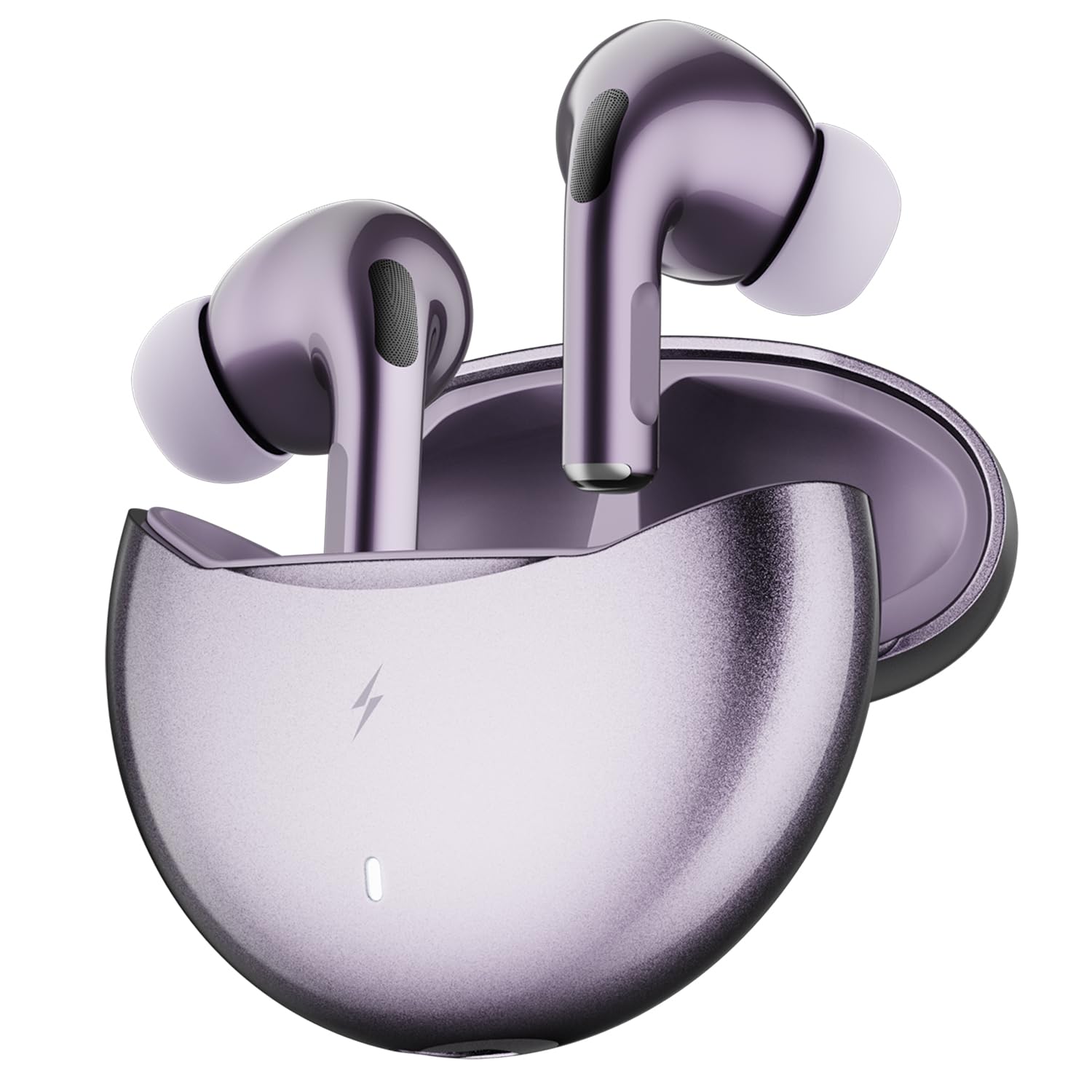
Image: Fire-Boltt Aero TWS Earbuds and their charging case. The earbuds are shown in a lilac amethyst chrome color, with one earbud partially inserted into the open charging case and the other floating above it.
Components
- Earbuds: Left and Right earbuds with in-ear tips.
- Charging Case: Stores and charges the earbuds. Features a USB-C charging port.
- LED Indicator: On the charging case, indicates charging status and battery level.
- Microphones: Quad Mic setup for Environmental Noise Cancellation (ENC) during calls.

Image: An exploded diagram illustrating the internal components of a 13mm dynamic driver, highlighting its various layers and parts responsible for sound production.
The earbuds feature 13mm dynamic drivers for enhanced audio performance.
Setup
Initial Pairing
- Ensure the earbuds are fully charged.
- Open the charging case. The earbuds will automatically enter pairing mode, indicated by a flashing LED on the earbuds or case.
- On your device (smartphone, tablet, etc.), enable Bluetooth.
- Search for "Fire-Boltt Aero" in the list of available Bluetooth devices and select it to connect.
- Once connected, the LED indicator on the earbuds will stop flashing.
FirePods App Installation
For advanced features like custom EQ, theme switching, and touch control remapping, download the FirePods App from your device's app store.
- Scan the QR code provided in the packaging or search for "FirePods App" in the Google Play Store or Apple App Store.
- Install the app on your smartphone.
- Open the app and follow the on-screen instructions to connect your Fire-Boltt Aero earbuds.

Image: A smartphone screen displaying the FirePods App interface, showing options for custom EQ profiles, game mode, theme switcher, noise reduction, battery status, and one-tap control customizations.
Operating Instructions
Touch Controls
The Fire-Boltt Aero earbuds feature intuitive touch controls. Specific functions can be remapped via the FirePods App.
- Play/Pause: Single tap on either earbud.
- Next Track: Double tap on the right earbud.
- Previous Track: Double tap on the left earbud.
- Answer/End Call: Single tap on either earbud.
- Reject Call: Press and hold either earbud for 2 seconds.
- Activate Voice Assistant: Press and hold either earbud for 2 seconds (when not on a call).
- Game Mode On/Off: Triple tap on either earbud.

Image: A close-up of an earbud highlighting the smart touch control area with a fingerprint icon, indicating where to tap for various functions.
Voice Assistant
Activate your device's voice assistant (Siri, Google Assistant) by pressing and holding either earbud for 2 seconds. This allows for hands-free commands.

Image: An illustration showing the earbuds in their charging case, surrounded by speech bubbles indicating voice commands like "Hey Siri... Call Mom." and "Hey Siri... Play my workout playlist.", demonstrating voice assistant functionality.
Gaming Mode
Engage the ultra-low latency 50ms Game Mode for a synchronized audio experience during gaming or video playback. Triple tap either earbud to toggle this mode.

Image: Two earbuds floating above a smartphone screen displaying a racing game, with "50ms" prominently displayed, illustrating the low-latency gaming mode.
Charging
The Fire-Boltt Aero earbuds offer up to 50 hours of total playtime with the charging case. The case has a 400mAh battery, and each earbud has a 40mAh battery.
Charging the Earbuds
Place the earbuds into the charging case. They will automatically begin charging. The LED indicators on the earbuds will show their charging status.
Charging the Case
Connect the charging case to a power source using the provided USB charging cable. The LED indicator on the case will show the charging progress. A full charge takes approximately 3 hours.
FireCharge Fast Charging
With FireCharge technology, just 5 minutes of charging the case can provide up to 300 minutes of playtime for the earbuds.

Image: Earbuds and their charging case displayed with a large "50 Hrs (With Case)" text and a "Fast Charging Powered by FireCharge™ Technology" badge, emphasizing extended playtime and quick charging capabilities.
Maintenance
Cleaning
Regularly clean your earbuds and charging case with a soft, dry, lint-free cloth. Avoid using abrasive materials or harsh chemicals. Ensure the charging contacts on both the earbuds and case are clean and dry.
Water Resistance (IPX4)
The Fire-Boltt Aero earbuds are IPX4 water-resistant, meaning they are protected against splashing water from any direction. This makes them suitable for workouts and light rain. They are not designed for submersion in water or exposure to heavy rain.

Image: An earbud shown with water splashing around it and an "IPX4 Water Resistant" icon, illustrating its protection against water splashes.
Troubleshooting
| Problem | Solution |
|---|---|
| Earbuds not pairing | Ensure earbuds are charged. Place them back in the case, close, then open again to re-enter pairing mode. Check your device's Bluetooth settings and try reconnecting. |
| No sound from one earbud | Ensure both earbuds are charged. Try resetting the earbuds (refer to app or online support for specific reset instructions). Re-pair with your device. |
| Charging case not charging | Verify the USB cable and power adapter are working correctly. Ensure the charging port is clean and free of debris. |
| Touch controls unresponsive | Ensure your fingers are clean and dry. Try restarting the earbuds by placing them in the case and taking them out. Check the FirePods App for touch control settings. |
| Poor call quality | Ensure microphones are not obstructed. Move to a quieter environment if Environmental Noise Cancellation (ENC) is struggling with excessive background noise. |
Specifications
| Feature | Detail |
|---|---|
| Model Number | BE1700 |
| Bluetooth Version | 5.4 |
| Ear Placement | In Ear |
| Form Factor | True Wireless |
| Audio Driver Size | 13 Millimetres |
| Impedance | 32 Ohms |
| Noise Control | Environmental Noise Cancellation (Quad Mic ENC) |
| Battery Average Life | 50 Hours (with charging case) |
| Battery Charge Time | 3 Hours (charging case) |
| Fast Charging | 5 minutes charge for 300 minutes playtime |
| Low Latency | 50ms (Game Mode) |
| Water Resistance Level | IPX4 |
| Control Method | Touch, App Control |
| Compatible Devices | TVs, gaming consoles (via adapter), Bluetooth speakers, Windows PCs/laptops, MacBooks/iMacs, Chromebooks, iPad, Android tablets, iPhone, Samsung Galaxy, OnePlus, Google Pixel, Xiaomi, Oppo, Vivo, and more. |
| Item Weight | 30 Grams |
Warranty and Support
Warranty Information
The Fire-Boltt Aero TWS Earbuds come with a 1-year brand warranty. Please retain your proof of purchase for warranty claims. The warranty covers manufacturing defects but does not cover damage caused by misuse, accidents, or unauthorized modifications.
Customer Support
For further assistance, troubleshooting, or warranty claims, please contact Fire-Boltt customer support through their official website or the contact information provided in your product packaging.


