
Introduction
Thank you for choosing the Bewinner Mini Keychain Camera S160. This compact and portable digital camera is designed for capturing high-definition videos and photos with ease. Featuring 2K FHD video recording, 2MP photos, a 1.47-inch color screen, and built-in LED flash, it is ideal for travel vlogging and everyday use. Please read this manual thoroughly to understand the camera's functions and ensure optimal performance.

A child holding the Bewinner Mini Keychain Camera, illustrating its compact size and ease of use for capturing 2K video.
Package Contents
Upon opening your Bewinner Mini Keychain Camera S160 package, please verify that all the following items are included:
- Bewinner Mini Keychain Camera S160
- Hanging Buckle
- Hanging Chain
- User Manual
- Type-C Charging Cable
Video demonstrating the unboxing and contents of the Bewinner Mini Keychain Camera, including the camera, square bead chain, and hanging buckle.
Product Overview
The Bewinner Mini Keychain Camera S160 is designed for portability and ease of use. Familiarize yourself with its key components:
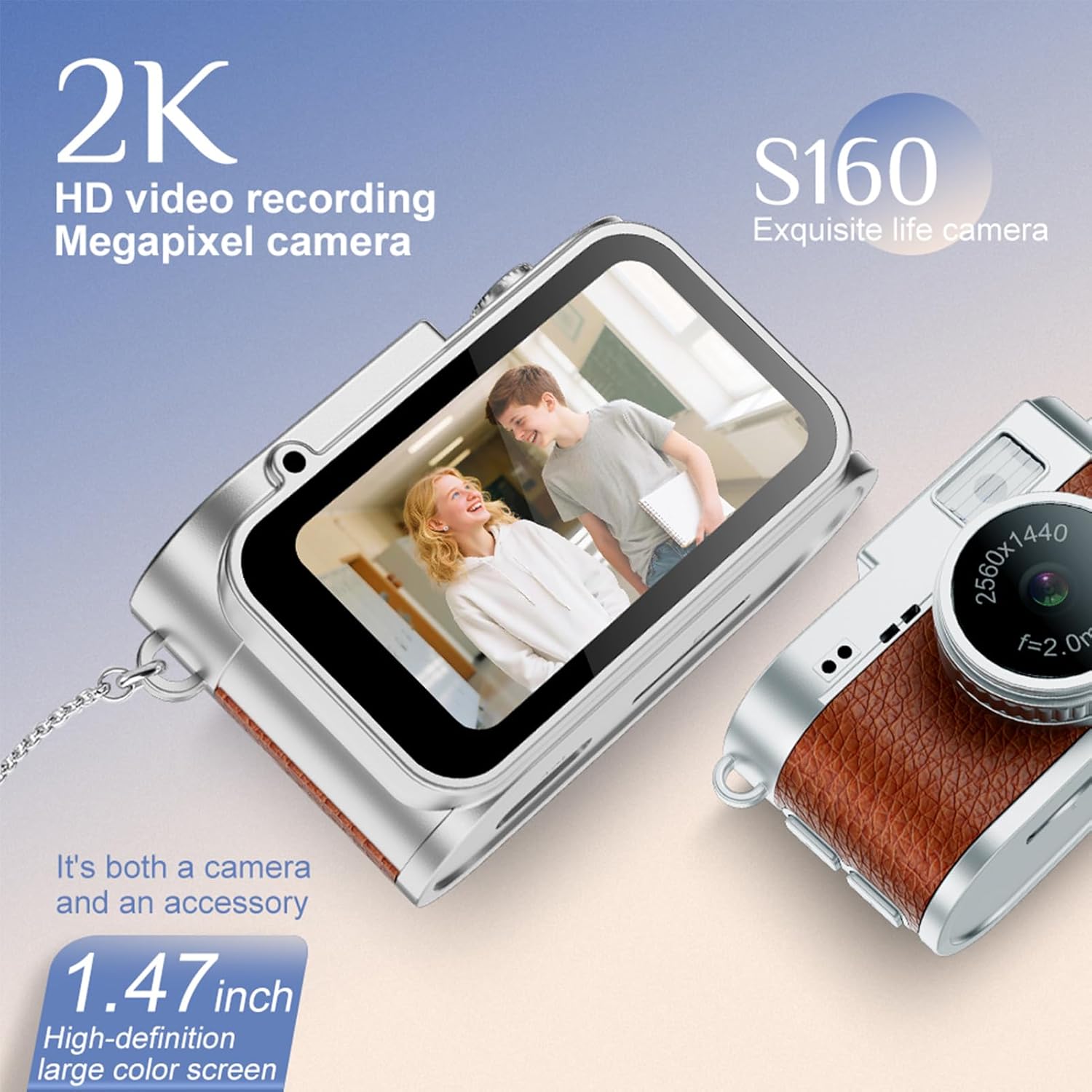
Front view of the Bewinner Mini Keychain Camera, highlighting the 1.47-inch color screen and lens.
- Lens: Captures 2K FHD video and 2MP photos.
- 1.47-inch Color Screen: For real-time viewing and playback.
- LED Fill Light: Improves photo and video quality in low light.
- Control Buttons: Three buttons for easy mode selection and recording.
- MicroSD Card Slot: Supports up to 128GB for storage.
- Type-C Port: For charging and data transfer.
- Hanging Loop: For attaching the hanging buckle or chain.

Detailed view of the Bewinner Mini Keychain Camera's 1.47-inch IPS color screen and lens, showing its video capabilities.
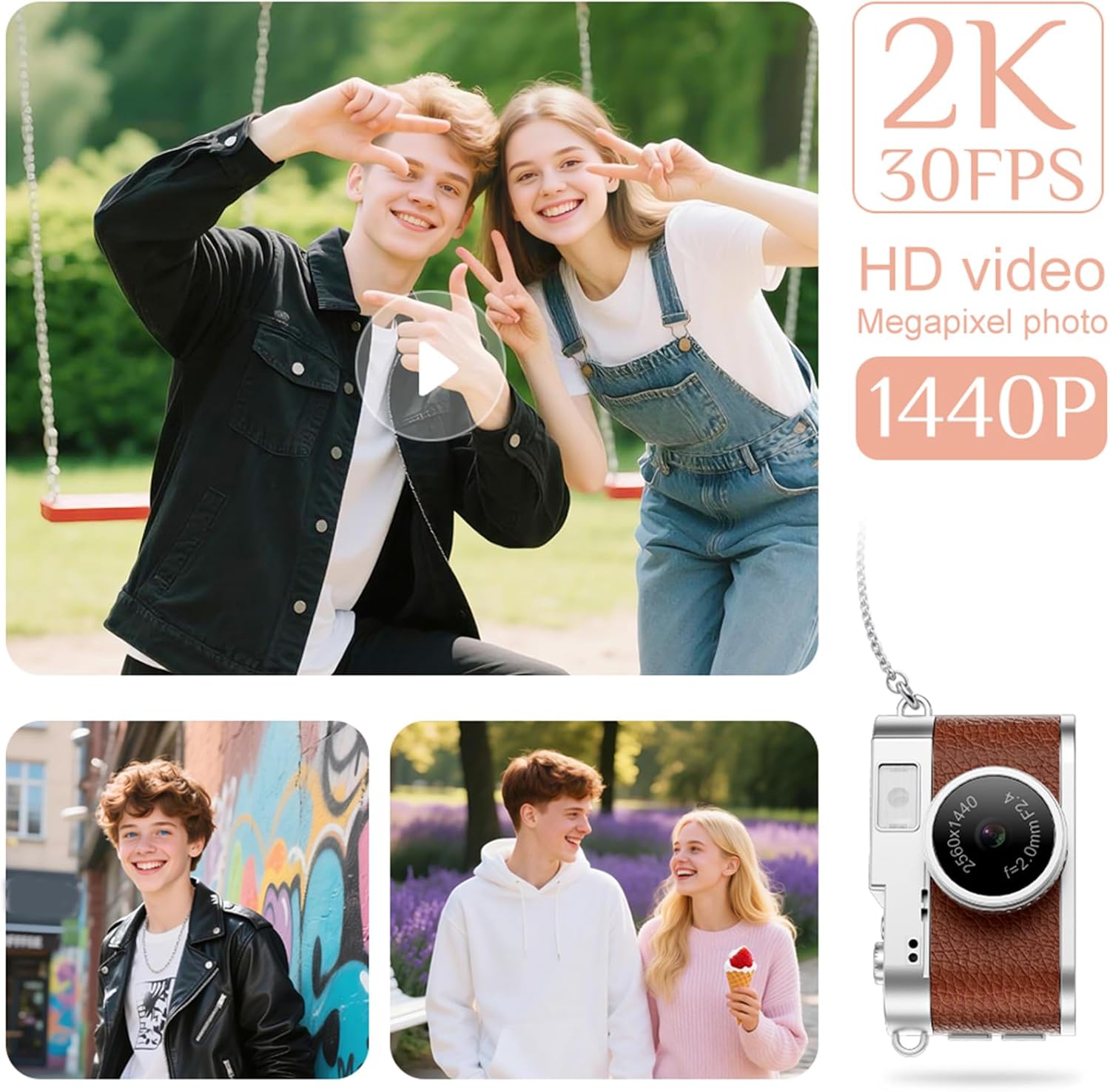
The Bewinner Mini Keychain Camera held in a hand, emphasizing its delicate and light design.
Setup
1. Charging the Camera
Before first use, fully charge the camera. Connect the provided Type-C charging cable to the camera's Type-C port and a power source (e.g., USB wall adapter, computer USB port). The charging indicator will show the charging status.
2. Inserting a Memory Card
The camera supports up to 128GB MicroSD cards (not included). Locate the MicroSD card slot on the side of the camera. Gently insert the MicroSD card with the gold contacts facing down until it clicks into place. To remove, push the card in again until it springs out.
Operating Instructions
1. Power On/Off
- Power On: Press and hold the Power button for a few seconds until the screen lights up.
- Power Off: Press and hold the Power button again until the screen turns off.
2. Taking Photos
- Ensure the camera is in photo mode (indicated by an icon on the screen). Use the mode button to switch if necessary.
- Frame your shot using the 1.47-inch color screen.
- Press the Shutter button to capture a 2MP photo.
- The camera offers four filter options. Refer to the on-screen menu to select your desired filter before taking a photo.
3. Recording Videos
- Switch the camera to video recording mode.
- Press the Record button to start recording 2560x1440 (30FPS) video.
- Press the Record button again to stop recording.
- The camera supports cycle recording, typically set to 3-minute segments.
4. Using the LED Fill Light
- The built-in LED fill light can be activated to improve visibility in low-light conditions.
- Access the camera settings via the menu to set the LED light to be constantly on or to activate it as needed.
5. Viewing Photos and Videos
- Switch to playback mode using the mode button.
- Use the navigation buttons to browse through your captured photos and videos on the 1.47-inch color screen.

The Bewinner Mini Keychain Camera capturing moments, demonstrating its 2K video recording and photo capabilities.

The Bewinner Mini Keychain Camera displaying a captured image on its 1.47-inch IPS colorful screen.
6. File Transfer
- To transfer files to an Android phone, connect the camera directly using an OTG adapter (not included).
- Alternatively, connect the camera to a computer using the Type-C cable. The camera will appear as a removable disk, allowing you to copy files.
Maintenance
- Cleaning: Use a soft, dry cloth to clean the camera body. For the lens, use a specialized lens cleaning cloth and solution. Avoid harsh chemicals.
- Storage: Store the camera in a cool, dry place away from direct sunlight and extreme temperatures.
- Battery Care: To prolong battery life, avoid fully discharging the battery frequently. Charge it regularly, even if not in use for extended periods.
- Memory Card: Periodically back up your files and format the MicroSD card in the camera to maintain optimal performance.
Troubleshooting
| Issue | Possible Cause | Solution |
|---|---|---|
| Camera does not power on. | Low battery; faulty battery; power button issue. | Charge the camera fully. Ensure the power button is pressed correctly. If issues persist, contact support. |
| Cannot transfer files to phone/computer. | Incorrect cable; missing OTG adapter; driver issue. | Ensure you are using a compatible Type-C cable and, for Android, an OTG adapter. Try a different USB port or computer. |
| Poor image/video quality. | Low light; dirty lens; incorrect settings. | Activate the LED fill light. Clean the lens. Check camera settings for resolution and filter options. |
| Memory card error. | Incompatible card; card full; corrupted card. | Use a MicroSD card up to 128GB. Format the card in the camera. Try a different memory card. |
Specifications
| Feature | Detail |
|---|---|
| Model Name | S160 |
| Camera Size | Approx. 45x27x28mm / 1.77x1.06x1.10in |
| Battery Type | Polymer Lithium Ion Battery |
| Battery Capacity | 180mAh |
| Recording Duration | Approx. 50 minutes |
| Memory Card Support | Up to 128GB MicroSD Card (Small Memory Card) |
| Screen | 1.47 Inch Color Screen (IPS) |
| Video Resolution | 2560 x 1440 (30FPS) |
| Photo Resolution | JPG 2MP |
| Camera Angle | 160° |
| Filters | 4 Built-in Filter Options |
| Cycle Recording | Default 3 Minutes |
| Flash | Built-in LED Fill Light (Support constant on) |
| Data Connection/Power | Type-C Port |
| Compatible Devices | Smartphone (for file transfer via OTG) |
| Water Resistance Level | Not Water Resistant |
Warranty and Support
Bewinner products come with a standard manufacturer's warranty. For specific warranty details, please refer to the warranty card included in your package or visit the official Bewinner website. If you encounter any issues or have questions regarding your Mini Keychain Camera S160, please contact Bewinner customer support through the retailer where you purchased the product or via the contact information provided on the official website.
Please retain your proof of purchase for warranty claims.