
Introduction
This manual provides essential information for setting up, operating, and maintaining your OUKITEL G1 Rugged Smartphone. Designed for durability and performance, the OUKITEL G1 features a robust build, a large battery, and the Android 15 operating system. Please read this manual carefully to ensure optimal use of your device.
What's in the Box
Upon unboxing your OUKITEL G1, please verify that all the following items are included:
- 1 x OUKITEL G1 Smartphone
- 1 x Data Cable
- 1 x Charger
- 1 x Card Needle (SIM Ejector Tool)
- 1 x User Manual

Image: Contents of the OUKITEL G1 retail box, including the smartphone, charger, data cable, SIM ejector tool, and user manual.
Setup
1. SIM Card and Storage Installation
The OUKITEL G1 supports dual SIM cards or one SIM card with expandable storage up to 1TB. Use the provided card needle to open the SIM tray. Insert your Nano-SIM card(s) and/or a microSD card into the designated slots. Ensure the tray is securely closed to maintain water and dust resistance.
2. Initial Power On
Press and hold the power button located on the side of the device until the OUKITEL logo appears. Follow the on-screen prompts to complete the initial setup, including language selection, Wi-Fi connection, and Google account setup. The device runs on Android 15, offering enhanced performance and security features.
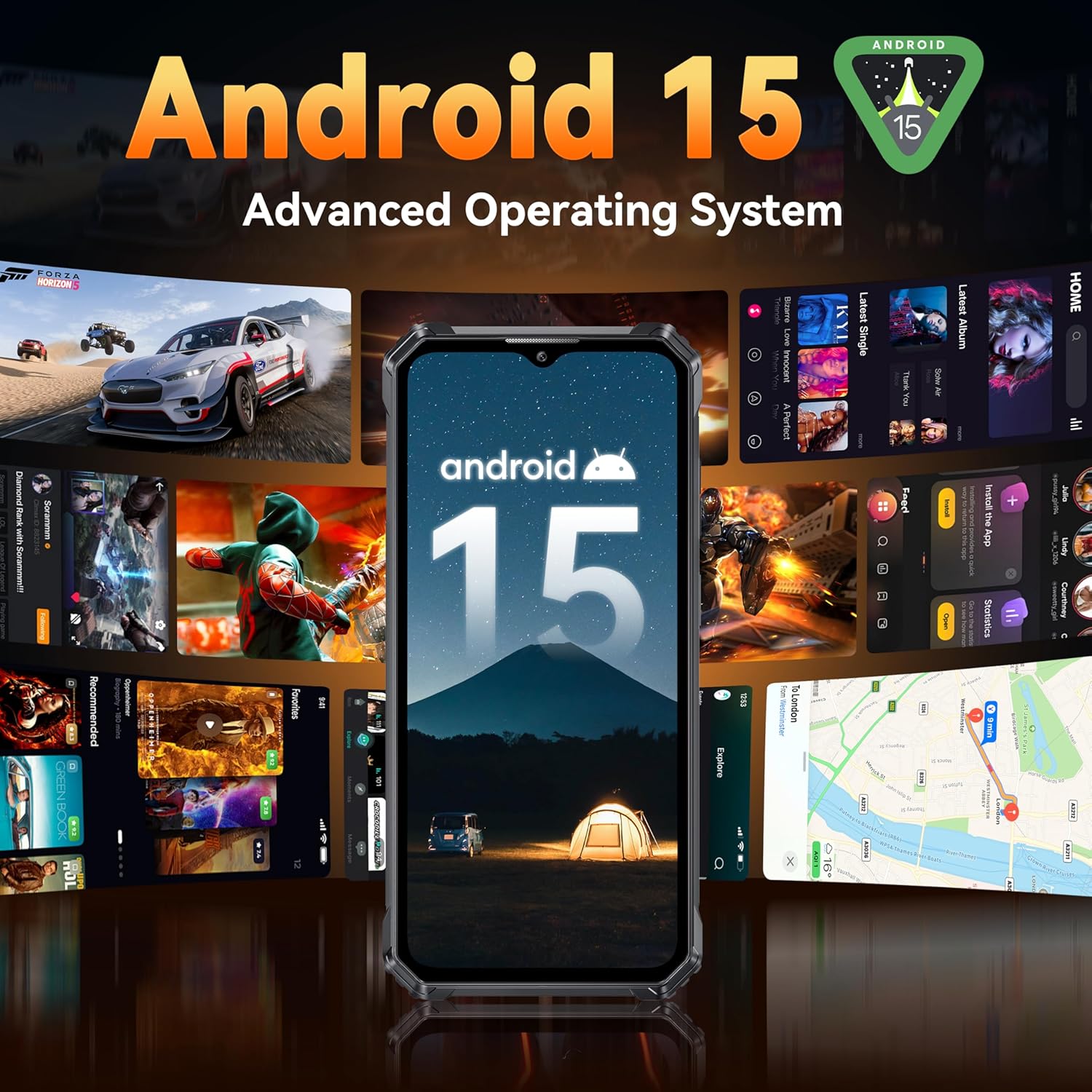
Image: The OUKITEL G1 smartphone displaying the Android 15 operating system interface.
3. Virtual RAM Configuration
The OUKITEL G1 features 24GB RAM (6GB physical + 18GB virtual). To adjust virtual RAM settings, navigate to Settings > About Phone > RAM. You can select the desired virtual memory size. A device restart may be required for changes to take effect.

Image: Diagram illustrating the 24GB RAM (6GB + 18GB virtual) and 256GB ROM (expandable to 1TB) of the OUKITEL G1.
Operating Instructions
1. Camera Functions
The OUKITEL G1 is equipped with a 48MP F1.8 main camera, a 5MP F2.2 front camera, and a 2MP macro camera. Open the Camera app to access various modes such as Photo, Video, Portrait, and Macro. Tap on the screen to focus and press the shutter button to capture images or start recording.

Image: Visual representation of the OUKITEL G1's camera system, highlighting the 48MP main, 2MP macro, and 5MP front cameras.
2. Security Features
Unlock your device using Face ID or the rear-mounted fingerprint sensor. To set up these features, go to Settings > Security > Face Unlock / Fingerprint and follow the on-screen instructions.
3. NFC and Google Pay
The OUKITEL G1 supports NFC for contactless payments via Google Pay and seamless data transfer. Ensure NFC is enabled in Settings > Connected devices > NFC. Set up your payment methods in the Google Pay app.
4. Digital Toolkit
Access a suite of utility tools designed for outdoor and professional use, including a compass, sound meter, picture hanging assistant, protractor, and more. These tools are pre-installed and can be found in the 'Toolbox' application.

Image: Screenshot showing the various tools available in the OUKITEL G1's Digital Toolkit, such as Compass, SoundMeter, Pic Hanging, and Magnifier.
Battery Management
The OUKITEL G1 features a 10600mAh battery, providing extended usage times. It supports 18W fast charging for quick power replenishment. To optimize battery life, manage background app usage and adjust screen brightness.

Image: Illustration of the OUKITEL G1's 10600mAh large battery, highlighting its long-lasting power for various activities like standby, calling, music, and video playback.
Portable Power Bank Function
The device can also function as a portable power bank to charge other devices via OTG (On-The-Go) cable. Connect the OTG cable to your OUKITEL G1 and then to the device you wish to charge.

Image: The OUKITEL G1 connected via cable to another smartphone, demonstrating its portable power bank capability.
Durability Features
The OUKITEL G1 is engineered to withstand harsh environments, meeting IP68/IP69K and MIL-STD-810H standards. This means it is waterproof, dustproof, and shockproof, capable of enduring drops, extreme temperatures, and immersion in water.

Image: A collage showcasing the OUKITEL G1's rugged features, including its IP68 waterproof rating, IP69K dustproof certification, and MIL-STD-810H shockproof compliance, with the phone shown in various challenging environments.
Corning Gorilla Glass 5 Display
The 6.52-inch HD+ display is protected by Corning Gorilla Glass 5, offering enhanced scratch resistance and durability against drops.

Image: The OUKITEL G1's 6.52-inch display protected by Corning Gorilla Glass 5, emphasizing its scratch resistance, high transparency, anti-fingerprint properties, and touch sensitivity.
Connectivity
The OUKITEL G1 supports 4G LTE networks. Ensure LTE functionality is enabled in your phone settings. It is compatible with T-Mobile SIM cards but not AT&T SIM cards. Supported frequency bands include:
- GSM: B2/3/5/8
- WCDMA: B1/B2/B4/B5/B8
- FDD: B1/B2/B3/B4/B5/B7/B8/B12/B17/B18/B19/B20/B25/B26/B28A/B28B/B66
- TDD: B38/39/40/41

Image: Graphic illustrating the OUKITEL G1's support for T-Mobile carriers and listing the available frequency bands.
GPS Navigation
The device integrates GPS, GLONASS, Beidou, and Galileo for accurate and reliable navigation, essential for outdoor activities and travel.

Image: A composite image showing the OUKITEL G1's GPS capabilities with a map, Face ID and fingerprint unlock, and NFC with Google Pay functionality.
Specifications
| Feature | Detail |
|---|---|
| Model Name | OUKITEL G1 |
| Operating System | Android 15 |
| RAM Memory Installed Size | 24 GB (6GB physical + 18GB virtual) |
| Memory Storage Capacity | 256 GB (Expandable up to 1TB) |
| Screen Size | 6.52 Inches |
| Resolution | 1520 x 720 |
| Refresh Rate | 90 Hz |
| Main Camera | 48MP F1.8 |
| Front Camera | 5MP F2.2 |
| Macro Camera | 2MP |
| Battery Capacity | 10600 mAh |
| Charging | 18W Fast Charging |
| Durability | IP68/IP69K, MIL-STD-810H |
| Connectivity | 4G LTE, Wi-Fi, Bluetooth, NFC |
| Navigation | GPS+GLONASS+Beidou+Galileo |
| Security | Face ID, Fingerprint Recognition |
| Item Weight | 1.46 pounds |
| Package Dimensions | 9.84 x 6.69 x 3.11 inches |
Troubleshooting
If you encounter issues with your OUKITEL G1, consider the following common troubleshooting steps:
- Device Not Responding: Press and hold the power button for 10-15 seconds to force a restart.
- Network Connectivity Issues: Check if your SIM card is properly inserted. Ensure mobile data or Wi-Fi is enabled. Verify that your carrier supports the device's frequency bands (refer to the Connectivity section). Try toggling Airplane Mode on and off.
- Battery Draining Quickly: Reduce screen brightness, close unused background applications, and disable unnecessary features like GPS or Bluetooth when not in use.
- App Crashes: Clear the cache and data for the problematic app in Settings > Apps > [App Name] > Storage. If the issue persists, uninstall and reinstall the app.
- Slow Performance: Close background apps, clear system cache, or consider performing a factory reset (back up your data first).
- Charging Issues: Ensure the charger and cable are securely connected and undamaged. Try using a different compatible charger and cable.
Maintenance
To ensure the longevity and optimal performance of your OUKITEL G1 Rugged Smartphone, follow these maintenance guidelines:
- Cleaning: Wipe the device with a soft, damp cloth. Avoid using harsh chemicals or abrasive materials. Ensure all ports are dry before charging or connecting accessories.
- Water and Dust Resistance: While the device is IP68/IP69K rated, ensure all port covers are securely closed before exposing it to water or dust. Avoid intentional submersion in corrosive liquids or extreme depths/pressures beyond specified limits.
- Temperature: Operate the device within its specified temperature range (-20°C to 55°C). Avoid prolonged exposure to extreme heat or cold.
- Software Updates: Regularly check for and install system updates to benefit from performance improvements, security patches, and new features.
Warranty and Support
For warranty information, please refer to the warranty card included in your product packaging or visit the official OUKITEL website. If you require technical assistance or have questions not covered in this manual, please contact OUKITEL customer support through their official channels.
Product Video
Video: A short demonstration highlighting the value and features of the OUKITEL G1 smartphone.