
1. Introduction
Thank you for choosing the ILIHOME Dual Lens Borescope. This industrial endoscope is designed for detailed visual inspection in hard-to-reach areas, featuring a dual-lens camera, a 4.3-inch IPS display, and a durable semi-rigid cable. To ensure safe and effective operation, please read this instruction manual thoroughly before using the device and retain it for future reference.
2. Product Overview and Components
The ILIHOME Dual Lens Borescope provides high-definition visual inspection capabilities with its advanced camera system and user-friendly interface.

Figure 2.1: ILIHOME Dual Lens Borescope
Key Features:
- 4.3-inch IPS Eye-Protection Screen: Large display with 178° ultra-wide viewing angle and 180° screen rotation for optimal viewing.
- 7.9mm Slim Dual-Lens Camera: Features both front and side cameras for comprehensive inspection, protected by an IP67 waterproof rating.
- 1080P HD Clarity: 2-megapixel camera (1920x1080 resolution) for capturing clear images and videos.
- 8 Adjustable LED Lights: Provides optimal illumination in dark environments.
- 16.5ft (5m) Semi-Rigid Cable: Flexible yet firm cable for navigating complex spaces.
- Detachable Cable Design: Allows for easy replacement or extension of the cable.
- Industrial-Grade Performance: Analog signal transmission ensures real-time, zero-lag imaging.
Control Panel Layout:

Figure 2.2: Control Panel and Button Functions
- Black & White Mode: Toggles between color and monochrome display.
- LED Brightness +: Increases the brightness of the camera's LED lights.
- LED Brightness -: Decreases the brightness of the camera's LED lights.
- Image Rotation/Camera Toggle: Rotates the image 180 degrees or switches between front and side cameras.
- Digital Zoom (2x max): Zooms in on the image.
- Zoom Out: Zooms out from the image.
- Power On/Off: Turns the device on or off.
- Metal Hook: Attachment point for accessories or hanging the device.
3. Setup
3.1 Charging the Device
Before first use, fully charge the borescope. Connect the provided Type-C USB cable to the charging port on the device and the other end to a 5V/2A USB power adapter (not included) or a computer USB port. The charging indicator will show the charging status. A full charge typically provides up to 3 hours of operation.

Figure 3.1: Type-C Charging Port
3.2 Inserting a MicroSD Card (Optional)
To save photos and videos, insert a MicroSD (TF) card into the designated slot. The device supports various MicroSD card standards. Ensure the card is inserted correctly before powering on the device.
3.3 Attaching Accessories
The borescope includes a 360° rotatable hook and a wide-angle mirror. These can be attached to the camera tip for specific inspection needs, such as retrieving small objects or viewing blind spots.
4. Operating Instructions
4.1 Powering On/Off
Press and hold the Power On/Off button (7) to turn the device on or off.
4.2 Using the Dual Lenses
The borescope features both a front camera and a side camera. Press the Image Rotation/Camera Toggle button (4) to switch between the front view, side view, or a split-screen view displaying both simultaneously.
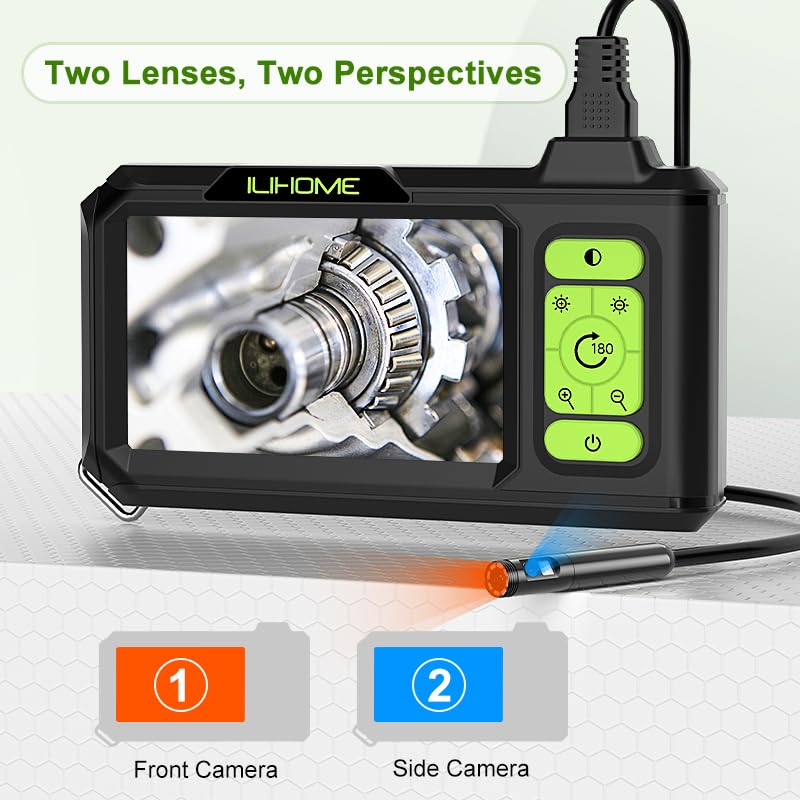
Figure 4.1: Dual Lens Perspectives
4.3 Adjusting LED Brightness
Use the LED Brightness + button (2) to increase brightness and the LED Brightness - button (3) to decrease brightness. This helps optimize visibility in varying light conditions.

Figure 4.2: LED Brightness Adjustment
4.4 Image Rotation
Press the Image Rotation/Camera Toggle button (4) to rotate the image 180 degrees on the screen, which is useful when navigating in confined spaces.
4.5 Capturing Photos and Videos
If a MicroSD card is inserted, you can capture still images or record video footage. Refer to the on-screen menu for specific photo/video capture controls. The device captures images and videos at 1920x1080 resolution.
4.6 Digital Zoom
Use the Digital Zoom button (5) to zoom in and the Zoom Out button (6) to zoom out on the live feed. The maximum zoom is 2x.
4.7 Optimal Viewing Distance
For the clearest image, position the camera lens within the optimal focal range. The front camera typically has a focal range of 2.5cm to 8cm (0.98in to 3.15in), while the side camera has a focal range of 2cm to 7cm (0.78in to 2.76in).

Figure 4.3: Optimal Focal Distances
4.8 Waterproof Capabilities
The camera probe and cable are IP67 waterproof, allowing for inspection in wet or submerged environments. Ensure the main unit is not exposed to water.
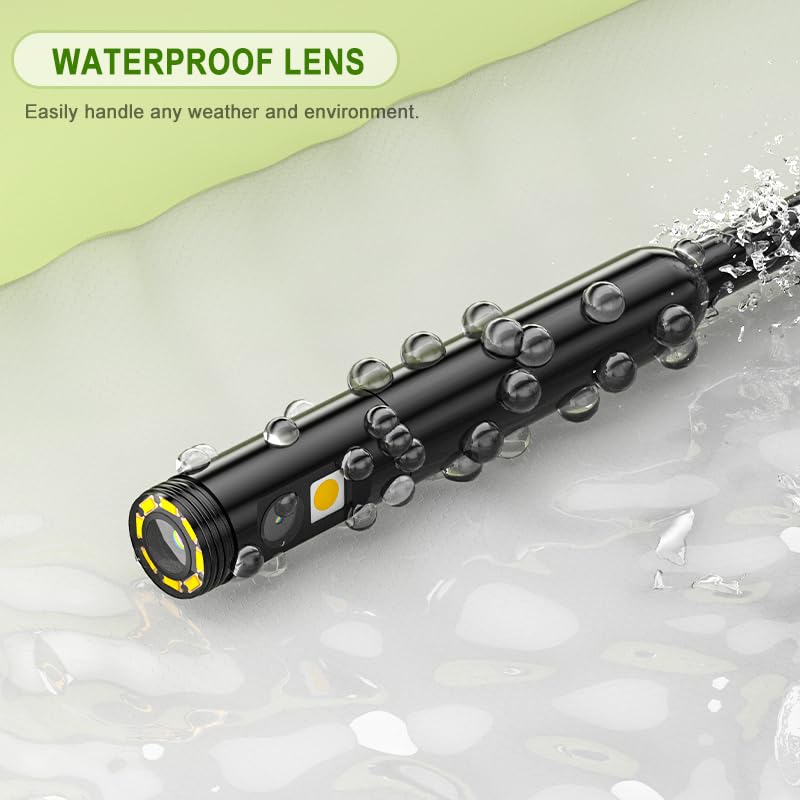
Figure 4.4: Waterproof Lens
5. Maintenance
5.1 Cleaning
- Wipe the camera lens and screen with a soft, dry cloth. For stubborn dirt, use a lens cleaning solution.
- Clean the cable with a damp cloth and mild detergent if necessary. Ensure it is dry before coiling for storage.
- Do not use abrasive cleaners or solvents on any part of the device.
5.2 Storage
Store the borescope in a cool, dry place away from direct sunlight and extreme temperatures. Coil the cable neatly to prevent kinks or damage.
5.3 Battery Care
To prolong battery life, avoid fully discharging the battery frequently. If storing for extended periods, charge the battery to approximately 50% every few months.
5.4 Detachable Cable
The borescope features a detachable cable, allowing for easy replacement if damaged or for using cables of different lengths. To detach, carefully pull the USB connector from the main unit. To reattach, align the connector and push firmly until it clicks into place.
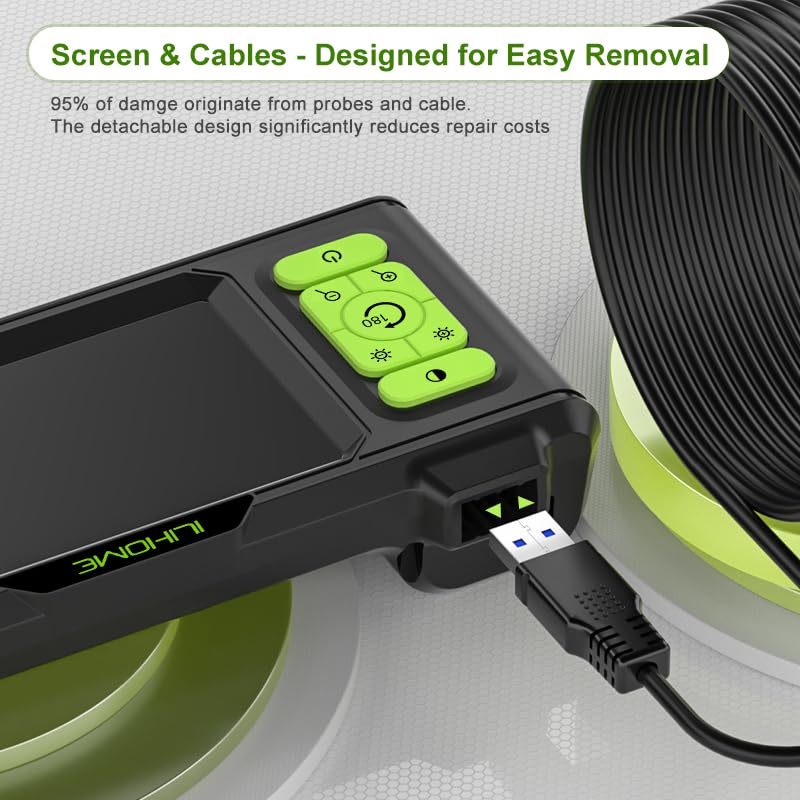
Figure 5.1: Detachable Cable Connection
6. Troubleshooting
- No Power: Ensure the device is fully charged. Press and hold the power button for a few seconds to turn it on.
- No Image on Screen: Check if the camera cable is securely connected to the main unit. Restart the device.
- Poor Image Quality: Adjust the LED brightness. Ensure the camera lens is clean. Position the camera within the optimal focal distance (refer to Section 4.7).
- Battery Not Charging: Verify the Type-C cable is properly connected and the power adapter is functional. Ensure the power adapter meets the 5V/2A specification.
- Buttons Unresponsive: Try restarting the device. If the issue persists, contact customer support.
7. Specifications
| Feature | Specification |
|---|---|
| Model | Dual Lens Borescope |
| Screen | 4.3-inch IPS Display |
| Camera Resolution | 1920x1080 (1080P) |
| Camera Diameter | 7.9mm |
| Lens Type | Dual Lens (Front & Side) |
| LED Lights | 8 Adjustable LEDs |
| Cable Length | 16.5ft (5 meters) Semi-Rigid |
| Waterproof Rating | IP67 (Camera Probe & Cable) |
| Battery Type | Lithium Polymer |
| Battery Capacity | 2600mAh |
| Charging Port | Type-C (5V/2A) |
| Media Storage | MicroSD (TF) Card (not included) |
| Package Dimensions | 8.5 x 5.67 x 2.72 inches |
| Weight | 1.1 Pounds |
8. Warranty and Support
This product is covered by a manufacturer's warranty. For specific warranty details, please refer to the product packaging or contact your retailer. If you encounter any issues or require technical assistance, please contact ILIHOME customer support through the retailer's platform or the contact information provided with your purchase.