
1. Introduction
Thank you for choosing the ganopterygon TK09 Smart Watch. This device is a 1.85-inch HD fitness tracker designed for both men and women, offering features such as call answering and making, over 100 sports modes, sleep monitoring, heart rate monitoring, and IP68 waterproof rating. It is compatible with Android and iOS devices. This manual provides essential information for setting up, operating, and maintaining your smart watch.
2. Package Contents
Please verify that all items are present in your package:
- ganopterygon TK09 Smart Watch
- Charging Cable
- User Manual (this document)
3. Product Overview
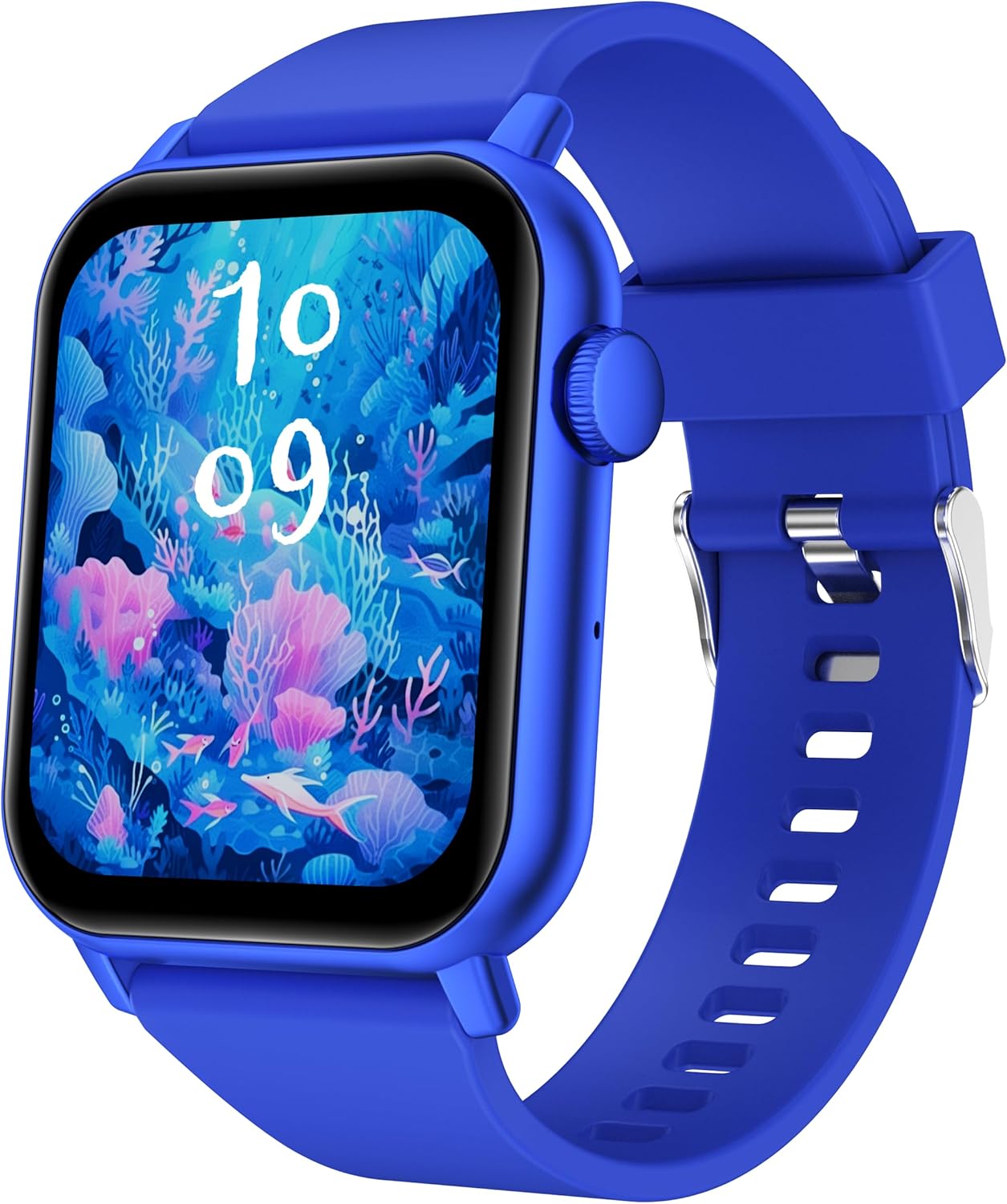
This image displays the ganopterygon TK09 Smart Watch. It features a rectangular screen with a vibrant digital watch face depicting an underwater scene with coral and fish. The watch has a blue silicone strap with a silver buckle. A circular button is visible on the right side of the watch casing.
The ganopterygon TK09 Smart Watch features a 1.85-inch HD display for clear visuals. It includes a side button for navigation and control. The watch is equipped with sensors on the back for health monitoring. The durable silicone strap ensures comfortable wear.
4. Setup
4.1 Charging the Device
Before first use, fully charge your smart watch. Connect the magnetic charging cable to the charging contacts on the back of the watch and plug the USB end into a standard USB power adapter (not included) or a computer USB port. The watch display will indicate charging status.
4.2 Downloading the Companion App
To unlock all features, download the dedicated companion app on your smartphone. Scan the QR code provided in the quick start guide or search for the app name (usually found in the quick start guide or on the watch packaging) in the Apple App Store (for iOS) or Google Play Store (for Android).
4.3 Pairing with Your Smartphone
- Ensure your smart watch is charged and powered on.
- Enable Bluetooth on your smartphone.
- Open the companion app and follow the on-screen instructions to create an account or log in.
- In the app, navigate to the device pairing section and select your TK09 Smart Watch from the list of available devices.
- Confirm the pairing request on both your watch and smartphone.
5. Operating Instructions
5.1 Basic Navigation
- Touch Screen: Swipe left/right, up/down to navigate through menus and features. Tap to select.
- Side Button: Press to wake up the screen, return to the main watch face, or access the app menu. A long press may power on/off the device or activate a specific function.
5.2 Changing Watch Faces
From the main watch face, long-press the screen to enter the watch face selection menu. Swipe left or right to browse available watch faces and tap to select your preferred one. More watch faces can be downloaded and customized via the companion app.
5.3 Notifications
Once paired with your smartphone, the watch can display notifications for calls, messages, and various apps. Ensure notification permissions are enabled in both your phone's settings and the companion app.
6. Features
6.1 Health Monitoring
- Heart Rate Monitoring: The watch continuously or periodically monitors your heart rate. View real-time data on the watch or detailed trends in the app.
- Sleep Monitoring: Tracks your sleep patterns, including deep sleep, light sleep, and wake times. Access sleep analysis in the companion app.
6.2 Sports Modes
The TK09 Smart Watch supports over 100 sports modes. Navigate to the 'Sports' or 'Workout' section on your watch, select your activity, and start tracking. Data such as duration, calories burned, and heart rate will be recorded.
6.3 Call Functionality
With its built-in microphone and speaker, the watch allows you to answer and make calls directly from your wrist when connected to your smartphone via Bluetooth. Ensure Bluetooth calling is enabled in the app settings.
6.4 IP68 Waterproof Rating
The device is IP68 rated, meaning it is resistant to dust and can withstand immersion in water up to 1.5 meters for up to 30 minutes. It is suitable for daily use, hand washing, and light rain. Avoid hot water, steam, or prolonged immersion in deep water.
7. Maintenance
- Cleaning: Regularly clean your watch and strap with a soft, dry cloth. If necessary, use a slightly damp cloth and mild soap, then rinse and dry thoroughly.
- Avoid Chemicals: Do not use harsh chemicals, cleaning solvents, or strong detergents, as these can damage the watch's finish and seals.
- Battery Care: To prolong battery life, avoid extreme temperatures. Charge the watch regularly and do not let the battery completely drain for extended periods.
8. Troubleshooting
| Issue | Possible Solution |
|---|---|
| Watch does not power on | Ensure the watch is fully charged. Connect to the charger and wait a few minutes before attempting to power on again. |
| Cannot pair with smartphone | Check if Bluetooth is enabled on your phone. Ensure the watch is within range. Restart both the watch and your phone. Clear the app's cache or reinstall the app. |
| Inaccurate health data | Ensure the watch is worn snugly on your wrist, not too tight or too loose. Clean the sensor on the back of the watch. Avoid excessive movement during measurements. |
| No notifications received | Verify that notification permissions are granted for the companion app in your phone's settings. Check app settings to ensure specific app notifications are enabled. Ensure the watch is connected via Bluetooth. |
| Call function not working | Confirm that the watch is properly connected for Bluetooth calls (often a separate Bluetooth connection in phone settings). Check volume levels on both watch and phone. |
9. Specifications
| Feature | Detail |
|---|---|
| Model Number | TK09 |
| Screen Size | 1.85 Inches |
| Display Type | HD |
| Operating System | Android Wear 2.0 |
| Connectivity Technology | Bluetooth |
| Wireless Communication Standard | Bluetooth |
| Memory Storage Capacity | 128 MB |
| RAM Memory Installed Size | 128 MB |
| Battery Type | Lithium Polymer (1 A battery included) |
| Water Resistance Rating | IP68 |
| Special Features | Activity Tracker, Heart Rate Monitoring, Sleep Monitoring, Call Functionality, 100+ Sports Modes |
| GPS | GPS Via Smartphone |
| Item Weight | 2.5 Ounces |
| Package Dimensions | 6.4 x 3.5 x 0.75 inches |
10. Warranty and Support
For warranty information and customer support, please refer to the documentation included with your purchase or contact ganopterygon customer service through their official website or the contact information provided in the companion app. Please retain your proof of purchase for warranty claims.