
1. Safety Information
WARNING: Failure to read and follow these instructions can result in serious personal injury, property damage, or voiding of warranty.
- Ensure all components are present and undamaged before assembly. Do not use damaged parts.
- This TV stand is designed for televisions between 40-75 inches and a maximum weight of 60kg (132lb). Do not exceed these limits.
- Always use appropriate lifting techniques when handling the TV and stand components. Two people are recommended for lifting the TV.
- Verify your TV's VESA pattern is compatible with the stand (200x200 to 600x400mm).
- Ensure all screws are securely tightened during assembly. Do not overtighten.
- Keep children and pets away from the assembly area.
- Regularly check all connections and fasteners to ensure they remain secure.
- Do not modify the product or use accessories not specified by the manufacturer.
2. Package Contents
Before proceeding with assembly, please verify that all parts listed below are included in your package. If any parts are missing or damaged, please contact customer support.
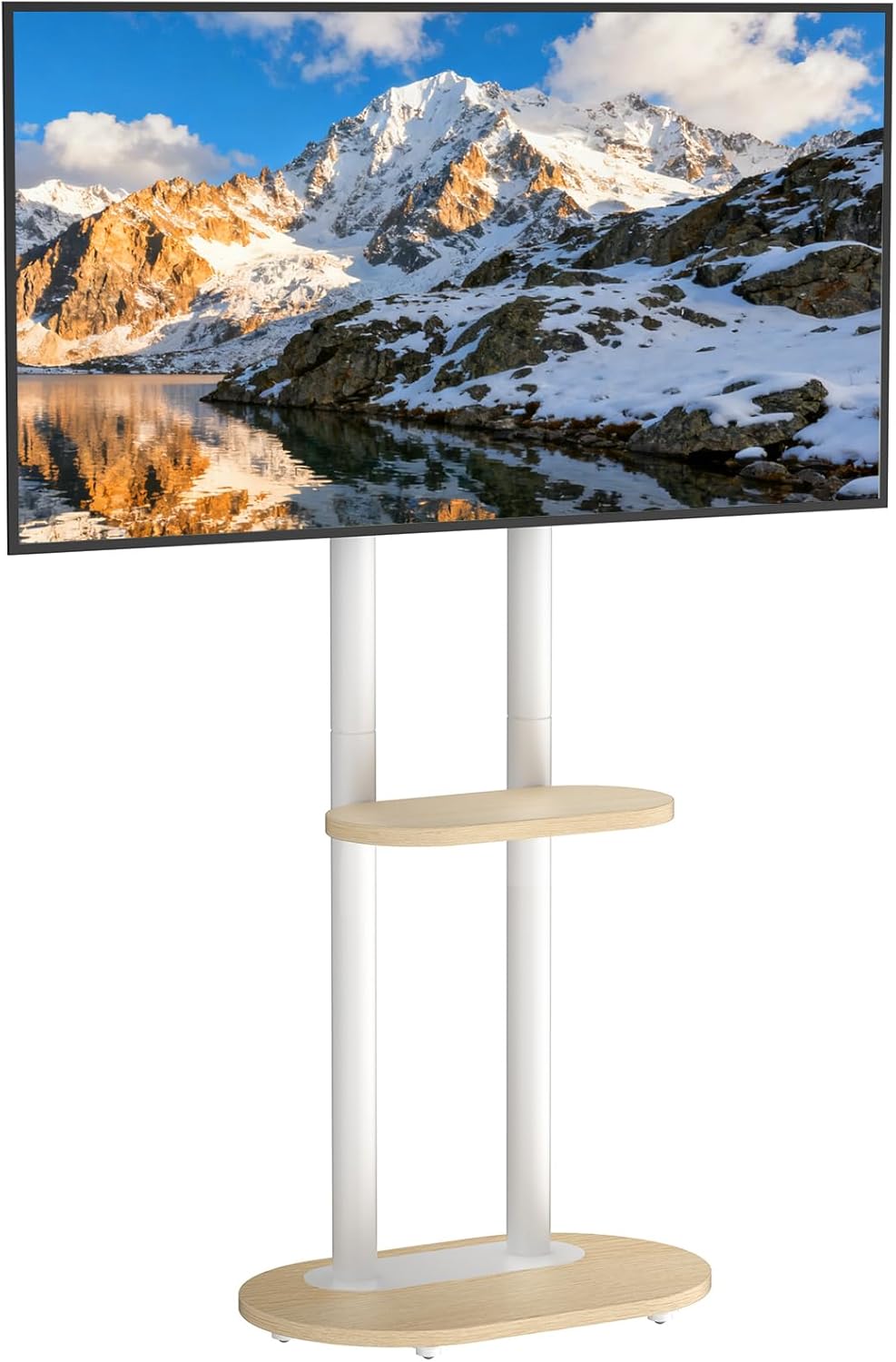
Image: Overview of the unho Rolling TV Stand with Mount, showing the complete product with a TV mounted.
Components:
- Base Plate (MDF)
- Support Rods (Steel, 50mm diameter)
- TV Mounting Bracket
- Mid-level Shelf
- Hidden Casters (6 units)
- Assembly Hardware (Screws, washers, Allen key, wrench)
- Cable Management Clips
Refer to the detailed parts diagram in the assembly section for specific hardware identification.
3. Setup and Assembly
Follow these steps carefully to assemble your unho Rolling TV Stand. It is recommended to have a second person assist during certain stages, especially when mounting the television.
3.1. Base Assembly
- Attach the support rods to the base plate using the provided screws and Allen key. Ensure they are securely fastened.
- Install the hidden casters into the designated holes on the underside of the base plate. Use the wrench to tighten them.

Image: Close-up view of the base assembly, showing the attachment of support rods and hidden wheels.
3.2. Shelf Installation
- Secure the mid-level shelf to the support rods at your desired height using the appropriate hardware.

Image: The mid-level shelf attached to the support rods, providing storage space.
3.3. TV Mounting Bracket Assembly
- Assemble the TV mounting bracket components according to the provided diagram. Ensure all screws are tightened.
- Attach the assembled bracket to the top of the support rods.

Image: Detailed view of the TV mounting bracket attached to the top of the stand's support poles.
3.4. Attaching the TV
- Carefully attach your television to the mounting bracket. Ensure the VESA holes align and use the correct screws and spacers for your TV model.
- Secure the TV to the bracket using the safety screws to prevent accidental dislodgement.

Image: A television securely mounted onto the unho TV stand, ready for use.
Assembly Video Guide:

Video: A detailed assembly guide for the unho Rolling TV Stand, demonstrating each step of the installation process.
4. Operating Instructions
4.1. Height Adjustment
The TV stand offers smooth height adjustment from 48.5 inches to 61.42 inches across three customizable positions. To adjust the height:
- Loosen the height adjustment screws on the support rods.
- Carefully raise or lower the TV to the desired viewing height.
- Securely tighten the height adjustment screws to lock the TV in place.

Image: The TV stand demonstrating its height adjustment capability, showing different possible viewing heights.
4.2. Mobility and Swivel
The stand is equipped with 6 hidden casters for effortless movement across various floor surfaces. The TV mount also allows for swivel functionality.
- To move the stand, gently push it to the desired location. Ensure the path is clear of obstacles.
- To swivel the TV, carefully rotate the television left or right on its mount to achieve the optimal viewing angle.

Video: A demonstration of the unho TV stand's mobility and swivel features, showcasing its flexibility in different room settings.
4.3. Cable Management
Utilize the provided cable management clips to keep cables organized and out of sight, contributing to a clean and tidy appearance.
- Attach the cable clips to the back of the support rods.
- Route your TV and device cables through the clips to keep them neatly bundled.
5. Maintenance
- Cleaning: Wipe the stand with a soft, damp cloth. Avoid using harsh chemicals or abrasive cleaners that could damage the finish.
- Fastener Check: Periodically inspect all screws and bolts to ensure they are tight. Retighten if necessary to maintain stability and safety.
- Caster Care: Keep the hidden casters free of dust and debris to ensure smooth movement.
6. Troubleshooting
| Problem | Possible Cause | Solution |
|---|---|---|
| Stand is unstable or wobbly. | Loose fasteners; uneven floor surface. | Check and tighten all screws and bolts. Move the stand to a level surface. |
| Difficulty moving the stand. | Casters are dirty or obstructed. | Clean debris from casters. Ensure casters are not locked (if applicable). |
| TV does not fit the mount. | Incompatible VESA pattern or TV size/weight. | Verify your TV's VESA pattern, size, and weight against the product specifications. |
| Height adjustment is difficult. | Adjustment screws are too tight or mechanism is stiff. | Loosen adjustment screws sufficiently. Apply a small amount of silicone lubricant if mechanism is stiff. |
7. Specifications
| Feature | Detail |
|---|---|
| Brand | unho |
| Model Number | FRFU-Z1968-WT |
| Compatible TV Sizes | 40-75 inches |
| Maximum Load Capacity | 60kg (132lb) |
| VESA Compatibility | 200x200 / 300x200 / 400x200 / 400x300 / 400x400 / 600x400mm |
| Height Adjustment Range | 48.5" to 61.42" (3 positions) |
| Movement Type | Manual movement (Rolling casters, Swivel) |
| Material | Iron + Wood (MDF base, steel support rods) |
| Product Dimensions | 24 x 15 x 62 inches (approximate, varies with height adjustment) |
| Item Weight | 19 pounds |

Image: Technical drawing showing dimensions, VESA compatibility, and maximum TV capacity.
8. Warranty Information
This unho product is covered by a standard manufacturer's warranty against defects in materials and workmanship. Please refer to your purchase documentation or contact customer support for specific warranty terms and conditions applicable to your region.
Keep your proof of purchase for warranty claims.
9. Customer Support
If you have any questions, require assistance with assembly, or encounter any issues with your unho Rolling TV Stand, please contact our customer support team.
- For the fastest service, please have your model number (FRFU-Z1968-WT) and purchase details ready.
- You may also visit the official unho store on Amazon for additional product information and FAQs: unho Store