1. Introduction
The Portronics Apollo 30 is a 30W wireless Bluetooth portable speaker designed for high-definition audio playback and karaoke functionality. It features a wireless microphone, RGB LED lighting, and a robust battery for extended playtime. This manual provides detailed instructions to help you maximize your experience with the Apollo 30 speaker.

Image: The Portronics Apollo 30 speaker, showcasing its integrated RGB lighting and accompanying wireless microphone.
2. Package Contents
Please verify that all items listed below are included in your package:
- 1 x Portronics Apollo 30 Party Speaker
- 1 x Wireless Karaoke Microphone
- 1 x USB Type-C Charging Cable
- 1 x AUX Cable
- 1 x User Manual
3. Setup Guide
3.1 Charging the Speaker
- Locate the Type-C charging port on the speaker.
- Connect the provided Type-C charging cable to the speaker and a compatible USB power adapter (not included).
- The LED indicator will show charging status. A full charge typically takes approximately 3-4 hours.
- Disconnect the charging cable once fully charged to preserve battery life.

Image: Speaker highlighting the Type-C fast charging port and echo control functionality.
3.2 Powering On/Off
- To power on, press and hold the power button located on the top panel of the speaker until the LED lights illuminate.
- To power off, press and hold the power button again until the LED lights turn off.

Image: Detailed view of the speaker's control panel, including the power button and other function keys.
3.3 Initial Bluetooth Pairing
- Ensure the speaker is powered on and in Bluetooth pairing mode (indicated by a flashing LED).
- On your device (smartphone, tablet, laptop), navigate to the Bluetooth settings.
- Search for available devices and select "Portronics Apollo 30" from the list.
- Once paired, the speaker will emit an audible confirmation, and the LED indicator will become solid.

Image: The speaker demonstrating seamless Bluetooth 5.4 pairing with a mobile device.
4. Operating Instructions
4.1 Audio Playback
- Bluetooth Mode: After successful pairing, play audio from your connected device. Use the speaker's volume controls or your device's volume controls to adjust the sound level.
- USB Playback: Insert a USB drive containing audio files into the USB port. The speaker will automatically detect and begin playing music.
- AUX Mode: Connect an audio source using the provided AUX cable to the AUX input port. The speaker will switch to AUX mode.
4.2 Using the Wireless Karaoke Microphone
- Power On Mic: Press and hold the power button on the microphone to turn it on. It will automatically connect to the Apollo 30 speaker.
- Volume Control: Use the '+' and '-' buttons on the microphone to adjust its volume independently.
- Echo Control: The speaker features an Echo Control function. Use the dedicated echo control buttons on the speaker's top panel to add or reduce echo effects to your vocals.
- Voice Changer: The microphone may include a voice changer feature. Refer to the microphone's specific instructions for activation and use.
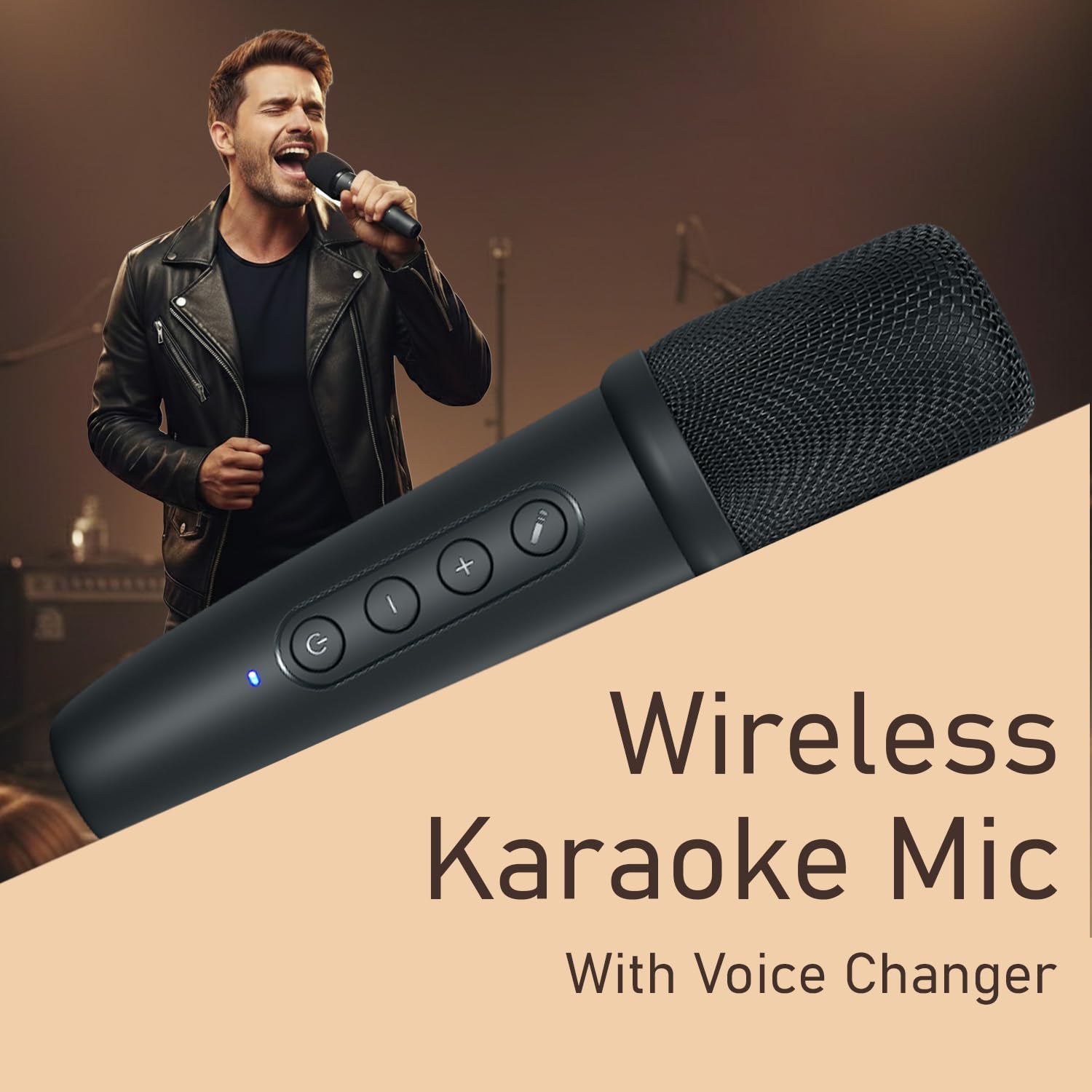
Image: A user demonstrating the wireless karaoke microphone in use.
4.3 RGB LED Light Control
- The Apollo 30 features dynamic RGB LED lights.
- Use the dedicated light control button on the speaker's top panel to cycle through different lighting modes or to turn the lights off.
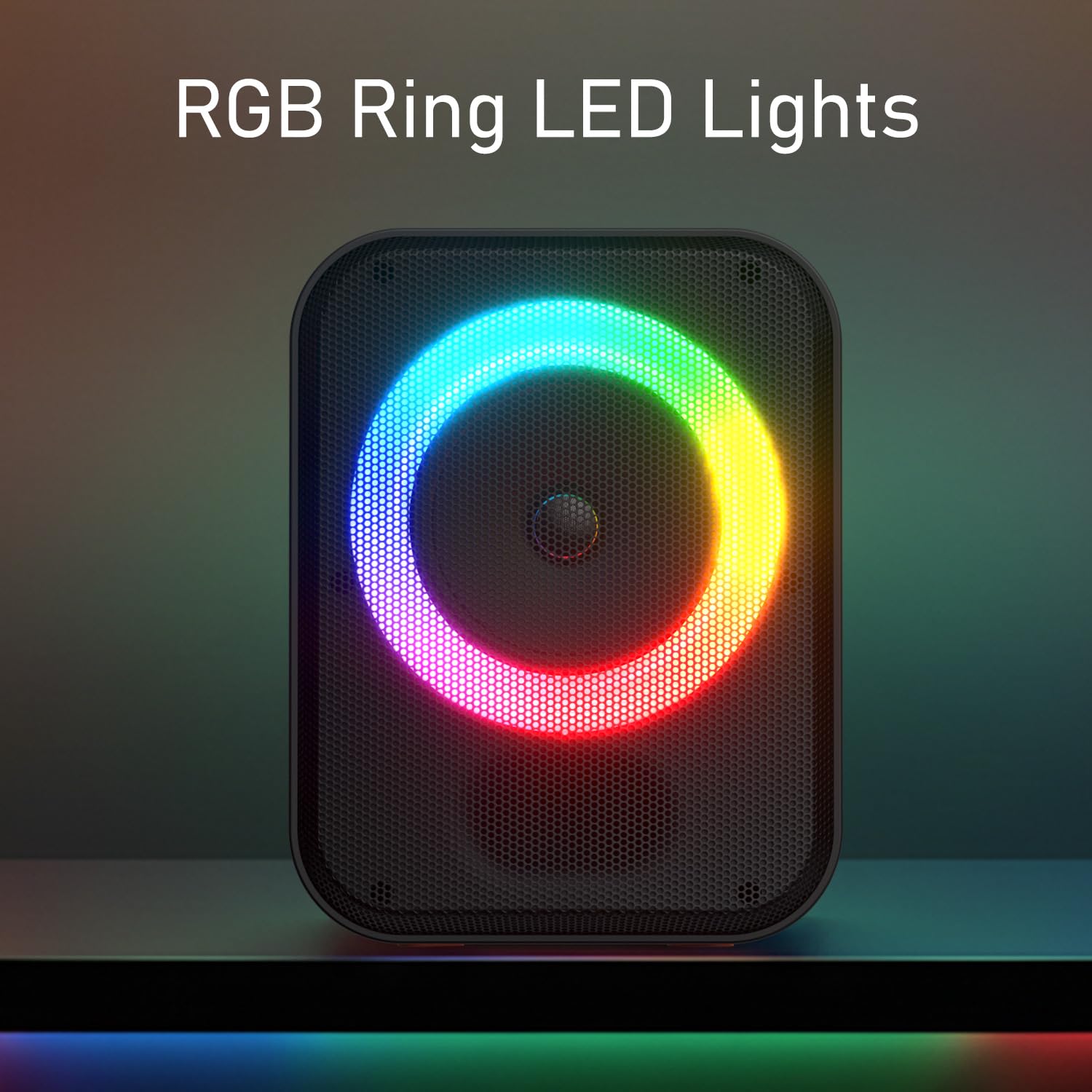
Image: The speaker displaying its vibrant RGB ring LED lights.
5. Maintenance
- Cleaning: Use a soft, dry cloth to clean the speaker's exterior. Avoid using abrasive cleaners or solvents.
- Storage: Store the speaker in a cool, dry place away from direct sunlight and extreme temperatures.
- Battery Care: To prolong battery life, avoid fully discharging the speaker frequently. Charge it regularly, even if not in use for extended periods.
6. Troubleshooting
| Problem | Possible Cause | Solution |
|---|---|---|
| Speaker does not power on. | Low battery or no charge. | Charge the speaker using the provided Type-C cable. |
| No sound from speaker. | Volume too low, incorrect input mode, or device not paired. | Increase volume on both speaker and connected device. Ensure correct input mode (Bluetooth, USB, AUX). Re-pair Bluetooth device. |
| Bluetooth pairing fails. | Speaker not in pairing mode, device too far, or interference. | Ensure speaker is in pairing mode. Move device closer to speaker. Turn off other Bluetooth devices. Forget "Portronics Apollo 30" on your device and try pairing again. |
| Microphone not working. | Microphone not powered on, low battery, or out of range. | Ensure microphone is powered on and charged. Move microphone closer to the speaker. |
| RGB lights not working. | Lights turned off or specific mode selected. | Press the light control button to cycle through modes or turn them on. |
7. Specifications
| Feature | Detail |
|---|---|
| Model Name | Apollo 30 |
| Model Number | POR-2737 |
| Output Wattage | 30 Watts |
| Connectivity Technology | Bluetooth V5.4 |
| Compatible Devices | Laptop, Smartphone, Tablet |
| Audio Input | Wireless Microphone, USB, AUX |
| Special Features | 30W HD Bluetooth Speaker, ECHO Control, Type C Fast Charging, Wireless Karaoke Mic, RGB LED Light |
| Battery Type | Lithium Polymer (Included) |
| Playtime | Up to 5 hours |
| Charging Port | Type-C |
| Material | ABS Plastic |
| Product Dimensions | 26.5 x 18 x 15 cm |
| Item Weight | 1 kg |
| Country of Origin | India |
8. Warranty and Support
For warranty information, technical support, or any product-related inquiries, please contact Portronics customer service.
- Email: help@portronics.com
- Phone: +91 9555-245-245
- Manufacturer Address: Portronics Digital Pvt ltd, First Floor Property No D 8 Upper Basement Sector 8 Noida Uttar Pradesh 201301, India.
Please retain your purchase receipt for warranty claims.


