
1. Introduction
This manual provides essential information for the safe and efficient operation of your Coocaa 55Y74 Pro QLED Ultra Smart Google TV. Please read this manual thoroughly before using the product and retain it for future reference. Your Coocaa TV features a durable A+ Grade QLED panel and an ultra-bright screen designed for optimal picture quality.
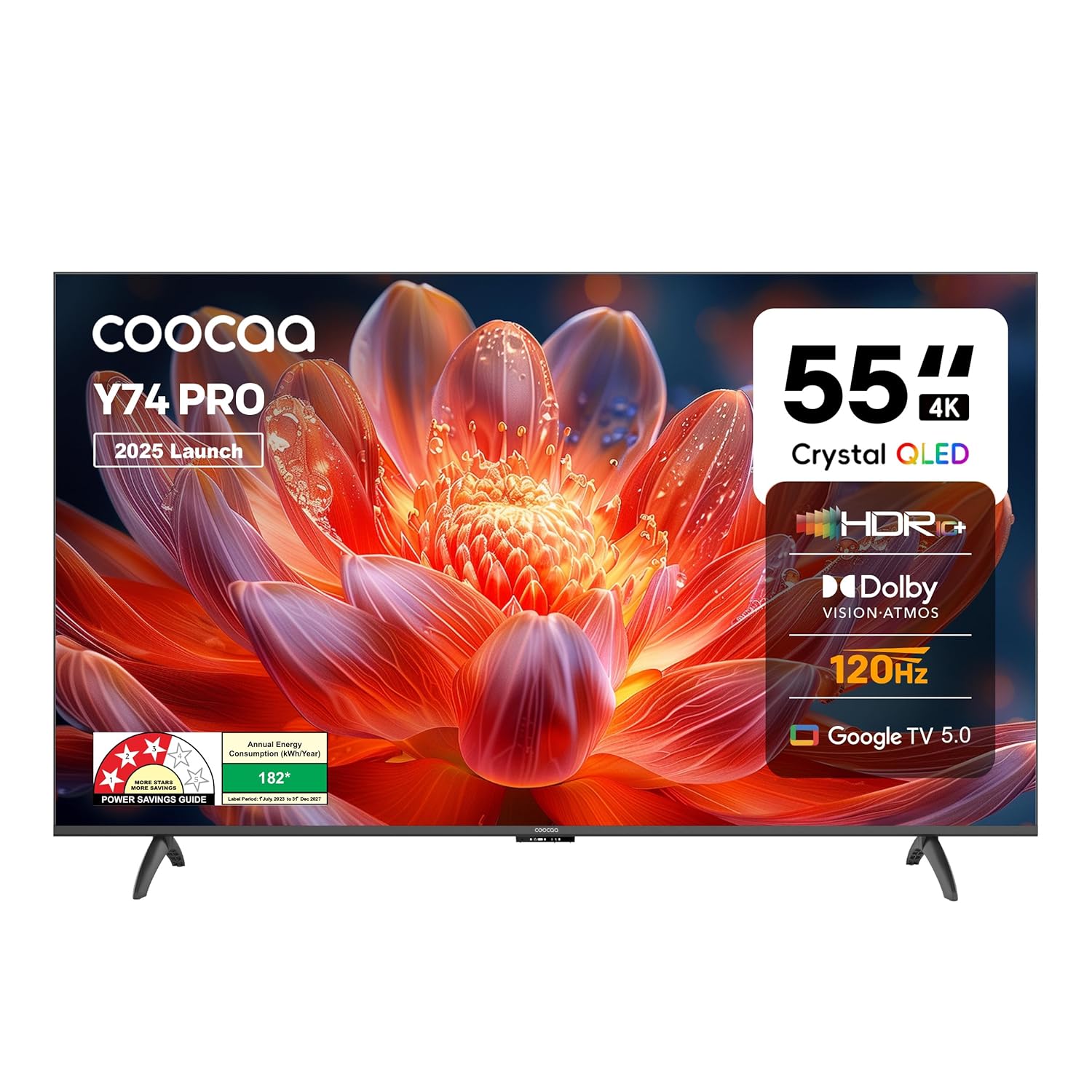
Figure 1.1: Front view of the Coocaa 55Y74 Pro QLED Ultra Smart Google TV.
2. Safety Information
Observe the following safety precautions to prevent damage and ensure safe operation:
- Do not expose the TV to rain or moisture.
- Do not block ventilation openings.
- Ensure proper grounding for the power cord.
- Avoid placing the TV on unstable surfaces.
- Disconnect the power cord during lightning storms or when unused for long periods.
- Refer all servicing to qualified service personnel.
3. What's in the Box
Verify that all components are present in the packaging:
- TV Unit (1N)
- Stand Bases (2N)
- Quick Start Guide (1N)
- Warranty Card (1N)
- Remote Control (1N)
- AAA Batteries (2N)
- Power Cord (1N)
- Screws (4N)
- AV Converting Cable (1N)

Figure 3.1: Contents included with your Coocaa 55Y74 Pro TV.
4. Setup
4.1 Unpacking
Carefully remove the TV and all accessories from the packaging. It is recommended to retain the packaging for future transport or service needs.
4.2 Stand Installation
If placing the TV on a table, attach the two stand bases to the bottom of the TV using the provided screws. Ensure the stands are securely fastened.
4.3 Wall Mounting
The Coocaa 55Y74 Pro supports wall mounting. A compatible VESA wall mount kit (not included) is required. Follow the instructions provided with your wall mount kit and ensure professional installation for safety.
4.4 Connecting Peripherals
Connect your devices to the TV using the available ports:
- HDMI Ports: Connect set-top boxes, Blu-ray players, gaming consoles, or other HDMI-enabled devices. The TV features 3 HDMI ports, including HDMI 2.1 with eARC support.
- USB Ports: Connect USB storage devices for media playback. The TV has 2 USB 2.0 ports.
- Digital Audio Out: For connecting to external audio systems.
- LAN Port: For a wired internet connection.
- AV Input: For older devices using composite video and stereo audio.
- Satellite Port: For satellite signal input.

Figure 4.1: Available connectivity ports on the Coocaa 55Y74 Pro TV.
4.5 Power Connection
Connect the power cord to the TV's power input and then to a suitable electrical outlet. The TV operates on 240 Volts AC.
5. Operating
5.1 First Time Setup
Upon first power-on, the TV will guide you through the initial setup process, including language selection, network connection (Wi-Fi or Ethernet), and Google account sign-in for Google TV features.
5.2 Remote Control
Insert the two AAA batteries into the remote control. The remote features dedicated buttons for popular streaming services like Netflix and Prime Video, a navigation key, and a voice assistant button for Google Assistant.

Figure 5.1: The Coocaa TV remote control.
5.3 Basic Functions
- Power: Press the power button on the remote to turn the TV on or off.
- Volume: Use the volume up/down buttons to adjust audio levels.
- Input Selection: Use the input button to switch between connected devices (HDMI, AV, etc.).
5.4 Smart TV Features (Google TV)
Your Coocaa TV runs on Google TV, providing access to a wide range of applications and features:
- App Access: Download and use apps like Netflix, YouTube, Prime Video, Zee5, and Sony LIV from the Google Play Store.
- Google Assistant: Use voice commands via the remote control for search, control, and information.
- Chromecast Built-in: Cast content from compatible mobile devices directly to your TV.
- Display Mirroring: Mirror the screen of compatible devices to the TV.
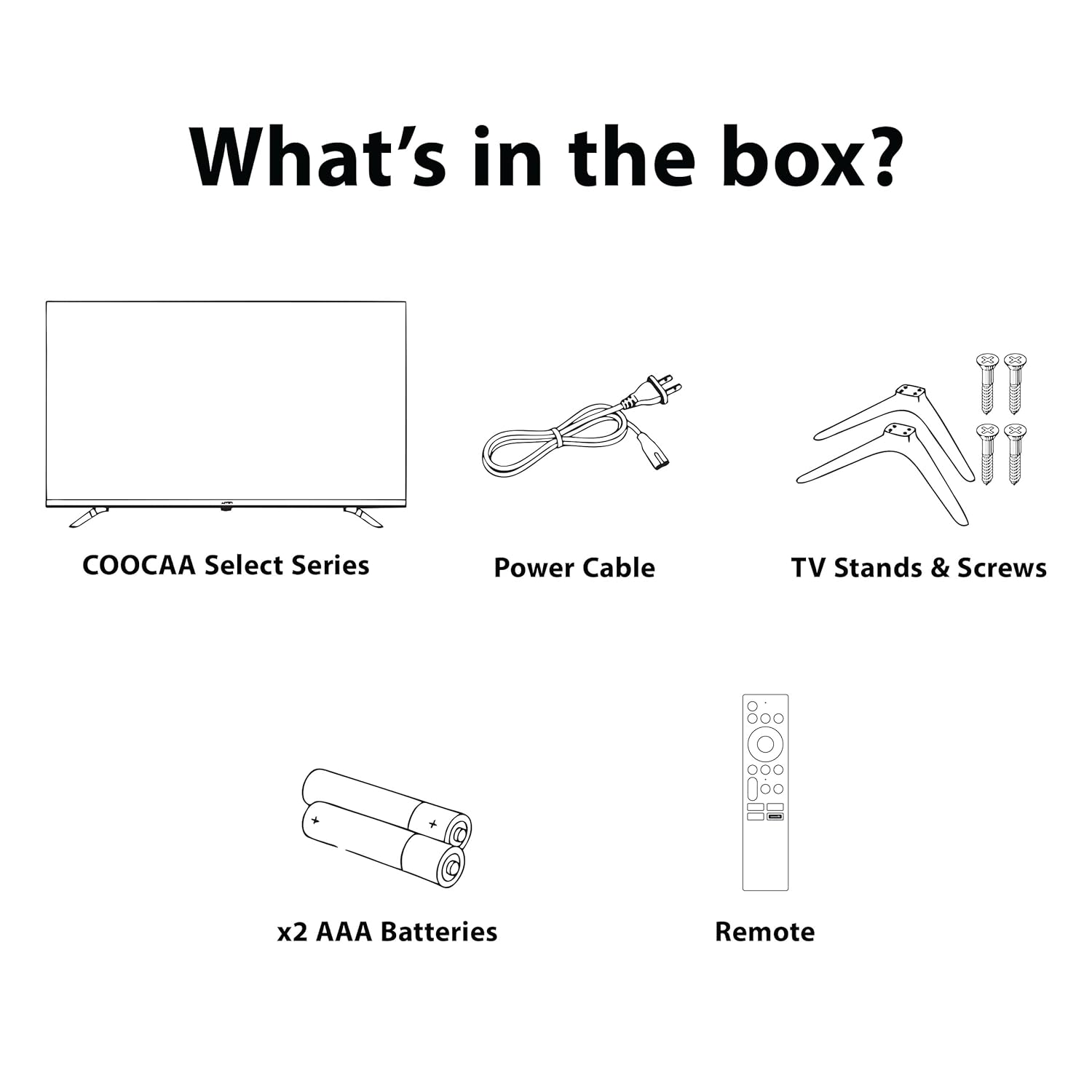
Figure 5.2: Key smart features of the Coocaa 55Y74 Pro TV.
6. Maintenance
6.1 Cleaning
- Screen: Gently wipe the screen with a soft, lint-free cloth. For stubborn marks, use a screen cleaner specifically designed for TVs, applied to the cloth, not directly to the screen.
- TV Body: Wipe the TV frame and back panel with a soft, dry cloth. Avoid abrasive cleaners or solvents.
6.2 Software Updates
Your TV may receive software updates to improve performance and add new features. Ensure your TV is connected to the internet. You can usually check for updates in the TV's settings menu under 'System' or 'About'.
6.3 Storage
If storing the TV for an extended period, disconnect it from power, remove batteries from the remote, and store it in a cool, dry place, preferably in its original packaging.
7. Troubleshooting
Refer to the following table for common issues and their solutions:
| Problem | Possible Cause | Solution |
|---|---|---|
| No power | Power cord disconnected; Power outlet issue | Check power cord connection; Test power outlet with another device. |
| No picture, but sound is present | Incorrect input source; Loose HDMI/AV cable | Select correct input source; Reconnect cables securely. |
| No sound, but picture is present | Volume muted or too low; External audio system issue | Unmute volume or increase level; Check external audio connections. |
| Remote control not working | Dead batteries; Obstruction; Remote not paired | Replace batteries; Remove obstructions; Re-pair Bluetooth remote (refer to TV settings). |
| Wi-Fi connection issues | Incorrect password; Router issue; Signal interference | Verify Wi-Fi password; Restart router; Move TV closer to router or use wired connection. |
If the problem persists after attempting these solutions, please contact customer support.
8. Specifications
Key technical specifications for the Coocaa 55Y74 Pro QLED Ultra Smart Google TV:
| Feature | Specification |
|---|---|
| Model | 55Y74 Pro |
| Screen Size | 55 Inches (138 cm) |
| Display Technology | QLED, A+ Display Type |
| Resolution | 4K UHD (3840 x 2160 Pixels) |
| Refresh Rate | HSR 120 Hz |
| Operating System | Google TV |
| Processor | A55 Chip |
| Graphics Coprocessor | Mali G52 MC1 |
| RAM Memory | 2 GB |
| Storage Capacity | 32 GB |
| Audio Output | 30 Watts, Dolby Atmos, 2.0 Sound Channel |
| Connectivity | 3 HDMI ports (1x HDMI 2.1 eARC), 2 USB 2.0 ports, Ethernet, Wi-Fi (Dual band), Bluetooth |
| Special Features | Chromecast, Google Voice Assistant, Display Mirroring, Eye Care (Flicker Free, Night Mode, Automatic Brightness) |
| Product Dimensions (LxWxH) | 122.6 x 7.9 x 72 cm |
| Item Weight | 9.4 kg |
| Power Source | AC 240 Volts |
| Wattage | 120 Watts |

Figure 8.1: Dimensions of the Coocaa 55Y74 Pro TV.
9. Warranty and Support
9.1 Warranty Information
Your Coocaa 55Y74 Pro QLED Ultra Smart Google TV comes with a 1-year warranty provided by the brand from the date of purchase. To avail warranty services, please retain your purchase invoice and the warranty card.
9.2 Customer Support
For further assistance, technical support, or to access the latest user manual, please visit the official Coocaa brand website. Contact details for customer service can typically be found on the warranty card or the brand's website.


