
1. Introduction
The DOOGEE BoneBeat Swim Lite IP68 waterproof bone conduction headphones are designed for comfort and versatility. Featuring Bluetooth and MP3 dual modes, an open-ear design, and extended playtime, these headphones deliver sound for various activities, including swimming, fitness, and outdoor use.
Key features include:
- Bone Conduction Technology: Delivers audio through your cheekbones, keeping your ears open to ambient sounds for situational awareness.
- IP68 Waterproof Rating: Suitable for use in water, including swimming, running, cycling, and other outdoor sports.
- Bluetooth 5.4 & MP3 Dual Modes: Offers wireless music streaming via Bluetooth or direct playback from internal storage.
- Open-Ear Design: Provides a lightweight, secure fit for comfort during extended wear.

Image 1.1: DOOGEE BoneBeat Swim Lite headphones in blue, shown partially submerged in water. The image highlights key features such as IP68 waterproof, Bluetooth+MP3 dual modes, open-ear design, and 10-hour battery life.
2. Package Contents
Verify that all items are present in the package:
- 1 x BoneBeat Swim Lite Headphones
- 1 x Magnetic Charging Cable
- 1 x Silicone Swimming Earplugs
- 1 x Sponge Swimming Earplugs
- 1 x Elastic Band
- 1 x Storage Pouch
- 1 x User Manual
- 1 x Service Card

Image 2.1: All items included in the BoneBeat Swim Lite package, laid out next to the product box.
3. Setup
3.1 Charging the Headphones
- Connect the magnetic charging cable to the charging port on the headphones.
- Plug the other end of the cable into a USB power adapter (not included) or a computer's USB port.
- The LED indicator on the headphones will show the charging status. A full charge typically takes approximately 1.5-2 hours.
- A 10-minute charge can provide up to 2 hours of music playback.
3.2 Powering On/Off
- To Power On: Press and hold the Power button for 3 seconds until the LED indicator flashes.
- To Power Off: Press and hold the Power button for 5 seconds until the LED indicator turns off.
3.3 Bluetooth Pairing
- Ensure the headphones are powered off.
- Press and hold the Power button for 5-7 seconds until the LED indicator flashes red and blue alternately, indicating pairing mode.
- On your device (smartphone, tablet, etc.), enable Bluetooth and search for available devices.
- Select "BoneBeat Swim Lite" from the list of devices.
- Once connected, the LED indicator will flash blue periodically.
3.4 MP3 Mode and Music Transfer
The headphones feature 32GB of internal storage for MP3 playback, allowing you to store approximately 8,000 songs.
- Connect the headphones to your computer using the magnetic charging cable.
- The headphones will appear as a removable disk drive on your computer.
- Drag and drop your MP3 audio files into the headphones' storage folder.
- Safely eject the headphones from your computer before disconnecting the cable.

Image 3.1: Illustration of Bluetooth and MP3 dual modes, showing 32GB storage for approximately 8,000 songs. It also notes that MP3 mode is recommended for underwater use as Bluetooth signals do not transmit through water.
4. Operating Instructions
4.1 Wearing the Headphones
Place the headphones with the transducers resting on your cheekbones, just in front of your ears. The band should wrap around the back of your head. Adjust for a comfortable and secure fit.
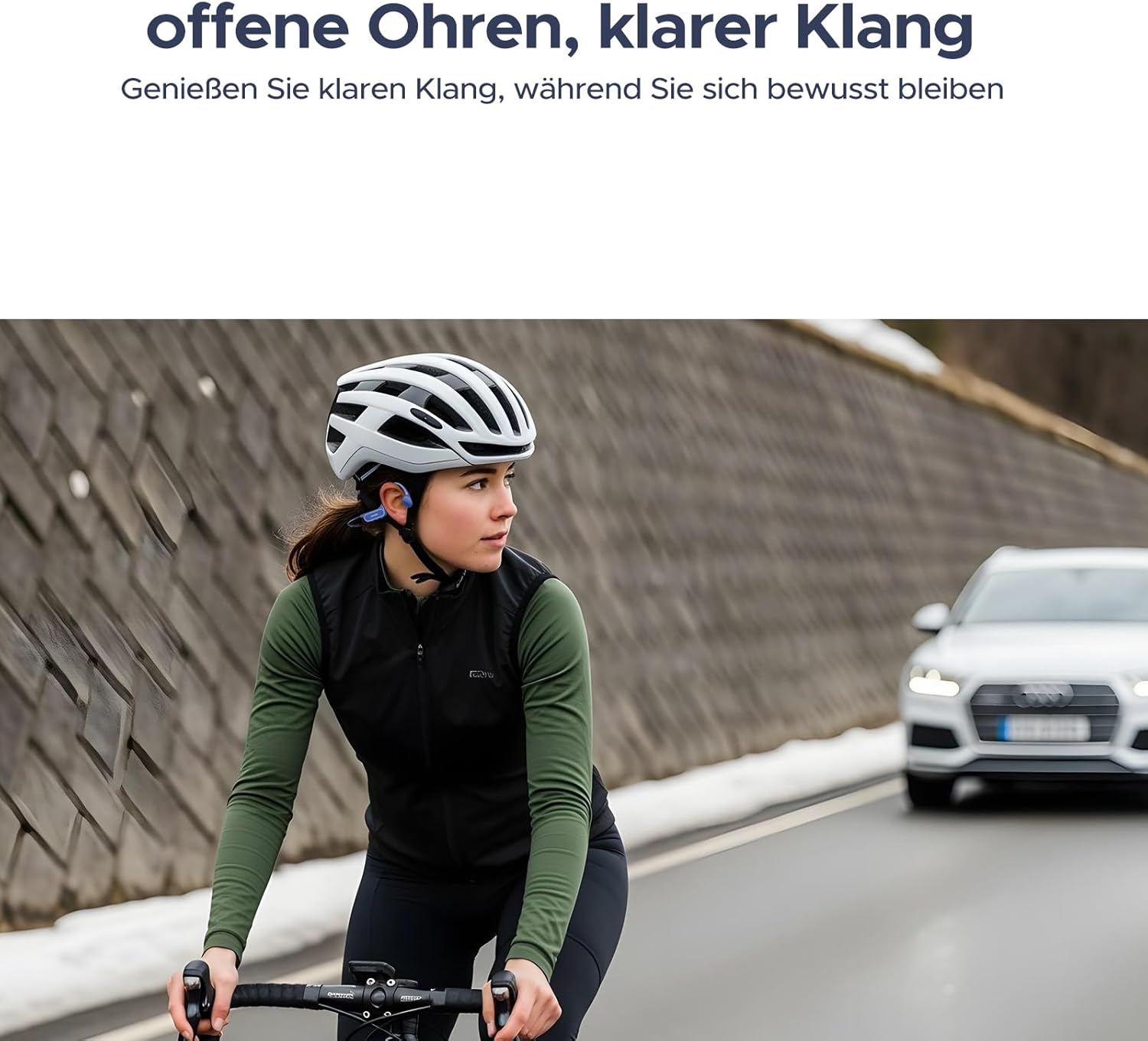
Image 4.1: A person cycling with the headphones, illustrating the open-ear design that allows for environmental awareness.
4.2 Switching Between Bluetooth and MP3 Modes
Press the Mode button (usually combined with the Power button or a dedicated button) to switch between Bluetooth and MP3 playback modes. An audible prompt will indicate the current mode.
Note: For underwater use, always switch to MP3 mode. Bluetooth signals do not transmit effectively through water.

Image 4.2: A person swimming while wearing the BoneBeat Swim Lite headphones, highlighting their IP68 waterproof rating and dual-seal protection for depths up to 2 meters.
4.3 Basic Controls
- Play/Pause: Press the Play/Pause button once.
- Volume Up: Press the Volume + button.
- Volume Down: Press the Volume - button.
- Next Track: Press and hold the Volume + button (or a dedicated button, refer to product diagram).
- Previous Track: Press and hold the Volume - button (or a dedicated button, refer to product diagram).
- Answer/End Call: Press the Play/Pause button once during an incoming call.
- Reject Call: Press and hold the Play/Pause button during an incoming call.
5. Maintenance
5.1 Cleaning
- After use, especially after swimming or heavy sweating, rinse the headphones with clean fresh water.
- Wipe the headphones dry with a soft, clean cloth.
- Do not use abrasive cleaners or harsh chemicals, as these can damage the waterproof seals and materials.
- Ensure the charging port is dry before connecting the charging cable.
5.2 Storage
- Store the headphones in the provided storage pouch when not in use to protect them from dust and scratches.
- Avoid storing in extreme temperatures (hot or cold) or in direct sunlight for prolonged periods.
5.3 Battery Care
- Charge the headphones regularly, even if not used frequently, to maintain battery health.
- Avoid completely draining the battery before recharging.
6. Troubleshooting
- Headphones will not power on: Ensure the battery is charged. Connect to the charging cable and try again after a few minutes.
- Cannot pair via Bluetooth:
- Ensure the headphones are in pairing mode (LED flashing red and blue).
- Make sure Bluetooth is enabled on your device and it is within range.
- Forget the device from your phone's Bluetooth list and try pairing again.
- No sound or low sound:
- Adjust the volume on both the headphones and your connected device.
- Ensure the headphones are correctly placed on your cheekbones.
- If in MP3 mode, ensure music files are properly loaded and not corrupted.
- Sound quality issues underwater: Ensure you are in MP3 mode. Bluetooth signals do not transmit well through water.
- Charging issues: Ensure the magnetic cable is securely connected and the USB power source is functional. Clean the charging contacts if necessary.
7. Specifications
| Brand | DOOGEE |
| Model Number | BONEBETAIRSWIM |
| Color | Black |
| Form Factor | Behind-the-neck, Open-ear |
| Connectivity Technology | Bluetooth 5.4, MP3 (Internal Storage) |
| Audio Driver Type | Bone Conduction Driver |
| Water Resistance Level | IP68 (Waterproof up to 2m) |
| Internal Storage | 32GB (approx. 8,000 songs) |
| Battery Life (Bluetooth Mode) | Up to 10 hours |
| Battery Life (MP3 Mode) | Up to 6 hours |
| Enclosure Material | Silicone + Memory Wire |
| Specific Uses | Sport (Cycling, Exercising, Running, Swimming) |
| Compatible Devices | Bluetooth-enabled Devices |
| Age Range Description | Adult, Teen |

Image 7.1: Battery life details, indicating 10 hours in Bluetooth mode and 6 hours in MP3 mode. Testing conditions are noted as 75% volume for Bluetooth and 100% volume for MP3.
8. Warranty and Support
8.1 Warranty Information
The DOOGEE BoneBeat Swim Lite headphones come with a 1-year manufacturer's warranty from the date of purchase. This warranty covers defects in materials and workmanship under normal use. It does not cover damage caused by misuse, accidents, unauthorized modifications, or normal wear and tear.
Please retain your proof of purchase for warranty claims.
8.2 Customer Support
For technical assistance, warranty claims, or any questions regarding your DOOGEE BoneBeat Swim Lite headphones, please contact DOOGEE customer support through the official website or the contact information provided on your service card.
Please visit the official DOOGEE website for the most up-to-date support information.
