
Introduction
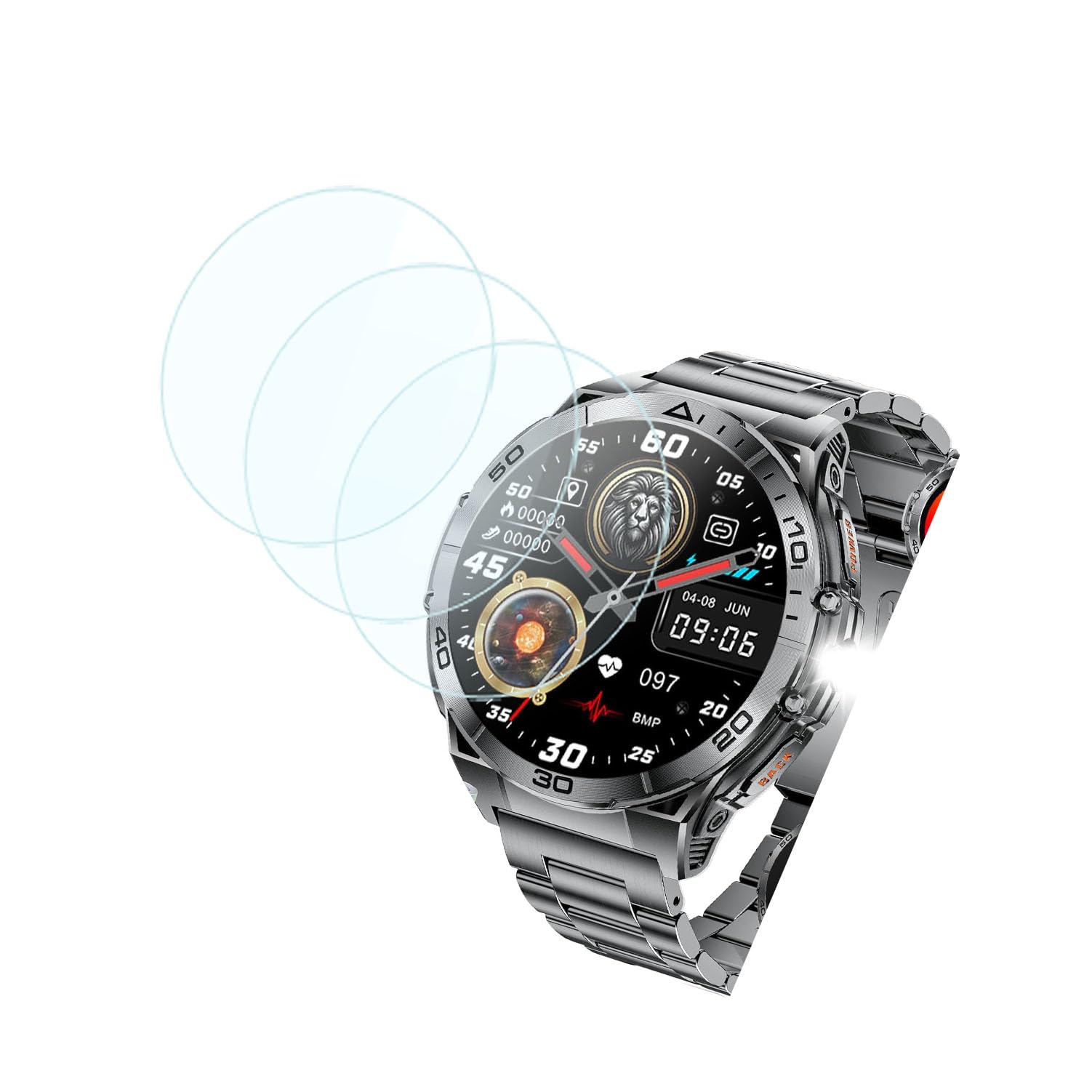
This manual provides comprehensive instructions for the proper installation and care of your Futanwei Tempered Glass Screen Protector. Designed specifically for the SUNKTA EF16 and TIMU S50 Smart Watches, this protector offers advanced defense against scratches, impacts, and smudges, ensuring the longevity and clarity of your device's display.
Product Features
- 9H Hardness: Provides superior resistance against scratches and daily wear.
- Oleophobic and Hydrophobic Coating: Repels sweat and oil residue, reducing fingerprints and smudges.
- Ultra HD Clarity: Maintains 99.9% light transmission for original photo and video quality.
- High Touch Sensitivity: Ensures responsive and accurate touch screen interaction.
- Bubble-Free Installation: Designed for easy application without air bubbles.
- Precision Cut: Custom-fit to the exact dimensions of your smartwatch screen for seamless integration.


Installation Guide
Follow these steps carefully for a successful, bubble-free installation of your screen protector.
- Prepare Your Workspace: Ensure you are in a clean, dust-free environment. Wash your hands thoroughly to avoid transferring oils to the screen or protector.
- Clean the Smart Watch Screen:
- Use the provided alcohol wipe to thoroughly clean the smartwatch screen, removing all dirt, oil, and smudges.
- Immediately follow with the microfiber cloth to dry the screen completely and remove any streaks.
- Use the dust-absorber sticker to pick up any remaining dust particles. Ensure the screen is perfectly clean and dry before proceeding.
- Align the Screen Protector:
- Carefully peel off the protective film from the adhesive side of the tempered glass (usually marked "1" or with a tab). Avoid touching the adhesive surface.
- Align the screen protector precisely with the edges and cutouts of your smartwatch screen. Take your time to ensure perfect alignment.
- Apply the Protector:
- Once aligned, gently lower the screen protector onto the smartwatch screen. The adhesive will begin to spread automatically.
- If bubbles appear, gently press them towards the edges of the screen using the microfiber cloth or a soft card. Small bubbles should disappear within 24-48 hours.


Maintenance and Care
To maintain the clarity and effectiveness of your screen protector, follow these simple care guidelines:
- Regular Cleaning: Use a soft, lint-free microfiber cloth to gently wipe the screen protector. For stubborn smudges, slightly dampen the cloth with water or a screen cleaner specifically designed for electronics.
- Avoid Harsh Chemicals: Do not use abrasive cleaners, alcohol (other than the initial cleaning wipe), or solvents, as these can damage the oleophobic coating.
- Protect from Sharp Objects: While the protector is 9H hard, extreme force or very sharp objects can still cause damage. Avoid placing your smartwatch face down on rough surfaces or with keys/coins.
Troubleshooting
Here are solutions to common issues you might encounter during or after installation:
- Bubbles After Installation:
- Small Bubbles: Most small bubbles will naturally disappear within 24-48 hours as the adhesive settles.
- Large Bubbles/Dust Particles: If a large bubble persists or you see a dust particle, gently lift the nearest corner of the protector with a fingernail or a thin card. Use a dust-absorber sticker to remove the dust, then re-apply the protector slowly.
- Misalignment: If the protector is significantly misaligned, gently lift it from one corner and re-align it carefully. Avoid excessive force to prevent damage.
- Edges Not Sticking: Ensure the screen was thoroughly cleaned and dry before application. If edges still don't adhere, gently press them down for a few seconds. Extreme cases might indicate a faulty protector or an incompatible screen curvature.
Specifications
| Feature | Detail |
|---|---|
| Compatible Models | SUNKTA EF16 Smart Watch, TIMU S50 Smart Watch |
| Material | Tempered Glass |
| Item Hardness | 9H |
| Clarity | 99.9% (Ultra HD) |
| Special Features | Oleophobic, Hydrophobic, Anti-Scratch, Bubble Free, High Transparency, Touch Sensitive |
| Product Dimensions | 3"L x 2"W (Approximate protector size) |
| Number of Items | 3 Count |
Warranty and Support
Information regarding product warranty and customer support was not available in the provided product data. Please refer to the product packaging or the seller's official website for details on warranty coverage and how to contact support for further assistance.