
1. Introduction
Thank you for choosing the KOIPSSE AI Smart Camera Glasses V03-T6. These innovative glasses combine advanced camera technology with AI features for seamless video recording, photography, real-time translation, and voice assistance. Designed for both indoor and outdoor use, they offer a hands-free experience for capturing moments and staying connected.

Figure 1: KOIPSSE AI Smart Camera Glasses V03-T6 (Sunglasses variant)
2. What's in the Box
Ensure all items are present in your package:
- Smart Glasses (V03-T6)
- Charging Cable
- Instructions Manual
- Spare Lenses
- Glasses Cleaning Cloth
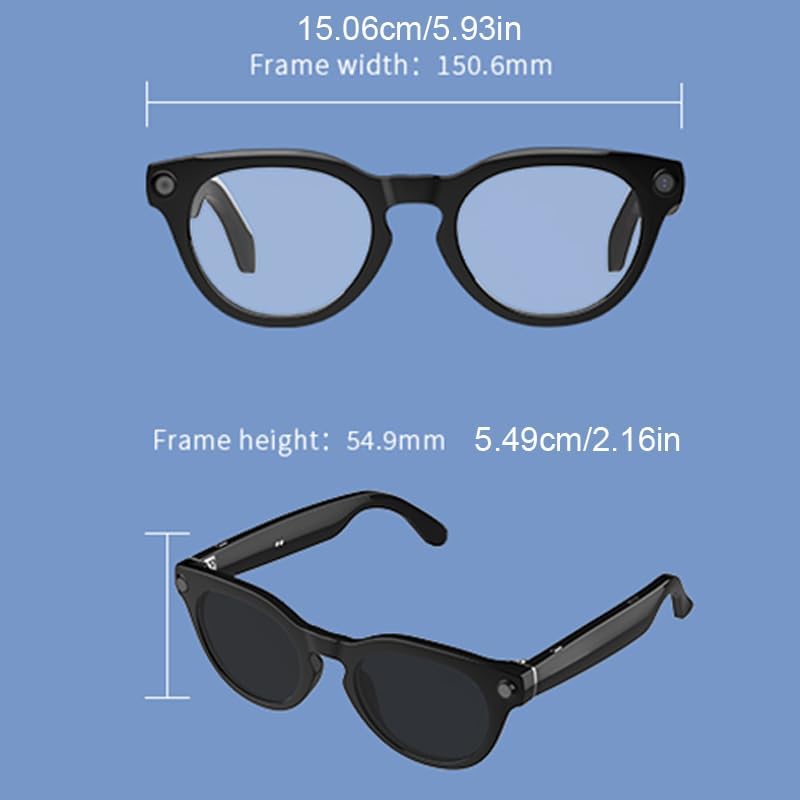
Figure 2: Smart Glasses with clear lenses and included charging cable.
3. Setup
3.1 Initial Charging
Before first use, fully charge your smart glasses using the provided charging cable. Connect the charging cable to the glasses and a compatible USB power source. The indicator light will show charging status.
3.2 Lens Replacement
The V03-T6 glasses allow for lens replacement. To replace lenses, carefully remove the existing lenses and insert the new ones from the inside of the temple. Ensure the left and right lenses are not installed in reverse. Use the provided cleaning cloth to handle lenses and avoid injury.
Video 1: Tutorial on how to replace the lenses on your V03-T6 Smart Camera Glasses.
3.3 App Download and Device Pairing
To unlock the full functionality of your smart glasses, download the companion app. Scan the QR code in the instruction manual or search for "HeyCyan" in your device's app store (Apple Store or Google Play). Once installed, open the app and follow the on-screen instructions to pair your glasses via Bluetooth. Ensure Bluetooth is enabled on your smartphone.
Video 2: Step-by-step guide on connecting your V03-T6 Smart Camera Glasses to your mobile phone via the HeyCyan app.
4. Operating Instructions
4.1 Camera and Video Recording
The glasses feature an 8MP camera for photos and 1200P HD video recording. Use the integrated buttons on the temples to capture media. The app provides a tutorial for specific button functions.
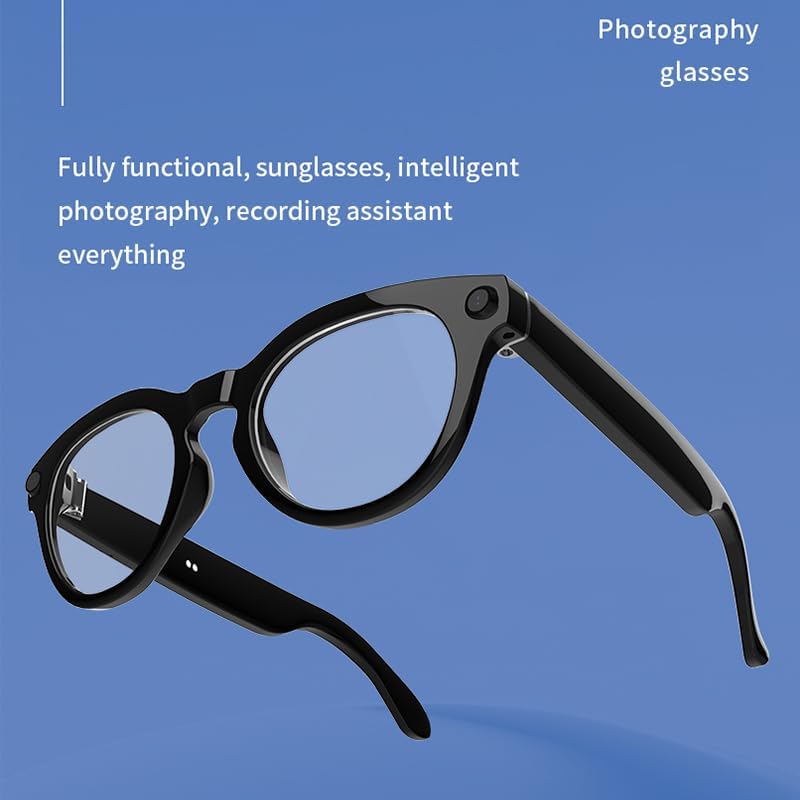
Figure 3: Smart Camera Glasses with clear lenses, ready for photography and video recording.
4.2 AI Assistant and Translation
Activate the built-in AI assistant for various tasks, including real-time translation and voice commands. The AI assistant supports voice interaction for checking weather, taking notes, or managing your day. Simply use voice commands to interact.

Figure 4: User demonstrating voice interaction with the AI assistant for tasks like navigation or music playback.
4.3 Media Synchronization
Captured photos and videos can be synchronized to your smartphone via the HeyCyan app. The app allows for easy import and management of your media files. Ensure you grant necessary permissions for the app to access your phone's photo album for automatic saving.
Video 3: Instructions on how to synchronize pictures and videos from your V03-T6 Smart Camera Glasses to your mobile device.

Figure 5: The HeyCyan app interface showing synchronized photos, demonstrating seamless transfer from glasses to phone.
5. Maintenance
To ensure the longevity and optimal performance of your KOIPSSE AI Smart Camera Glasses, follow these maintenance guidelines:
- Cleaning: Use the provided glasses cleaning cloth to gently wipe the lenses and frame. Avoid using harsh chemicals or abrasive materials.
- Storage: Store the glasses in a protective case when not in use to prevent scratches and damage.
- Battery Care: Avoid extreme temperatures and prolonged exposure to direct sunlight, which can affect battery life. Charge regularly, but avoid overcharging.
- Water Resistance: The glasses are designed for general outdoor use but are not fully waterproof. Avoid submerging them in water or exposing them to heavy rain.
6. Troubleshooting
If you encounter issues with your KOIPSSE AI Smart Camera Glasses, refer to the following common solutions:
- Device Not Turning On: Ensure the glasses are fully charged. Press and hold the power button on the right temple for a few seconds until you hear a sound or see an indicator light.
- Connectivity Issues: Check that Bluetooth is enabled on your smartphone and the glasses are within range. Restart both the glasses and the HeyCyan app. If issues persist, try unpairing and re-pairing the device.
- App Not Responding: Close and reopen the HeyCyan app. Ensure the app is updated to the latest version.
- Poor Image/Video Quality: Ensure lenses are clean and free from smudges. Check lighting conditions.
- Voice Assistant Not Responding: Ensure the glasses are properly connected to the app and your phone has an active internet connection for AI features. Speak clearly and directly into the glasses' microphone.
7. Specifications
| Feature | Specification |
|---|---|
| Brand Name | KOIPSSE |
| Model Name | V03-T6 |
| Camera | 8MP |
| Video Recording | 1200P HD |
| Connectivity Technology | Bluetooth, Wi-Fi |
| Special Features | Camera, Music Player, Video Recording, Voice Control, AI Translation |
| Compatible Devices | Smartphone, Tablet |
| Recommended Uses | Outdoor, Indoor, Cycling, Hiking |
| Battery Life | 6 Hours |
| Frame Width | 150.6mm (5.93in) |
| Frame Height | 54.9mm (2.16in) |

Figure 6: Detailed dimensions of the V03-T6 Smart Camera Glasses frame.
8. Warranty and Support
For warranty information and customer support, please refer to the contact details provided in your product packaging or visit the official KOIPSSE website. Keep your purchase receipt for warranty claims.