
1. Introduction
This manual provides comprehensive instructions for the TALIX AuraHalo G1 Open-Ear Headphones. Please read this manual carefully before use to ensure proper operation and to maximize the product's performance and lifespan. Keep this manual for future reference.
2. Product Overview
The TALIX AuraHalo G1 headphones feature an innovative open-ear design, allowing you to enjoy audio while remaining aware of your surroundings. They are ultra-lightweight, weighing only 5.2 grams per earbud, and offer a comfortable, secure fit. Equipped with Bluetooth 5.3, these headphones provide stable connectivity and clear sound, suitable for both iOS and Android devices. An IPX4 waterproof rating ensures durability against sweat and light rain.

Image: TALIX AuraHalo G1 Open-Ear Headphones in their charging case.
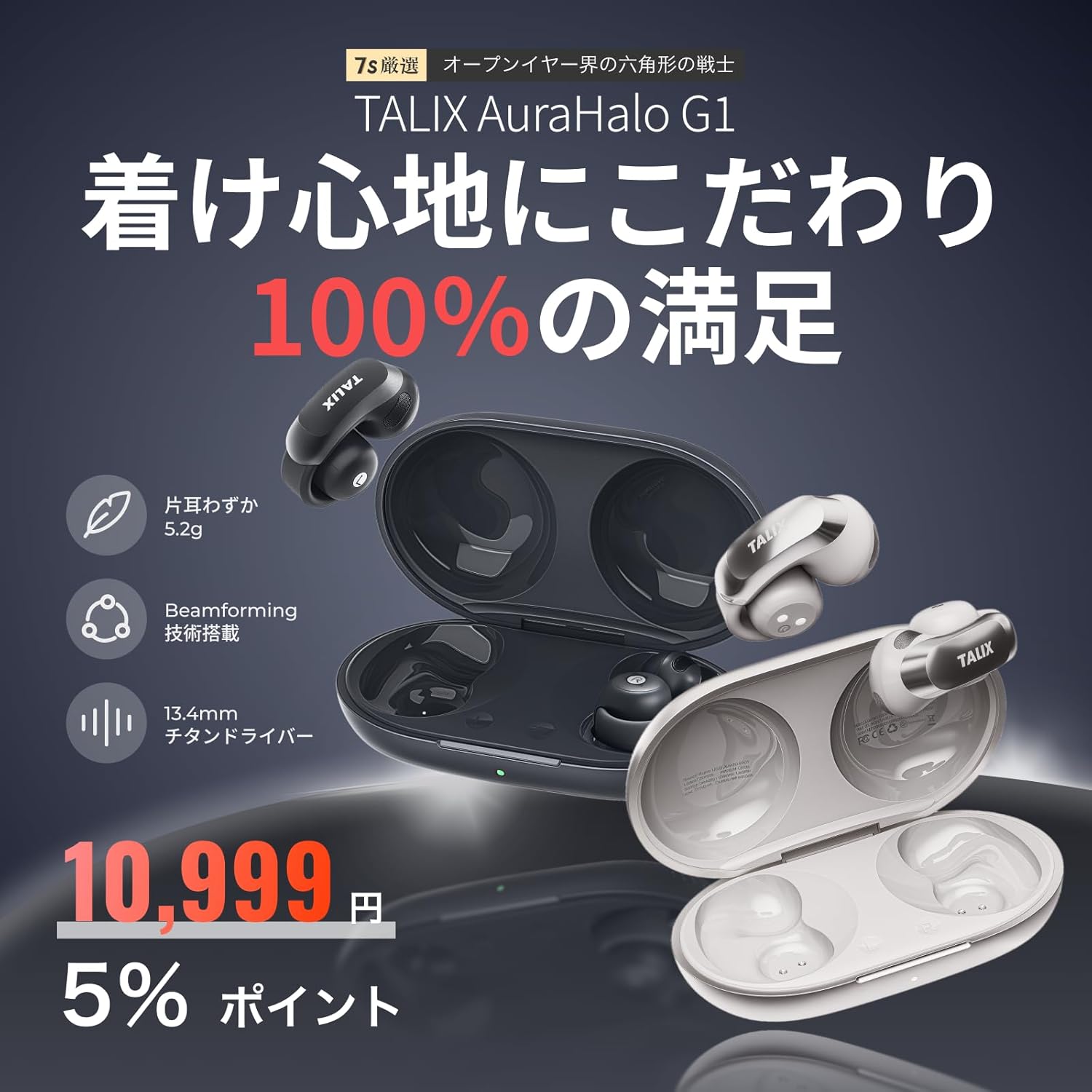
Image: Overview of TALIX AuraHalo G1 highlighting key features: 5.2g ultra-lightweight, Beamforming technology, and 13.4mm Titanium Driver.
3. Package Contents
Please check that all items are present in the package:
- TALIX AuraHalo G1 Earbuds (Left and Right) x 1
- Charging Case x 1
- USB-C Charging Cable x 1
- User Manual x 1

Image: Contents of the TALIX AuraHalo G1 package, including earbuds, charging case, USB-C cable, and manual.
4. Setup
4.1 Charging
Before first use, fully charge the earbuds and the charging case.
- Place the earbuds into the charging case.
- Connect the USB-C charging cable to the charging port on the case and a power source.
- The indicator lights on the case will show the charging status. A full charge takes approximately 1.5 hours.
4.2 Pairing
- Open the charging case. The earbuds will automatically enter pairing mode, indicated by a flashing LED light.
- On your device (smartphone, tablet, etc.), enable Bluetooth.
- Search for "TALIX AuraHalo G1" in the list of available Bluetooth devices and select it to connect.
- Once connected, the LED indicator on the earbuds will stop flashing.
4.3 Wearing the Earbuds
For optimal sound and comfort, ensure the earbuds are worn correctly.
- Gently stretch the ear hook and place it over your ear.
- Adjust the earbud so the speaker part is directed towards your ear canal.
- Ensure the L (left) and R (right) markings match your ears. Do not excessively bend or stretch the ear hook.

Image: Visual guide demonstrating the correct way to wear the TALIX AuraHalo G1 earbuds, showing proper ear hook placement and speaker alignment, alongside examples of incorrect wearing.
5. Operating Instructions
5.1 Touch Controls
The TALIX AuraHalo G1 earbuds feature intuitive touch controls on each earbud. The functions may vary slightly between the left and right earbuds.

Image: Diagram illustrating the touch control functions for the TALIX AuraHalo G1 earbuds.
| Action | Left Earbud | Right Earbud |
|---|---|---|
| Double Tap | Answer/End Call, Play/Pause Music | Answer/End Call, Play/Pause Music |
| Triple Tap | Reject Incoming Call, Previous Track | Reject Incoming Call, Next Track |
| Long Press | Activate Voice Assistant | Activate Voice Assistant |
5.2 Call Functions
- Answering/Ending Calls: Double tap either earbud.
- Rejecting Calls: Triple tap either earbud.
- The built-in microphone with Beamforming technology enhances call clarity by reducing ambient noise.
5.3 Music Playback
- Play/Pause: Double tap either earbud.
- Next Track: Triple tap the right earbud.
- Previous Track: Triple tap the left earbud.
5.4 Voice Assistant
- Activate: Long press either earbud to activate your device's voice assistant (e.g., Siri, Google Assistant).
6. Maintenance
6.1 Cleaning
- Regularly clean the earbuds and charging case with a soft, dry, lint-free cloth.
- Do not use abrasive cleaners, solvents, or aerosol sprays.
- Ensure no moisture enters the charging port or speaker grilles.
6.2 Storage
- When not in use, store the earbuds in their charging case to protect them and keep them charged.
- Store in a cool, dry place away from direct sunlight and extreme temperatures.
6.3 Water Resistance (IPX4)
The TALIX AuraHalo G1 earbuds are rated IPX4, meaning they are resistant to splashing water from any direction. This makes them suitable for use during workouts or in light rain. However, they are not designed for swimming or submersion in water. Do not expose them to pressurized water or high-velocity water.

Image: Visual representation of TALIX AuraHalo G1 earbuds with IPX4 water resistance, showing protection against splashes.
7. Troubleshooting
If you encounter any issues with your TALIX AuraHalo G1 headphones, please refer to the following common solutions:
- No Sound/Low Volume:
- Ensure the earbuds are properly charged.
- Check the volume level on both your device and the earbuds.
- Ensure the earbuds are correctly paired and connected to your device.
- Try cleaning any debris from the speaker grilles.
- Cannot Pair:
- Make sure Bluetooth is enabled on your device.
- Ensure the earbuds are in pairing mode (flashing LED).
- Turn off and on your device's Bluetooth.
- Forget the device from your Bluetooth list and try pairing again.
- Ensure the earbuds are not connected to another device.
- Intermittent Connection:
- Ensure your device is within the Bluetooth range (typically 10 meters/33 feet) without significant obstacles.
- Avoid strong electromagnetic interference.
- Re-pair the earbuds with your device.
- Earbuds Not Charging:
- Ensure the charging cable is securely connected to both the case and the power source.
- Check if the charging case itself has power.
- Clean the charging contacts on both the earbuds and the case.
- Try a different USB-C cable or power adapter.
- Touch Controls Not Responding:
- Ensure your fingers are clean and dry when using touch controls.
- Restart the earbuds by placing them in the case and taking them out again.
If the issue persists, please contact customer support.
8. Specifications
| Feature | Specification |
|---|---|
| Model Name | OW5405 |
| Brand | TALIX |
| Connectivity Technology | Bluetooth |
| Wireless Communication Technology | Bluetooth 5.3 |
| Ear Placement | Open-Ear |
| Headphone Style | Ear Cuff |
| Control Type | Touch Control |
| Noise Control | Call Noise Cancellation (Beamforming) |
| Product Weight (per earbud) | 5.2 grams |
| Water Resistance Level | IPX4 (Waterproof) |
| Charging Time | 1.5 Hours |
| Total Playtime (with charging case) | Up to 28 Hours |
| Playtime (earbuds only) | Up to 7 Hours (at 50% volume) |
| Compatible Devices | Android, iOS |
| Material | Silicone, Plastic |
| Sensitivity | 126 dB |
| Frequency Response | 20 Hz (Note: Full range typically 20Hz-20kHz, only lower bound provided) |
9. Warranty and Support
9.1 30-Day Return Guarantee
Returns are accepted within 30 days of purchase if the product is unopened and in a resalable condition. Please note that opened or used items, as well as included accessories or promotional gifts, are not eligible for return or exchange due to customer reasons.
9.2 Product Warranty (12 Months)
If a product defect occurs within 12 months from the order date, an exchange will be provided upon confirmation by our store. This warranty does not cover defects resulting from normal wear and tear, customer negligence, or improper use. Examples of improper use include, but are not limited to, earbuds soaked in sodium chloride from sweat and left in the charging case, leading to electrochemical reactions or oxidative corrosion. Please be aware of these exclusions.

Image: Information regarding the 30-day return guarantee and 12-month product warranty for TALIX AuraHalo G1.
9.3 Customer Support
For further assistance or inquiries, please contact TALIX customer support through the retailer where you purchased the product.
