
1. Introduction
Thank you for choosing the Lamicall Tablet Stand and Ultra-Thin Cell Phone Stand. This manual provides essential information for the proper setup, operation, and maintenance of your new stands. Please read these instructions carefully before use to ensure optimal performance and longevity of your products.
2. Product Overview
This package includes two distinct stands designed to enhance your device usage experience: one Lamicall Tablet Stand and one Lamicall Ultra-Thin Cell Phone Stand.
2.1 Lamicall Tablet Stand Features
- Adjustable Design: Allows for various viewing angles and heights.
- Stable Base: Constructed for secure tablet placement.
- Wide Compatibility: Supports tablets from 4 to 13 inches.
- Cable Management: Integrated design for charging cable routing.
2.2 Lamicall Ultra-Thin Cell Phone Stand Features
- Ultra-Thin Foldable Design: Highly portable and compact when folded.
- Height & Angle Adjustable: Dual-pivot structure for flexible positioning.
- Weighted Metal Base: Ensures stability during use.
- Thick Case Friendly: Accommodates smartphones with cases up to 0.71 inches thick.

Figure 2.1: The Lamicall Tablet Stand (left, silver) and the Lamicall Ultra-Thin Cell Phone Stand (right, black) in their upright positions.
3. Setup
3.1 Setting up the Lamicall Tablet Stand
- Place the stand on a flat, stable surface.
- Gently adjust the back plate to your desired viewing angle. The stand features a pivot point for smooth adjustment.
- Ensure the stand is stable before placing your tablet.
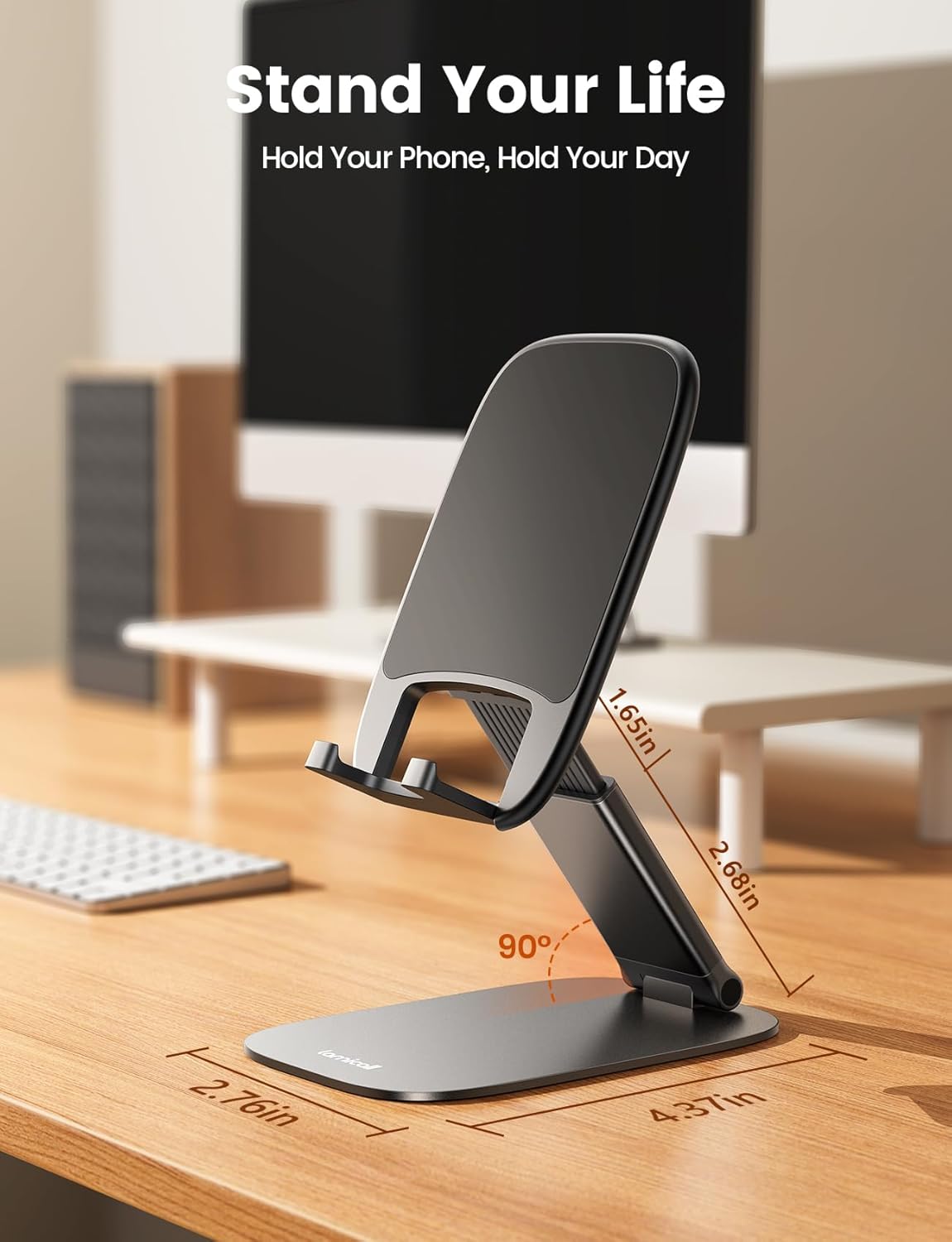
Figure 3.1: The Lamicall Tablet Stand offers adjustable angles and height for optimal viewing.
3.2 Setting up the Lamicall Ultra-Thin Cell Phone Stand
- Unfold the stand from its compact, flat position.
- Place the stand on a flat, stable surface.
- Adjust the back plate up to 180 degrees and the base up to 90 degrees to achieve your preferred height and angle.
- Ensure the stand is stable before placing your phone.

Figure 3.2: The Ultra-Thin Cell Phone Stand folds flat for easy portability.

Figure 3.3: Dimensions and adjustable range of the Ultra-Thin Cell Phone Stand.
4. Operating Instructions
4.1 Adjusting the Tablet Stand
To adjust the viewing angle, gently push or pull the back support of the stand. The stand is designed to hold its position once set. For optimal stability with larger tablets (over 12 inches), consider placing the tablet horizontally.
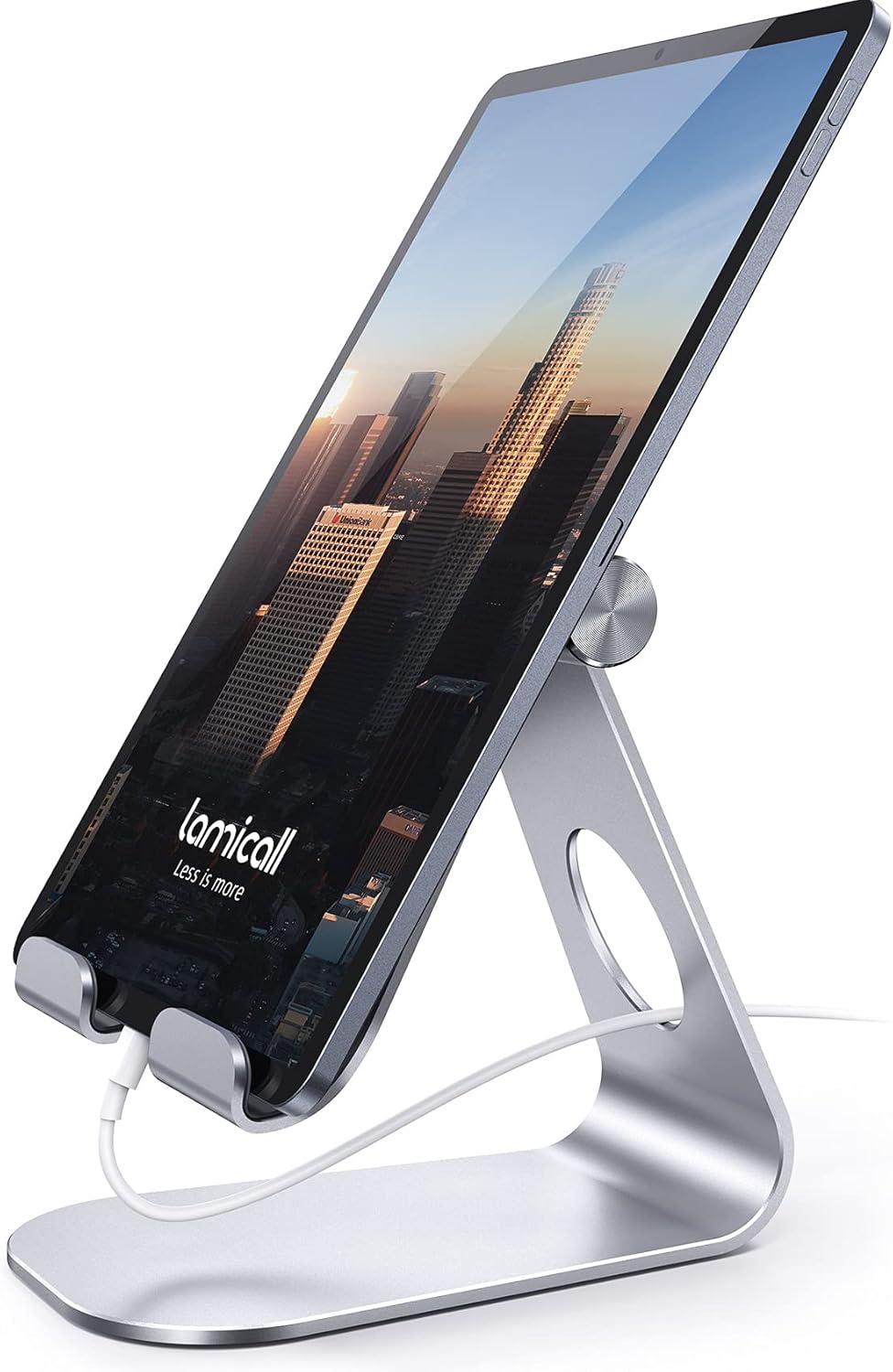
Figure 4.1: Tablet Stand in use, accommodating a charging cable.
4.2 Adjusting the Cell Phone Stand
The cell phone stand features a dual-pivot design. You can adjust the angle of the back plate and the angle of the base independently to find your most comfortable viewing position. The height can be extended up to 3.2 inches.
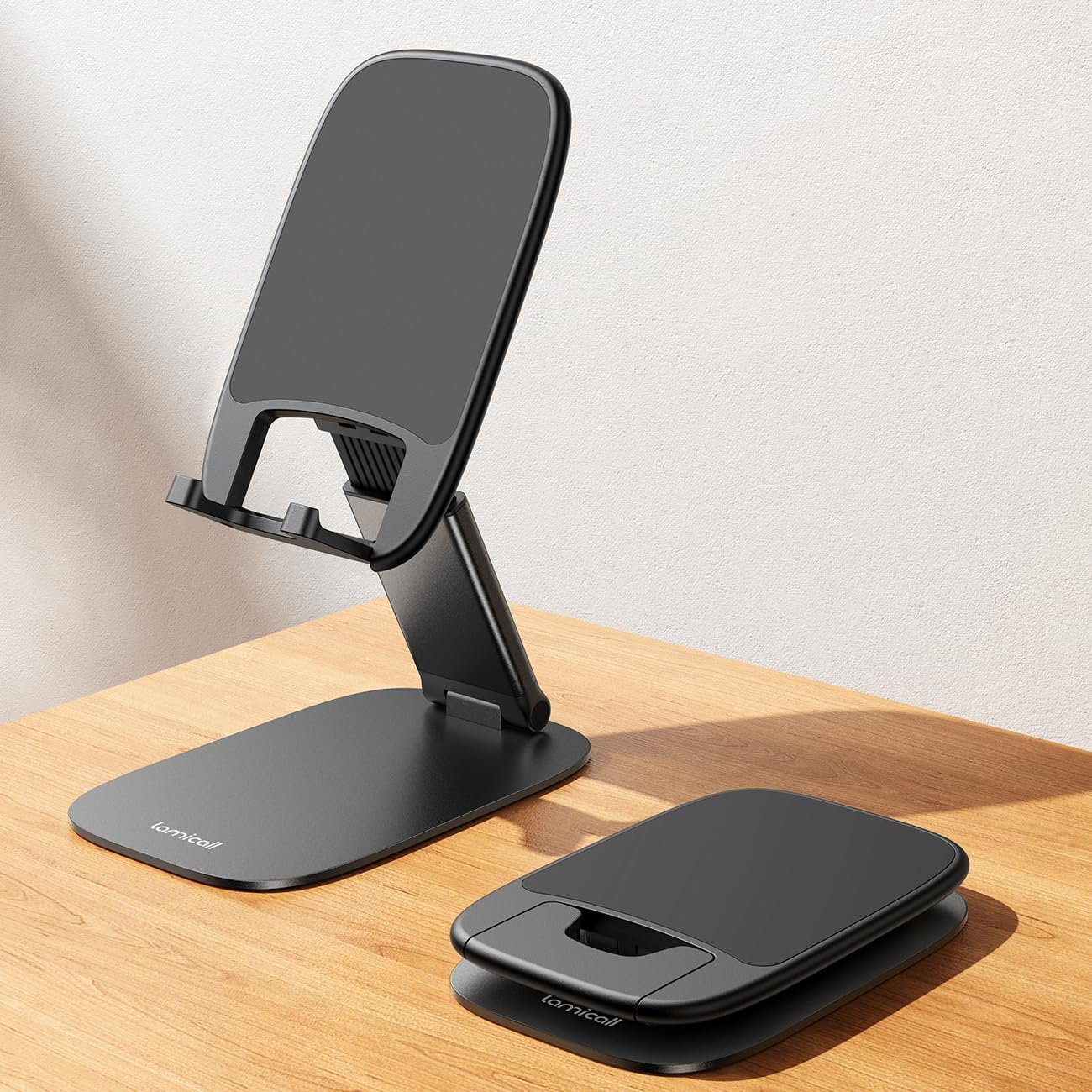
Figure 4.2: Cell Phone Stand in an upright, extended position.
4.3 Device Placement
Place your device securely onto the stand's hooks. The stands are designed with enlarged and thickened anti-slip silicone pads to prevent sliding and scratching. The cell phone stand is compatible with smartphones in thick cases up to 0.71 inches, allowing for effortless setup even with bulky protection.

Figure 4.3: The cell phone stand accommodates devices with thick cases.
5. Maintenance
5.1 Care and Cleaning
To maintain the appearance and functionality of your Lamicall stands, wipe them with a soft, damp cloth. Avoid using abrasive cleaners or solvents, as these may damage the finish or silicone pads. Ensure the stands are dry before placing devices on them.
The stands are crafted from durable materials like carbon steel, designed to resist bending, scratching, and rust, ensuring long-lasting use.

Figure 5.1: Close-up of the tablet stand's protective rubber cushions and anti-slip base.
6. Troubleshooting
6.1 Stand Instability
- Issue: The stand feels unstable or wobbles.
- Solution: Ensure the stand is placed on a completely flat and level surface. For the tablet stand, if using a tablet larger than 12 inches, try positioning it horizontally to enhance stability.
6.2 Device Sliding
- Issue: The device slides or does not sit securely on the stand.
- Solution: Verify that the device is properly seated within the silicone-padded hooks. Check if the silicone pads are clean and free from debris that might reduce grip.
7. Specifications
7.1 Lamicall Tablet Stand
- Compatibility: 4 - 13 inch tablets and phones (e.g., iPad Pro 11/12.9/13 inch, iPad Air, iPad mini, Kindle, Surface Pro, Galaxy Tab, iPhone models).
- Material: High-strength carbon steel, silicone anti-slip pads.
- Adjustability: Multi-angle viewing.
7.2 Lamicall Ultra-Thin Cell Phone Stand
- Compatibility: Smartphones with cases up to 0.71 inches thick (e.g., iPhone 12-17 Pro Max, iPhone 16, iPhone 15 Pro Max, iPhone 14 Pro Max, iPhone 13).
- Adjustable Height: Extends up to 3.2 inches.
- Adjustable Angles: Back plate up to 180 degrees, base up to 90 degrees.
- Material: Premium carbon steel, integrated silicone anti-slip pad.
ASIN: B0FVDPP5X7
8. Warranty and Support
Lamicall products are manufactured with quality and durability in mind. For any questions regarding your product, warranty information, or support needs, please contact Lamicall customer service through the retailer where you purchased the product or visit the official Lamicall store online.
You can find more information and contact details at the Lamicall Store.


