
1. Introduction
Thank you for purchasing the aowoka M6-YTUS-BK Portable Wireless Bluetooth Speaker. This speaker is designed to provide high-quality audio with enhanced bass, long battery life, and robust waterproofing, making it suitable for various indoor and outdoor activities. Please read this manual carefully before using the product to ensure proper operation and to maximize its performance.
2. Safety Information
- Do not expose the speaker to extreme temperatures (hot or cold) or direct sunlight for extended periods.
- Avoid dropping or subjecting the speaker to strong impacts.
- Keep the speaker away from medical devices, as it contains magnets.
- Do not attempt to disassemble, repair, or modify the speaker yourself. Contact qualified service personnel if needed.
- Ensure the charging port cover is securely closed when using the speaker near water to maintain its IPX7 waterproof rating.
- Use only the provided charging cable or a certified equivalent.
- Dispose of the product and its battery responsibly according to local regulations.
3. Package Contents
Please check the package for the following items:
- aowoka M6-YTUS-BK Bluetooth Speaker
- USB-C Charging Cable
- User Manual
- Detachable Lanyard (if included with your model)
4. Product Overview
Familiarize yourself with the speaker's components and controls.
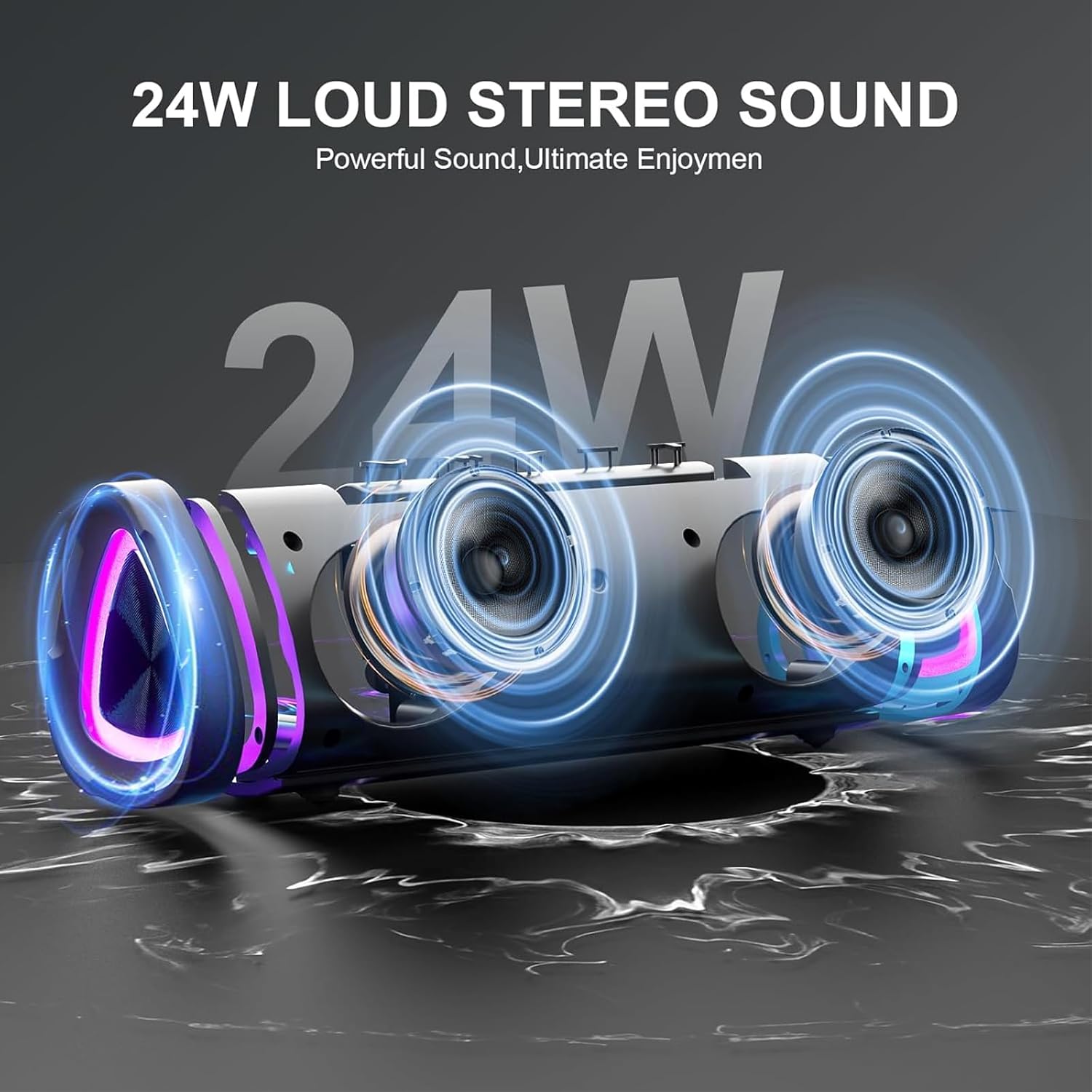
Image: Front view of the aowoka M6-YTUS-BK Bluetooth Speaker, showcasing its compact design and speaker grille.
4.1 Controls and Ports

Image: Diagram illustrating key features including the 55mm audio driver, beat-synced light show, detachable lanyard, advanced Bluetooth 5.4, AUX output, TF-Card output, and water-resistant design.
- Power Button: Press and hold to power on/off.
- Play/Pause Button: Controls music playback and answers/ends calls.
- Volume Up (+): Increases volume.
- Volume Down (-): Decreases volume.
- Next Track Button: Press and hold Volume Up (+) for 2 seconds.
- Previous Track Button: Press and hold Volume Down (-) for 2 seconds.
- Light Mode Button: Cycles through LED light effects.
- TWS Pairing Button: Initiates True Wireless Stereo pairing.
- USB-C Charging Port: For charging the speaker.
- TF/SD Card Slot: For playing music directly from a memory card.
- AUX Input: For wired audio connection.
5. Setup
5.1 Charging the Speaker
Before first use, fully charge the speaker. A full charge provides up to 24 hours of playtime (actual battery life varies with volume, LED light usage, and music type).
- Open the protective cover of the charging port.
- Connect the USB-C charging cable to the speaker's charging port.
- Connect the other end of the cable to a USB power adapter (not included) or a computer's USB port.
- The LED indicator will show charging status. It will turn off or change color when fully charged.
- Once charging is complete, securely close the protective cover to maintain waterproofing.

Image: The speaker shown outdoors with an overlay indicating "PLAYTIME 24 HR", highlighting its long battery life.
5.2 Powering On/Off
- To Power On: Press and hold the Power button for 2 seconds. You will hear an audible prompt.
- To Power Off: Press and hold the Power button for 2 seconds. You will hear an audible prompt.
5.3 Bluetooth Pairing
The speaker uses Bluetooth 5.4 for a fast and stable connection.
- Ensure the speaker is powered on and in Bluetooth pairing mode (the LED indicator will flash).
- On your device (smartphone, tablet, laptop), enable Bluetooth.
- Search for available Bluetooth devices and select "aowoka M6-YTUS-BK" from the list.
- Once paired, the LED indicator will stop flashing, and you will hear a confirmation sound.
- The speaker will automatically reconnect to the last paired device when powered on, if the device is within range and Bluetooth is enabled.
5.4 True Wireless Stereo (TWS) Pairing
You can pair two aowoka M6-YTUS-BK speakers together for a stereo sound experience.
- Ensure both speakers are powered on and not connected to any other Bluetooth device.
- On one speaker (this will be the primary speaker), press the TWS Pairing button. The speaker will enter TWS pairing mode.
- On the second speaker, press the TWS Pairing button. The two speakers will automatically connect to each other.
- Once paired, the primary speaker's LED will flash, and the secondary speaker's LED will be solid.
- Now, connect your device to the primary speaker via Bluetooth as described in section 5.3.
- To disconnect TWS, press the TWS Pairing button on either speaker.

Image: Illustration of two aowoka M6-YTUS-BK speakers connected wirelessly to a laptop, demonstrating the TWS (True Wireless Stereo) pairing function for immersive audio.
6. Operating Instructions
6.1 Basic Music Playback
- Play/Pause: Press the Play/Pause button once.
- Volume Up: Press the Volume Up (+) button.
- Volume Down: Press the Volume Down (-) button.
- Next Track: Press and hold the Volume Up (+) button for 2 seconds.
- Previous Track: Press and hold the Volume Down (-) button for 2 seconds.
6.2 Call Functions
The speaker has a built-in microphone for hands-free calls.
- Answer Call: Press the Play/Pause button once.
- End Call: Press the Play/Pause button once during a call.
- Reject Call: Press and hold the Play/Pause button for 2 seconds.
6.3 LED Light Modes
The speaker features multiple RGB ambient lighting effects that can sync with your music.

Image: Three aowoka M6-YTUS-BK speakers displaying different dynamic RGB light colors (green, blue, red), illustrating the customizable light show feature.
- Change Light Mode: Press the Light Mode button once to cycle through available light effects.
- Turn Lights Off: Press and hold the Light Mode button for 2 seconds.
6.4 Using TF/SD Card and AUX Input
- TF/SD Card: Insert a TF/SD card with audio files into the card slot. The speaker will automatically switch to TF/SD card mode and begin playback.
- AUX Input: Connect an audio device using a 3.5mm AUX cable (not included) to the AUX port. The speaker will automatically switch to AUX mode.
7. Maintenance
- Cleaning: Wipe the speaker with a soft, damp cloth. Do not use abrasive cleaners or solvents.
- Storage: Store the speaker in a cool, dry place away from direct sunlight and extreme temperatures.
- Waterproofing: Always ensure the charging port cover is sealed tightly after charging or when using the speaker near water to maintain its IPX7 rating.
8. Troubleshooting
| Problem | Possible Cause | Solution |
|---|---|---|
| Speaker does not power on. | Low battery. | Charge the speaker fully. |
| Cannot pair via Bluetooth. | Bluetooth not enabled on device; speaker not in pairing mode; too far from device. | Ensure Bluetooth is on, speaker is in pairing mode, and devices are within 10 meters. Forget previous pairings on your device and try again. |
| No sound. | Volume too low; incorrect input mode; device not playing. | Increase volume on both speaker and device. Check if the correct input mode (Bluetooth, AUX, TF/SD) is selected. Ensure music is playing on your device. |
| Sound distortion or intermittent connection. | Low battery; interference; too far from device. | Charge the speaker. Move closer to the paired device. Avoid obstacles between speaker and device. |
| TWS pairing fails. | Speakers already paired to another device; incorrect pairing procedure. | Ensure both speakers are disconnected from other devices. Follow TWS pairing steps carefully. |
9. Specifications
| Feature | Detail |
|---|---|
| Model Name | M6-YTUS-BK |
| Brand | aowoka |
| Speaker Type | Portable Speaker |
| Connectivity Technology | Bluetooth 5.4 |
| Speaker Maximum Output Power | 20 Watts |
| Battery Life | Up to 24 hours (varies with usage) |
| Waterproof Rating | IPX7 |
| Product Dimensions | 2.86"D x 2.7"W x 2.1"H |
| Item Weight | 13.1 ounces |
| Included Components | Microphone |
| Additional Features | RGB Lighting, TWS Pairing, TF/SD Card Support, AUX Input |

Image: The aowoka M6-YTUS-BK speaker shown with water splashing around it, emphasizing its IPX7 waterproof capability.
10. Warranty and Support
aowoka products are designed and manufactured to the highest quality standards. For detailed warranty information or technical support, please refer to the warranty card included in your package or visit the official aowoka website. If you encounter any issues or have questions regarding your speaker, please contact our customer service team.
Contact Information: Please refer to your product packaging or the official aowoka website for the most up-to-date contact details.