
Introduction
Thank you for choosing the UnionSine 500GB Ultra Slim Portable External Hard Drive. This manual provides essential information for setting up, operating, maintaining, and troubleshooting your device. Please read these instructions carefully to ensure optimal performance and longevity of your hard drive.
What's Included:
- 1 x UnionSine Portable External Hard Drive
- 1 x USB 3.0 Cable
- 1 x User Manual (this document)
Product Overview
The UnionSine Ultra Slim Portable External Hard Drive offers reliable and fast data storage in a compact design. Its features are engineered for efficiency and durability.
Key Features:
- Ultra-thin and Quiet Design: The motherboard utilizes a JMicron 578 noise-free solution for a quiet working environment. Its lightweight and portable size fits easily into your pocket.
- High-Speed Data Transfers: Compatible with USB 3.0 and USB 2.0 ports, providing theoretical read speeds up to 125MB/s and write speeds up to 103MB/s.
- Enhanced Durability: Features a mirror logo strip combined with a striped non-slip design. The rounded corners improve handling. Integrated strips aid in heat dissipation for stable and fast transmission. The hard disk chip is protected by an aluminum anti-interference layer to enhance heat dissipation and data protection.

Image: UnionSine External Hard Drive showing its compact dimensions of 4.56 x 3.15 x 0.5 inches.

Image: UnionSine External Hard Drive connected to a laptop, illustrating broad compatibility with Windows, Mac, and Linux operating systems via USB 3.0.
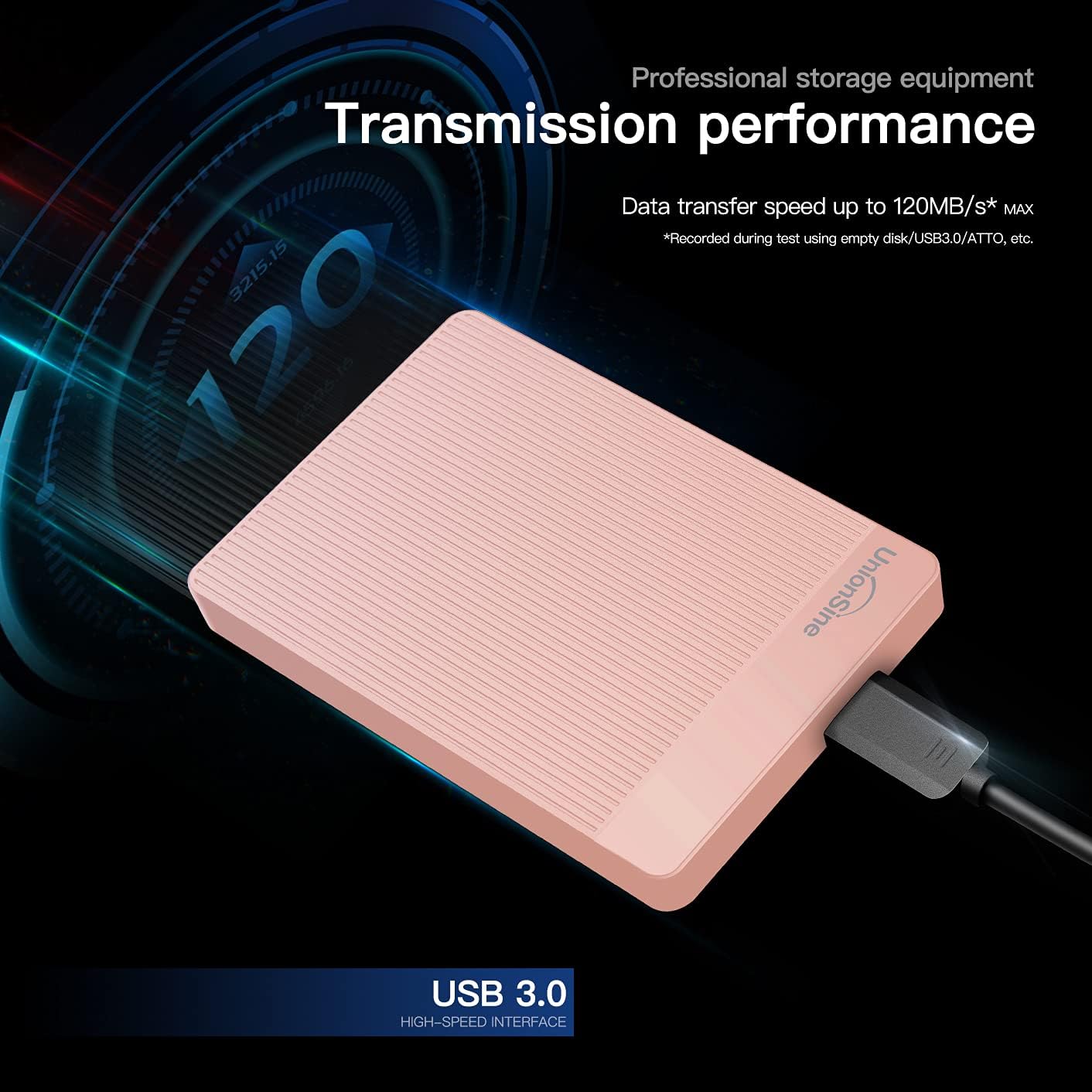
Image: UnionSine External Hard Drive emphasizing its professional storage equipment and transmission performance, with data transfer speeds up to 120MB/s max.
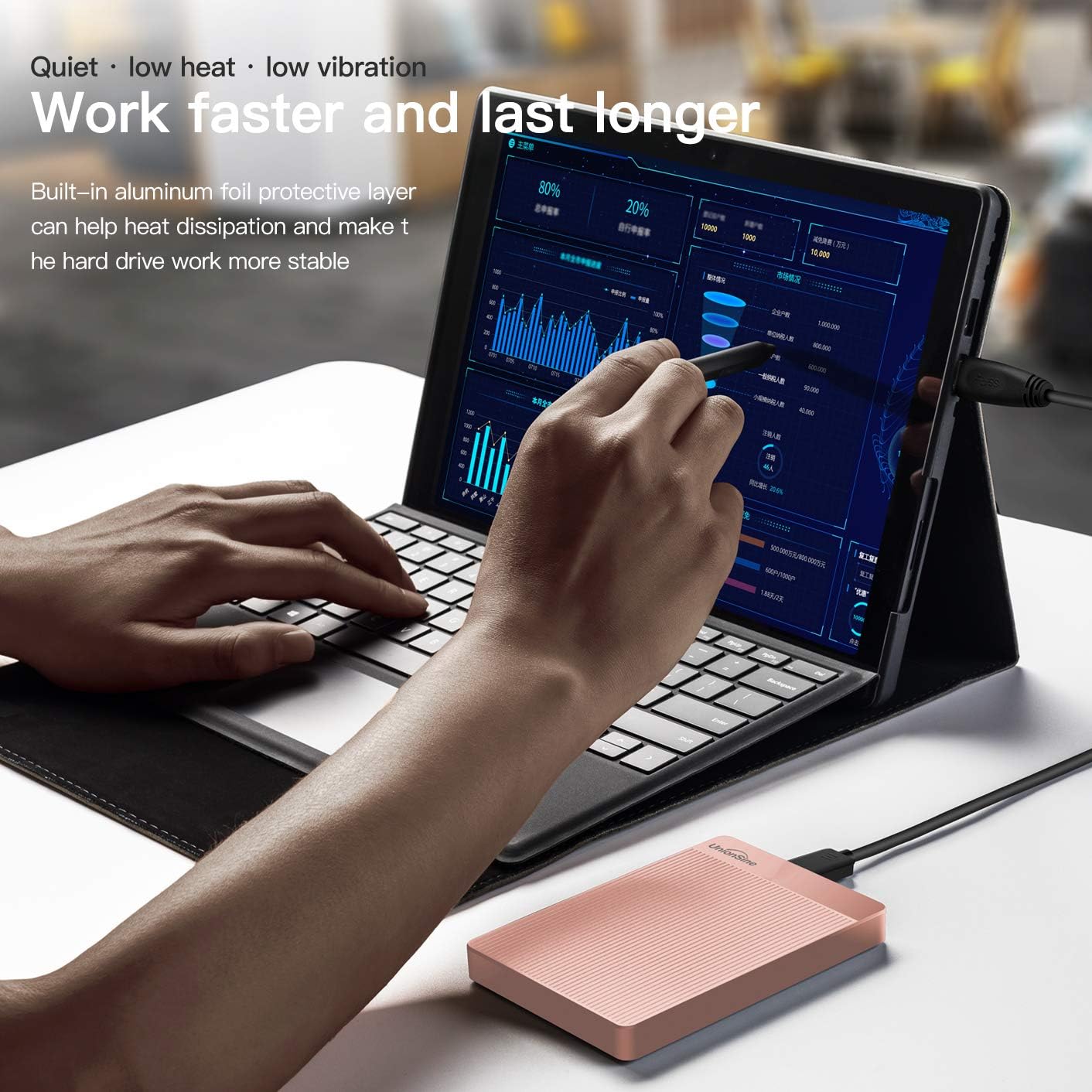
Image: UnionSine External Hard Drive connected to a tablet, illustrating its quiet operation, low heat, and low vibration features, along with the built-in aluminum foil protective layer for heat dissipation.
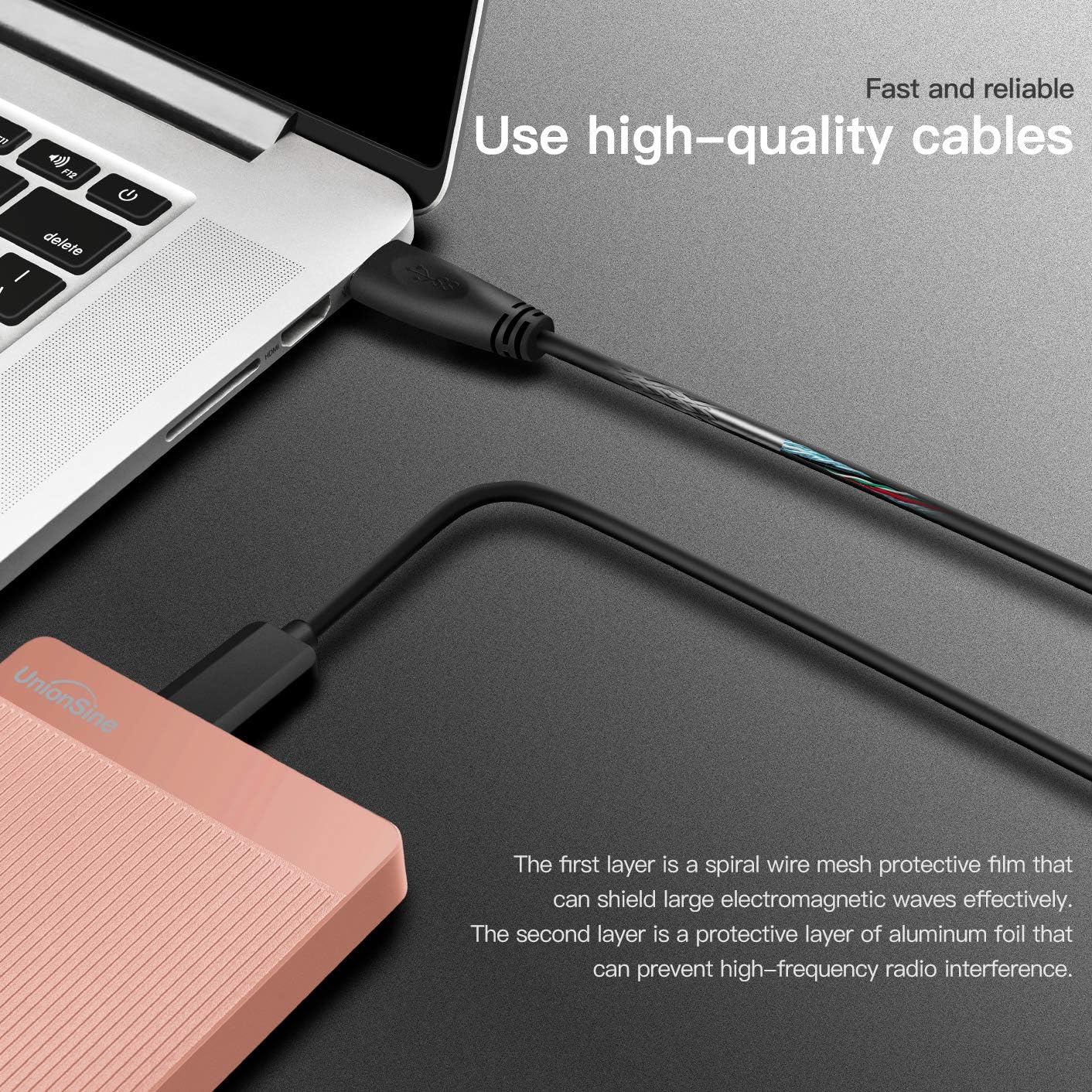
Image: Close-up of the high-quality USB 3.0 cable provided with the UnionSine External Hard Drive, showing its protective layers for effective shielding against electromagnetic waves and high-frequency radio interference.
Setup
The UnionSine External Hard Drive is designed for simple plug-and-play functionality. Follow these steps to connect and begin using your device.
Connecting the Hard Drive:
- Locate the included USB 3.0 cable.
- Connect the smaller end of the USB cable to the port on your UnionSine External Hard Drive.
- Connect the larger end of the USB cable to an available USB 3.0 or USB 2.0 port on your computer, laptop, gaming console, or compatible device.
- The device should be automatically recognized by your operating system.
Video: Demonstrates the simple plug-and-play setup of the UnionSine Portable External Hard Drive with a USB 3.0 connection.
Video: A 360-degree view of the UnionSine External Hard Drive, showcasing its design and ports.
Operating Instructions
Once connected, your UnionSine External Hard Drive is ready for use. You can drag and drop files, or use your system's backup software to store data.
Data Transfer:
- To transfer files, simply drag and drop them to the hard drive icon in your computer's file explorer (Windows) or Finder (Mac).
- For faster transfers, ensure you are connected to a USB 3.0 port.
Formatting the Hard Drive:
The hard drive comes pre-formatted with EXFAT. If your device does not recognize the drive or you wish to use a different file system, you may need to re-format it. Refer to the table below for compatible formats based on your operating system or device.
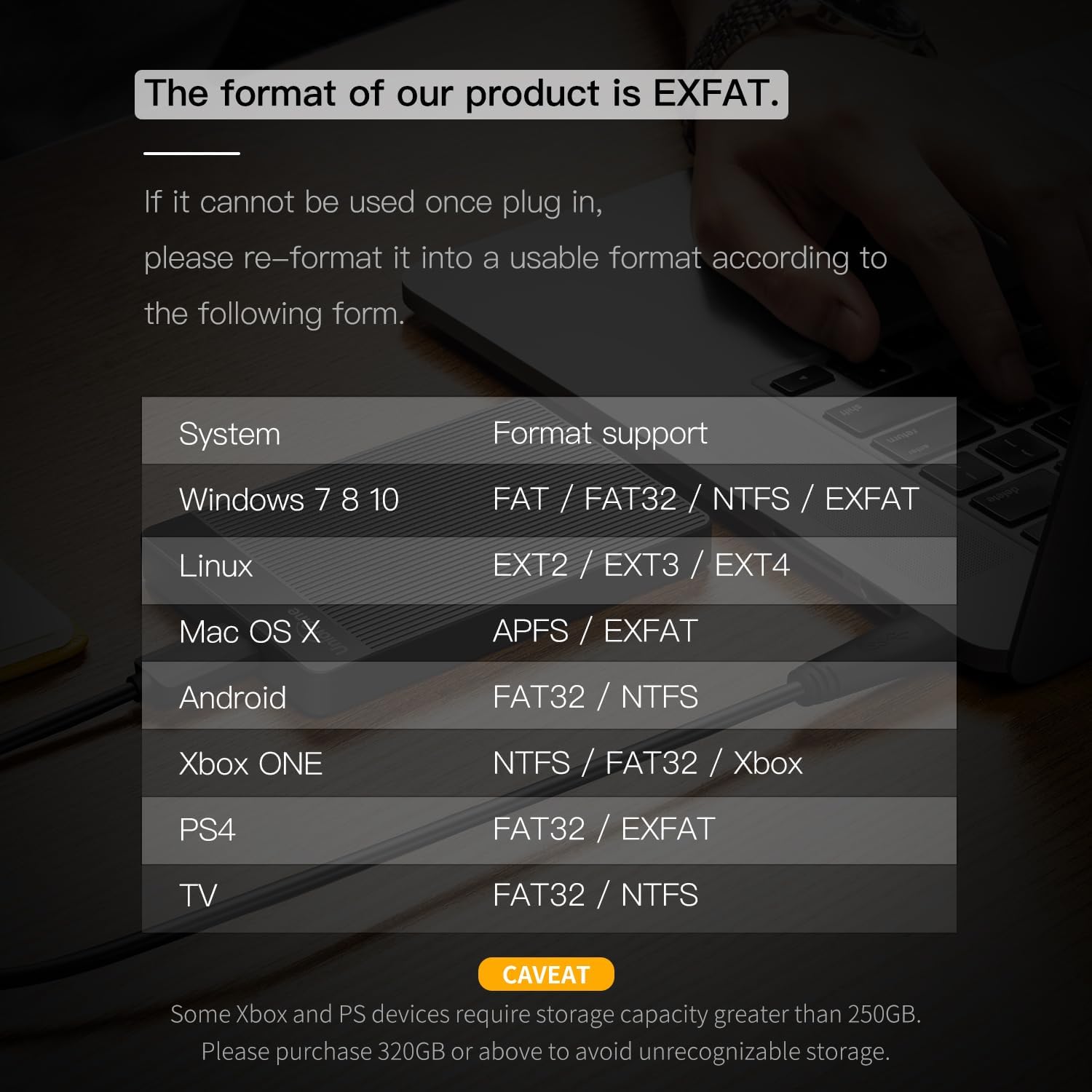
Image: A table detailing the supported file formats (FAT, FAT32, NTFS, EXFAT, EXT2, EXT3, EXT4, APFS) for the UnionSine External Hard Drive across different systems including Windows, Linux, Mac OS X, Android, Xbox ONE, PS4, and TV. It also includes a caveat regarding storage capacity for Xbox and PS devices.
| System | Format Support |
|---|---|
| Windows 7/8/10 | FAT / FAT32 / NTFS / EXFAT |
| Linux | EXT2 / EXT3 / EXT4 |
| Mac OS X | APFS / EXFAT |
| Android | FAT32 / NTFS |
| Xbox ONE | NTFS / FAT32 / Xbox |
| PS4 | FAT32 / EXFAT |
| TV | FAT32 / NTFS |
CAVEAT: Some Xbox and PS devices require storage capacity greater than 250GB. Please purchase 320GB or above to avoid unrecognizable storage.
Maintenance
Proper maintenance ensures the longevity and reliability of your external hard drive.
- Safe Ejection: Always safely eject the hard drive from your computer before disconnecting the USB cable to prevent data corruption.
- Physical Care: Avoid dropping the hard drive or exposing it to extreme temperatures, moisture, or strong magnetic fields.
- Cleaning: Use a soft, dry cloth to clean the exterior of the drive. Do not use liquid cleaners.
- Regular Backups: While the drive is reliable, it is always recommended to maintain backups of critical data on multiple storage devices.
Troubleshooting
If you encounter issues with your UnionSine External Hard Drive, refer to the following common problems and solutions.
- Drive Not Detected:
- Ensure the USB cable is securely connected to both the hard drive and your device.
- Try connecting to a different USB port on your computer.
- Test the drive on another computer to rule out a computer-specific issue.
- Check your computer's Disk Management (Windows) or Disk Utility (Mac) to see if the drive is visible but unformatted or requires a drive letter.
- Slow Transfer Speeds:
- Ensure you are using a USB 3.0 port on your computer for optimal speeds. USB 2.0 ports will result in slower transfers.
- Avoid running multiple demanding applications during large file transfers.
- Check the USB cable for damage; a faulty cable can affect performance.
- Drive Requires Formatting:
- If prompted to format, ensure you understand that formatting will erase all data on the drive. Refer to the 'Operating Instructions' section for compatible file formats for your system.
- Unusual Noises:
- While the drive is designed for quiet operation, persistent clicking or grinding noises may indicate a potential issue. Back up your data immediately and contact customer support.
Specifications
| Feature | Detail |
|---|---|
| Brand | UnionSine |
| Model Number | HDD2510 |
| Digital Storage Capacity | 500 GB |
| Hard Drive Type | Mechanical Hard Disk |
| Hard Drive Interface | Serial ATA-600 |
| Connectivity Technology | SATA |
| Hard Drive Rotational Speed | 5400 RPM |
| Item Weight | 8.1 ounces |
| Product Dimensions (LxWxH) | 4.56 x 3.15 x 0.5 inches |
| Special Feature | Portable |
| Compatible Devices | Desktop, Gaming Console, Laptop, Television |
Warranty and Support
UnionSine stands by the quality of its products. Your UnionSine External Hard Drive comes with a three-year manufacturer's warranty.
For technical support or warranty claims, please contact UnionSine customer service. Details can typically be found on the product packaging or the official UnionSine website.


