
1. Introduction
Thank you for choosing the Severin DK 1028 Dual Induction Cooktop. This appliance is designed for efficient and precise cooking with its two matte ceramic hobs. Please read this manual thoroughly before first use to ensure safe operation and optimal performance. Keep this manual for future reference.
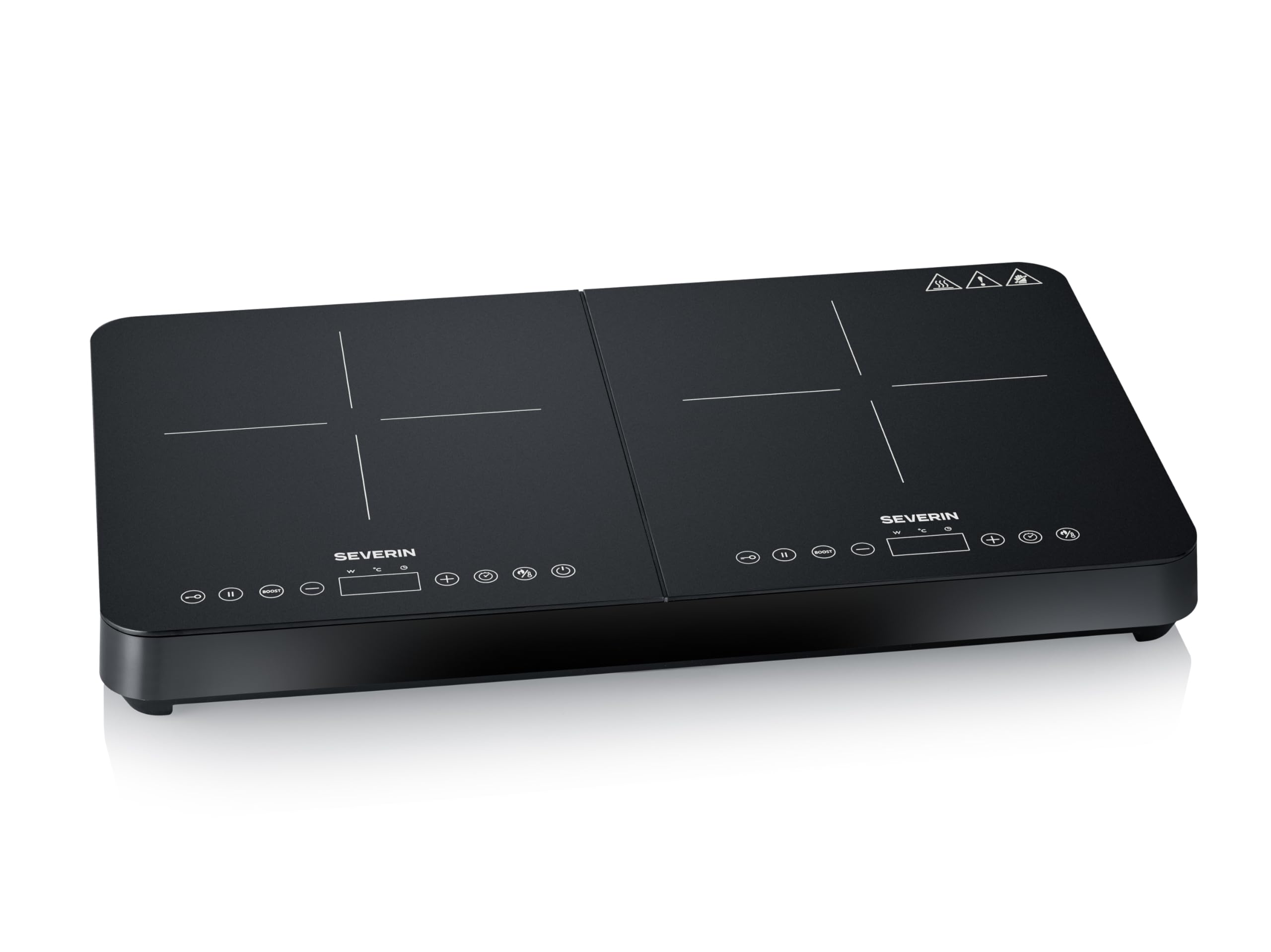
Image: The Severin DK 1028 dual induction cooktop in use, showing two pots on the heating zones. A hand is interacting with the touch control panel.
2. Important Safety Instructions
Always follow basic safety precautions when using electrical appliances to reduce the risk of fire, electric shock, and injury.
- Read all instructions carefully before operating the appliance.
- This appliance is for household use only. Do not use outdoors.
- Ensure the voltage indicated on the appliance matches your local mains voltage before connecting.
- Do not immerse the appliance, power cord, or plug in water or other liquids.
- Keep the appliance out of reach of children and persons with reduced physical, sensory, or mental capabilities.
- Place the cooktop on a stable, level, heat-resistant surface, ensuring adequate ventilation around it.
- Do not place the cooktop near flammable materials or heat sources.
- Use only induction-compatible cookware. Non-induction cookware will not heat.
- Do not touch the ceramic surface immediately after cooking, as residual heat may be present.
- Avoid placing metal objects (e.g., knives, forks, spoons, lids) on the cooktop surface, as they can become hot.
- Unplug the appliance from the power outlet when not in use and before cleaning.
- If the supply cord is damaged, it must be replaced by the manufacturer, its service agent, or similarly qualified persons to avoid a hazard.
- Persons with pacemakers or similar medical devices should consult their doctor before using an induction cooktop.
3. Components Included
The Severin DK 1028 Dual Induction Cooktop package includes:
- Severin DK 1028 Induction Cooktop
- User Manual
4. Setup and Installation
Follow these steps for initial setup:
- Unpacking: Carefully remove the cooktop from its packaging. Retain the packaging for future storage or transport.
- Placement: Place the cooktop on a flat, stable, and heat-resistant surface. Ensure there is at least 10 cm of clear space around the sides and back for proper ventilation. Do not block the ventilation openings.
- Power Connection: Plug the power cord into a grounded electrical outlet. Ensure the outlet meets the voltage requirements (230 Volts).
- Initial Cleaning: Before first use, wipe the ceramic surface with a damp cloth to remove any dust or residue from manufacturing. Dry thoroughly.

Image: A clear top view of the Severin DK 1028 dual induction cooktop, highlighting its two cooking zones and the layout of the touch control panels.
5. Operating Instructions
The Severin DK 1028 features intuitive touch controls and advanced cooking functions.
5.1 Cookware Detection
The cooktop automatically detects induction-compatible cookware. If no suitable pot is placed on a cooking zone, or if it is removed, the cooktop will not activate or will switch off automatically after a short period, indicated by an acoustic signal.
5.2 Power On/Off
Press the Power button ( ) for the desired cooking zone to turn it on. Press again to turn it off.
5.3 Adjusting Power and Temperature
The cooktop offers 10 power levels and a temperature range from 60 °C to 240 °C. Use the + and - buttons on the touch display to adjust the settings. The illuminated touch display will show the current power level or temperature.

Image: A detailed view of the digital display on the cooktop, indicating the selected power or temperature setting.
5.4 Timer Function
Activate the timer function by pressing the Timer button. Use the + and - buttons to set the desired cooking time. An acoustic signal will sound when the timer expires, and the cooktop will automatically shut off.
5.5 Automatic Shut-off
For safety, the cooktop is equipped with an automatic shut-off feature. If a cooking zone is left unattended for an extended period or if cookware is removed, the cooktop will automatically turn off.

Image: The Severin DK 1028 cooktop with a frying pan on one zone and a perfectly cooked steak on a plate next to it, illustrating its use for preparing meals.
6. Cleaning and Maintenance
Proper cleaning and maintenance will extend the life of your Severin DK 1028 Induction Cooktop.
- Before Cleaning: Always unplug the cooktop from the power outlet and allow it to cool completely before cleaning.
- Ceramic Surface: The matte ceramic surface is scratch-resistant and easy to clean. Wipe the surface with a soft, damp cloth and a mild detergent. For stubborn stains, use a ceramic hob cleaner. Avoid abrasive cleaners, scouring pads, or harsh chemicals that could damage the surface.
- Housing: Wipe the exterior housing with a soft, damp cloth. Do not allow water to enter the ventilation openings.
- Storage: When not in use for an extended period, ensure the cooktop is clean and dry. Store it in a cool, dry place.

Image: A close-up view of the matte ceramic surface of the Severin induction cooktop, emphasizing its scratch-resistant and easy-to-clean finish.
7. Troubleshooting
If you encounter issues with your cooktop, refer to the following table for common problems and solutions:
| Problem | Possible Cause | Solution |
|---|---|---|
| Cooktop does not turn on. | No power supply; appliance not plugged in; power outage. | Check power cord connection; check circuit breaker; try another outlet. |
| Cooking zone not heating. | Cookware not induction-compatible; cookware too small or not centered; no cookware present. | Use induction-compatible cookware; ensure cookware is centered and covers the cooking zone; place cookware on the zone. |
| Display shows an error code. | Specific internal error. | Refer to the specific error code in the full manual (if available) or contact customer support. Try unplugging and re-plugging the unit. |
| Unusual noise during operation. | Normal fan operation; resonance from cookware. | A slight humming sound from the fan is normal. Some cookware may produce a slight buzzing sound due to induction technology; this is not a defect. |
8. Technical Specifications
| Feature | Specification |
|---|---|
| Model Number | DK 1028 |
| Color | Matte Black |
| Material | Plastic, Matte Tempered Glass |
| Heating Elements | 2 Induction Burners |
| Power (Wattage) | 3400 Watts |
| Voltage | 230 Volts |
| Dimensions (D x W x H) | 34.5 cm x 58.5 cm x 5.9 cm |
| Item Weight | 4.15 Kilograms |
| Control Type | Illuminated Touch Panel |
| Special Features | Adjustable Temperature Control, Automatic Pan Detection, Adjustable Power Levels, Scratch-Resistant Surface, Fingerprint-Resistant Surface, 22 cm Diameter Cooking Zone |
| Recommended Uses | Camping, Auxiliary Kitchen, Apartment Kitchen, Home Cooking, Portable Cooking |
| Year of Manufacture | 2025 |
| Country of Origin | China |
9. Warranty Information
The Severin DK 1028 Dual Induction Cooktop comes with a three-year manufacturer's warranty. This warranty covers defects in materials and workmanship under normal use. Please retain your proof of purchase for warranty claims. For specific terms and conditions, refer to the warranty card included with your product or contact Severin customer service.
10. Customer Support
If you have any questions, require technical assistance, or need to make a warranty claim, please contact Severin customer support:
- Website: Visit the official Severin website for FAQs and support resources.
- Email/Phone: Refer to the contact information provided in your product packaging or on the Severin website for your region.

