
Introduction
Thank you for choosing the KBS 3LB MBF-060 Programmable Bread Maker. This advanced appliance is designed to simplify your bread-making process, offering a wide range of programs and features to create delicious homemade bread with ease. With its ultra-large capacity, dual heating elements, and quiet brushless motor, you can enjoy perfectly baked bread for your family.
Please read this manual thoroughly before operating your bread maker to ensure safe and optimal performance.
Important Safety Instructions
- Always ensure the bread maker is placed on a stable, flat, heat-resistant surface.
- Do not immerse the appliance, cord, or plug in water or any other liquid.
- Keep hands, hair, and clothing away from moving parts during operation.
- Always unplug the appliance from the outlet when not in use and before cleaning.
- Allow the appliance to cool completely before putting on or taking off parts, and before cleaning.
- Do not operate any appliance with a damaged cord or plug, or after the appliance malfunctions or has been damaged in any manner.
- Avoid contact with hot surfaces. Use oven mitts or a heat-resistant mitt when handling hot parts or removing hot bread.
- This appliance is for household use only.
Package Contents
Your KBS 3LB MBF-060 Bread Maker package includes the following items:
- 1 x KBS 3LB Bread Maker Unit
- 1 x Non-stick Ceramic Pan
- 2 x Ceramic Stirring Paddles
- 1 x Heat Resistant Mitt
- 1 x Measuring Cup
- 1 x Measuring Spoon
- 1 x Hook (for paddle removal)
- 1 x Instruction Manual
- 1 x Recipe Book
- 1 x Quick Start Guide

Image: All included accessories for the KBS Bread Maker, neatly arranged on a countertop.
Setup
- Unpacking: Carefully remove all components from the packaging. Remove any protective films or stickers from the appliance.
- Initial Cleaning: Before first use, wash the ceramic pan, stirring paddles, measuring cup, and measuring spoon with warm, soapy water. Rinse thoroughly and dry all parts. Wipe the interior and exterior of the bread maker unit with a damp cloth.
- Pan Installation: Place the ceramic pan into the baking chamber of the bread maker. Press down firmly and turn it clockwise until it locks securely into place. Ensure the stirring paddles are correctly attached to the shafts at the bottom of the pan.
- Placement: Position the bread maker on a stable, level, and heat-resistant surface, away from walls or other appliances to allow for proper ventilation.
Operating Instructions
Control Panel Overview
The KBS MBF-060 features a 25° angled digital touch control panel for easy operation. The intuitive interface allows you to select programs, adjust settings, and monitor the baking process.

Image: Close-up of the KBS Bread Maker's 25-degree angled digital control panel, showing various buttons and the display.
Selecting Programs
Your bread maker offers 20 preset menus and 2 fully customizable programs. Use the 'MENU' button to cycle through the available programs:
- Basic Bread: For white and mixed breads.
- Sweet Bread: For breads with high sugar content.
- Natural Sourdough: For sourdough recipes.
- French: For light French bread.
- Whole-Wheat: For whole wheat flour breads.
- Quick: For rapid bread making (approx. 1.5 hours).
- Sugar-Free: For breads without added sugar.
- Multigrain: For breads with various grains.
- Milky Loaf: For milk-based breads.
- Cake: For baking cakes.
- Raw Dough: For preparing dough only.
- Leaven Dough: For leavened dough.
- Jam: For making homemade jams.
- Bake: For baking only (no kneading/rising).
- Yogurt: For making yogurt.
- Gluten-Free: For gluten-free recipes.
- Ferment: For fermentation processes.
- Custom Programs (Menu 19 & 20): Allows 100% customization of time and temperature for each step (kneading, rising, baking). Settings can be saved for future use.
Loaf Size and Crust Color
After selecting a program, you can choose your desired loaf size (2 lb, 2.5 lb, or 3 lb) and crust color (Light, Medium, or Dark) using the dedicated buttons on the control panel.

Image: The KBS Bread Maker with an open automatic fruit and nut dispenser, illustrating the three available loaf sizes (2lb, 2.5lb, 3lb) and three crust color options (Light, Medium, Dark).
Delay Timer and Keep Warm Function
- 15-Hour Delay Timer: Set a delayed start time for your bread to be ready exactly when you need it. This feature allows you to add ingredients and program the machine to start baking up to 15 hours later.
- 60-Minute Keep Warm: After baking is complete, the bread maker automatically enters a 60-minute keep-warm cycle to maintain the bread's freshness and temperature.
- 15-Minute Power-Off Protection: In case of a power outage, the bread maker retains its settings for up to 15 minutes, allowing the cycle to resume once power is restored.
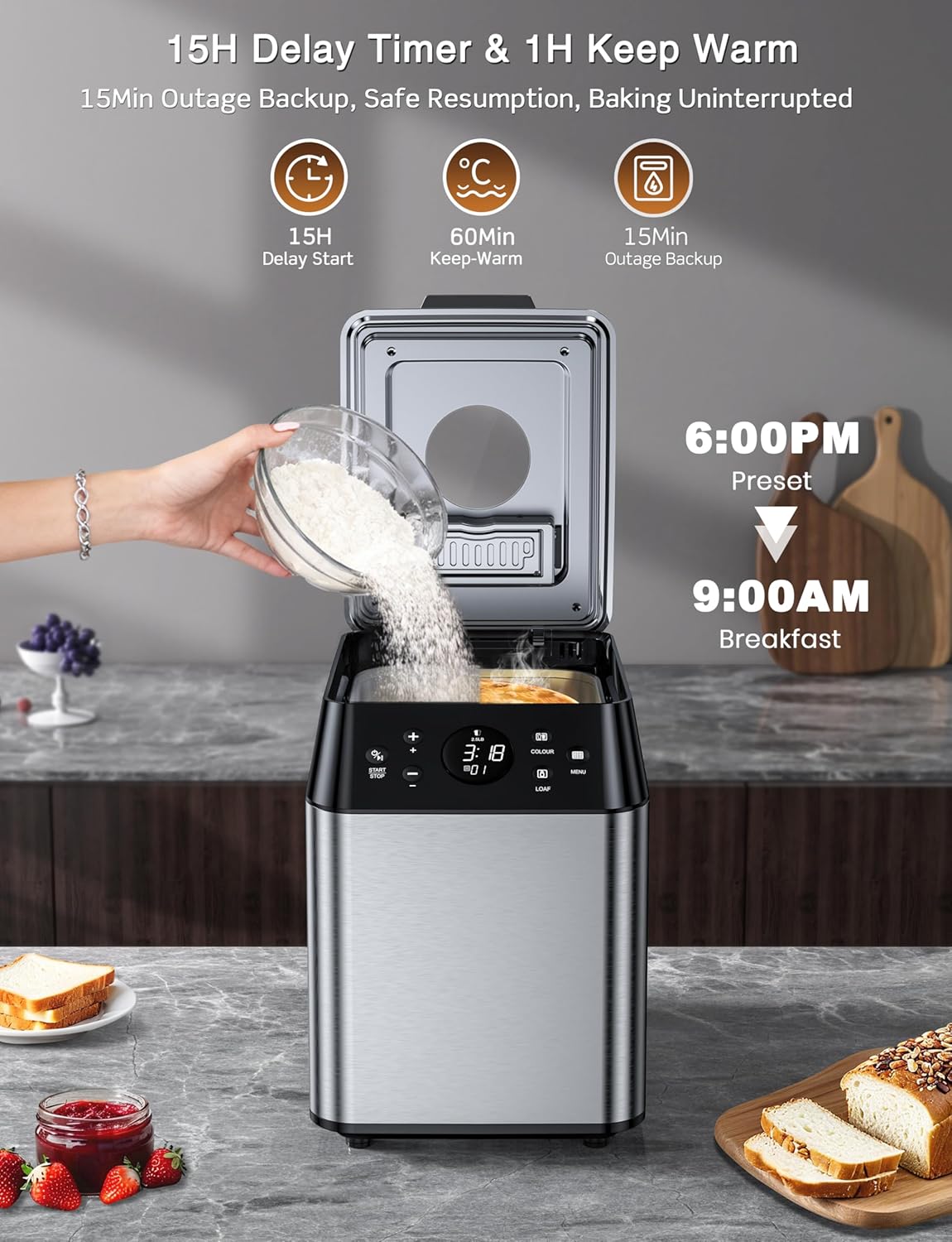
Image: A person adding ingredients to the KBS Bread Maker, with the digital display showing a preset time, illustrating the 15-hour delay timer feature for fresh morning bread.
Automatic Fruit and Nut Dispenser
The integrated automatic fruit and nut dispenser releases mix-ins like nuts, seeds, or dried fruits at the optimal moment during the kneading cycle, ensuring even distribution throughout your bread without manual intervention.

Image: A close-up of the KBS Bread Maker's automatic fruit and nut dispenser, showing the mechanism for adding ingredients during the cycle.
Observing the Baking Process
The 360° panoramic transparent viewing window allows you to observe the bread-making process at any time, from kneading to rising and baking, without opening the lid.

Image: The KBS Bread Maker with a transparent viewing window, showing dough rising inside, highlighting the dual heater convection technology.
Official Product Video: KBS 3LB 20-in-1 Programmable Bread Maker
Video: An official overview of the KBS 3LB 20-in-1 Programmable Bread Maker, showcasing its features and ease of use.
Care and Maintenance
- Cleaning the Pan and Paddles: The 5-layer die-cast non-stick ceramic pan and ceramic kneading paddles are dishwasher-safe for easy cleaning. Alternatively, wash with warm, soapy water and a soft sponge.
- Cleaning the Unit: Wipe the exterior of the bread maker with a damp cloth. Do not use abrasive cleaners or scourers.
- Storage: Ensure all parts are completely dry before storing the bread maker in a cool, dry place.
Troubleshooting
Common Issues and Solutions
- Bread Not Rising: Ensure yeast is fresh and water temperature is correct (lukewarm). Check ingredient measurements carefully.
- Paddle Stuck in Bread: After baking, allow the pan to cool slightly. Use the provided hook tool to carefully remove the paddle from the bread.
- Uneven Crust: Experiment with different crust color settings. Ensure the pan is correctly seated in the baking chamber.
- Machine Vibrates Excessively: Ensure the bread maker is on a stable, level surface.
Specifications
- Model Number: MBF-060
- Capacity: 3 LB Ultra Large Capacity
- Programs: 20 Preset Menus + 2 Custom Programs
- Power: 750W Dual Heaters
- Motor: Ultra-Quiet Brushless Motor (<25 dB)
- Pan Material: Healthy Ceramic Non-Stick Pan
- Body Material: 100% Stainless Steel
- Control Panel: 25° Angled Digital Touch Panel
- Dimensions: 12.6"D x 9.27"W x 12.91"H
- Item Weight: 14.53 pounds
- Voltage: 120 Volts
- Special Features: Automatic Fruit Dispenser, 15H Delay Timer, 60-Minute Keep Warm, 15-Minute Power-Off Protection, 3 Crust Settings, 360° Viewing Window.
Warranty and Support
Your KBS 3LB MBF-060 Programmable Bread Maker comes with a 2-Year Warranty. Our experienced engineers and professional support staff are available to provide customized help and solve your problems within 12 hours. Please refer to the contact information in your Quick Start Guide or visit the KBS website for support.


