1. Introduction
This manual provides detailed instructions for the installation, operation, and maintenance of your SANNCE 5MP Super HD PoE IP Security Camera. Please read this manual thoroughly before using the product to ensure proper setup and functionality. This camera is designed for both indoor and outdoor surveillance, offering high-resolution video and advanced detection capabilities.

Image 1.1: SANNCE 5MP PoE Security System Overview
2. Package Contents
Verify that all components are present in your package. If any items are missing or damaged, contact SANNCE customer support.
- SANNCE 5MP PoE IP Security Camera (2 units)
- Mounting Screws and Wall Plugs
- Waterproof Kit for Network Cable
- Quick Start Guide

Image 2.1: Two SANNCE 5MP PoE IP Security Cameras included in the package.
3. Product Features
The SANNCE I51EP camera offers a range of features designed for reliable surveillance:
- 5MP Super HD Resolution: Captures video at 2880x1620 pixels using a 1/2.7" Progressive Scan CMOS sensor, providing clear and detailed images.
- Enhanced Image Processing: Features BLC (Backlight Compensation), 3D DNR (3D Digital Noise Reduction), and HLC (Highlight Compensation) for optimal image quality in various lighting conditions.
- Dual IR Night Vision: Equipped with 2 infrared arrays and a 6-layer glass lens, offering up to 100ft (30m) of night vision. The smart IR-cut filter automatically switches between day and night modes.
- Wide-Angle View: A 4mm lens provides a broad field of view, covering more monitoring area.
- Smart Motion Detection: Advanced human and vehicle detection reduces false alarms and triggers event markers in recordings when used with compatible NVRs (e.g., SANNCE N98PBM series).
- Privacy Zones: Allows users to define custom privacy masks to block sensitive areas from surveillance while maintaining coverage elsewhere.
- IP67 Weatherproof Design: Constructed with a rust-proof metal housing, ensuring durability and resistance to dust and water. Operates reliably in temperatures from -22°F to 140°F (-30°C to 60°C).
- Built-in Microphone: Captures ambient sound clearly, even in adverse weather conditions.
- Power over Ethernet (PoE): IEEE 802.3af/at compliant, allowing both power and data transmission through a single Ethernet cable, simplifying installation.
- Efficient Video Compression: Utilizes H.265+/S+265 encoding to reduce bandwidth and storage requirements by up to 75% compared to older standards, facilitating smooth remote viewing.

Image 3.1: 5MP Super HD Resolution for clear day and night viewing.

Image 3.2: Visual comparison of 1080P and 5MP resolution clarity.
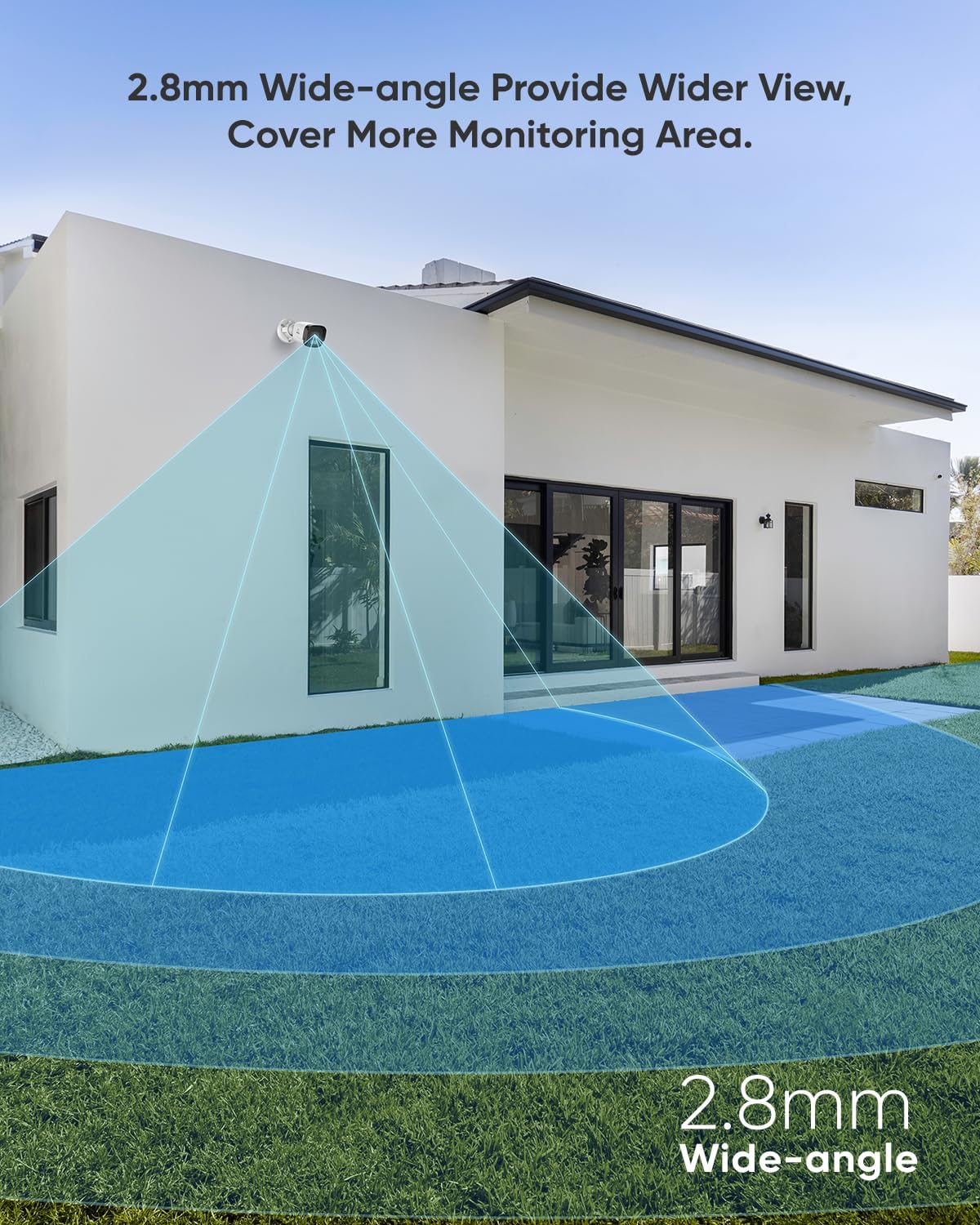
Image 3.3: Wide-angle view coverage from the camera.

Image 3.4: Night vision capability providing 24/7 protection.
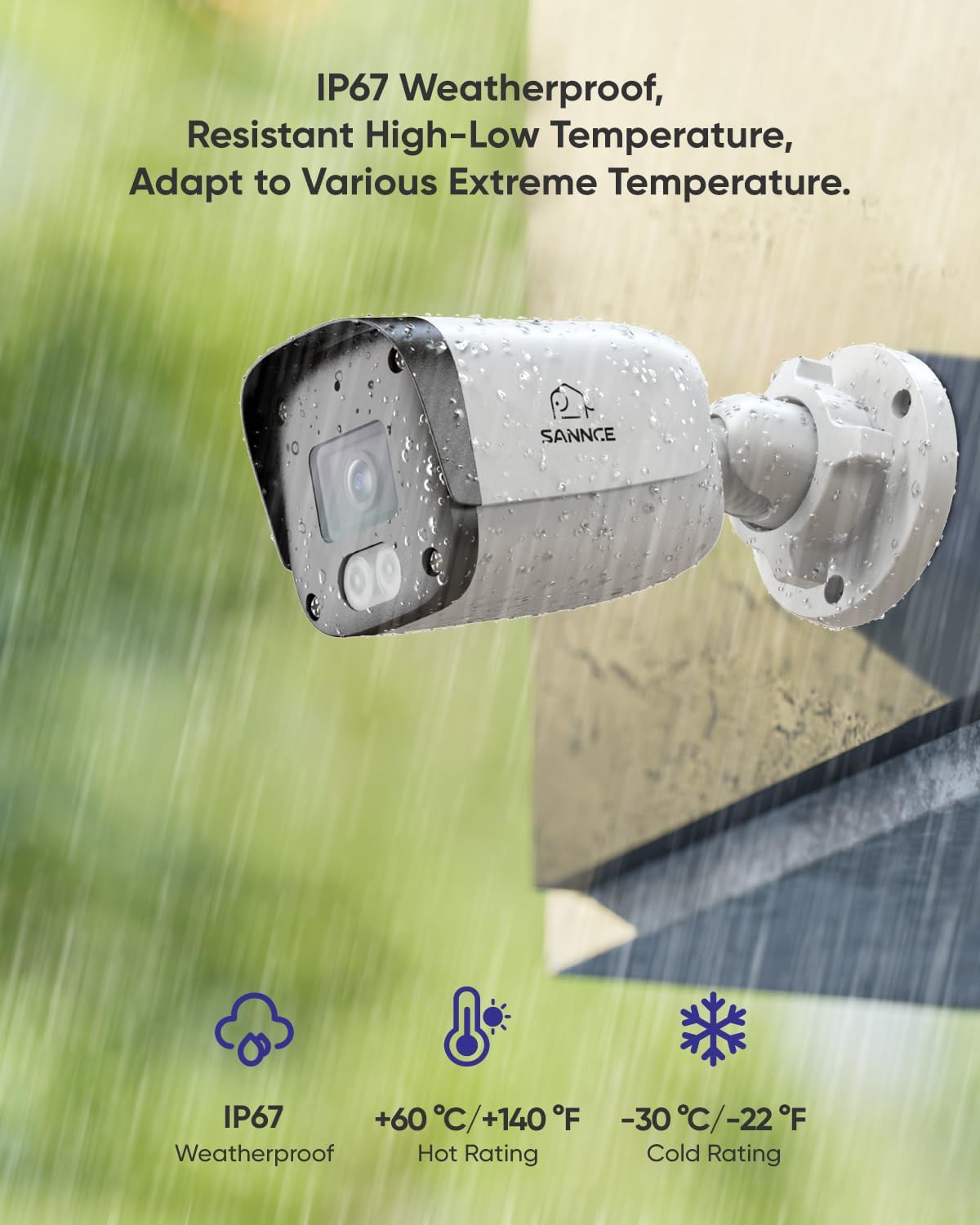
Image 3.5: IP67 Weatherproof design for outdoor use.

Image 3.6: BLC, 3D DNR, HLC for improved image quality.

Image 3.7: Built-in microphone for audio capture.

Image 3.8: S+265 encoding for efficient storage and bandwidth.
4. Setup and Installation
4.1 Mounting the Camera
The SANNCE I51EP camera is designed for wall mounting. Choose a location that provides the desired field of view and is within reach of your network cable.
- Prepare the Mounting Surface: Use the provided mounting template (if applicable) or the camera base to mark the drill holes on the wall.
- Drill Holes: Drill pilot holes at the marked positions. Insert the wall plugs into the holes if mounting on masonry.
- Secure the Camera: Align the camera base with the drilled holes and secure it using the provided screws. Adjust the camera angle as needed.
4.2 PoE Connection
This camera utilizes Power over Ethernet (PoE) for both power and data transmission, requiring only a single Ethernet cable.
- Connect Ethernet Cable: Connect one end of an Ethernet cable (Cat5e or higher) to the camera's RJ45 port.
- Apply Waterproof Kit: For outdoor installations, use the included waterproof kit to protect the Ethernet connection from moisture.
- Connect to PoE Device: Connect the other end of the Ethernet cable to a PoE-enabled NVR, PoE switch, or PoE injector. Ensure the PoE device meets IEEE 802.3af/at standards.
- Power On: Once connected to a powered PoE device, the camera will automatically power on.

Image 4.1: Simplified installation with PoE, transmitting data and power via one cable.

Image 4.2: PoE connection detail, highlighting simplified installation.
4.3 Initial Configuration
After physical installation, you will need to configure the camera using a compatible NVR or the SANNCE mobile application.
- NVR Connection: If connecting to a SANNCE NVR, the camera should be automatically detected. Refer to your NVR's manual for adding IP cameras.
- Mobile App Setup: Download the SANNCE Life app from the Google Play Store or Apple App Store. Follow the in-app instructions to add your camera by scanning the QR code or manually entering its details.
5. Operating Instructions
5.1 Live View and Recording
Access live video feeds and manage recordings through your NVR interface or the SANNCE Life app.
- Live Monitoring: View real-time footage from your camera(s) on your connected display or mobile device.
- Continuous Recording: The camera, when connected to an NVR, can record continuously based on your NVR's settings.
- Event Recording: Recordings can be triggered by smart motion detection (human/vehicle detection), saving storage space and making event review more efficient.

Image 5.1: Human and vehicle detection playback interface on a smartphone.

Image 5.2: AI-powered detection reducing false alarms.
5.2 Remote Access
The SANNCE Life app allows you to monitor your property from anywhere with an internet connection.
- Real-time Viewing: Access live feeds on your smartphone, tablet, or computer.
- Playback: Review recorded footage remotely.
- Notifications: Receive instant alerts for detected events.
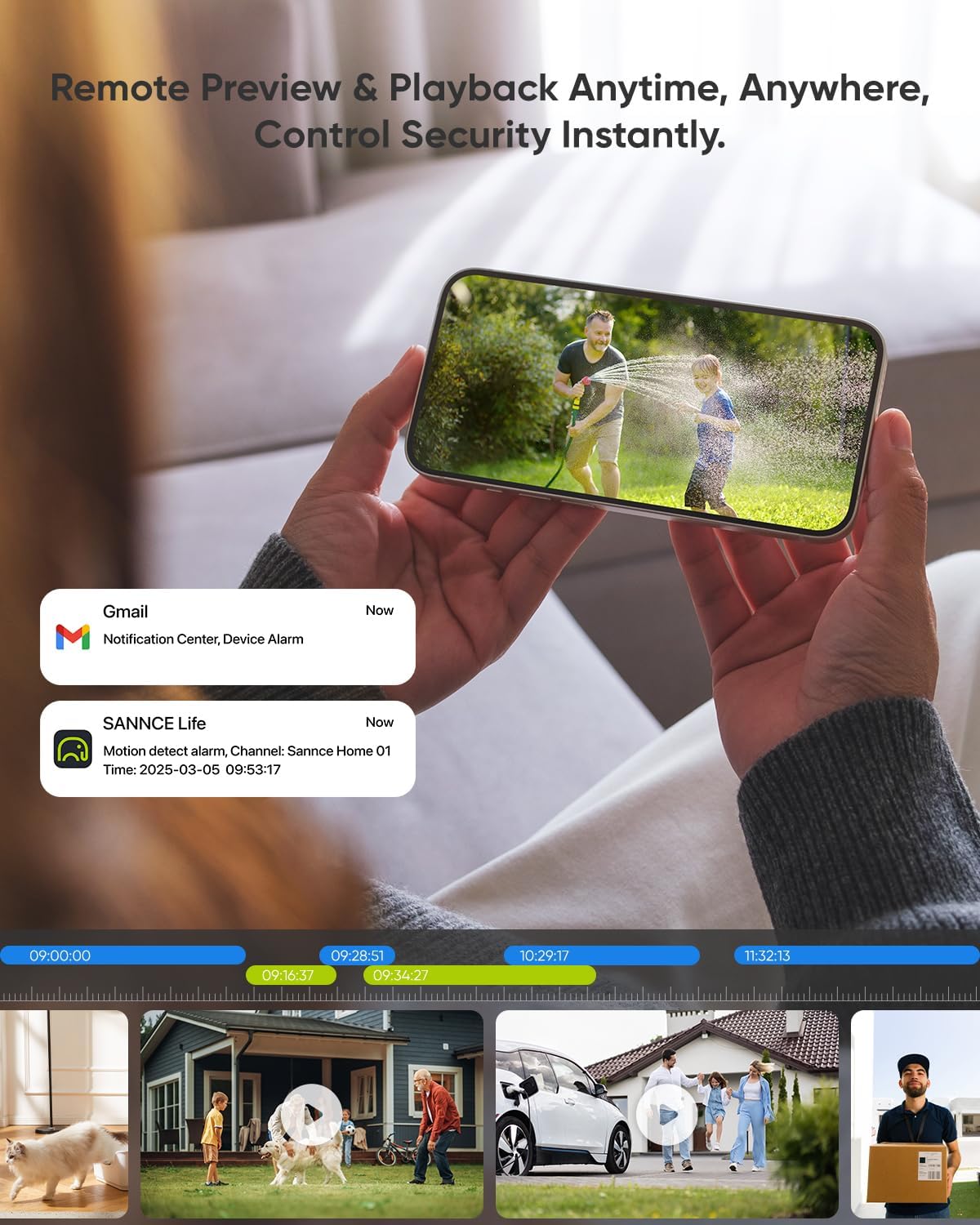
Image 5.3: Remote preview and playback via the SANNCE Life app.

Image 5.4: Multi-device login and simultaneous viewing support.

Image 5.5: Remote access and multi-layer security features.
5.3 Customization
Configure camera settings to suit your specific surveillance needs.
- Detection Zones: Define specific areas within the camera's view where motion detection should be active.
- Privacy Masking: Create blacked-out areas to exclude private spaces from recording.
- Image Settings: Adjust brightness, contrast, saturation, and other image parameters.
6. Maintenance
Regular maintenance ensures optimal performance and longevity of your security camera.
- Cleaning: Periodically clean the camera lens and housing with a soft, damp cloth. Avoid abrasive cleaners that could scratch the lens.
- Cable Inspection: Check all cable connections for wear, damage, or loose fittings, especially for outdoor installations.
- Firmware Updates: Check the SANNCE website or app for available firmware updates to ensure your camera has the latest features and security enhancements.
- Environmental Checks: Ensure the camera's operating temperature remains within the specified range (-22°F to 140°F).
7. Troubleshooting
If you encounter issues with your SANNCE camera, refer to the following common problems and solutions:
| Problem | Possible Cause | Solution |
|---|---|---|
| No image/video feed | No power; faulty Ethernet cable; incorrect network settings. | Ensure PoE device is powered and functioning. Check Ethernet cable for damage and proper connection. Verify camera's IP address and network settings. |
| Poor image quality | Dirty lens; low bandwidth; incorrect resolution settings. | Clean the camera lens. Ensure sufficient network bandwidth. Adjust resolution settings in the camera's configuration. |
| Motion detection not working or too many false alarms | Incorrect sensitivity settings; detection zones not configured; environmental factors (e.g., moving branches). | Adjust motion detection sensitivity. Configure specific detection zones and privacy masks. Ensure human/vehicle detection is enabled if desired. |
| Cannot access camera remotely | Network connectivity issues; incorrect app settings; firewall blocking. | Verify your internet connection. Ensure the SANNCE Life app is correctly configured and updated. Check router/firewall settings to allow camera access. |
8. Technical Specifications
| Feature | Specification |
|---|---|
| Model Name | I51EP |
| Video Capture Resolution | 5MP (2880x1620) |
| Image Sensor | 1/2.7" Progressive Scan CMOS |
| Lens | 4mm |
| Night Vision Range | Up to 100ft (30m) with Dual IR Arrays |
| Video Compression | H.265+/S+265 |
| Audio | Built-in Microphone |
| Detection | Human/Vehicle Detection |
| Weatherproof Rating | IP67 |
| Operating Temperature | -22°F to 140°F (-30°C to 60°C) |
| Power Source | PoE (IEEE 802.3af/at) |
| Connectivity Technology | PoE |
| Mounting Type | Wall Mount |
| Product Dimensions | 5 x 6 x 2 inches |
| Item Weight | 3.7 pounds |
9. Support Information
For further assistance, technical support, or warranty inquiries, please visit the official SANNCE website or contact their customer service.
SANNCE Official Store: Visit SANNCE Store on Amazon
Please retain your purchase receipt for warranty purposes.


