
Introduction
This manual provides comprehensive instructions for the VECHTEL 4G+64G Android 15 Car Radio. It covers product features, installation guidelines, operating procedures, and maintenance tips to ensure optimal performance and user experience. Please read this manual thoroughly before installation and operation.
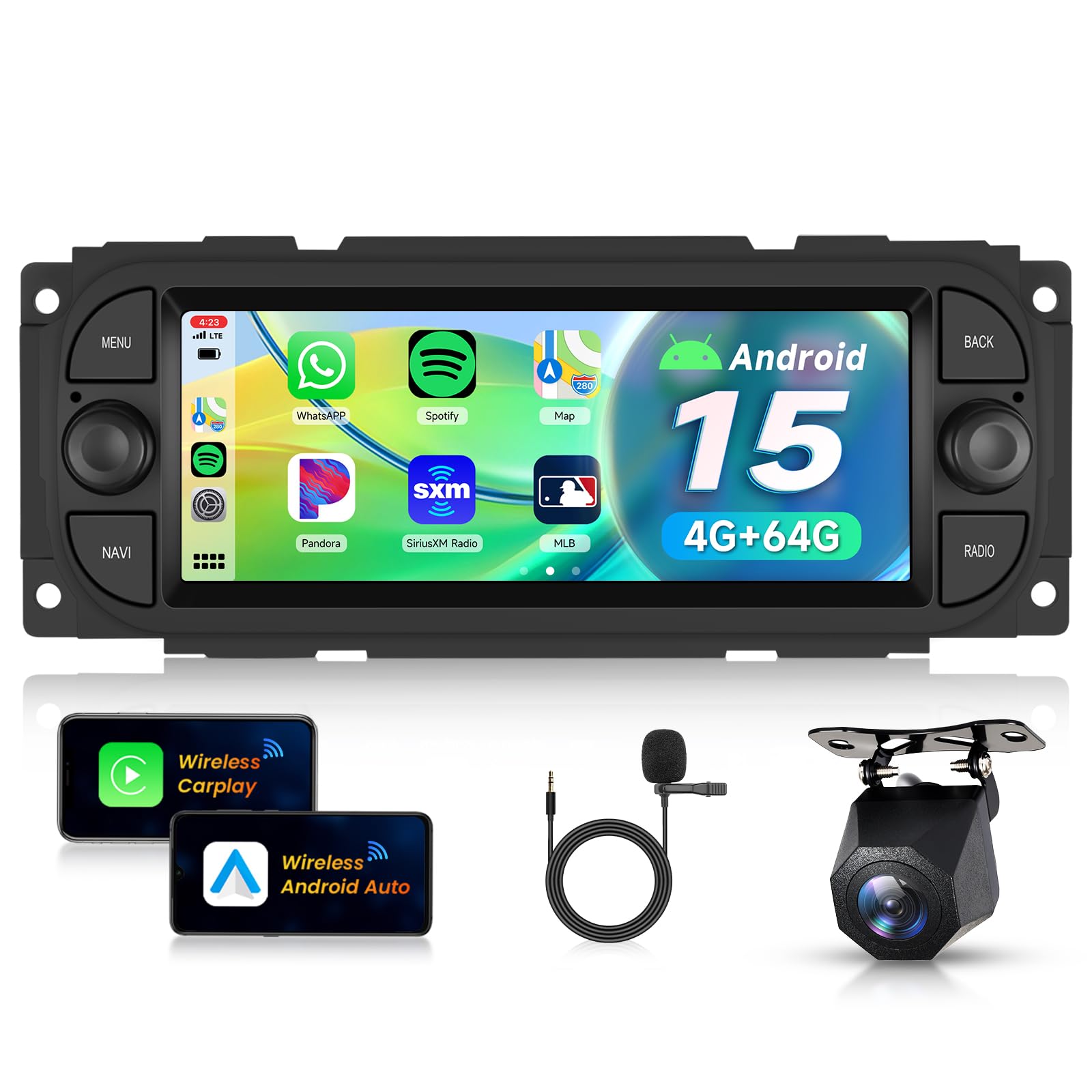
Image: The VECHTEL 4G+64G Android 15 Car Radio with its 6.86-inch display, integrated into a vehicle dashboard, showcasing its sleek design and user interface.
Package Contents
Verify that all items listed below are included in your package:
- Car Radio Unit
- External Microphone
- GPS Antenna
- Instruction Manual
- Antenna Adapter
- Power Cables (various types)
- RCA Cable
- Rear Camera Input Cable
- USB Cables
- Rear Camera (if included in package variant)

Image: A visual representation of the car radio's dimensions and a comprehensive list of all components and cables included in the product package.
Vehicle Compatibility
This car radio is designed for specific vehicle models. Please confirm your vehicle's year and dashboard configuration before installation. Compatible models include:
- Jeep: Grand Cherokee (1999-2004), Wrangler (2003-2006), Liberty (2002-2007)
- Chrysler: 300M (2002-2004), PT Cruiser (2003-2005), Sebring (2002-2006), Concorde (2002-2004), Town & Country (2004-2007), Grand Voyager (2001-2003)
- Dodge: RAM (2002-2006), RAM 1500/2500/3500 (2004-2005), Dakota (2002-2004), Neon (2004-2005), Stratus (2004-2006), Intrepid (2002-2004), Caravan (2004-2007), Viper (2005-2006), Durango (2002-2003)
It is recommended to send a photo of your central dashboard to customer support for confirmation of compatibility and to receive recommendations for appropriate installation kits or wiring harnesses.

Image: A collage of compatible vehicle dashboards, illustrating the types of car interiors where the radio can be installed, along with a warning to verify compatibility.
Setup and Installation
General Installation
Installation of the car radio typically involves removing the existing head unit, connecting the new unit using the provided wiring harnesses and adapters, and securing it in the dashboard. Professional installation is recommended if you are unfamiliar with car audio systems.

Image: A side-by-side comparison showing a car dashboard with the original radio (Before) and the same dashboard with the VECHTEL Android 15 Car Radio installed (After).
Backup Camera Wiring
For backup camera functionality, follow these wiring instructions:
- Red Cable 1 and 3: Connect to the positive (+) of the car's reverse light power supply.
- Black Cable 2: Connect to the negative (-) of the car's reverse light power supply.
- Black Cable 4: Connect to the reverse trigger wire on the power harness of the car radio.

Image: A detailed wiring diagram showing how to connect the backup camera to the car radio system, indicating specific cable connections for power and trigger signals.
Operating Instructions
Wireless CarPlay and Android Auto
Connect your smartphone wirelessly to access CarPlay (for iOS) or Android Auto (for Android devices). This allows you to use navigation, make calls, send messages, and play music through the car radio's interface, controlled by voice commands (Siri or Google Assistant) or the touchscreen.

Image: The car radio display showing both Wireless CarPlay and Android Auto interfaces, demonstrating seamless smartphone integration for navigation, communication, and entertainment.
GPS Navigation and Wi-Fi
The unit supports both offline maps and online navigation via Wi-Fi. Connect to a Wi-Fi hotspot to receive real-time traffic updates and download additional map data. The fast Wi-Fi connection also enables smooth streaming of music and videos, and app downloads from the Play Store.

Image: A visual breakdown of the GPS navigation system (online and offline maps), Wi-Fi capabilities for streaming and app access, and the Mirror Link function for screen mirroring.
Bluetooth and FM/RDS Radio
Utilize Bluetooth 5.0 for stable hands-free calling and audio streaming from your mobile device. The FM/RDS radio function provides access to a wide range of radio stations with clear audio quality, including station information via RDS.

Image: A multi-panel display highlighting key features such as Bluetooth 5.0 for connectivity, FM/RDS radio interface, and voice control activation for hands-free operation.
Steering Wheel Control
The unit supports steering wheel controls, allowing you to manage volume, tracks, and calls without taking your hands off the wheel. This enhances driving safety and convenience.

Image: A split image showing the clear view from the backup camera on one side and the intuitive controls available on the steering wheel for managing the car radio on the other.
Additional Features
- Mirror Link: Project your phone's screen onto the car radio display.
- EQ Settings: Customize audio output with a 32-band equalizer for optimal sound quality.
- Split Screen Function: Run two applications simultaneously on the screen, such as navigation and music.
- Multi-UI Themes: Personalize the user interface with various themes.

Image: A visual display of the 32-band equalizer for audio customization, the Bluetooth 5.0 connectivity icon, and a representation of the 6.86-inch 1024*600P HD screen resolution.
Features Overview
Android 15 Operating System
The car radio operates on Android 15, featuring a 4-core CPU, 4GB RAM, and 64GB ROM. This configuration ensures smooth performance for multiple applications, providing a responsive and intuitive user experience.
IPS HD Touchscreen
Equipped with a 6.86-inch HD IPS touchscreen with a resolution of 1024*600P, the display offers vibrant colors, wide viewing angles, and high sensitivity for comfortable interaction.

Image: The car radio's IPS HD screen showcasing a high-definition image, emphasizing its 1024*600P resolution and vibrant display quality.
Backup Camera Functionality
The system supports a Full HD backup camera, providing clear rear views. Features include IP69 waterproof rating, wide-angle lens, and night vision capabilities for enhanced safety during parking and reversing.

Image: A detailed graphic illustrating the key features of the backup camera: HD image quality, IP69 waterproof rating, wide-angle view, and night vision capability for various conditions.
Specifications
| Feature | Detail |
|---|---|
| Product Dimensions | 7.5 x 17.8 x 7 cm; 1.09 kg |
| Model Number | VECHTEL 4+64G |
| Operating System | Android 15 |
| RAM / ROM | 4GB RAM / 64GB ROM |
| Screen Size | 6.86 inches |
| Screen Resolution | 1024*600P |
| Connectivity Technology | Bluetooth, USB, Wi-Fi |
| Special Features | Canbus, Wireless CarPlay & Android Auto, GPS Navigation, Touchscreen, Integrated Wi-Fi |
| Compatible Devices | Smartphone |
| Audio Output Mode | Stereo |
| Surround Sound Channels | 4.0 |
| Output Power | 45 Watts (per channel), 180 Watts (total) |
| Video Encoding | MKV, RMVB, AVI, MP4, MDV |
| Control Method | Touch |
| HDMI Ports | 1 |
| Analog RGB Inputs | RCA, USB |
Troubleshooting
If you encounter issues with your VECHTEL car radio, consider the following general troubleshooting steps:
- No Power: Check all power connections and fuses. Ensure the car's ignition is on.
- No Sound: Verify speaker connections, volume levels, and audio source selection. Check EQ settings.
- GPS Signal Issues: Ensure the GPS antenna is properly installed and has a clear view of the sky.
- Bluetooth Pairing Problems: Make sure Bluetooth is enabled on both the car radio and your device. Delete previous pairings and try again.
- Touchscreen Unresponsive: Try restarting the unit. If the issue persists, a factory reset might be necessary (consult the full manual for instructions).
- CarPlay/Android Auto Not Connecting: Ensure your phone's software is up to date and that the connection settings are correct (wireless or USB).
For persistent issues, please refer to the detailed troubleshooting section in the complete instruction manual or contact customer support.
Maintenance
To ensure the longevity and optimal performance of your car radio, follow these maintenance guidelines:
- Cleaning the Screen: Use a soft, lint-free cloth to gently wipe the touchscreen. Avoid abrasive cleaners or solvents that could damage the display.
- Software Updates: Periodically check for and install software updates to ensure the system runs efficiently and has the latest features and security patches.
- Environmental Conditions: Avoid exposing the unit to extreme temperatures, direct sunlight for prolonged periods, or excessive moisture.
- Cable Connections: Ensure all cables are securely connected to prevent intermittent issues.
Warranty and Support
The VECHTEL 4G+64G Android 15 Car Radio comes with a 3-year warranty. This warranty covers manufacturing defects and ensures repair or replacement of the product under normal use conditions.
For technical support, warranty claims, or any inquiries regarding your product, please contact VECHTEL customer service through the platform where you purchased the item. Provide your model number (VECHTEL 4+64G) and proof of purchase for faster assistance.
