
1. Product Overview
The Wyness T27 Wireless Earbuds offer an advanced audio experience with features such as Active Noise Cancellation (ANC), AI Clear Calls, and a smart touchscreen charging case. This manual provides detailed instructions for optimal use and maintenance of your device.

Image 1: Wyness T27 Wireless Earbuds in their charging case, showcasing the touchscreen display.
2. Package Contents
Ensure all items are present in the package:
- Wyness T27 Wireless Earbuds (Left and Right)
- Charging Case with Smart Touchscreen
- USB Type-C Charging Cable
- Multiple Sizes of Ear Tips (Small, Medium, Large)
- Instruction Manual (this document)
3. Setup and Initial Use
3.1 Charging the Earbuds and Case
Before first use, fully charge both the earbuds and the charging case.
- Place the earbuds into the charging case. Ensure they are correctly seated; the case's display will show charging status.
- Connect the USB Type-C charging cable to the charging port on the case and to a power source.
- The touchscreen display on the case will indicate the battery level of both earbuds and the case. A full charge typically takes approximately 2 hours.

Image 2: The charging case connected via USB-C, displaying its charge status.
The earbuds provide up to 8 hours of playtime on a single charge, and the charging case extends this to a total of 40 hours. A 10-minute quick charge can provide 2 additional hours of playback.
3.2 Bluetooth Pairing
The T27 earbuds utilize Bluetooth 6.0 for a fast and stable connection.
- Open the charging case. The earbuds will automatically enter pairing mode.
- On your device (smartphone, tablet, etc.), enable Bluetooth and search for available devices.
- Select "T27" from the list of available devices to connect.
- Once connected, the earbuds will automatically pair with your device in the future when removed from the case.
Video 1: An overview of the T27 Wireless Earbuds features, including smart touch control, sound quality, battery life, and IPX7 waterproofing. This video demonstrates the product's capabilities and ease of use.
3.3 Selecting Ear Tips for Comfort
For optimal sound quality and comfort, choose the ear tips that provide a secure and comfortable seal in your ear canal. Three different sizes (S, M, L) are included.
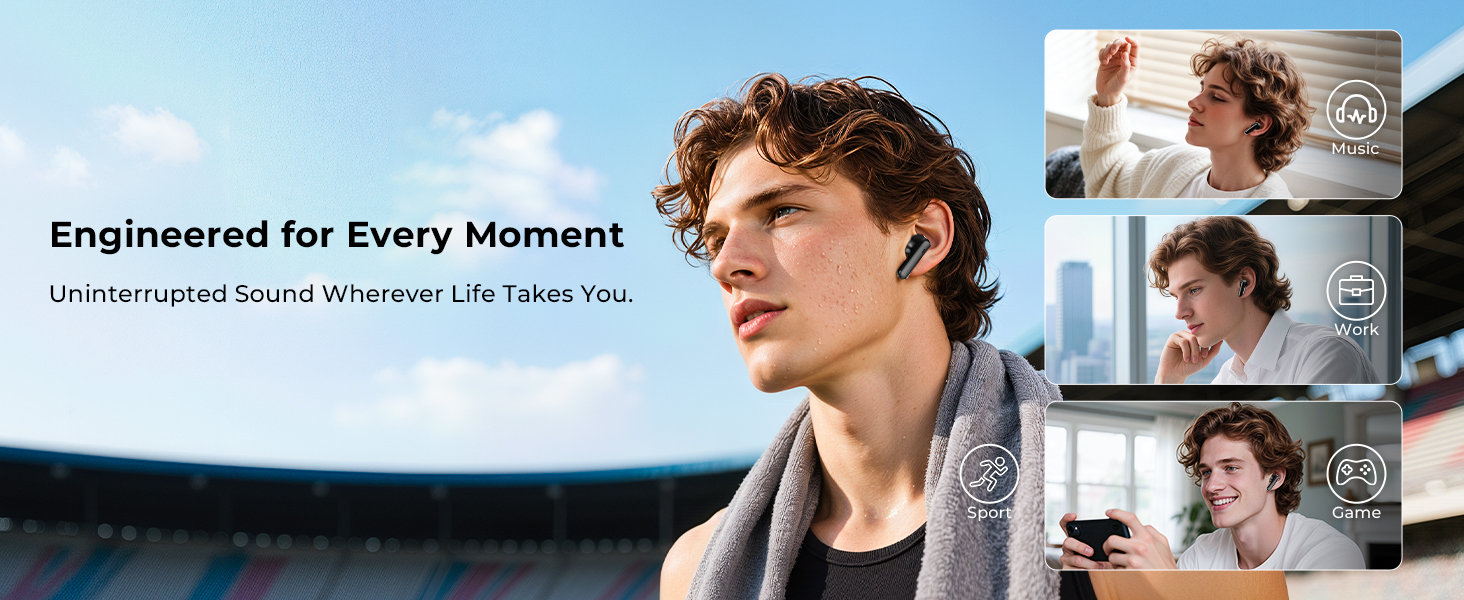
Image 3: Illustration of the ergonomic design and various ear tip sizes for a comfortable fit.
4. Operating Instructions
4.1 Smart Touchscreen Case Functions
The charging case features a responsive touchscreen for direct control without needing your phone.
- Music Control: Swipe to skip tracks, adjust volume, play/pause.
- Call Management: Answer or manage calls directly from the case.
- Noise Control: Switch between Active Noise Cancellation (ANC), Transparency Mode, and Normal Mode.
- EQ Presets: Select from five professional equalizer settings to match your music genre.
- Remote Photo: Use the case as a remote shutter for your phone's camera.
- Find My Earbuds: Activate a sound from the earbuds to locate them if misplaced.
- Language Switch: Change the system language.
- Screen Lock: Lock the touchscreen to prevent accidental touches.
- Light Level: Adjust screen brightness.
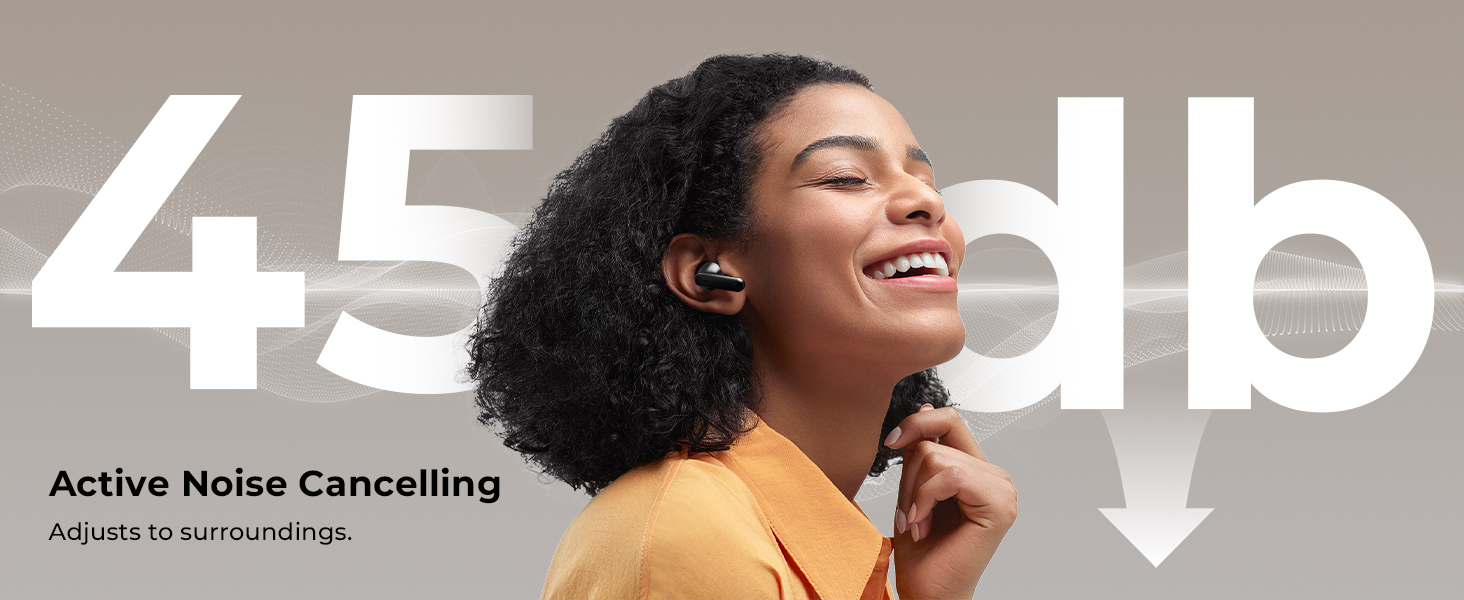
Image 4: The smart touchscreen on the charging case, illustrating its various control functions.
4.2 Earbud Touch Controls
The earbuds feature force-sensor sides for direct control of audio and calls.
- Single Tap: Play/Pause music, Answer/End call.
- Double Tap (Left Earbud): Previous song.
- Double Tap (Right Earbud): Next song.
- Triple Tap (Left Earbud): Volume Down.
- Triple Tap (Right Earbud): Volume Up.
- Long Press: Activate voice assistant (Siri, Google Assistant).
4.3 Active Noise Cancellation (ANC) and Transparency Mode
The T27 earbuds offer advanced noise control features:
- Active Noise Cancellation (ANC): Blocks up to 45 dB of ambient noise, ideal for noisy environments.
- Transparency Mode: Allows you to hear your surroundings clearly without removing the earbuds, enhancing situational awareness.
- Normal Mode: Standard audio playback without noise cancellation or transparency.
Switch between these modes using the touchscreen on the charging case or the earbud touch controls (refer to the case display for specific earbud gesture settings).

Image 5: Active Noise Cancellation in action, reducing ambient noise for an immersive listening experience.
4.4 AI Clear Calls
Equipped with dual ENC (Environmental Noise Cancellation) microphones, the T27 earbuds reduce up to 98% of background noise during calls, ensuring your voice is transmitted clearly.
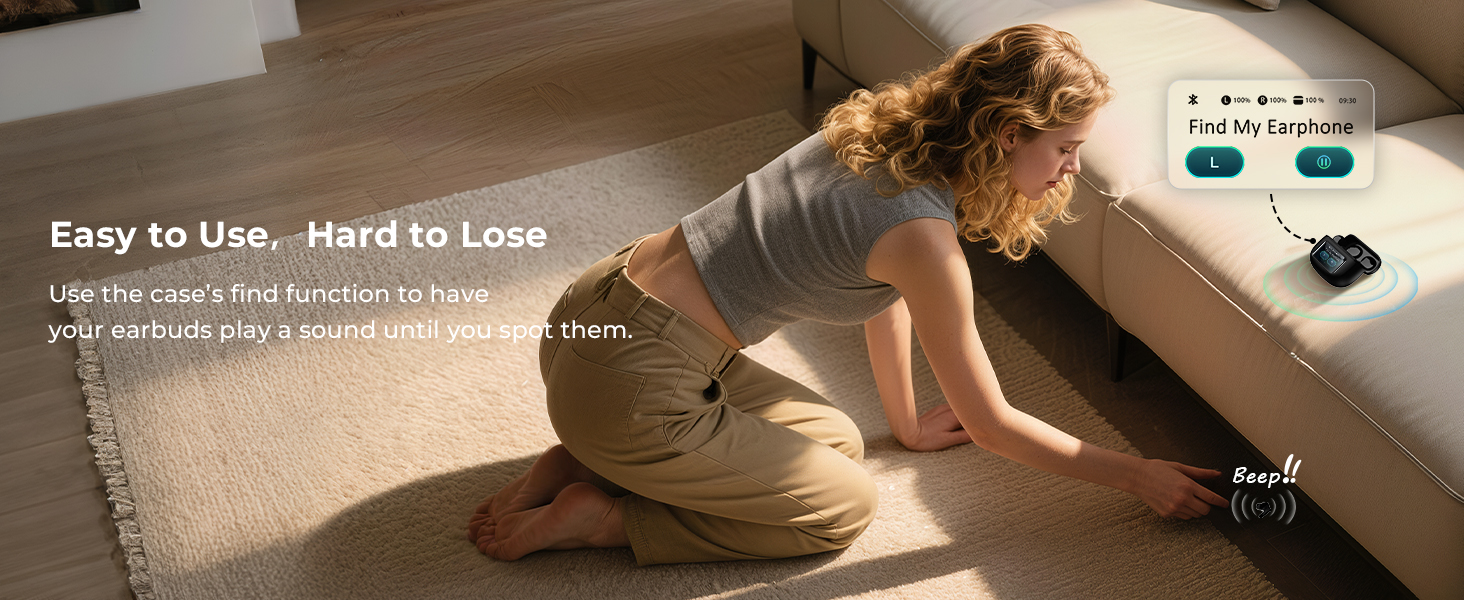
Image 6: Demonstrating crystal-clear call quality with ENC technology in a busy setting.
5. Maintenance and Care
5.1 Cleaning
Regular cleaning helps maintain optimal performance and hygiene.
- Use a soft, dry, lint-free cloth to wipe the earbuds and charging case.
- For ear tips, remove them from the earbuds and clean with mild soap and water. Ensure they are completely dry before reattaching.
- Avoid using abrasive materials, alcohol, or chemical cleaners.
5.2 Water Resistance (IPX7)
The T27 earbuds are IPX7 water-resistant, meaning they can withstand sweat and splashes. They are not designed for swimming or prolonged submersion.
- Do not intentionally submerge the earbuds in water.
- If the earbuds get wet, wipe them dry thoroughly before placing them back in the charging case.
- The charging case is not water-resistant.
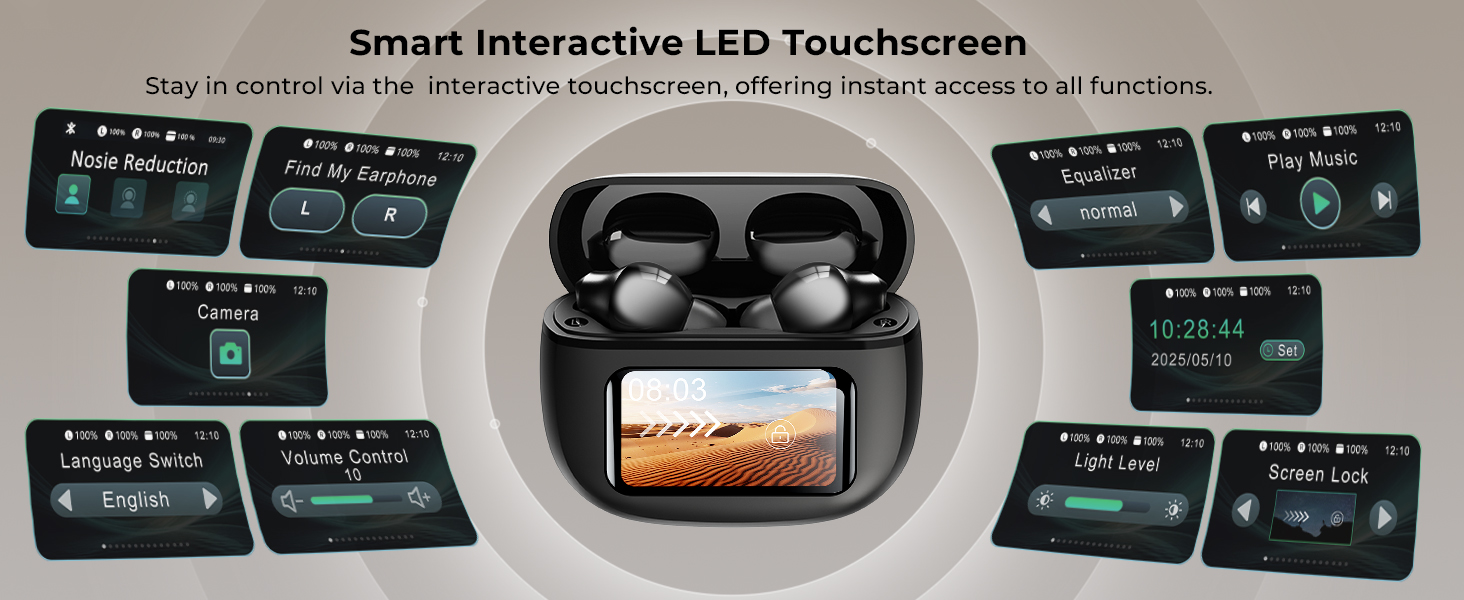
Image 7: The earbuds and case demonstrating their IPX7 water-resistant design, suitable for workouts and light rain.
5.3 Storage
Store the earbuds in their charging case when not in use to protect them and ensure they remain charged.
6. Troubleshooting
If you encounter issues, refer to the following common solutions:
- Earbuds not pairing:
- Ensure both earbuds are charged.
- Turn off and on your device's Bluetooth.
- Forget "T27" from your device's Bluetooth list and re-pair.
- Place earbuds back in the case, close, then reopen to re-enter pairing mode.
- No sound from one earbud:
- Ensure both earbuds are charged and connected.
- Try placing both earbuds back in the case and taking them out again.
- Clean the charging contacts on both the earbuds and the case.
- Charging issues:
- Check the USB-C cable and power adapter.
- Ensure the charging port on the case is clean and free of debris.
- Earbuds lost:
- Use the "Find My Earbuds" function on the charging case touchscreen.

Image 8: The "Find My Earphone" feature on the charging case touchscreen.
7. Specifications
| Feature | Detail |
|---|---|
| Model Name | T27 |
| Brand | wyness |
| Connectivity Technology | Bluetooth 6.0 |
| Noise Control Features | Active Noise Cancellation, Transparency Mode |
| Audio Driver Size | 13 mm |
| Playtime (Earbuds) | Up to 8 hours |
| Total Playtime (with Case) | Up to 40 hours |
| Charging Time | Approx. 2 hours |
| Water Resistance Level | IPX7 (earbuds only) |
| Control Type | Touch Sensitive (earbuds), Touch (case) |
| Microphones | Dual ENC Microphones |
| Item Weight (Earbuds) | 0.2 ounces |
| Charging Case Material | Plastic |
8. Warranty and Support
For warranty information or technical support, please refer to the official Wyness website or contact customer service through your purchase platform.
For further assistance, visit: www.wyness.com/support (example link)


