
VONROC CH516AC
VONROC CH516AC 2500W WiFi Electric Convector Heater User Manual
Model: CH516AC
Introduction
Thank you for choosing the VONROC CH516AC 2500W WiFi Electric Convector Heater. This manual provides essential information for the safe and efficient operation, installation, and maintenance of your new heater. Please read these instructions carefully before use and retain them for future reference.
Important Safety Instructions
Always observe basic safety precautions when using electrical appliances to reduce the risk of fire, electric shock, and injury to persons. This includes:
- Read all instructions before using this heater.
- Do not use this heater in the immediate vicinity of a bath, a shower or a swimming pool.
- Do not cover the heater. A warning label "DO NOT COVER" is present on the appliance.
- Ensure the voltage indicated on the rating label corresponds to the mains voltage in your home.
- Keep children and pets away from the heater.
- Do not insert any objects into the heater openings.
- Unplug the heater when not in use.
- If the supply cord is damaged, it must be replaced by the manufacturer, its service agent or similarly qualified persons in order to avoid a hazard.

Product Features
- 2500W heating power.
- Integrated WiFi for smart control via Tuya App.
- Adjustable thermostat (5-50 °C).
- Timer function.
- Multiple operating modes: Eco, Comfort, Anti-freeze.
- IP24 splash-proof rating.
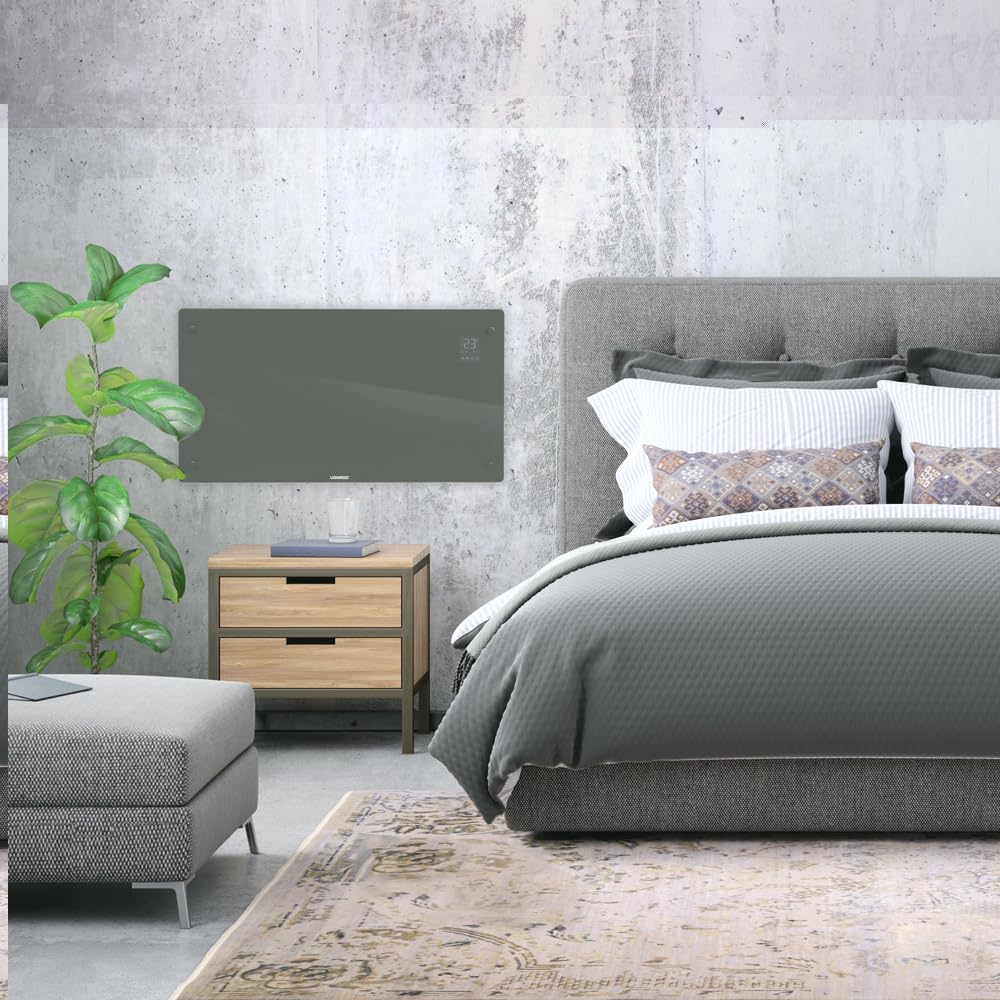
- Suitable for wall mounting or floor standing.
- Heats areas up to 30 m².
Package Contents
Verify that all components are present and undamaged upon unpacking:
- VONROC CH516AC Convector Heater
- Feet for floor standing (if applicable)
- Wall mounting kit (screws, anchors)
- User Manual
Setup and Installation
1. Floor Standing Installation
- Carefully unpack the heater and all accessories.
- Attach the provided feet to the bottom of the heater using the screws. Ensure they are securely fastened.
- Place the heater on a flat, stable surface, away from flammable materials and at least 1 meter from furniture or curtains.

2. Wall Mounting Installation
- Choose a suitable wall location, ensuring sufficient clearance around the heater (at least 15 cm from the floor and ceiling, and 30 cm from side walls).
- Mark the drilling points on the wall using the provided template or by measuring the mounting brackets on the back of the heater.
- Drill holes and insert wall anchors.
- Secure the wall mounting brackets to the wall with screws.
- Carefully hang the heater onto the wall brackets, ensuring it is securely seated.

Operating Instructions
1. Initial Power On
Plug the heater into a suitable electrical outlet. The digital display will illuminate.

2. Manual Control
- Power Button: Press to turn the heater ON/OFF.
- Temperature Adjustment: Use the '+' and '-' buttons on the control panel or app to set the desired temperature between 5°C and 50°C.
- Mode Selection: Cycle through Eco, Comfort, and Anti-freeze modes using the mode button.
- Timer: Set a timer for automatic shutdown.
3. WiFi and App Control (Tuya App)
- Download the "Tuya Smart" app from your smartphone's app store.
- Register or log in to your Tuya account.
- Ensure your heater is powered on and the WiFi indicator on the display is blinking (if not, press and hold the WiFi button on the heater for 5 seconds to enter pairing mode).
- In the Tuya app, tap '+' to add a device. Select "Heater" or "Convector Heater" from the list.
- Follow the on-screen instructions to connect the heater to your home WiFi network.
- Once connected, you can control the heater remotely, set schedules, and monitor its status via the app.
Maintenance
Regular maintenance ensures optimal performance and longevity of your heater.
- Cleaning: Disconnect the heater from the power supply before cleaning. Wipe the exterior with a soft, damp cloth. Do not use abrasive cleaners or solvents.
- Storage: If storing the heater for an extended period, unplug it, allow it to cool completely, and store it in a dry, dust-free location.
- Inspection: Periodically check the power cord and plug for any signs of damage. If damaged, contact qualified personnel for repair.

Troubleshooting
| Problem | Possible Cause | Solution |
|---|---|---|
| Heater does not turn on. | No power supply; Power button not pressed; Overheat protection activated. | Check power connection; Press power button; Unplug and allow to cool for 30 minutes. |
| Heater not heating effectively. | Temperature setting too low; Room size too large; Obstruction of air vents. | Increase temperature setting; Ensure heater is appropriate for room size; Clear any obstructions. |
| WiFi connection issues. | Incorrect WiFi password; Heater too far from router; Router issues; Heater not in pairing mode. | Verify WiFi password; Move heater closer to router; Restart router; Put heater in pairing mode (long press WiFi button). |
| Unusual noises or smells. | Dust accumulation; Internal fault. | Unplug and clean the heater; If problem persists, discontinue use and contact customer support. |
Specifications
| Feature | Detail |
|---|---|
| Brand | VONROC |
| Model Number | CH516AC |
| Heating Power | 2500 Watts |
| Voltage | 230 Volts |
| Thermostat Temperature Range | 5 - 50 °C |
| Maximum Temperature Setting | 35 °C |
| IP Rating | IP24 (Splash-proof) |
| Control | Digital display, Buttons, Tuya App (WiFi) |
| Mounting Options | Wall-mounted or Floor standing |
| Recommended Room Size | Up to 30 m² |
Warranty and Support
VONROC products are manufactured to high quality standards. In the unlikely event of a defect, please contact your retailer or VONROC customer service for assistance. Keep your proof of purchase for warranty claims.
For further support, visit the official VONROC website or contact their customer service department.
Related documentsCH516AC


Ask a question about this manual
Ask about setup, troubleshooting, compatibility, parts, safety, or missing instructions. Manuals+ will review the question and use this page’s manual context to help answer it.