
1. Introduction
This manual provides detailed instructions for the safe and efficient operation of your ONGTEED CY-218 Portable Bluetooth Speaker FM Radio. Please read this manual thoroughly before using the device and retain it for future reference.
Package Contents:
- FM Radio Bluetooth Speaker (1 unit)
- USB Charging Cable (1 unit)
- Owner's Manual (1 unit)
2. Important Safety Information
To ensure safe operation and prevent damage, observe the following precautions:
- Do not expose the device to extreme temperatures, direct sunlight, or high humidity.
- Avoid dropping or subjecting the device to strong impacts.
- Do not disassemble, repair, or modify the device yourself. Contact qualified service personnel for assistance.
- Keep the device away from water and other liquids.
- Use only the provided USB charging cable or a certified equivalent for charging.
- Ensure proper ventilation when operating the device.
3. Product Overview
The ONGTEED CY-218 is a versatile portable speaker offering multiple audio playback options and features.
Key Features:
- 5-in-1 Functionality: FM Radio, Bluetooth Speaker, USB Player, SD Card Player, AUX Input, and Voice Recording.
- Sound Quality: Dual 5W drivers for clear and balanced audio.
- FM Radio: Enhanced reception (87.5-108MHz) with numeric key input and auto-scan.
- Bluetooth 5.0: Stable wireless connectivity up to 33 feet.
- Multiple Playback Options: Supports USB drives, SD cards, and AUX input.
- Long-lasting Battery: Built-in 3000mAh rechargeable battery.
- Portability: Compact design (9.8 x 2.6 x 3.3 inches, 1.57 lbs).
- Earphone Jack: 3.5mm output for private listening.
Component Identification:
Refer to the image below for a visual guide to the speaker's components.
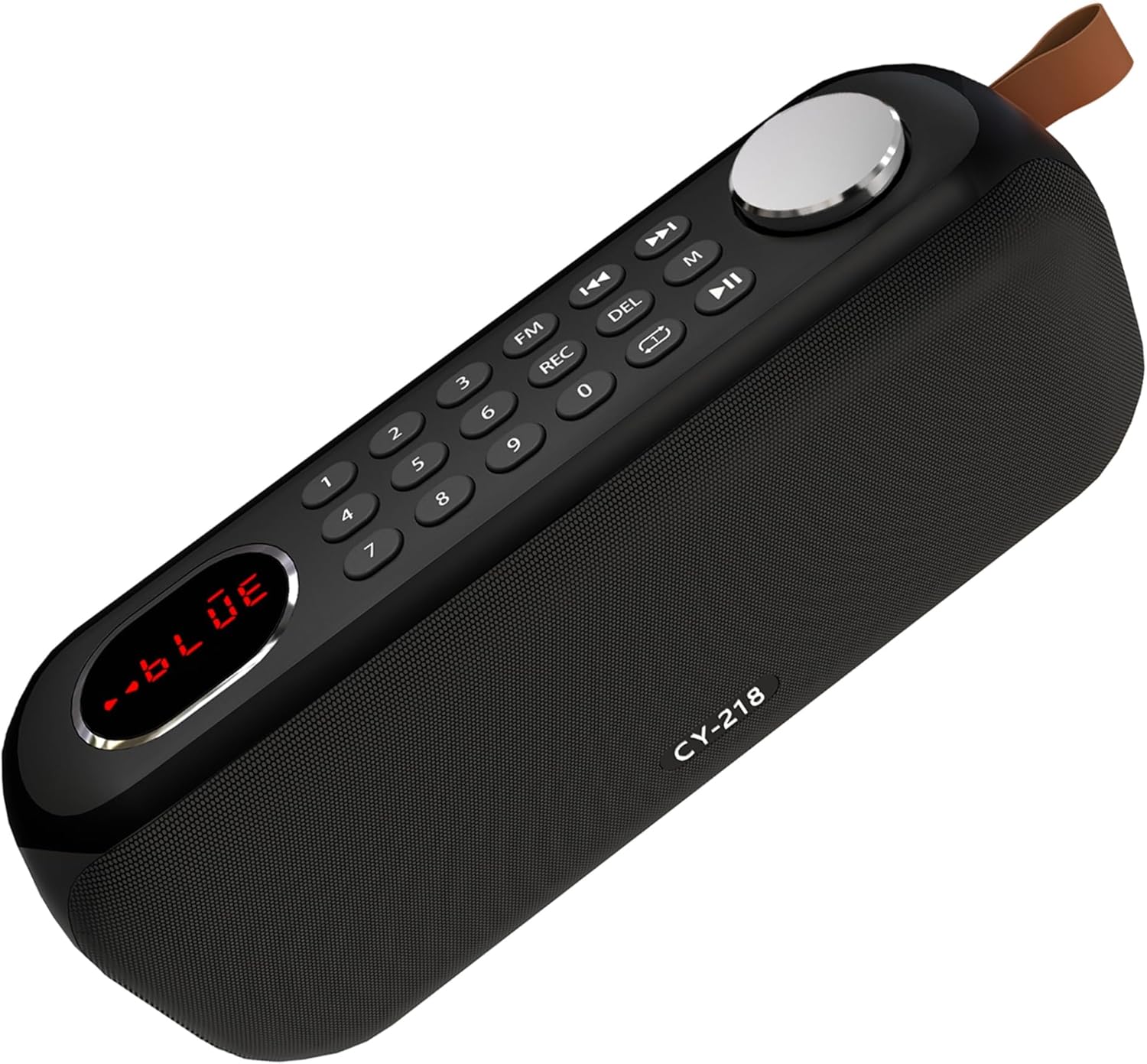
Figure 3.1: Top view of the speaker with control panel.
- Display Screen: Shows current mode, frequency, track number, etc.
- Numeric Keypad (0-9): For direct frequency input in FM mode or track selection.
- FM Button: Switches to FM radio mode.
- REC Button: Initiates recording to USB/SD card.
- DEL Button: Deletes recorded files.
- M (Mode) Button: Cycles through input modes (Bluetooth, FM, USB, SD, AUX).
- Previous/Next Track Buttons: Navigates tracks or FM stations.
- Play/Pause Button: Controls playback.
- Volume Knob: Adjusts audio volume.

Figure 3.2: Rear view of the speaker with ports.
- Power Switch: Turns the speaker ON/OFF.
- USB-C Charging Port: For charging the internal battery.
- Micro SD Card Slot: For playing music from an SD card.
- AUX Input (3.5mm): Connect external audio devices.
- Earphone Jack (3.5mm): For private listening with headphones.
- USB-A Port: For playing music from a USB drive or recording.
4. Setup
4.1 Initial Charging
Before first use, fully charge the speaker. Connect the provided USB charging cable to the USB-C charging port on the speaker and the other end to a 5V/1A USB power adapter (not included) or a computer USB port. The charging indicator light will illuminate during charging and turn off when fully charged.

Figure 4.1: Charging the speaker.
A full charge typically takes approximately 3-4 hours.
4.2 Powering On/Off
Locate the power switch on the rear of the speaker. Slide the switch to the "ON" position to power on the device. Slide it to the "OFF" position to power off.
Video 4.1: Demonstrates powering on the speaker and switching between modes.
5. Operating Instructions
5.1 Mode Selection
Press the M (Mode) button repeatedly to cycle through the available modes: Bluetooth, FM Radio, USB, SD Card, and AUX Input.
5.2 Bluetooth Mode
- Power on the speaker. It will automatically enter Bluetooth pairing mode, indicated by "BLUE" on the display.
- On your mobile device, enable Bluetooth and search for available devices.
- Select "CY-218" from the list to pair. A voice prompt will confirm successful connection.
- Once connected, you can play audio from your device through the speaker. Use the speaker's playback controls (Play/Pause, Previous/Next) or your device's controls.

Figure 5.1: Bluetooth pairing process.
5.3 FM Radio Mode
- Press the FM button or cycle through modes using the M button until "FM" appears on the display.
- Auto-Scan: Long press the Play/Pause button to automatically scan and save available FM stations.
- Manual Tuning: Use the Previous/Next Track buttons to fine-tune the frequency.
- Direct Frequency Input: Use the numeric keypad (0-9) to directly enter a desired FM frequency (e.g., 9-6-9 for 96.9 MHz).

Figure 5.2: FM radio reception.
Video 5.1: Demonstrates FM radio tuning and direct frequency input.
5.4 USB/SD Card Playback
- Insert a USB drive into the USB-A port or an SD card into the Micro SD card slot.
- The speaker will automatically switch to USB or SD card mode and begin playing MP3 audio files. If not, press the M button to select the correct mode.
- Use the Previous/Next Track buttons to navigate between songs and the Play/Pause button to control playback.
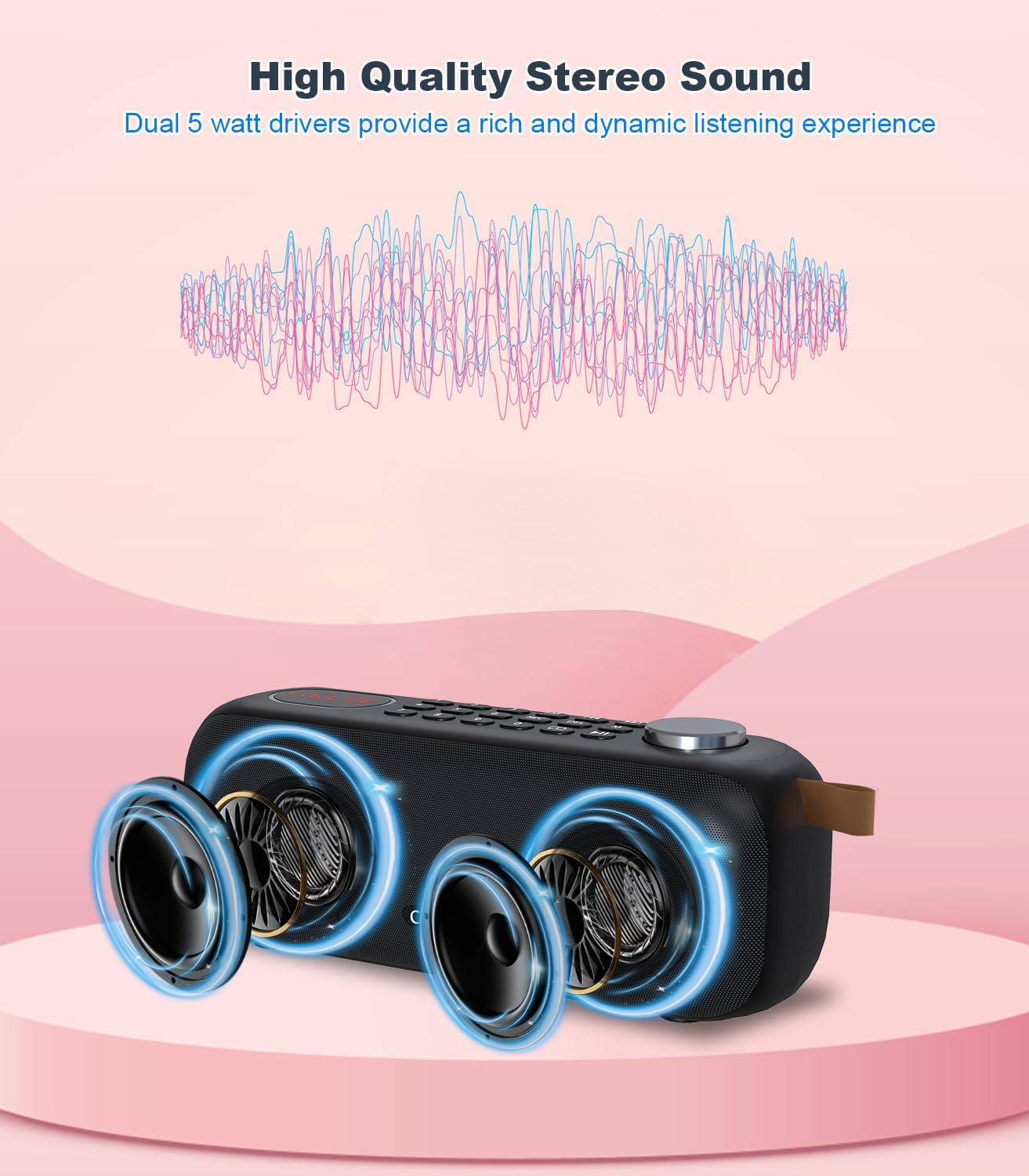
Figure 5.3: USB/SD card playback.
5.5 AUX Input Mode
- Connect an external audio device (e.g., smartphone, MP3 player) to the speaker's AUX input port using a 3.5mm audio cable (not included).
- Press the M button to select AUX mode.
- Control audio playback from your connected external device.
5.6 Recording Function
The speaker supports recording audio to a connected USB drive or SD card.
- Ensure a USB drive or SD card is inserted into the speaker.
- Press the REC button to start recording. The display will indicate recording status.
- Press the REC button again to stop recording. The recorded file will be saved to the USB drive or SD card.
- To delete a recorded file, select the file and press the DEL button.
Video 5.2: Demonstrates the recording function to a USB/TF card.
5.7 Earphone Jack
Connect 3.5mm headphones to the earphone jack for private listening. The speaker's internal sound will be muted when headphones are connected.
Figure 5.4: Using the 3.5mm earphone jack.
6. Maintenance
- Cleaning: Use a soft, dry cloth to clean the speaker's exterior. Do not use abrasive cleaners or solvents.
- Storage: Store the speaker in a cool, dry place away from direct sunlight and extreme temperatures when not in use for extended periods.
- Battery Care: To prolong battery life, avoid fully discharging the battery frequently. Charge the speaker regularly, even if not in use.
7. Troubleshooting
| Problem | Possible Cause | Solution |
|---|---|---|
| Speaker does not power on. | Battery is depleted. | Charge the speaker using the provided USB cable. |
| No sound. | Volume is too low or muted. | Increase the volume using the volume knob. Check if headphones are connected. |
| Bluetooth pairing fails. | Speaker is not in pairing mode; device is too far; interference. | Ensure speaker is in Bluetooth mode. Move device closer. Restart both devices. |
| Poor FM reception. | Weak signal; environmental interference. | Relocate the speaker to an area with better reception. Perform auto-scan again. |
| USB/SD card not playing. | Incorrect file format; card/drive not properly inserted; corrupted files. | Ensure files are MP3 format. Reinsert card/drive. Try a different card/drive. |
8. Specifications
| Feature | Detail |
|---|---|
| Model | CY-218 |
| Brand | ONGTEED |
| Product Dimensions | 9.8 x 2.6 x 3.3 inches |
| Item Weight | 2.07 pounds |
| Battery | 3000mAh Rechargeable (1 9V battery included) |
| Connectivity Technology | Bluetooth 5.0, USB, AUX |
| Tuner Technology | FM (87.5-108MHz) |
| Speaker Output | 10W (Dual 5W drivers) |
| Input Power | DC 5.0V ⎇ 1A |
| Supported Media | USB drives, SD cards (MP3 format) |
| Included Components | FM Radio Bluetooth Speaker, USB Cord, Owner's Manual |
9. Warranty and Support
For warranty information or technical support, please refer to the contact details provided with your purchase or visit the official ONGTEED website. Keep your proof of purchase for warranty claims.
Note: Product specifications and features are subject to change without prior notice.