
1. Safety Information
Read all instructions carefully before using the appliance. Keep this manual for future reference. Improper use can cause personal injury and damage to the appliance.
- Electrical Safety: Ensure the appliance is correctly earthed and connected to a suitable power supply. Do not use adapters or extension cords.
- Children and Vulnerable Persons: This appliance can be used by children aged from 8 years and above and persons with reduced physical, sensory or mental capabilities or lack of experience and knowledge if they have been given supervision or instruction concerning use of the appliance in a safe way and understand the hazards involved. Children shall not play with the appliance. Cleaning and user maintenance shall not be made by children without supervision.
- Hot Surfaces: The oven and its accessible parts become hot during use. Care should be taken to avoid touching heating elements. Children less than 8 years of age shall be kept away unless continuously supervised.
- Cleaning: Always switch off the appliance and allow it to cool before cleaning. Do not use harsh abrasive cleaners or sharp metal scrapers to clean the oven door glass since they can scratch the surface, which may result in shattering of the glass.
- Installation: Installation and servicing must be carried out by a qualified technician in accordance with local safety regulations.
2. Product Overview
The Hotpoint Ariston HAO 235H X is a 60-liter built-in electric oven designed for efficient and versatile cooking. It features a radiant heating method and a polished stainless steel finish, complementing modern kitchen aesthetics.
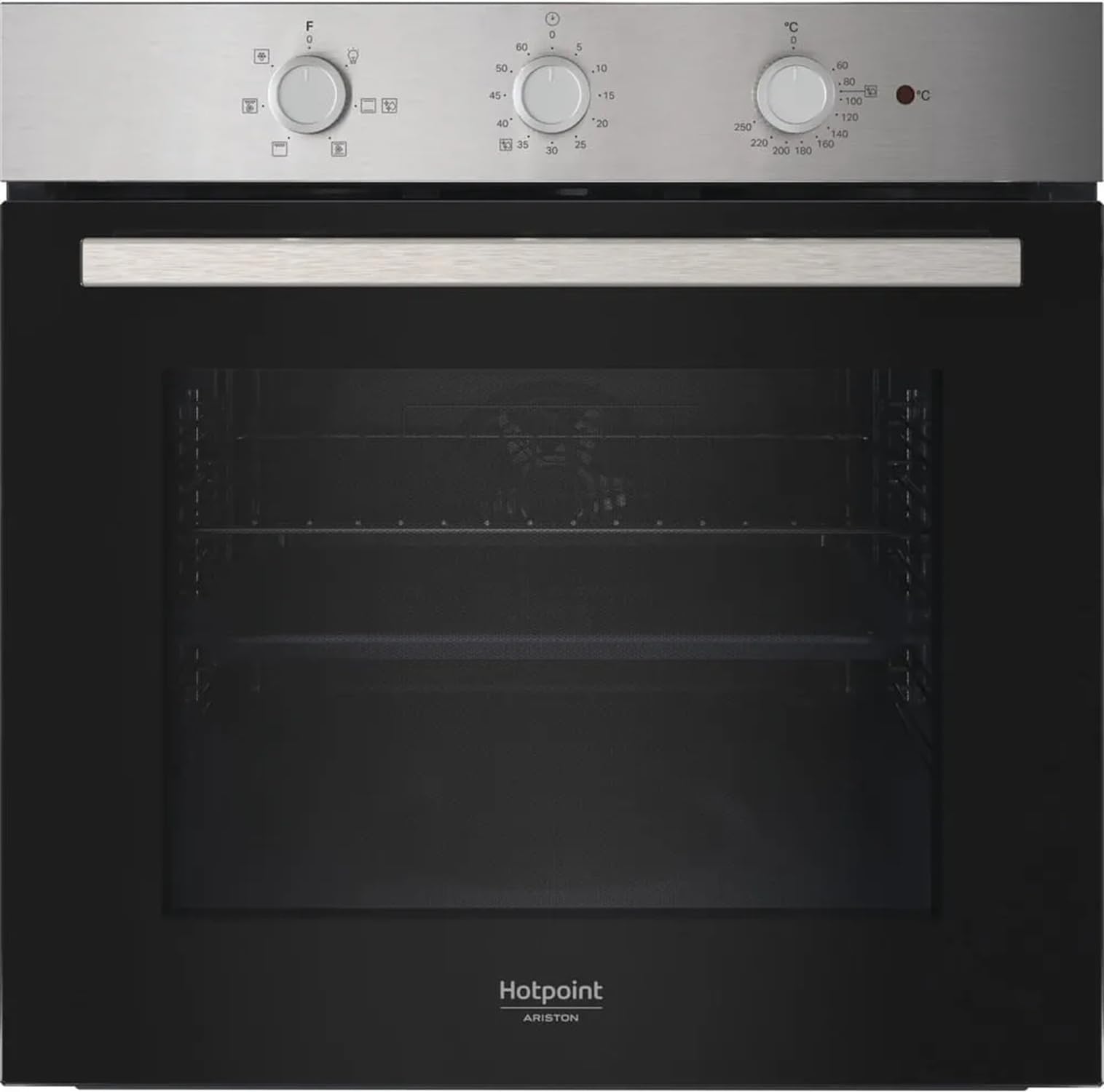
Figure 2.1: Front view of the Hotpoint Ariston HAO 235H X Built-in Electric Oven.
2.1 Components
- Control Panel: Dials and buttons for selecting functions, temperature, and timer.
- Oven Cavity: The main cooking area.
- Oven Door: Features a glass panel for viewing food.
- Oven Racks/Shelves: For placing cooking dishes.
- Grill Element: Located at the top of the oven cavity.
- Oven Light: Illuminates the oven interior.
3. Setup and Installation
This appliance must be installed by a qualified technician. Incorrect installation can lead to electric shock, fire, or damage to the appliance.
3.1 Unpacking
- Remove all packaging materials from the oven and its accessories.
- Check for any damage during transit. If the appliance is damaged, do not install or use it, and contact your retailer.
- Dispose of packaging materials responsibly.
3.2 Electrical Connection
- Ensure the mains voltage matches the rating plate on the appliance.
- The oven must be connected to the mains supply via an all-pole switch with a contact separation of at least 3mm.
- The earthing of the appliance is mandatory. The manufacturer declines all responsibility for any injury or damage resulting from non-compliance with this requirement.
3.3 Cabinet Installation
- Ensure the cabinet opening dimensions are suitable for the oven (refer to installation diagram, typically 560mm width x 585mm height x 550mm depth).
- Secure the oven into the cabinet using the screws provided, typically through holes in the oven frame.
- Ensure adequate ventilation around the appliance to prevent overheating.
4. Operating Instructions
Familiarize yourself with the control panel before first use.
4.1 First Use
- Before cooking food for the first time, heat the empty oven for approximately 30 minutes at the maximum temperature. This will burn off any manufacturing residues and odors. Ensure the room is well-ventilated during this process.
- Clean the oven interior with a damp cloth after it has cooled down.
4.2 Setting the Time
If equipped with a digital clock, set the current time after connecting the oven to power. Refer to the control panel diagram for specific button functions.
4.3 Cooking Functions
The HAO 235H X oven offers various cooking functions. Turn the function selector dial to choose your desired cooking mode.
- Conventional (Static) Cooking: Heat from top and bottom elements. Ideal for roasting and baking.
- Grill: For grilling small cuts of meat, toast, or browning dishes.
- Fan Assisted Cooking: Combines top and bottom heat with a fan for even heat distribution. Suitable for cooking on multiple levels.
- Defrost: Uses the fan to circulate air at room temperature, gently defrosting food.
4.4 Setting Temperature and Timer
- Temperature: Turn the temperature selector dial to the desired temperature. The indicator light will illuminate until the oven reaches the set temperature.
- Timer: Use the timer function to set a cooking duration or a delayed start. The oven will switch off automatically when the set time expires.
5. Maintenance and Cleaning
Regular cleaning and maintenance ensure optimal performance and extend the lifespan of your oven. Always disconnect the appliance from the power supply and allow it to cool completely before cleaning.
5.1 Exterior Cleaning
- Clean the exterior surfaces with a soft cloth dampened with warm water and a mild detergent.
- For stainless steel surfaces, use a specialized stainless steel cleaner and polish in the direction of the grain.
- Avoid abrasive cleaners, scouring pads, or corrosive detergents.
5.2 Interior Cleaning
- Remove oven racks and accessories. Wash them in warm soapy water or in a dishwasher.
- Wipe the oven interior with a damp cloth and mild detergent. For stubborn stains, use a specialized oven cleaner, following the product instructions carefully.
- Ensure all cleaner residue is thoroughly removed before using the oven again.
5.3 Oven Door Cleaning
- Clean the glass panels with a soft cloth and a non-abrasive glass cleaner.
- Do not use harsh abrasive cleaners or sharp metal scrapers on the oven door glass.
5.4 Replacing the Oven Light
- Disconnect the oven from the power supply.
- Allow the oven to cool completely.
- Unscrew the protective glass cover.
- Unscrew the old bulb and replace it with a new one of the same type (e.g., E14, 25W, 300°C resistant).
- Replace the protective glass cover.
6. Troubleshooting
Before contacting customer service, check the following common issues and solutions:
| Problem | Possible Cause | Solution |
|---|---|---|
| Oven does not heat up. | No power supply. Oven not switched on. Timer not set or set incorrectly. | Check the circuit breaker/fuse. Ensure the oven is switched on at the mains and control panel. Set the timer correctly. |
| Oven light does not work. | Bulb is faulty. | Replace the oven light bulb (refer to Section 5.4). |
| Food not cooking evenly. | Incorrect temperature or cooking function. Overcrowding the oven. Improper rack position. | Verify temperature and function settings. Avoid placing too many dishes in the oven at once. Adjust rack position for optimal heat distribution. |
| Excessive smoke during cooking. | Food spills or grease residue. | Clean the oven interior thoroughly (refer to Section 5.2). |
If the problem persists after trying these solutions, contact qualified service personnel.
7. Specifications
| Feature | Detail |
|---|---|
| Brand | Hotpoint ARISTON |
| Model | HAO 235H X |
| Type | Built-in Electric Oven |
| Capacity | 60 Liters |
| Color | Black |
| Heating Method | Radiant |
| Fuel Type | Electric |
| Installation Type | Built-in |
| Timer Function | Available |
| Finish | Polished |
| Material | Stainless Steel |
| GTIN (EAN/UPC) | 08050147705438 |
8. Warranty and Support
This appliance is covered by the manufacturer's warranty, valid from the date of purchase. Please refer to the warranty card provided with your appliance for specific terms and conditions, including warranty period and coverage details.
For technical assistance, spare parts, or to report a fault, please contact Hotpoint ARISTON customer service. Have your appliance model number (HAO 235H X) and serial number ready when contacting support. Contact details can typically be found on the warranty card or the manufacturer's official website.
Online Resources: For additional information, FAQs, and support, visit the official Hotpoint ARISTON website.


