
1. Introduction
This manual provides essential information for the proper installation, operation, and maintenance of your JBL Stage GT90041 4-channel car amplifier. Please read this manual thoroughly before attempting to install or operate the amplifier to ensure optimal performance and safety.
The JBL Stage GT90041 is designed to deliver high-quality audio amplification for your vehicle's sound system, featuring 130 watts RMS per channel and a peak power output of 1480 watts. Its 4-channel configuration and bridgeable capability offer flexibility for various audio setups.
2. Safety Information
Always observe the following safety precautions to prevent injury or damage to the amplifier and vehicle:
- Disconnect Battery: Before starting any installation, disconnect the vehicle's negative battery terminal to prevent electrical shorts.
- Professional Installation: If you are unsure about the installation process, seek assistance from a qualified professional.
- Proper Wiring: Ensure all wiring is correctly connected and insulated to prevent short circuits and electrical hazards. Use appropriate gauge wires as specified in the setup section.
- Ventilation: Install the amplifier in a location that allows for adequate ventilation to prevent overheating. Do not block cooling fins.
- Avoid Moisture: Do not expose the amplifier to moisture or water.
- Secure Mounting: Mount the amplifier securely to prevent it from becoming a projectile in the event of a sudden stop or collision.
3. Package Contents
Verify that all items are present in the package:
- JBL Stage GT90041 Car Amplifier
- Owner's Manual (this document)
- Mounting Hardware (screws, washers)
4. Setup
4.1. Mounting the Amplifier
Choose a mounting location that is dry, well-ventilated, and secure. Common locations include under a seat, in the trunk, or on a custom amplifier rack. Ensure the amplifier's cooling fins are not obstructed.
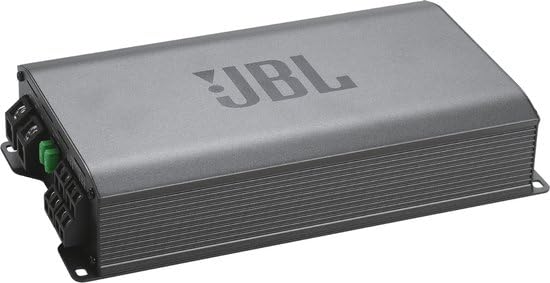
Image: Side view of the JBL Stage GT90041 Car Amplifier, showing its compact design and heat-dissipating fins. This view highlights the overall form factor suitable for various mounting locations.
- Place the amplifier in the desired mounting location and mark the screw holes.
- Drill pilot holes if necessary, ensuring no wires or fuel lines are damaged.
- Secure the amplifier using the provided mounting screws.
4.2. Wiring Connections
Proper wiring is crucial for performance and safety. Refer to the diagram below for connection points.
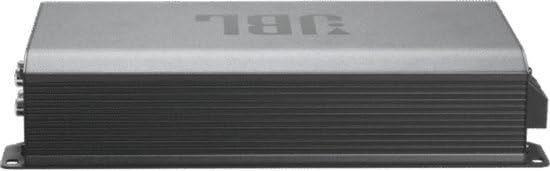
Image: Rear panel of the JBL Stage GT90041 Car Amplifier, displaying the power input terminals (GND, REM, +12V), fuse slots (30A), and speaker output terminals. This view is essential for understanding wiring connections.
- Power Connection: Connect the +12V terminal to the vehicle's positive battery terminal using a heavy-gauge power cable (e.g., 4-gauge). Install an in-line fuse (not supplied) within 18 inches of the battery.
- Ground Connection: Connect the GND terminal to a clean, unpainted metal surface on the vehicle chassis using a heavy-gauge ground cable of the same size as the power cable. The ground point should be as short as possible.
- Remote Turn-On: Connect the REM terminal to the remote turn-on output of your head unit. This wire signals the amplifier to turn on when the head unit is active.
- Audio Input: Connect the RCA audio cables from your head unit's pre-amp outputs to the amplifier's RCA input jacks.
- Speaker Output: Connect your speakers to the amplifier's speaker output terminals. Ensure correct polarity (+ to + and - to -). For bridged operation, refer to the specific bridging instructions in your head unit or speaker manual.
5. Operating Instructions
5.1. Initial Power-Up
After all connections are made and verified, reconnect the vehicle's negative battery terminal. Turn on your head unit. The amplifier should power on, indicated by an LED indicator (if present).
5.2. Adjusting Gain and Crossover
The amplifier features adjustable gain controls to match the output of your head unit and crossover settings to optimize sound for your speakers.
- Gain Control: Start with the gain control set to minimum. Play a familiar track at about 75% of your head unit's maximum volume. Slowly increase the amplifier's gain until you hear distortion, then back off slightly.
- Crossover (HPF/LPF): Adjust the High-Pass Filter (HPF) for full-range speakers to prevent low frequencies from distorting them. Adjust the Low-Pass Filter (LPF) for subwoofers to only allow low frequencies.
5.3. Bass EQ Control
The Bass EQ control allows you to boost low frequencies. Use this feature sparingly and adjust carefully to avoid speaker damage or excessive distortion. Start with the Bass EQ at its minimum setting and increase gradually to achieve the desired bass response.
6. Maintenance
The JBL Stage GT90041 amplifier requires minimal maintenance. Follow these guidelines to ensure longevity:
- Cleaning: Periodically wipe the amplifier's exterior with a soft, dry cloth. Do not use harsh chemicals or abrasive cleaners.
- Ventilation: Ensure the cooling fins remain free of dust and debris to maintain proper heat dissipation.
- Connections: Occasionally check all wiring connections to ensure they are secure and free from corrosion.
- Fuse Replacement: If a fuse blows, replace it only with a fuse of the same type and rating (30A). Using an incorrect fuse can cause damage or fire.
7. Troubleshooting
If you experience issues with your amplifier, consult the table below for common problems and solutions:
| Problem | Possible Cause | Solution |
|---|---|---|
| No power/No sound | Blown fuse; Loose power/ground connection; No remote turn-on signal | Check and replace fuses; Verify all power and ground connections; Check remote wire connection to head unit. |
| Distorted sound | Gain set too high; Improper crossover settings; Speaker impedance mismatch | Reduce gain; Adjust crossover settings; Verify speaker impedance is compatible with amplifier. |
| Amplifier overheats | Insufficient ventilation; Overloading amplifier; Low impedance speakers | Ensure proper airflow around amplifier; Check speaker wiring for shorts; Verify speaker impedance. |
| No bass output | LPF (Low-Pass Filter) not engaged or set too high; Bass EQ set too low | Adjust LPF to appropriate frequency for subwoofers; Increase Bass EQ gradually. |
8. Specifications
Key technical specifications for the JBL Stage GT90041 Car Amplifier:
| Feature | Specification |
|---|---|
| Model Number | Stage GT90041 |
| Brand | JBL |
| Number of Channels | 4 |
| Output Power (RMS per channel) | 130 Watts |
| Peak Power | 1480 Watts |
| Item Dimensions (L x W x H) | 30 x 25 x 5 Centimeters |
| Item Weight | 1 Grams |
| Mounting Type | Freestanding |
| Specification Met | CE, FCC |
| UPC | 050036412902 |
9. Warranty and Support
The JBL Stage GT90041 Car Amplifier comes with a manufacturer's warranty. Please refer to the warranty card included with your product for specific terms and conditions, including the duration and coverage details. Keep your purchase receipt as proof of purchase for warranty claims.
For technical support, service, or warranty inquiries, please contact JBL customer service or visit the official JBL website for contact information specific to your region. Ensure you have your model number (Stage GT90041) and proof of purchase available when contacting support.