
Introduction
The Ninja Luxe Café Pro Series ES701 is a versatile 4-in-1 coffee machine designed to deliver café-quality beverages, including rich espresso, smooth drip coffee, refreshing cold brew, and an independent hot water system. This machine features Barista Assist Technology for guided brewing, an integrated tamper for consistent tamping, and a Dual Froth System Pro for various milk-based creations. This manual provides detailed instructions for setup, operation, maintenance, and troubleshooting to ensure optimal performance and enjoyment of your coffee machine.
Setup
1. Unpacking and Placement
- Carefully remove all packaging materials and accessories.
- Place the machine on a clean, dry, and level surface. Ensure adequate clearance around the machine for ventilation and access.
2. Initial Cleaning
- Wash the water reservoir, milk jug, portafilter, and baskets with warm, soapy water. Rinse thoroughly and dry.
- Wipe down the exterior of the machine with a damp cloth.
3. Filling the Water Reservoir
- Remove the water reservoir from the back of the machine.
- Fill with fresh, filtered water up to the MAX fill line.
- Replace the reservoir securely.
4. Adding Coffee Beans
- Open the lid of the bean hopper located on top of the machine.
- Pour whole coffee beans into the hopper. Close the lid securely.
Operating Instructions
1. Brewing Espresso
- Select Basket: Choose the appropriate basket (single, double, or quad shot) and insert it into the portafilter.
- Grind Coffee: Place the portafilter under the grinder. The Barista Assist Technology will recommend a grind size. Adjust if necessary using the grind size dial. Press the 'Start Grind' button. The integrated conical burr grinder will dispense the correct amount of coffee based on your selection.
- Tamp Grounds: Use the integrated tamper by grasping the lever and pushing with continuous force beyond initial resistance until no further movement is possible. Tamp twice for best results.
- Insert Portafilter: Insert the portafilter into the brew head and turn it to the 'Lock' position.
- Place Cup: Position your espresso cup(s) under the portafilter spouts.
- Select Espresso Style: Choose your desired espresso style (espresso, ristretto, lungo) and shot size (single, double, quad).
- Start Brew: Press the 'Start Brew' button. The machine will automatically adjust temperature and pressure for optimal extraction.
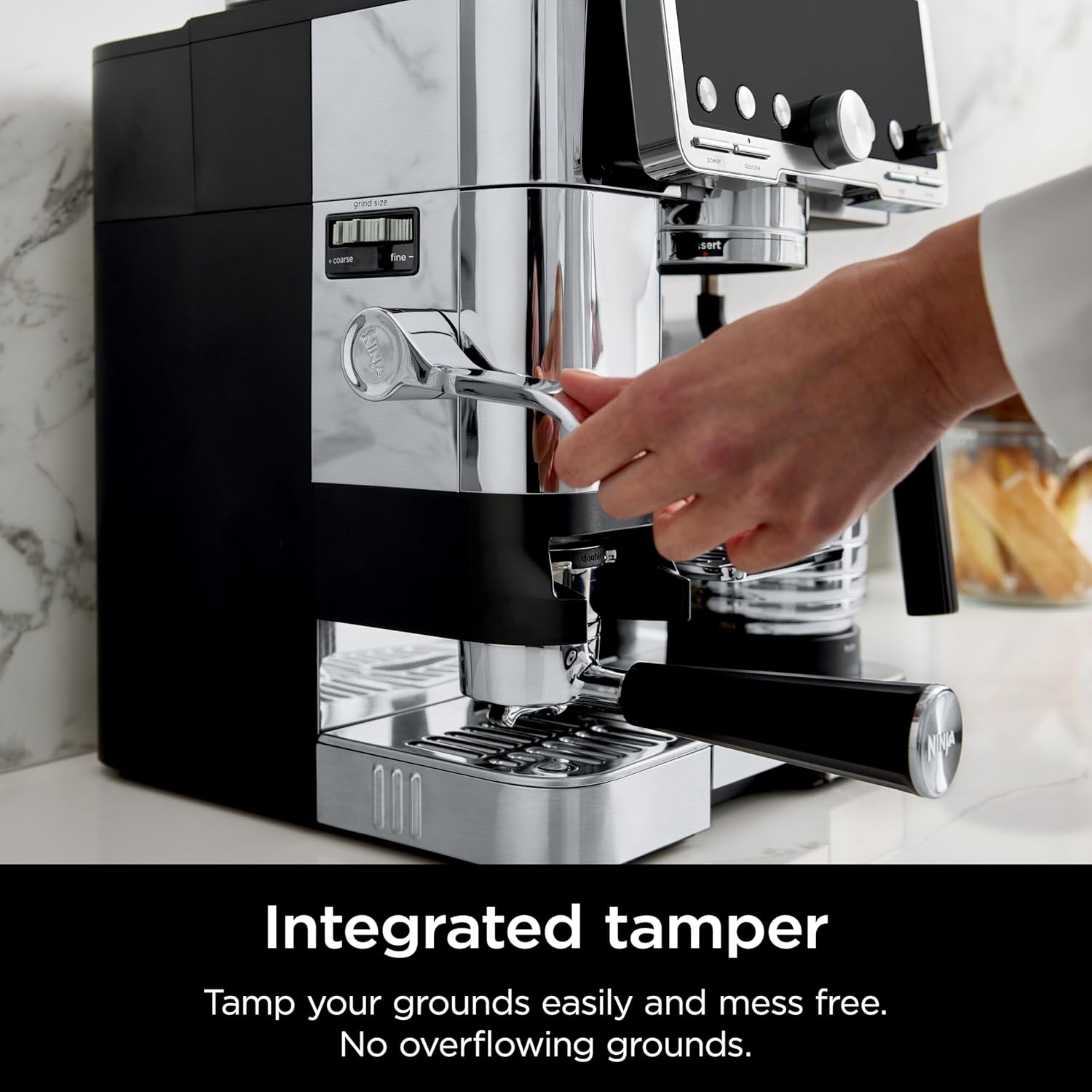
Image: The integrated tamper ensures mess-free and even tamping of coffee grounds.
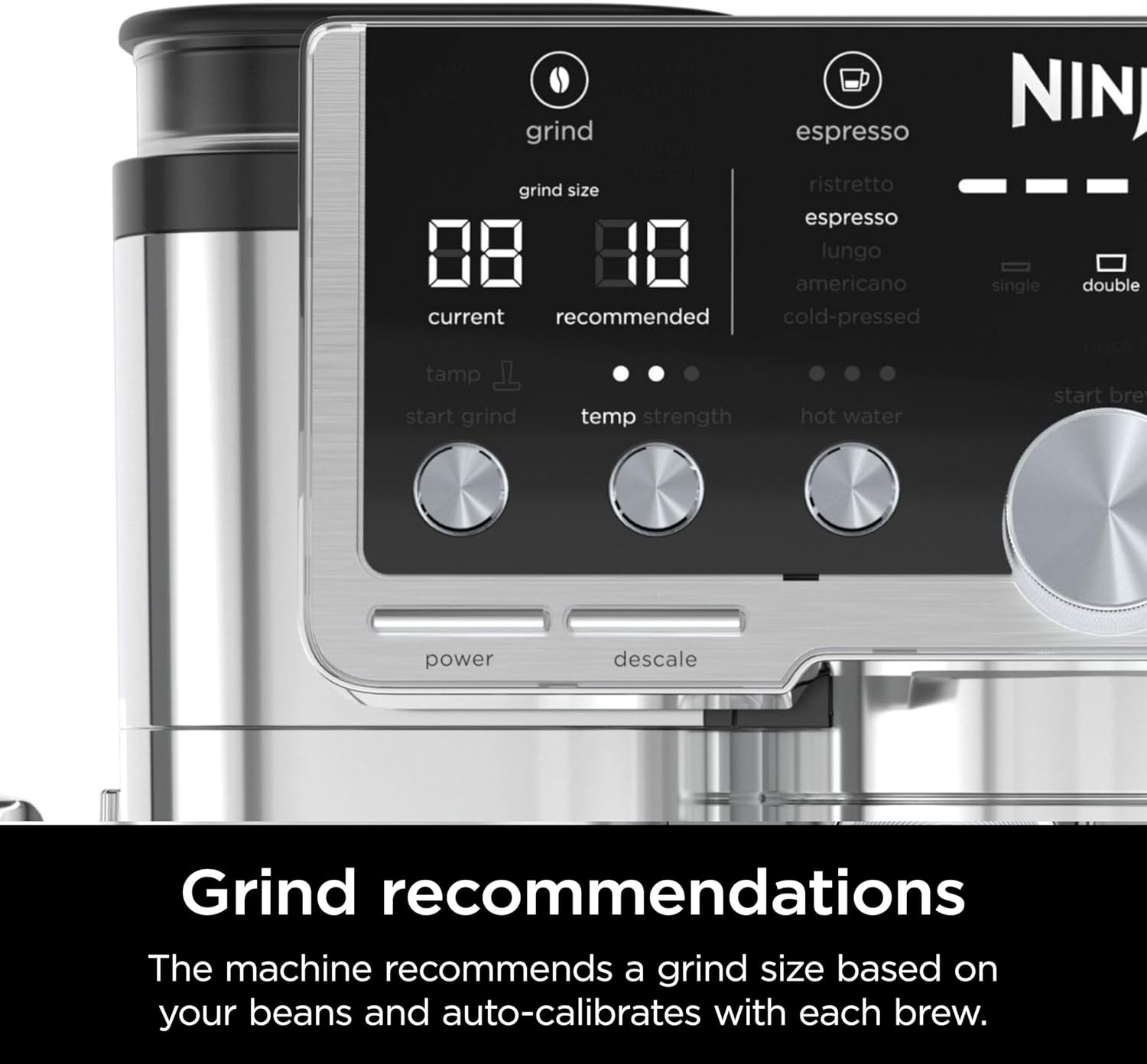
Image: The display shows current and recommended grind sizes for optimal brewing.
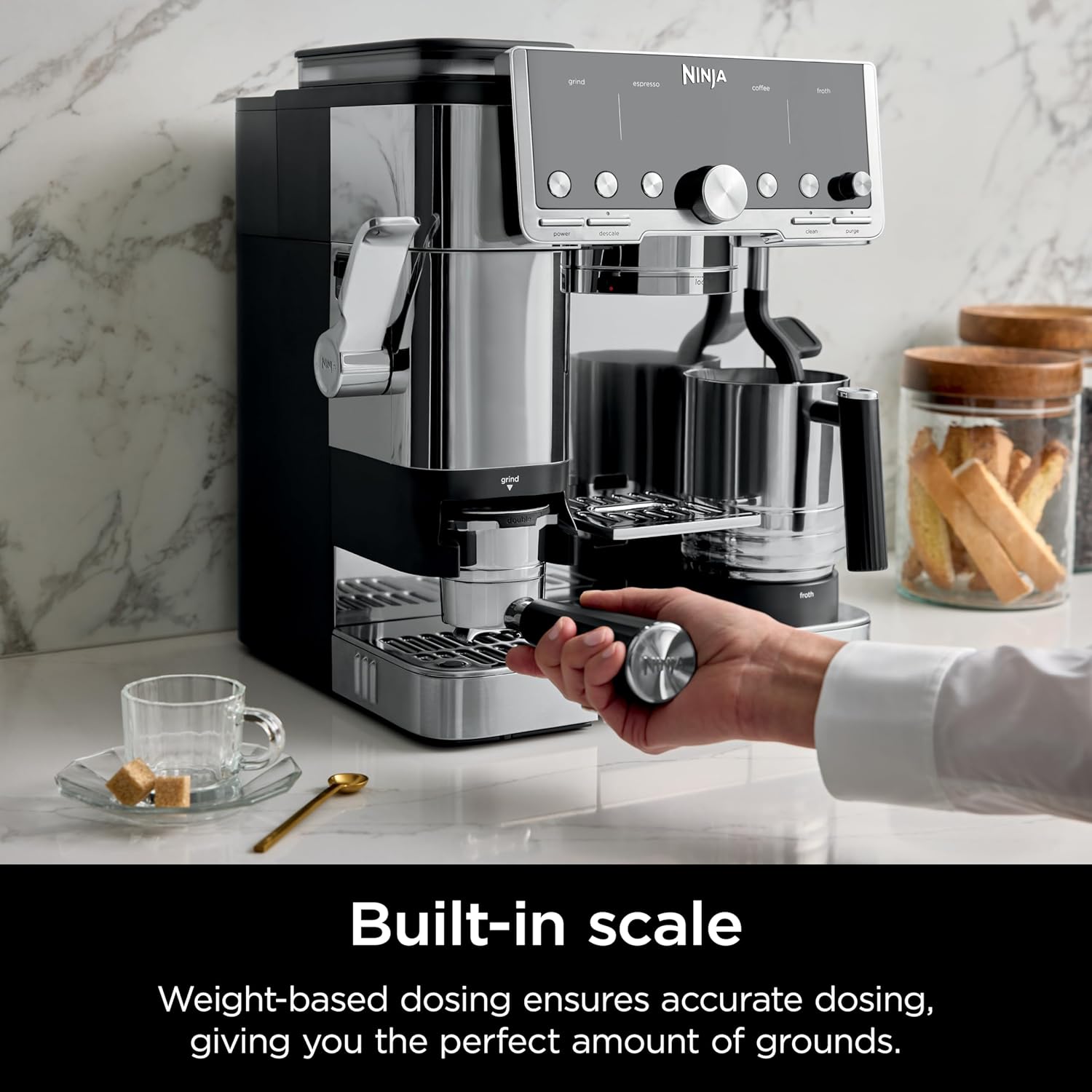
Image: The built-in scale ensures accurate, weight-based dosing of coffee grounds.

Image: The machine continuously monitors and adjusts brew temperature and pressure.
2. Brewing Drip Coffee, Cold Brew, and Hot Water
- Drip Coffee: Select from Classic, Rich, or Over Ice styles in sizes from 6 to 18 oz.
- Cold Brew: Choose between cold-pressed espresso or cold brew coffee options.
- Hot Water: Use the independent hot water system for tea, Americanos, or hot chocolate.
3. Using the Dual Froth System Pro
- Fill Milk Jug: Fill the XL milk jug with your desired dairy or plant-based milk.
- Select Froth Option: Choose from 5 preset froth functions: steamed milk, thin froth, thick froth, extra-thick froth, or cold foam.
- Start Froth: Place the milk jug under the insulated steam wand and press 'Start Froth'. The system will automatically create perfectly textured microfoam.

Image: The machine provides easy, hands-free frothing for various milk types.

Image: The Dual Froth System Pro includes an XL milk jug for frothing two drinks simultaneously.
Maintenance
1. Daily Cleaning
- Empty and rinse the drip tray after each use.
- Clean the portafilter and baskets with warm water.
- Wipe down the steam wand after each use to prevent milk residue buildup.
- Wipe the exterior of the machine with a soft, damp cloth.
2. Descaling
- The machine will indicate when descaling is required.
- Follow the instructions in the full user manual for the specific descaling procedure using the recommended descaling solution.
Troubleshooting
| Issue | Possible Cause | Solution |
|---|---|---|
| "Install Hopper" error | Bean hopper not correctly installed or a tab is broken. | Ensure the bean hopper is fully seated and locked into place. Check for any damage to the hopper tabs. |
| Coffee tastes sour or bitter | Incorrect grind size or extraction time. | Adjust grind size according to Barista Assist recommendations. Ensure proper tamping. Refer to the operating section for optimal brewing. |
| No steam from wand | Steam wand is clogged or not primed. | Clean the steam wand thoroughly. Ensure the machine is heated to the correct temperature for frothing. |
Specifications
| Feature | Detail |
|---|---|
| Brand | Ninja |
| Model Name | Ninja ES701 |
| Capacity | 68 Fluid Ounces |
| Color | Stainless Steel |
| Material | Stainless Steel |
| Wattage | 1650 watts |
| Voltage | 120.0 |
| Special Feature | Adjustable Brew Strength |
| Included Components | Portafilter, XL Milk Jug, Single Basket, Double Basket, Luxe Basket, Cleaning Brush, Disc, Tablets, Descaling Powder, Hard Water Testing Kit |
Warranty
This Ninja Luxe Café Pro Series ES701 machine comes with a 90-day limited warranty. Please retain your proof of purchase for any warranty claims. For full details regarding warranty coverage and terms, refer to the official warranty documentation included with your product or visit the manufacturer's website.
Support
For further assistance, product registration, or to purchase accessories, please visit the official Ninja website or contact their customer support. Contact information can typically be found in the product packaging or on the manufacturer's website.


