1. Introduction
Thank you for choosing the Skechers SR2147 Glenhaven Digital Watch. This watch combines a robust design with essential digital functions, including a chronograph, calendar, 12/24-hour time format, daily alarm with chime, and an EL backlight. This manual will guide you through the setup, operation, and maintenance of your new timepiece.
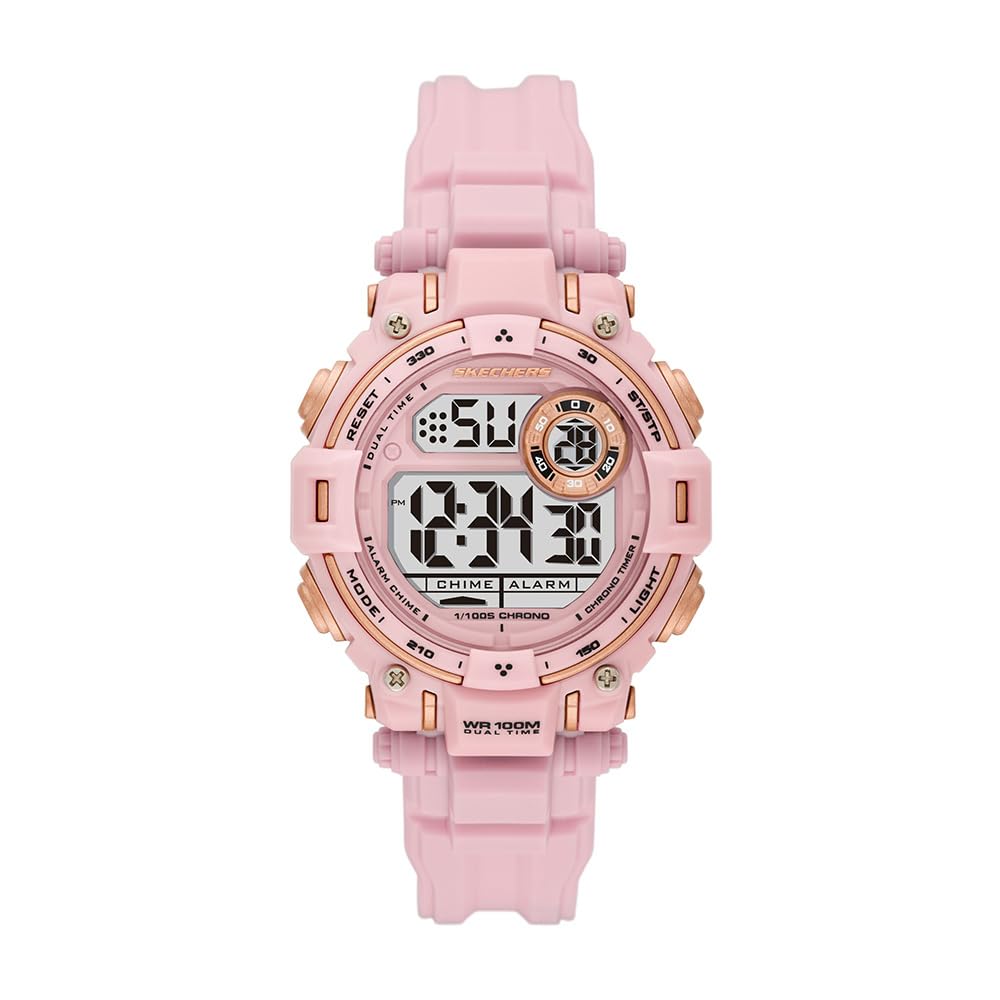
Figure 1: Front view of the Skechers SR2147 Glenhaven Digital Watch.
2. Setup
2.1 Initial Activation
Your watch may arrive in a power-saving mode. If the display is blank, press any button to activate it. If a plastic battery tab is present, gently remove it from the side of the watch to allow the battery to make contact.
2.2 Setting Time and Date

Figure 2: Side view of the watch, highlighting the MODE and RESET buttons.
- Press the MODE button repeatedly until the time setting mode is displayed (usually indicated by flashing digits).
- Use the RESET button to select the digit or setting you wish to adjust (e.g., hours, minutes, year, month, day).
- Use the START/STOP button (often located on the opposite side or top right) to increase the value. Hold to advance rapidly.
- Once all settings are correct, press the MODE button again to exit the setting mode and return to the normal time display.
2.3 Wearing the Watch
Adjust the polyurethane strap to fit comfortably around your wrist. The buckle clasp ensures a secure fit.

Figure 3: The Skechers SR2147 watch comfortably worn on a wrist.
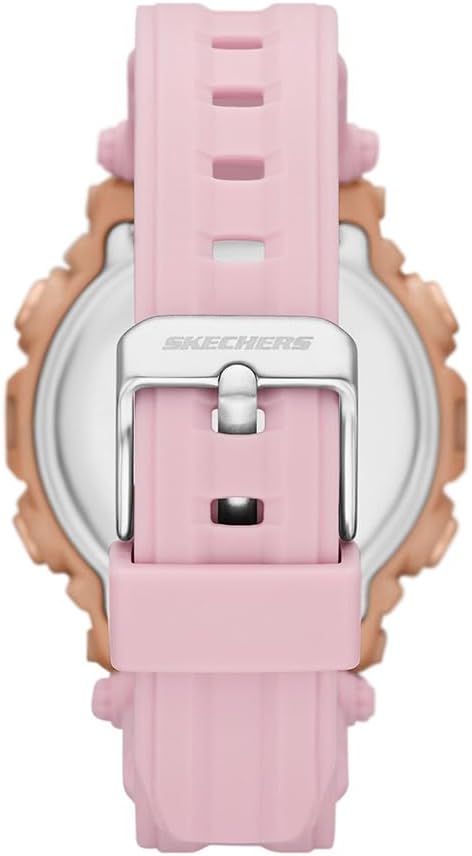
Figure 4: Close-up of the watch's buckle clasp for secure fastening.
3. Operating Instructions
3.1 Mode Navigation
Press the MODE button to cycle through the different functions: Time Display → Chronograph → Alarm → Time Setting.
3.2 Chronograph (Stopwatch)
- From the Time Display, press MODE until 'CHRONO' or 'STW' appears.
- Press the START/STOP button to begin timing.
- Press START/STOP again to pause.
- Press RESET to clear the stopwatch to zero.
3.3 Daily Alarm
- From the Time Display, press MODE until 'ALARM' or 'ALM' appears.
- Press RESET to select hours or minutes.
- Use the START/STOP button to adjust the alarm time.
- Press MODE to confirm and exit.
- To activate/deactivate the alarm, typically press START/STOP while in the alarm display mode. An alarm icon will appear/disappear.
3.4 EL Backlight
Press the LIGHT button (usually on the top left) to illuminate the display for a few seconds in low-light conditions.
3.5 12/24-Hour Format
While in time setting mode, use the RESET or START/STOP button to toggle between 12-hour (with AM/PM indicator) and 24-hour formats.
4. Maintenance
4.1 Cleaning
Wipe the watch regularly with a soft, dry cloth. For stubborn dirt, use a slightly damp cloth and mild soap, then rinse with clean water and dry thoroughly. Avoid harsh chemicals.
4.2 Water Resistance
This watch is water-resistant up to 100 meters (10 ATM). This means it is suitable for swimming and snorkeling, but not for high-impact water sports or scuba diving. Do not operate buttons underwater.
4.3 Battery Replacement
When the display dims or functions become erratic, the battery may need replacement. It is recommended to have the battery replaced by a qualified watch technician to ensure proper sealing and maintain water resistance.
5. Troubleshooting
- Display is blank: Check if the battery tab has been removed. If not, the battery may be depleted. Replace the battery.
- Time is incorrect: Refer to Section 2.2 to reset the time and date. Ensure the 12/24-hour format is set correctly.
- Alarm does not sound: Ensure the alarm is activated (check for the alarm icon on the display). Verify the alarm time is set correctly.
- Buttons are unresponsive: The watch may be in a locked mode (unlikely for this model) or the battery is very low. Try replacing the battery. If issues persist, contact customer support.
6. Specifications
| Feature | Detail |
|---|---|
| Model Number | SR2147 |
| Brand | Skechers |
| Display Type | Digital |
| Movement Type | Quartz |
| Power Source | Battery |
| Case Material | Polycarbonate |
| Band Material | Polyurethane |
| Crystal Material | Mineral Glass |
| Case Diameter | 40 mm |
| Case Thickness | 14 mm |
| Band Width | 20 mm |
| Band Length | 19 cm |
| Water Resistance | 100 Meters (10 ATM) |
| Weight | 50 Grams |
| UPC | 796483670648 |
7. Warranty and Support
7.1 Limited Warranty
This Skechers watch is covered by a limited warranty. Please refer to the warranty card included with your purchase for specific terms and conditions. The warranty typically covers manufacturing defects but does not cover normal wear and tear, battery life, or damage caused by improper use or accidents.
7.2 Customer Support
For further assistance, troubleshooting, or warranty claims, please contact Skechers customer support or the retailer from whom you purchased the watch. Keep your proof of purchase for warranty validation.

Figure 5: The Skechers watch product box, containing the watch and documentation.


